URL Encoder & Decoder

Real-time, secure, client-side percent-encoding and decoding workspace.

Input Data
Output Data

Query String Inspector

Key Decoded Value

Understanding URL & Percent Encoding

Welcome to the ultimate URL Encoder and Decoder, a high-performance, client-side tool built for developers, data engineers, and security analysts. URL encoding, formally known as percent-encoding, is a fundamental mechanism for safely transmitting data over the internet, specifically within Uniform Resource Identifiers (URIs). Because URLs can only be sent over the internet using the ASCII character set, any characters outside of this strict set must be converted into a valid ASCII format. This is where percent-encoding becomes necessary.

In web development, APIs heavily rely on perfectly encoded query strings. Unsafe characters—such as spaces, ampersands, hashes, and non-ASCII characters—must be replaced by a % followed by two hexadecimal digits that represent the character's ASCII or UTF-8 value. For example, a simple space becomes %20 (or occasionally a + depending on the specific MIME type like application/x-www-form-urlencoded). If you are building complex API requests or debugging webhook payloads, you often encounter massive blocks of data that require careful decoding. Tools like our JSON Formatter or our Base64 Encoder Decoder often go hand-in-hand with this utility when dealing with deeply nested stringified JSON parameters inside URLs.

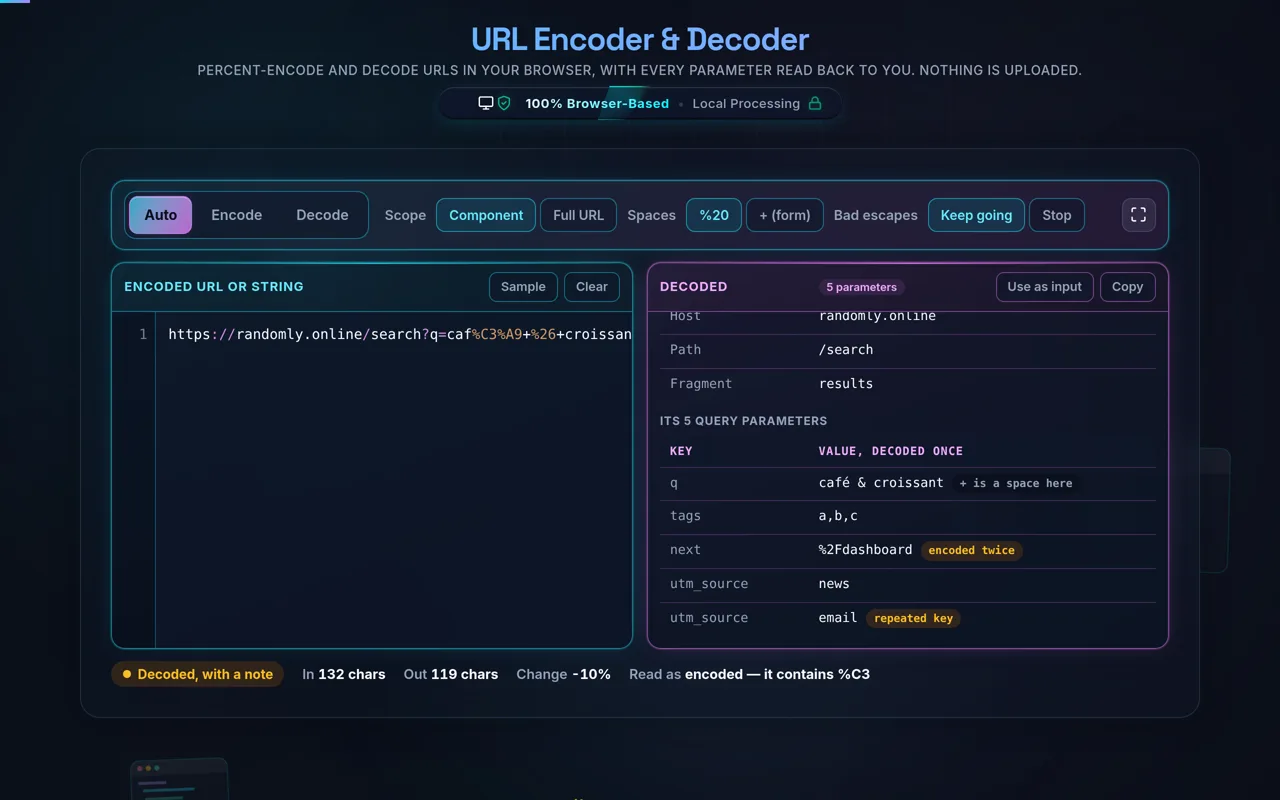
This dual-pane workspace is uniquely designed for frictionless operation. Unlike traditional tools that require you to explicitly select an action and press a 'Submit' button, our engine leverages real-time synchronization. As you type or paste a massive payload into the left panel, the tool auto-detects the presence of percent-encoded sequences (validating against hexadecimal character structures). If it detects encoded text, it instantly decodes it into human-readable plaintext. Conversely, if plain text is detected, it converts it into strict RFC 3986 compliant encoded values. All of this logic happens inside your browser's local memory. The zero-server architecture guarantees that highly sensitive query strings—such as those containing temporary access tokens, private UUIDs (which you can generate at our UUID Generator), or session identifiers—are never transmitted across the network. Privacy, speed, and strict adherence to URL structuring rules are the core pillars of this tool.

Operating this developer workspace is designed to be highly intuitive, yet deeply customizable depending on your specific protocol needs. By default, the application rests in Auto-Detect mode. When you paste data into the input pane, the engine scans the string using regular expressions to determine if it resembles an encoded payload (looking for %XX patterns). Based on this scan, it dynamically populates the right pane with the converted result.

Step-by-Step Guide

  • Step 1: Input your Payload. Paste an entire URL, an API response fragment, or plain text into the Left Pane. The system utilizes an incremental client-side processor to handle multimegabyte payloads without freezing your UI thread.
  • Step 2: Choose your Mode manually (if needed). If the auto-detector misunderstands an ambiguous string, utilize the top controls to explicitly force Force Encode or Force Decode.
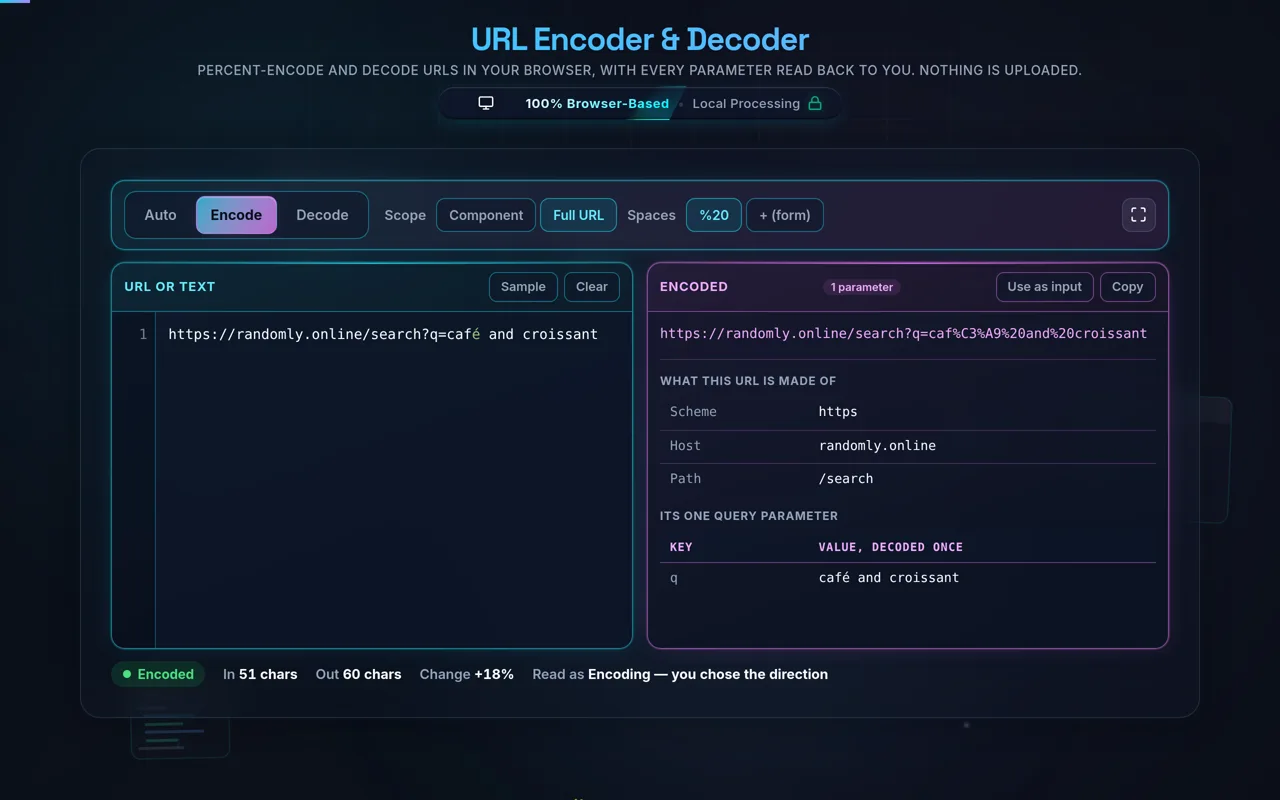
  • Step 3: Component vs Full URL Mode. This is crucial. If you are encoding a full web address (e.g., https://example.com/search?q=hello world), select Full URL Mode so it preserves the protocol (https://), slashes, and question marks. If you are only encoding a query parameter value (e.g., hello world & friends), select Component Mode so that characters like & and ? are aggressively converted.
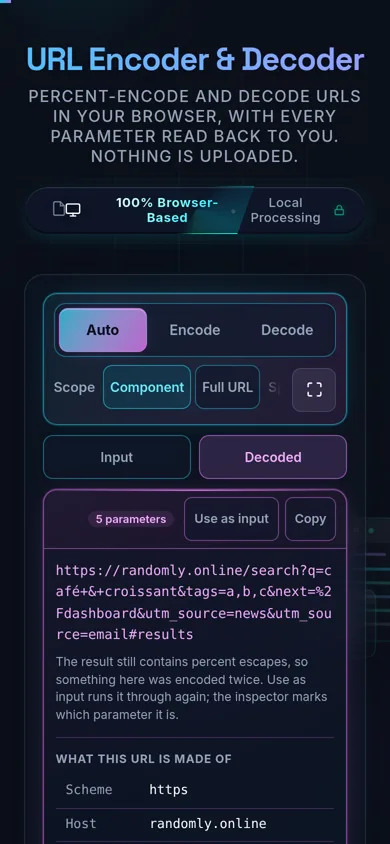
  • Step 4: Analyze with Query Inspector. If the string contains a question mark indicating a query string, the Query Inspector panel automatically appears below the workspace. It parses the parameters into a clean, tabular key-value structure, allowing you to easily spot missing parameters or malformed values. This is an excellent prelude before throwing your data into a JWT Decoder if your token is passed via URL.
  • Step 5: Output Retrieval. Use the "Copy Result" button for an instantaneous clipboard transfer. The tool automatically removes leading/trailing formatting artifacts that sometimes occur during copy-paste operations from terminal consoles.

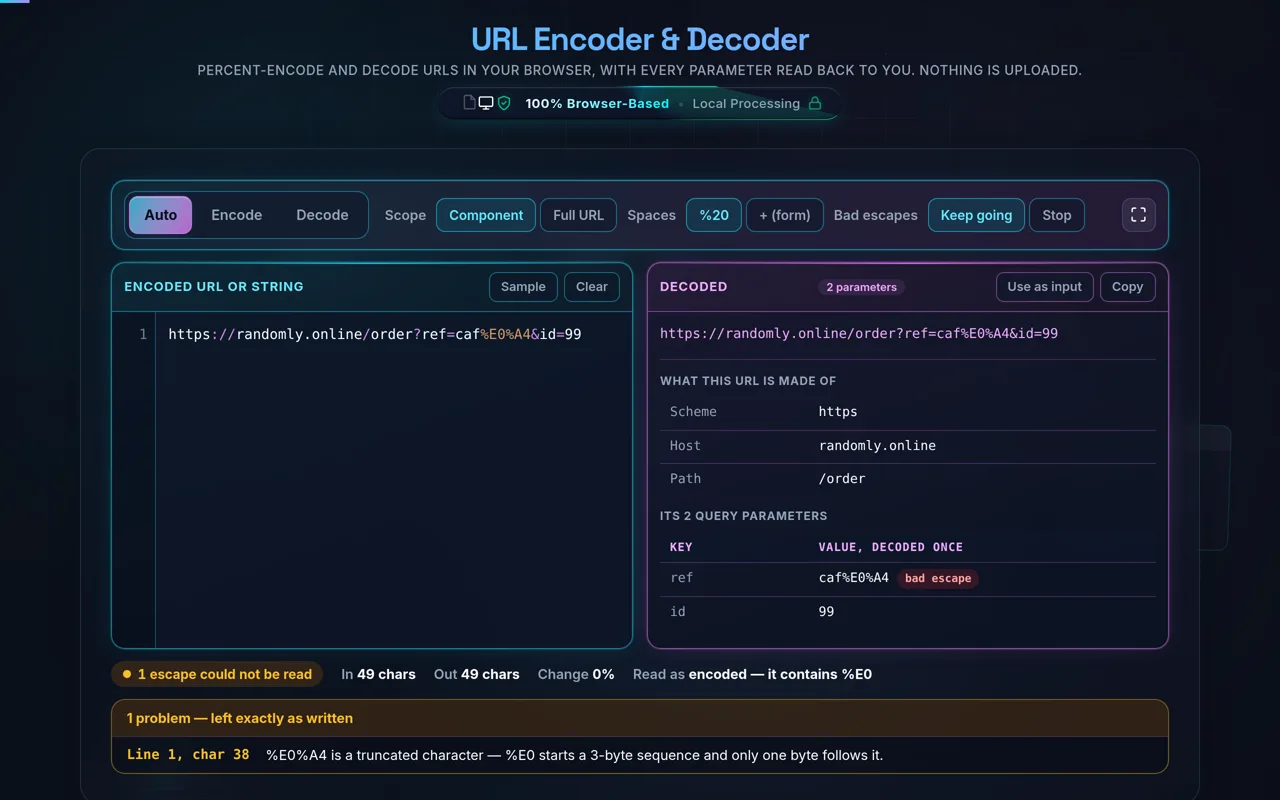
If you encounter the "Decode Safe Mode" toggle, keeping it enabled is highly recommended. Standard JavaScript engines will throw fatal URIError exceptions when attempting to decode malformed sequences (like an isolated `%` without trailing hex values). Safe mode intercepts these exceptions, highlighting the error in a red validation indicator without crashing the tool, allowing you to locate and manually fix the invalid byte sequence.

What is the exact difference between Component Mode (encodeURIComponent) and Full URL Mode (encodeURI)?

This is arguably the most common source of confusion for junior web developers and data analysts working with web protocols. JavaScript provides two distinct native functions for URL encoding because they serve entirely different architectural purposes. Full URL Mode utilizes the encodeURI() function. Its primary job is to take a complete, functional URL and encode any illegal characters (like spaces or foreign language characters) while strictly preserving the characters that give a URL its structure. Therefore, it deliberately ignores characters like A-Z a-z 0-9 ; , / ? : @ & = + $ - _ . ! ~ * ' ( ) #. If you encode an entire URL using this method, the resulting string can still be pasted into a browser address bar and navigate successfully.

On the other hand, Component Mode utilizes the encodeURIComponent() function. This mode assumes that the text you are feeding it is merely a piece of a URL—specifically, a parameter value or a path segment. It is far more aggressive. It escapes everything except A-Z a-z 0-9 - _ . ! ~ * ' ( ). Crucially, it converts structural characters like /, ?, &, and =. If you mistakenly pass an entire URL into this mode, the resulting string will be completely broken because the protocol (https://) will become https%3A%2F%2F, rendering it useless to a browser's routing engine. Always use Component Mode for individual variable values before appending them to your API queries.

Why do I get a "Malformed URI sequence" error when decoding?

A "Malformed URI sequence" is a strict standard browser error (specifically a URIError exception in JavaScript) that occurs during the decoding process. The percent-decoding algorithm expects every single percent sign (%) to be immediately followed by exactly two valid hexadecimal characters (0-9, A-F). If the algorithm encounters a percent sign followed by invalid characters (e.g., %ZZ), or a percent sign at the very end of a string with nothing after it, the algorithm fails catastrophically because it cannot convert that sequence into a valid byte.

Furthermore, URL encoding relies heavily on UTF-8 character representation. Many modern characters, like emojis or complex Asian characters, are represented by multiple bytes in UTF-8 (surrogate pairs). If a string gets truncated right in the middle of a multi-byte percent-encoded sequence (e.g., you only have the first half of a 4-byte emoji encoding), the decoder will throw this exact error because the byte sequence is legally incomplete. To resolve this, you must ensure your payload wasn't accidentally cut off during a copy-paste operation. If your plaintext legitimately contains a standalone percent sign (like "Discount: 50%"), it must first be encoded as %25 before it can be safely passed through a URL pipeline. Our tool's Decode Safe Mode catches these errors elegantly, warning you exactly when the payload violates these strict RFC standards.

Is my data secure, and does this tool communicate with external servers?

Security and absolute data privacy are the foundational principles of this developer suite. We recognize that developers frequently paste highly sensitive information into encoder/decoder tools. This includes production database connection strings, temporary OAuth access tokens, unencrypted password reset parameters, and proprietary internal API endpoint structures. Sending this type of telemetry across the open internet to a remote server for processing is an unacceptable security risk.

Therefore, this URL Encoder and Decoder operates with a 100% Zero Data Transmission architecture. Every single transformation—whether it is regex validation, UTF-8 byte conversion, or query string parsing—is executed entirely within the Document Object Model (DOM) of your local web browser. We utilize highly optimized native JavaScript APIs that do not require external libraries or API calls. Once the HTML and CSS bundle is loaded onto your device, you can completely disconnect your machine from the internet, and the tool will continue to function flawlessly. We do not store, log, track, or cache your input data. This same strict client-side-only philosophy applies across our sensitive utilities, such as the HTML Minifier and our string hashing utilities. You can inspect the network tab in your browser's developer tools to verify that no outbound XHR or Fetch requests contain your payload.