🎉 Next Milestone
Custom Event starts in
00Days
You're getting closer every day! 💪
Set a target duration, count upward from zero, watch progress build toward 100%, and keep the result private inside your browser.
🎉 Next Milestone
You're getting closer every day! 💪
Live Reverse Countdown
Reverse countdown summary appears here.
It's on a
CalculatingTarget date
Local TimeTotal countdowns
View AllStay excited, stay motivated.
🔒 Local Processing. Your data never leaves your device.
🌐 Fully Client-Side. Runs instantly in your browser.
⚡ No accounts. No hassle. Just open and use.
🚀 Works right in your browser. No installs, no downloads.
Direct answer: A reverse countdown timer starts at zero and counts upward toward a target duration. It gives you the boundary of a countdown timer while showing progress as accumulation, which is useful for deep work, studying, workouts, cooking, and focused routines.
Our Reverse Countdown Timer is engineered to transform how you perceive time during high-focus tasks. Unlike traditional countdowns that visually "deplete" your remaining time—often inducing anxiety—our upward-running display starts from zero and builds toward your goal. This simple inversion focuses the brain on accumulation and achievement rather than loss. When you use a stopwatch, you have no boundary; when you use a countdown, you feel the pressure of the end. The reverse countdown provides the structure of a deadline with the motivating visual feedback of a progress bar.
Whether you are tracking a deep-work session, a fitness routine, or a complex cooking process, seeing the seconds climb toward 100% completion provides a continuous dopamine reward. This tool integrates perfectly with other utilities like our time duration calculator to help you plan and execute your day with surgical precision. By monitoring progress rather than depletion, you stay in the "flow state" longer, making this the ideal companion for professionals and students alike.
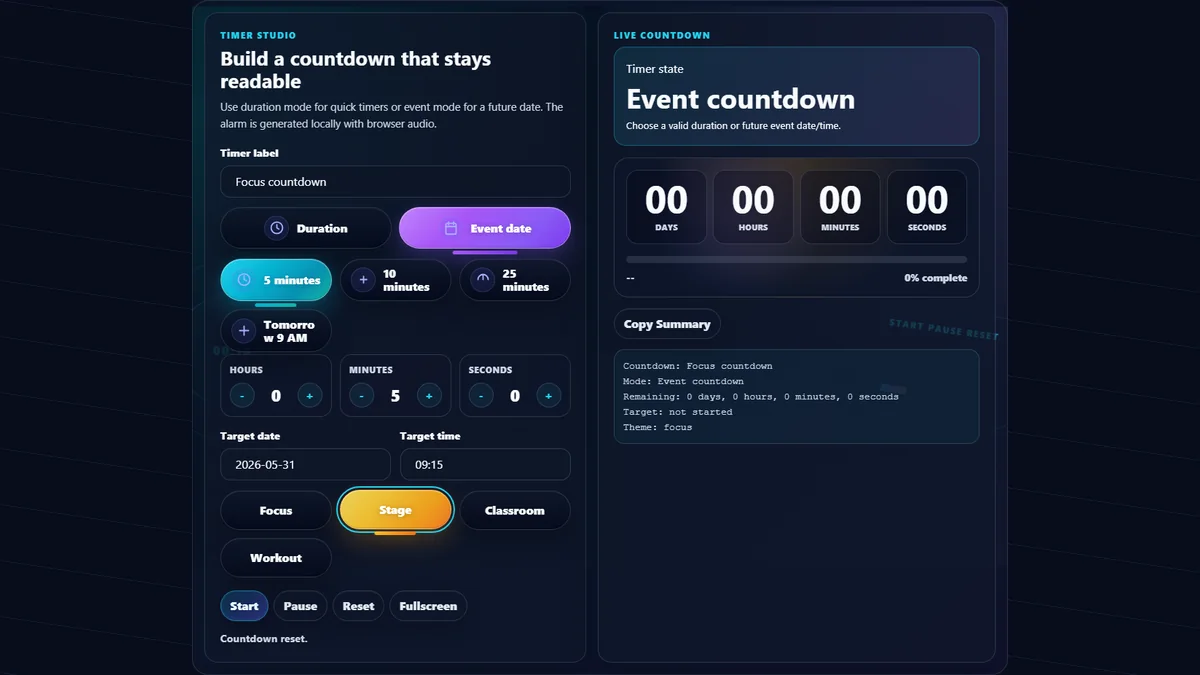
This page targets people searching for a reverse countdown timer, count up timer, progress timer online, and stopwatch with target time.
The reverse countdown fills the gap between an open-ended stopwatch and a pressure-heavy countdown timer.
| Tool | Best for | Limit |
|---|---|---|
| Reverse countdown timer | Counting upward toward a fixed target with visual progress. | Requires a target duration or goal. |
| Stopwatch | Measuring elapsed time with no planned finish line. | No progress percentage or deadline structure. |
| Standard countdown timer | Urgent deadlines, alarms, and events where zero is the focus. | Can feel stressful because time visibly runs out. |
| Phone timer | Simple personal reminders. | Less useful for fullscreen, sharing, or browser workflows. |
Set your target duration, start from zero, and use progress feedback to stay focused.
Using the Reverse Countdown Timer is intuitive and requires zero learning curve. First, use the smooth scroll selectors at the top to define your Target Duration. You can set hours, minutes, and seconds. Once your target is set, click the Start button. You will notice that the time doesn't count down from your target; instead, it starts at 00:00:00 and begins ticking upward. The circular progress ring will begin to fill in a clockwise motion, giving you a visual representation of how much of the task is complete.
If you need to step away, use the Pause button. You can resume at any time without losing your elapsed progress. If you find that your task is taking longer than expected, simply use the Extend button to add more time to your target without resetting the current count. For cyclical tasks, such as interval training or repetitive office work, you can utilize the reset feature to quickly clear the session and start fresh. This tool is built entirely client-side, ensuring that your timing data never leaves your device and remains perfectly accurate down to the millisecond.
While both tools count upward, a stopwatch is open-ended, meaning it has no predefined limit. A Reverse Countdown Timer, however, requires you to set a specific target time. This creates a "finish line" for your activity. The psychological benefit is significant: you get the open, positive feeling of a stopwatch but with the goal-oriented discipline of a countdown. This makes it particularly effective for tasks where you want to measure progress toward a fixed limit, such as a 25-minute study session or a 1-hour workout. You can also compare your results using our date difference calculator if tracking long-term project milestones.
Yes, our system is designed to handle multiple instances of the reverse timer. By clicking the "Add Timer" function (available in Advanced Mode), you can stack multiple cards on your screen, each tracking a different project or sub-task. This is extremely useful for freelancers who need to track billable hours across different clients or for complex project management. Each timer maintains its own state, target duration, and milestone alerts. Even if you switch between different tools like the time zone converter or military time converter, your active timers will continue to track progress in the background of your current browser session.
The Reverse Countdown Timer uses the high-resolution performance.now() API in modern browsers, ensuring professional-grade accuracy across all devices. On mobile, the interface automatically adjusts to a thumb-friendly layout, making the start and pause buttons easy to reach. Unlike many web apps that lose accuracy when the screen goes to sleep, our logic calculates the delta between the start time and the current system clock whenever the page is visible, ensuring that your progress is never lost or skewed. If you are using this for time-critical activities like checking current date and time for global meetings, you can rely on our engine to remain synchronized with atomic time standards.
For many people, yes. A reverse countdown keeps the finish line but changes the visual cue from losing time to gaining progress. That makes it useful for deep work, revision blocks, writing sprints, workouts, and tasks where motivation matters as much as urgency.
If you cannot find the answer you are looking for, contact our support team.