Holiday Countdown

Days, hours and minutes to the next holiday, in any time zone

100% Browser-Based Local Processing

Next holiday

Picking up the holidays coming up where you are

000Days
00Hours
00Min
00Sec

Today

Since the last one 0.00%
  • months
  • weeks
  • days
  • hours
Which holiday
Coming up pick one

    Midnight at the start of that day, in the zone below.

    Which midnight

      Reading your clock from this browser.

      Privacy Focused

      🔒 Local Processing. The values you enter never leave your device.

      Instant Results

      🌐 Fully Client-Side. Runs instantly in your browser.

      No Signup

      ⚡ No accounts. No API keys. Just open and use.

      Browser Based

      🚀 No installs, no sign-ups, no conversion limits.

      Holiday Countdown: How Long Until the Next One

      This page counts down to a holiday in days, hours, minutes and seconds. It opens on the holidays for wherever your browser says you are, and on the soonest one of them. Nothing to set up. It keeps counting whether the tab is in front of you or not, because the time left is read from your system clock on every update rather than counted up by the page.

      The panel beside it holds every holiday in the region in the order it arrives, each carrying its own time left. Click one. It moves to the big readout, and every other row keeps counting. There are forty-three across the United States, the United Kingdom, Canada, Australia, India and the worldwide observances, plus the full Easter chain from Shrove Tuesday to Pentecost. If what you are waiting for is not a holiday at all, Count down to a date of my own takes a name and a date and treats it exactly the same way.

      Nothing is sent anywhere. Nothing is stored. There is no account and no saved state: every date is worked out on your machine from its own rule, the zone list comes from your own browser, and a date you type in is gone when the tab closes. If you want the current time in those places rather than the time left, the World Clock does that, and the Countdown Timer counts down to a moment with a time on it rather than to a day.
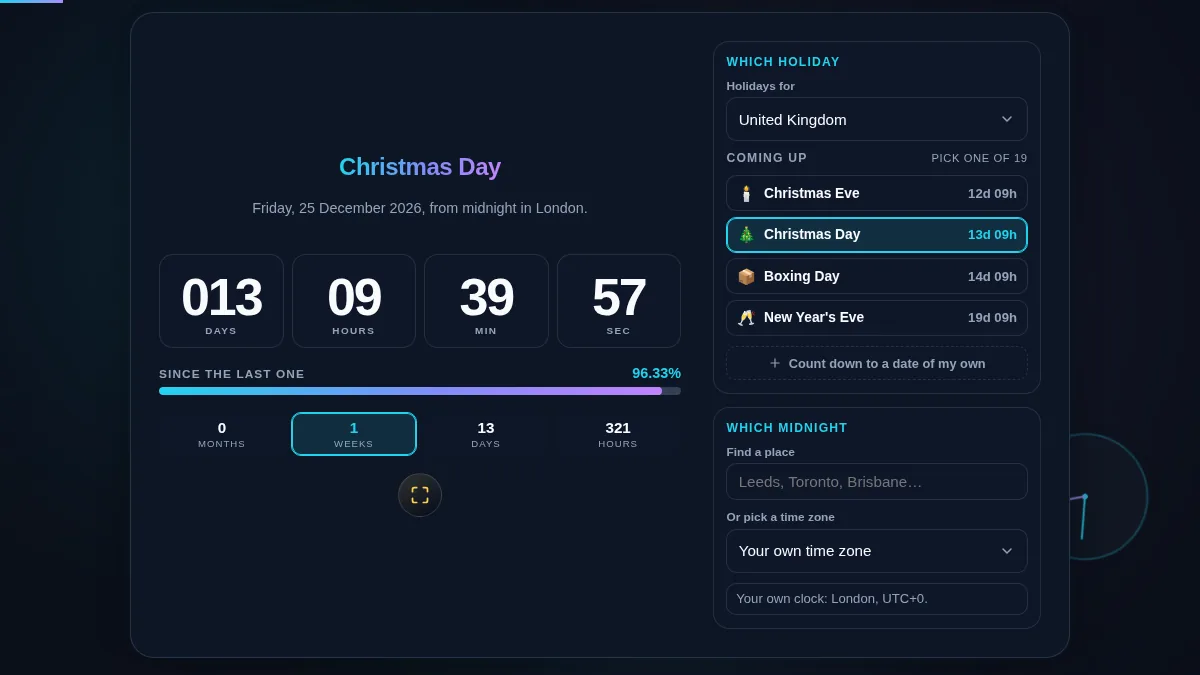
      Holiday Countdown workspace with the countdown and milestone bands on the left and the region picker, upcoming holiday list and time zone controls on the right
      The whole tool on one screen: the countdown and its milestone bands on the left, the holiday list and the zone picker on the right.

      Where Every Date in the List Comes From

      Rules, not a downloaded table — and what that deliberately leaves out.

      Every date on this page is computed, in your browser, at the moment you ask for it. Some are just dates. Christmas Day is 25 December, Juneteenth is 19 June, Australia Day is 26 January. Most are rules about weekdays — Thanksgiving is the fourth Thursday in November, Memorial Day the last Monday in May, the Early May bank holiday the first Monday in May, Canadian Thanksgiving the second Monday in October, and Victoria Day the Monday falling on or before 24 May. Remembrance Sunday is the second Sunday in November, which is always the Sunday nearest the eleventh.

      The moveable feasts come from the Gregorian computus, the same calculation the church calendar uses, and everything else in that group is an offset from it: Shrove Tuesday is 47 days before Easter, Ash Wednesday 46, Palm Sunday 7, Good Friday 2, Easter Monday one day after, Ascension 39 days after and Pentecost 49. Mothering Sunday, the British one, is 21 days before Easter. So they cannot drift. Not from each other, and not from Easter itself.

      What is not here is as deliberate as what is. Diwali, Eid al-Fitr, Eid al-Adha, Lunar New Year, Rosh Hashanah and Matariki follow lunar and lunisolar calendars, and in some cases an actual sighting of the moon. A page like this can only carry them as a typed-in table of dates — and a table is the thing that goes quietly wrong, because one mistyped row ships as fact and the whole list expires a few years out with nothing on screen to say so. So they are left out. Put the date in yourself and it is counted down like anything else.

      The countdown aims at the day. Not at the day off. When Christmas Day falls on a Saturday the United Kingdom moves the bank holiday to the following Monday, but the 25th is still Christmas — so the readout counts to the 25th. The elapsed bar underneath measures from the last time that same holiday came round to the next one, which is why it reads about half way in June for a Christmas countdown and moves so little day to day: a whole day is roughly a quarter of one percent of a year. For a date of your own there is no previous occurrence, so the bar measures from the moment you set it and says so.

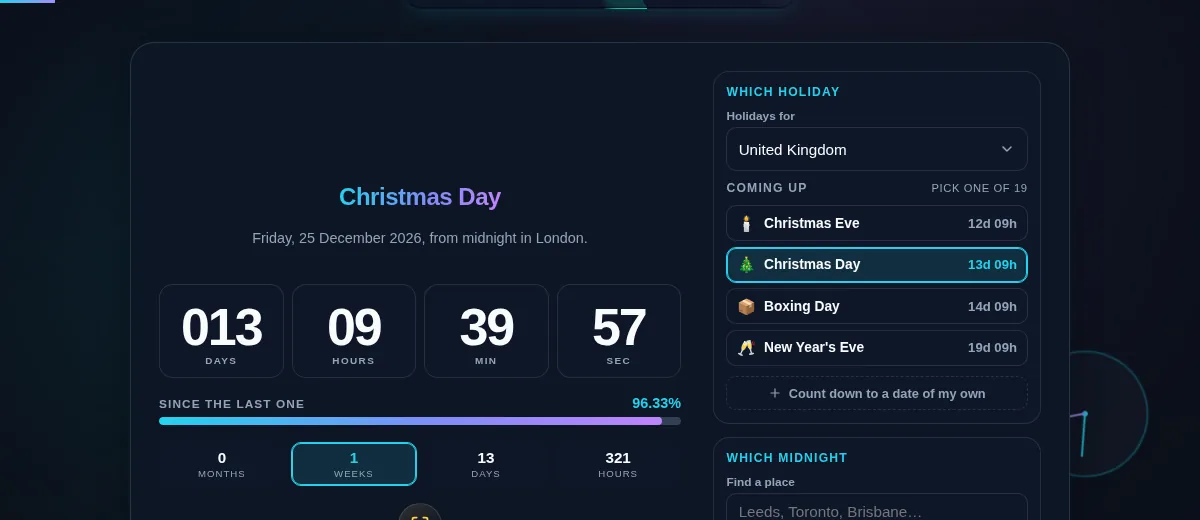
      The Holiday Countdown list of upcoming United Kingdom holidays each with its own time left, beside the milestone row with one band lit
      Every holiday in the region, in the order it arrives, each with its own time left — and the one on the stage marked.

      How to Use the Holiday Countdown

      Five steps, from the holidays where you are to a date only you care about.

      Step 1: Check the region

      The page opens on the holidays for wherever your browser says you are — the United States, the United Kingdom, Canada, Australia, India, or the worldwide list if it cannot tell. Holidays for at the top of the panel changes it, and Easter and Lent gives you the whole moveable chain from Shrove Tuesday to Pentecost.

      Step 2: Pick what you are counting to

      The list underneath holds every holiday in that region in the order it arrives, each with its own time left. Click one. It moves to the big readout. A holiday happening today sits at the top of the list and reads today rather than a countdown.

      Step 3: Set which midnight

      The countdown aims at midnight at the start of the day, in the zone named under Which midnight. Search for a town by name, or open the zone list under it. Both set the same thing. Choosing a city also switches the holiday list to that country, until you pick a region by hand.

      Step 4: Or count down to a date of your own

      Open Count down to a date of my own, give it a name and a date, and it takes the stage like any holiday. The elapsed bar then measures from the moment you set it rather than from a previous occurrence, because a one-off does not have one. Nothing you type is saved.

      Step 5: Put it on the wall

      The button under the countdown fills the screen with it and drops everything else, which is what you want on a spare monitor in December. Press it again, or Escape, to come back.

      Frequently Asked Questions

      Where do the holiday dates come from?

      From a rule for each one, worked out in your browser at the moment you ask. Christmas Day is a date. So is Juneteenth. The rest are rules: Thanksgiving is the fourth Thursday in November, the Summer bank holiday is the last Monday in August, Victoria Day is the Monday before 25 May, and the whole Easter chain — Shrove Tuesday, Ash Wednesday, Palm Sunday, Good Friday, Easter, Easter Monday, Ascension and Pentecost — comes from the Gregorian computus, which is the same calculation the church calendar uses. Nothing is looked up and nothing is downloaded, so there is no list to go out of date and no request telling anyone which holiday you were counting to.

      Why is Diwali, Eid or Lunar New Year not in the list?

      Because those dates cannot be worked out from a rule the way the rest can — they follow lunar and lunisolar calendars, and in some cases an observation of the moon, so a page like this can only carry them as a typed-in table of dates. A table is exactly the thing that goes quietly wrong: one mistyped row ships as fact, and the whole thing expires a few years out with nothing to say so. So they are left out. That is the honest answer rather than the complete-looking one. If you know the date, put it in with Count down to a date of my own and it will be counted down the same way as everything else.

      Which midnight is the countdown counting to?

      Midnight at the start of the holiday, in whichever zone you pick. It opens on your own. There are two ways to change it: type a place into Find a place and choose it from the results, which searches 20,000 cities and understands old names and country names as well as current ones, or open the zone list underneath. Picking a city does two things at once, because a place is also a country: choose Leeds and the countdown moves to London time and the list switches to United Kingdom holidays. Choose the region yourself at any point and your choice stands from then on.

      Does it count down to the bank holiday or to the day itself?

      To the day itself. When Christmas Day falls on a Saturday the United Kingdom moves the bank holiday to the following Monday, but the 25th is still Christmas, and "days until Christmas" means the 25th to almost everyone asking. So the countdown always aims at the real date. The same goes for Boxing Day, New Year's Day and any other holiday with a substitute day, and for the American federal holidays that are observed on a Friday or Monday when they land on a weekend.

      Does the countdown keep time if I leave the tab or lock the screen?

      Yes. It does not have to stay awake to do it. The page never counts a number upwards; five times a second it reads the gap between now and the target from your system clock, so the figure is worked out fresh rather than accumulated. Browsers throttle hidden tabs and stop animation frames outright, which is why a countdown built the other way quietly loses time overnight. Come back in the morning and it is already right.

      Is the date I type in saved anywhere?

      No. A date of your own lives in the two fields and in the page's memory for as long as the tab is open, and it goes when you close it. It is not written to storage, not put in the address bar and not sent anywhere — the only thing this page ever saves is whether you chose the light or dark theme. That is deliberate: a countdown to a hospital date, a court date or a last day at work is nobody else's business, including a browser you might be borrowing.

      Does the Holiday Countdown work on a phone?

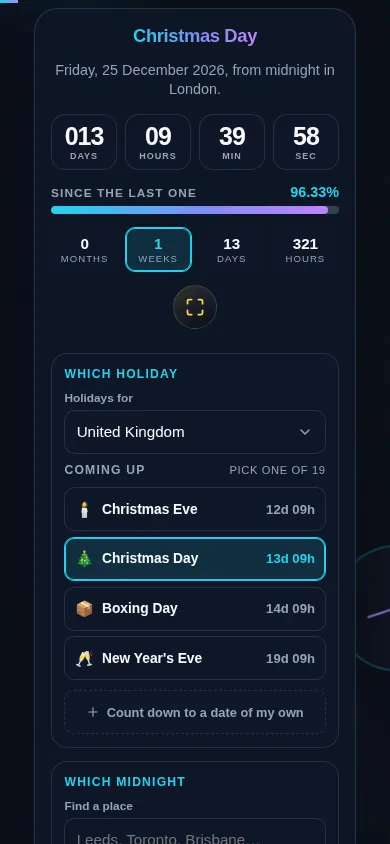
      Yes. Below 768px the two columns stack into one: the holiday, the countdown, the elapsed bar and the four milestone tiles come first, with the region picker, the holiday list and the zone controls below them. Every control clears 44px, the list rows are full-width buttons you can drive with a thumb or a keyboard, and fullscreen fills the screen for a countdown you want propped up somewhere.

      The Holiday Countdown on a 390px phone with the holiday name, the countdown, the elapsed bar and the milestone tiles stacked in one column above the region picker and holiday list
      The Holiday Countdown on a 390px phone: the holiday, the countdown, the elapsed bar and the four milestone tiles stack in one column above the picker.

      Still have questions?

      If you can't find the answer you're looking for, feel free to contact our support team.

      Contact Us