Styled Text Generators

Turn plain text into bold, cursive, small caps, bubble, upside-down, strikethrough, zalgo or ASCII art.

100% Browser-Based Local Processing

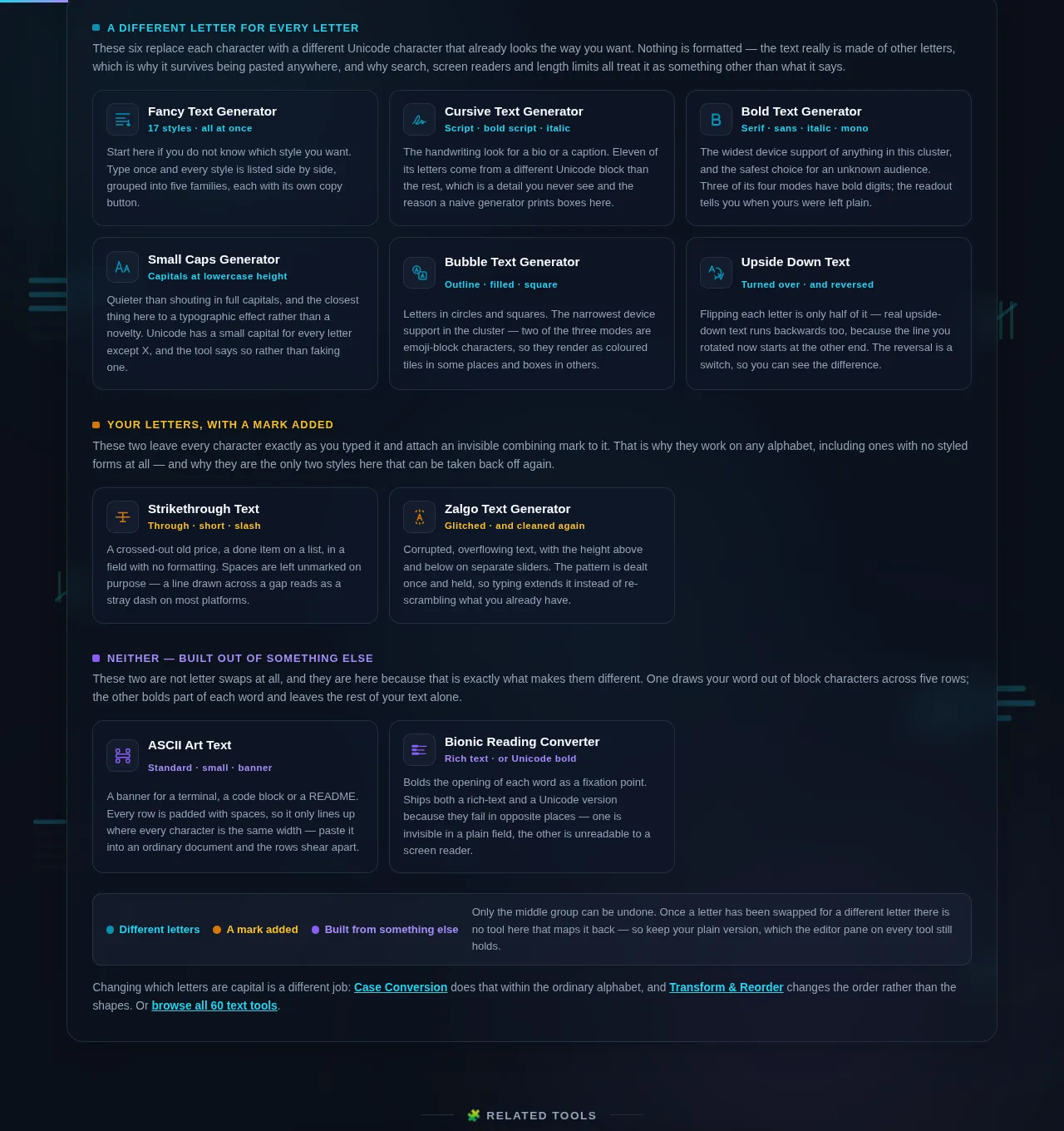
A different letter for every letter

These six replace each character with a different Unicode character that already looks the way you want. Nothing is formatted — the text really is made of other letters, which is why it survives being pasted anywhere, and why search, screen readers and length limits all treat it as something other than what it says.

Your letters, with a mark added

These two leave every character exactly as you typed it and attach an invisible combining mark to it. That is why they work on any alphabet, including ones with no styled forms at all — and why they are the only two styles here that can be taken back off again.

Neither — built out of something else

These two are not letter swaps at all, and they are here because that is exactly what makes them different. One draws your word out of block characters across five rows; the other bolds part of each word and leaves the rest of your text alone.

Different letters A mark added Built from something else Only the middle group can be undone. Once a letter has been swapped for a different letter there is no tool here that maps it back — so keep your plain version, which the editor pane on every tool still holds.

Changing which letters are capital is a different job: Case Conversion does that within the ordinary alphabet, and Transform & Reorder changes the order rather than the shapes. Or browse all 60 text tools.

Privacy Focused

🔒 Local Processing. Your text never leaves your device.

Instant Results

🌐 Fully Client-Side. Runs instantly in your browser.

No Signup

⚡ No accounts. No API keys. Just open and use.

Browser Based

🚀 No installs, no sign-ups, no character limits.

What is styled text, and why is it not a font?

Styled text is plain text written with different Unicode characters rather than a font. These ten tools swap each letter for its bold, cursive, small-capital, bubbled, upside-down or struck-through equivalent, so the styling survives being copied into a bio, a post or a message that has no formatting.

Every one of these tools exists because a text field would not let you have formatting. A social bio has no bold button. A username field has no italics. A comment box strips your markup. So people reach for the workaround: instead of formatting the letter A, use a *different letter* that already looks bold — U+1D400, which Unicode calls "mathematical bold capital A" and which was added so that a physics paper could tell a vector from a scalar.

That is the whole trick, and knowing it is the difference between using these tools well and being confused by them. Nothing here is a font. Your text is not being styled; it is being replaced, character by character, with different characters that happen to look styled. They travel anywhere plain text travels, which is the point. They also carry every consequence of being different characters, which is the part most generators never mention.

So this page mentions it. Search will not match a cursive word against its plain spelling. A screen reader will announce it letter by letter, or skip it. Some devices have no glyph for the rarer styles and draw a box. Most of these alphabets have no digits at all, so your numbers come through untouched. And a 30-character line can arrive at a 30-character limit already over it, because most of these letters count as two.

The ten tools split by what they actually do to your characters. Six swap each letter for a different one. Two add an invisible mark to the letters you already have, so the letters stay exactly as they were. Two do neither — they draw your word out of other characters, or bold only part of each word. Each tool's readout reports the change in the terms of its own group, so if the wording is not what you expected, that is the fastest signal you are on the wrong tool.

And nothing is uploaded. Every conversion is a lookup table running in your own browser, with your original still on screen beside the result.
How to make styled text

Step 1: Pick the tool named after the look you want, or start with Fancy Text Generator if you want to see all seventeen styles side by side before choosing

Pick the tool named after the look you want, or start with Fancy Text Generator if you want to see all seventeen styles side by side before choosing.

Step 2: Paste or type your text into the left pane

The styled version appears on the right as you type, and your original is never touched.

Step 3: Read the readout above the result

It says how many characters actually took the style and how many were left plain — which is where you find out that this style has no digits, or that your punctuation came through as-is.

Step 4: Copy the result

It is ordinary text on the clipboard, so it pastes into anything.

Step 5: Check it where you are going to use it, before you commit to it

Paste it into the actual bio field, on the actual device, and look at it. This is the step people skip, and it is the only way to catch a style your audience's phone cannot draw.

Step 6: Keep the plain version

The editor pane still holds it, and for the swapped-letter styles there is no way back.

Styled Text Generators in action

The Styled Text cluster grid, ten generators grouped by whether they swap each letter, add a mark to it or draw the text out of other characters, dark mode
The ten-tool cluster grid
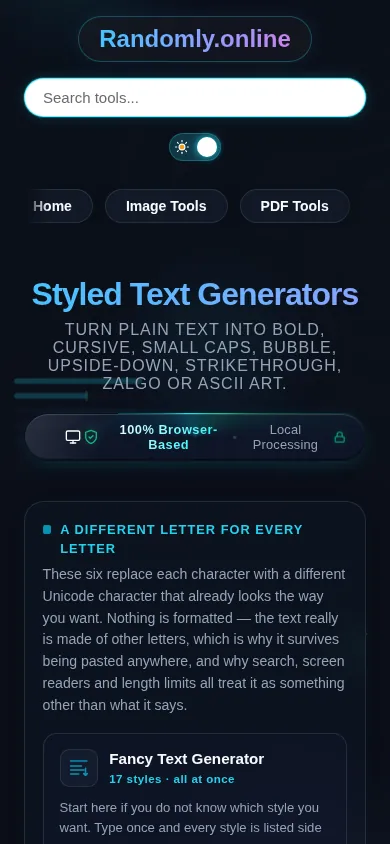
The Styled Text cluster on a phone, the ten tool cards stacked in a single column
Mobile (grid stacked to one column)

Which style to use, and where not to use it

Choose by how far you need it to travel. Bold and italic have the widest device support of anything here — they are the two most likely to render correctly on an old Android phone, a smart TV browser or a Linux box with a minimal font set. Cursive and fraktur are well supported on current phones and desktops. The boxed, filled-bubble and squared styles are the narrowest: they are emoji-block characters, so they render as coloured tiles on some platforms and as boxes on others, and they will not look the same in two places.

Then choose by what the text has to do. A flourish is fine; a label is not. One styled word in a bio, a divider, a name on a poster, a crossed-out old price in a post — these are all cases where the text is decoration and nobody has to read it back. A heading, a page title, a username, a product name, an email subject line, anything a person will search for or type in: keep those in ordinary letters. The test is simple — if anyone will ever need to *find* this text, do not style it.

Three specific traps are worth naming. Numbers. Only five of the thirteen mathematical alphabets have digits, so in cursive, italic, fraktur and most of the others your numbers come through plain and the styled word sits next to an unstyled year. Either accept it or pick bold, sans, mono or double-struck, which do have digits. Length limits. Most of these characters take two units in whatever is counting, and strikethrough and zalgo add a separate mark after every character, so a line that fitted before will not fit after. And reversibility. The mark-based styles can be cleaned off, and the swapped-letter styles cannot — once you have replaced the letters, the plain version only exists where you kept it.

The two tools that are not letter swaps sit apart on purpose. ASCII art draws your word out of block characters across five rows, which only lines up in a monospace font — a terminal, a code block, a README — and shears apart anywhere else. Bionic reading bolds the opening of each word as a fixation point; it is a reading aid rather than a decoration, it ships both a rich-text and a Unicode version because they fail in opposite places, and whether it makes anyone read faster is not settled.

Frequently Asked Questions

Is this a font?

No, and the difference is the single most useful thing to know about these tools. A font changes how a character is drawn; these tools change the character itself. Bold A here is U+1D400, a separate letter that Unicode encodes as "mathematical bold capital A". That is why it survives being copied into a bio or a post that has no formatting at all — and also why it behaves oddly everywhere else.

Why does my styled text show as empty boxes on someone else's phone?

Because their device has no glyph for those characters. The letters are real and correctly encoded; the font installed on that device simply does not draw them, so it falls back to a box. Older Android builds and some smart TVs are the usual culprits. Bold and italic have the widest coverage, and the boxed and filled-bubble styles the narrowest, so pick a simpler style if the audience is unknown.

Will Instagram, TikTok or a bio field accept it?

Usually yes, because it is plain text as far as the field is concerned. Bios, posts, comments and display names generally take it. What often rejects it is anything validating a real name or a username, plus most sign-up forms, government and banking sites — they check that a name contains ordinary letters, and these are not ordinary letters. Never use styled text where something has to be read back.

Do screen readers read styled text?

Badly, and that is worth thinking about before using it. Depending on the reader, a styled word is announced character by character with each character's formal Unicode name, read as gibberish, or skipped in silence. A bio written entirely in cursive can be unreadable to a blind visitor. Use it for a flourish — a single word, a divider — and keep the substance in ordinary letters.

Why didn't my numbers change?

Because most of these styles have no digits. Unicode encoded digit glyphs for only five of the thirteen mathematical alphabets — bold, double-struck, sans, bold sans and monospace — so cursive, fraktur, italic and the rest leave 2026 exactly as it was. The tools report this rather than hiding it: the readout says how many characters were styled and how many were left plain, and names digits as one of the reasons.

Why is there no small capital X?

Because Unicode never encoded one. Every other letter has a small-capital form; X does not, so the tool leaves an ordinary lowercase x. The near-misses that circulate — the multiplication sign, a superscript x, a fullwidth X — all sit at the wrong size or the wrong weight and read as a rendering fault in the middle of a word. Leaving it plain is the honest answer.

Does styled text hurt my search visibility?

Yes, if you put it anywhere search has to read. A search engine indexes the characters, not the shapes, so a heading written in cursive is indexed as a string of mathematical symbols and will not match anyone searching the plain spelling. The same applies to on-site search, browser find-in-page and anyone copying your name to look you up. Keep titles, headings and names in ordinary letters.

Can I turn styled text back into plain text?

Only for the mark-based styles. The zalgo tool's Cleaned mode strips combining marks, which removes glitch text and strikethrough. The substituted letters cannot be reversed by any tool here — a bold A is a different character, not a marked-up one, and mapping it back would need a reverse table this cluster does not ship. The reliable route is to keep your original: the editor pane on every tool still holds it.

Why did my character count go up?

Because a styled character is often more than one unit of whatever is counting. Most of these letters sit outside the Basic Multilingual Plane and take two units in the count a form or an API uses, and strikethrough and zalgo add a separate invisible mark after every character. A 30-character line can arrive at a 60-character limit already over it. The tools show the code-point length for exactly this reason.

Does my text get uploaded anywhere?

No. Every tool here runs entirely in your browser: nothing is sent to a server, nothing is stored on one, and there is no account, no upload and no queue. The conversion is a lookup table running on your own machine. You can disconnect from the network and every one of these tools still works, with your original text still on screen beside the result.

Still have questions?

If you can't find the answer you're looking for, feel free to contact our support team.

Contact Us