Bubble Text Generator

Turn your text into bubble (circled) or square letters using copy-paste Unicode for bios and posts.

100% Browser-Based Local Processing
15px

Ln 1, Col 1 No selection

Bubble Nothing to style yet
Characters styled
0
Left plain
0
Result length
0

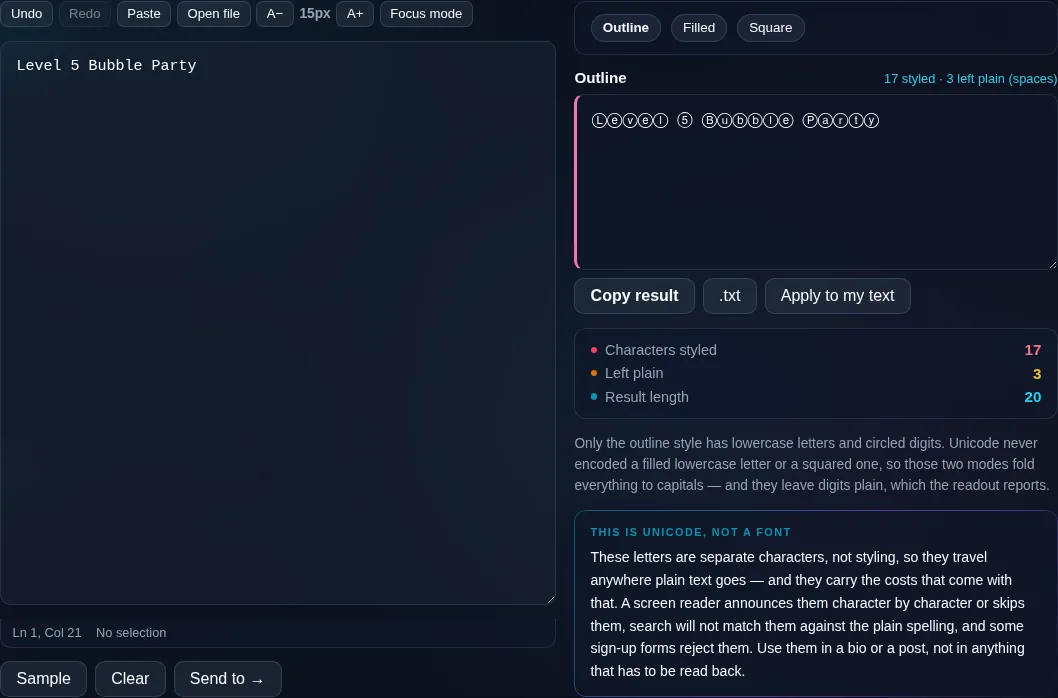
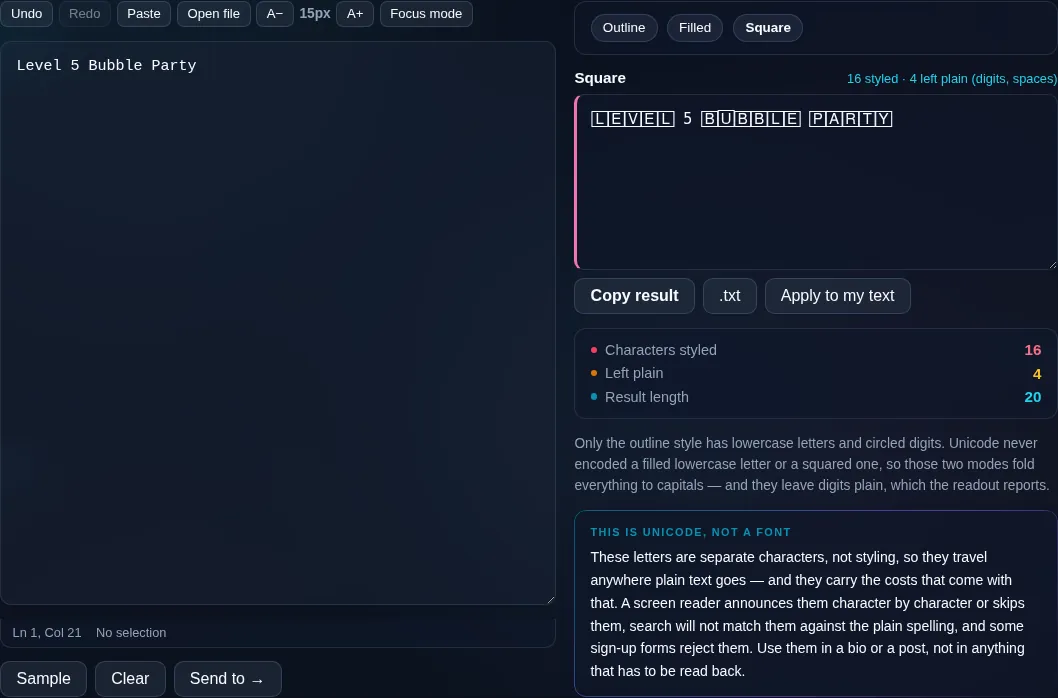
Only the outline style has lowercase letters and circled digits. Unicode never encoded a filled lowercase letter or a squared one, so those two modes fold everything to capitals — and they leave digits plain, which the readout reports.

These letters are separate characters, not styling, so they travel anywhere plain text goes — and they carry the costs that come with that. A screen reader announces them character by character or skips them, search will not match them against the plain spelling, and some sign-up forms reject them. Use them in a bio or a post, not in anything that has to be read back.

Privacy Focused

🔒 Local Processing. Your text never leaves your device.

Instant Results

🌐 Fully Client-Side. Runs instantly in your browser.

No Signup

⚡ No accounts. No API keys. Just open and use.

Browser Based

🚀 No installs, no sign-ups, no character limits.

What is a Bubble Text Generator?

Bubble Text Generator turns your letters into bubble (circled) or square (boxed) Unicode characters — ⓑⓤⓑⓑⓛⓔ — that you can copy and paste into bios, posts, and names. Type your text and pick a style. It runs entirely in your browser, so your text stays private.

Bubble letters — each character inside a circle — give text a playful, rounded look popular in social bios and usernames. Square/boxed letters offer a blockier variation. Both are Unicode, so they paste anywhere.

This tool converts your text to bubble and square styles in one click. It runs entirely in your browser, so nothing is uploaded. Type, copy, and paste.
How to make bubble text

Step 1: Type or paste your text into the box

Type or paste your text into the box.

Step 2: Choose a style — circled (filled or outline) or squared

Choose a style — circled (filled or outline) or squared.

Step 3: Click to copy it, then paste it into your bio, post, or username

Click to copy it, then paste it into your bio, post, or username.

Bubble Text Generator in action

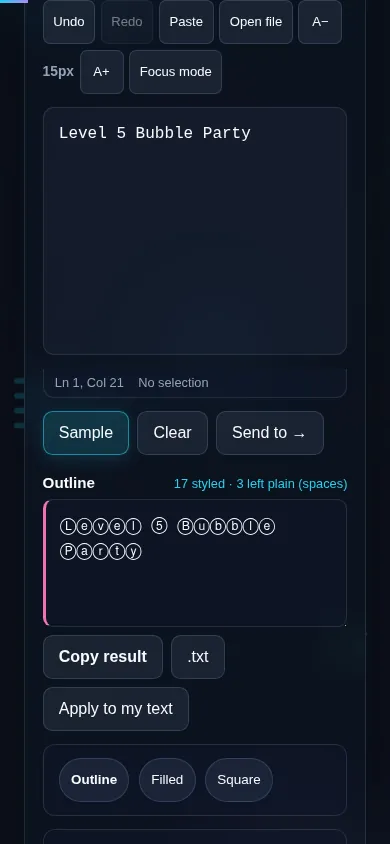
Bubble Text Generator making circled letters in the browser.
Bubble result
Text shown in the squared bubble style.
Filled/square
Making bubble text on a phone, no app installed.
Mobile (stacked)

Bubble and square Unicode letters

Unicode includes 'enclosed alphanumerics' — letters and numbers drawn inside circles or squares — and this generator maps your text to them. The circled style comes in an outline version (each letter in a ring) and, for many letters, a filled/negative version (white letter on a dark circle); the squared style boxes each character. Because these are real characters, the result is copy-and-pasteable text that keeps its look in social bios and other plain-text fields. Coverage isn't total: digits and some symbols have enclosed forms in certain styles but not all, and the filled variant exists for fewer characters, so the tool falls back gracefully where a glyph is missing. As with all styled Unicode, rendering varies by platform and it's less friendly to screen readers, so keep it to short, decorative text. Everything runs locally in your browser. For more styles, see the Fancy Text Generator.

Frequently Asked Questions

How do I make bubble letters?

Type your text and choose the circled style — each letter appears inside a bubble, like ⓐⓑⓒ, ready to copy and paste into a bio or post. There's a squared (boxed) style too. The result is Unicode text, so the look travels with it when pasted.

What's the difference between circled, filled, and squared?

Circled (outline) puts each letter inside a ring; filled (negative) shows a light letter on a dark circle; squared boxes each letter. They're all enclosed-character styles — pick the one that fits the vibe you want, from soft bubbles to bold blocks.

Can I make numbers into bubbles too?

Many digits have circled and squared forms, so numbers often convert alongside letters. Coverage varies by style, though — a particular digit or symbol may not have a bubble version in every variant, in which case the tool leaves it as-is.

Is bubble text a font?

No — it's Unicode enclosed-alphanumeric characters, not a font. That's why you can paste it into Instagram, TikTok, or any plain-text field and it keeps the bubble look, even though those apps don't let you change fonts.

Where does bubble text work?

In social bios, captions, usernames, and chats that accept Unicode. It's great for short, playful text. Because rendering depends on the platform supporting these characters, test it where you'll use it and keep important information in plain letters.

Why do some letters not appear as bubbles?

Because Unicode doesn't include an enclosed glyph for every character in every style — particularly for the filled variant and some symbols. When a bubble form is missing, the tool keeps the plain character so your text stays complete and readable.

Is my text private — is anything uploaded?

No. Everything runs in your browser, so whatever you type or paste is processed on your own device and never uploaded to a server. Nothing is stored once you close the tab. That keeps your text — notes, code, documents, lists — completely private.

Is it free, and do I need to sign up?

Yes, it's completely free with no account, no trial, and no limit on how many times you use it. Because it runs entirely in your browser, there are no server costs, no usage caps, and no watermark or branding added to your text.

Does it work on a phone?

Yes. It runs in your phone's browser with nothing to install, so you can use it on Android or iOS. The layout adapts to small screens, so you can paste text, get the result, and copy it on the go just as easily as on a computer.

Does it work offline?

Once the page has loaded, it runs entirely on your device, so it keeps working without a connection — which is also why nothing is uploaded. You only need to be online to open the page the first time; after that the tool works locally.

Can I copy or download the result?

Yes. You can copy the result to your clipboard with one click, and longer output can be downloaded as a text file. Everything is processed locally, so copying and downloading are instant with no upload step and no waiting.

Is there a limit on how much text I can process?

There's no artificial cap, because the work happens on your device rather than a server. The practical limit is your device's memory, so very large inputs are smoother on a computer than an older phone. For most everyday text, processing is effectively instant.

Still have questions?

If you can't find the answer you're looking for, feel free to contact our support team.

Contact Us