Cursive Text Generator

Turn your text into cursive (script) style with copy-and-paste Unicode characters for bios and posts.

100% Browser-Based Local Processing
15px

Ln 1, Col 1 No selection

Cursive Nothing to style yet
Characters styled
0
Left plain
0
Result length
0

These letters are separate characters, not styling, so they travel anywhere plain text goes — and they carry the costs that come with that. A screen reader announces them character by character or skips them, search will not match them against the plain spelling, and some sign-up forms reject them. Use them in a bio or a post, not in anything that has to be read back.

Privacy Focused

🔒 Local Processing. Your text never leaves your device.

Instant Results

🌐 Fully Client-Side. Runs instantly in your browser.

No Signup

⚡ No accounts. No API keys. Just open and use.

Browser Based

🚀 No installs, no sign-ups, no character limits.

What is a Cursive Text Generator?

Cursive Text Generator turns your text into flowing cursive (script) style using Unicode characters you can copy and paste into bios, captions, and usernames. Type your text and copy the cursive version in one tap. It runs entirely in your browser, so your text stays private.

Cursive text adds an elegant, handwritten feel to a social bio, caption, or name. It isn't a font you install — it's special script-style Unicode letters that paste anywhere.

This tool converts your text to cursive (and bold cursive) in one click. It runs entirely in your browser, so nothing is uploaded. Type, copy, and paste.
How to make cursive text

Step 1: Type or paste your text into the box

Type or paste your text into the box.

Step 2: Pick the cursive or bold-cursive style

Pick the cursive or bold-cursive style.

Step 3: Click to copy it, then paste it into your bio, post, or name

Click to copy it, then paste it into your bio, post, or name.

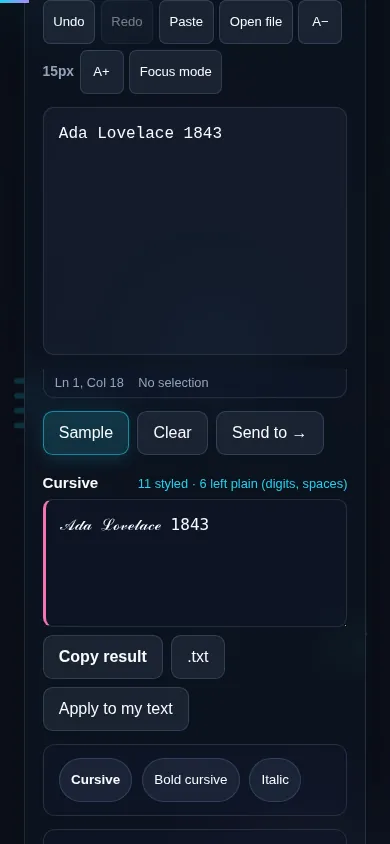
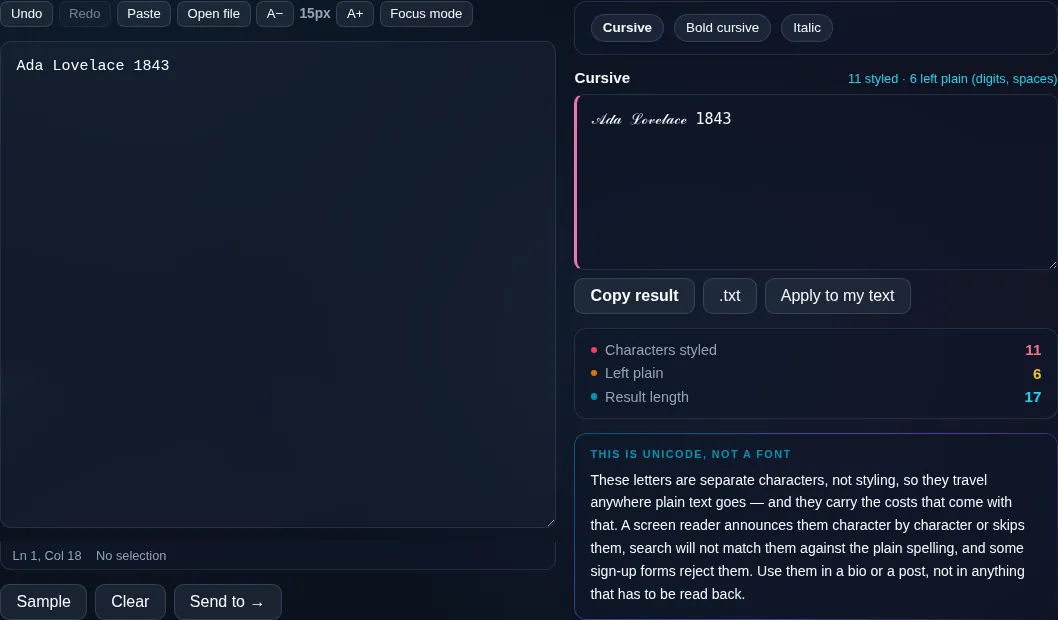
Cursive Text Generator in action

Cursive Text Generator turning text into script in the browser.
Cursive result
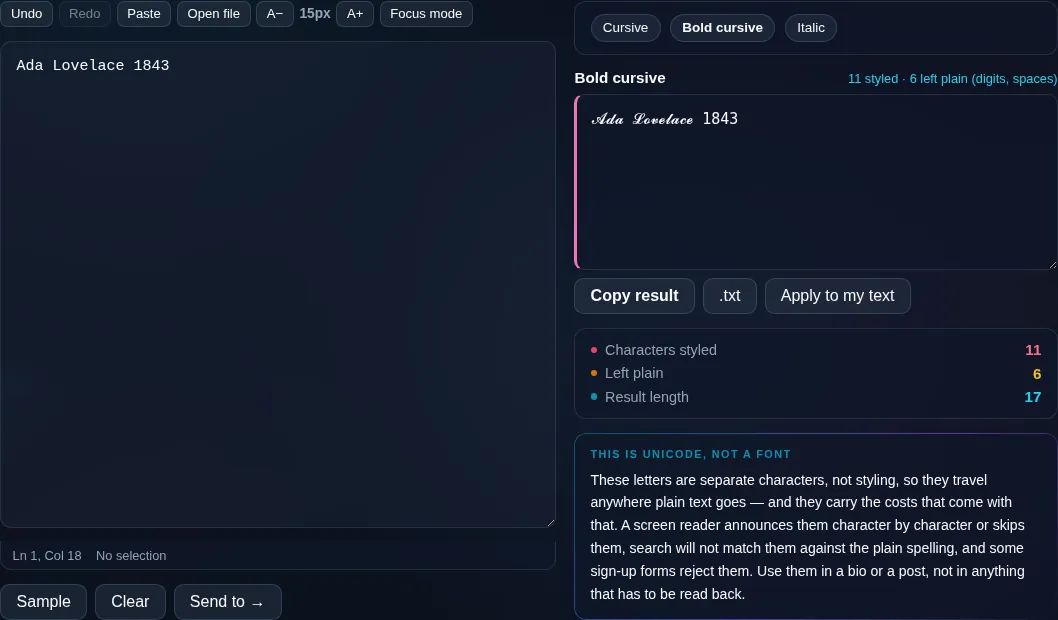
Text converted to the bold-cursive style.
Bold cursive
Making cursive text on a phone, no app installed.
Mobile (stacked)

About cursive Unicode text

The cursive look comes from Unicode's mathematical script letters — a set of letter-like symbols designed to resemble flowing handwriting. The generator maps each letter you type to its script equivalent, so the result is copy-and-pasteable text rather than an image, which is why it works in places that don't let you change fonts. There are usually two flavours: a lighter script and a heavier bold script. Because it depends on those specific Unicode characters, support varies — most modern phones and social apps render them, but some platforms show a box or plain letters, and they're not always read correctly by screen readers, so cursive is best for short decorative text. Everything runs locally in your browser, so your text isn't uploaded. For many more styles in one place, use the Fancy Text Generator.

Frequently Asked Questions

How do I make my text cursive?

Type your text and pick the cursive style — it appears in flowing script that you can copy with one tap and paste into a bio, caption, or username. There's usually a bold-cursive option too for a heavier look. It's instant and runs in your browser.

Is cursive text an actual font?

No. It's made from Unicode script characters that look like cursive handwriting, not a font you install. That's the advantage: because it's just text characters, you can paste it into Instagram, TikTok, or anywhere that won't normally let you change the font.

Where can I use cursive text?

In social media bios and captions, usernames and display names, chat, and gaming tags — anywhere that accepts Unicode text. It's ideal for short, decorative touches. For long posts, keep in mind that not every platform renders the script characters.

Why does my cursive text sometimes show as boxes?

Because the style uses specific Unicode characters, and if an app or device lacks the glyph for one, it shows a box or a plain letter instead. Most modern platforms support it, but it's worth testing where you'll use it before relying on it.

Can I use cursive text in a username?

Often yes — many platforms allow Unicode characters in display names, so cursive names work. Some sites restrict usernames to basic letters, though, so a cursive handle may be rejected there. Try it; if it's blocked, the platform only permits standard characters.

Is cursive text accessible to screen readers?

Not always. Screen readers can mispronounce or skip styled Unicode letters, so cursive is best for short decorative text rather than important information. Keep essential details in plain letters so everyone, including assistive-technology users, can read them.

Is my text private — is anything uploaded?

No. Everything runs in your browser, so whatever you type or paste is processed on your own device and never uploaded to a server. Nothing is stored once you close the tab. That keeps your text — notes, code, documents, lists — completely private.

Is it free, and do I need to sign up?

Yes, it's completely free with no account, no trial, and no limit on how many times you use it. Because it runs entirely in your browser, there are no server costs, no usage caps, and no watermark or branding added to your text.

Does it work on a phone?

Yes. It runs in your phone's browser with nothing to install, so you can use it on Android or iOS. The layout adapts to small screens, so you can paste text, get the result, and copy it on the go just as easily as on a computer.

Does it work offline?

Once the page has loaded, it runs entirely on your device, so it keeps working without a connection — which is also why nothing is uploaded. You only need to be online to open the page the first time; after that the tool works locally.

Can I copy or download the result?

Yes. You can copy the result to your clipboard with one click, and longer output can be downloaded as a text file. Everything is processed locally, so copying and downloading are instant with no upload step and no waiting.

Is there a limit on how much text I can process?

There's no artificial cap, because the work happens on your device rather than a server. The practical limit is your device's memory, so very large inputs are smoother on a computer than an older phone. For most everyday text, processing is effectively instant.

Still have questions?

If you can't find the answer you're looking for, feel free to contact our support team.

Contact Us