Small Caps Generator

Convert your text to small caps — uppercase-style small letters — using copy-paste Unicode for bios and headers.

100% Browser-Based Local Processing
15px

Ln 1, Col 1 No selection

Unicode has a small capital for every letter except X, which is left as an ordinary lowercase x. The alternatives all look like a rendering fault, so the tool leaves it plain rather than guessing.

Small caps Nothing to style yet
Characters styled
0
Left plain
0
Result length
0

These letters are separate characters, not styling, so they travel anywhere plain text goes — and they carry the costs that come with that. A screen reader announces them character by character or skips them, search will not match them against the plain spelling, and some sign-up forms reject them. Use them in a bio or a post, not in anything that has to be read back.

Privacy Focused

🔒 Local Processing. Your text never leaves your device.

Instant Results

🌐 Fully Client-Side. Runs instantly in your browser.

No Signup

⚡ No accounts. No API keys. Just open and use.

Browser Based

🚀 No installs, no sign-ups, no character limits.

What is a Small Caps Generator?

Small Caps Generator converts your text into small caps — letters shaped like capitals but at lowercase height — using Unicode you can copy and paste. It gives bios, headers, and names a clean, uniform look. Type your text and copy the small-caps version. It runs entirely in your browser, so your text stays private.

Small caps are capital-shaped letters at the height of lowercase ones — an elegant, understated style used in fine typography for headers, acronyms, and emphasis. Few apps offer them, but Unicode does.

This tool converts your text to small caps in one click, pasteable anywhere. It runs entirely in your browser, so nothing is uploaded. Type, copy, and paste.
How to make small caps text

Step 1: Type or paste your text into the box

Type or paste your text into the box.

Step 2: Select the small caps style (optionally keeping real capitals tall)

Select the small caps style (optionally keeping real capitals tall).

Step 3: Click to copy it, then paste it into your bio, header, or name

Click to copy it, then paste it into your bio, header, or name.

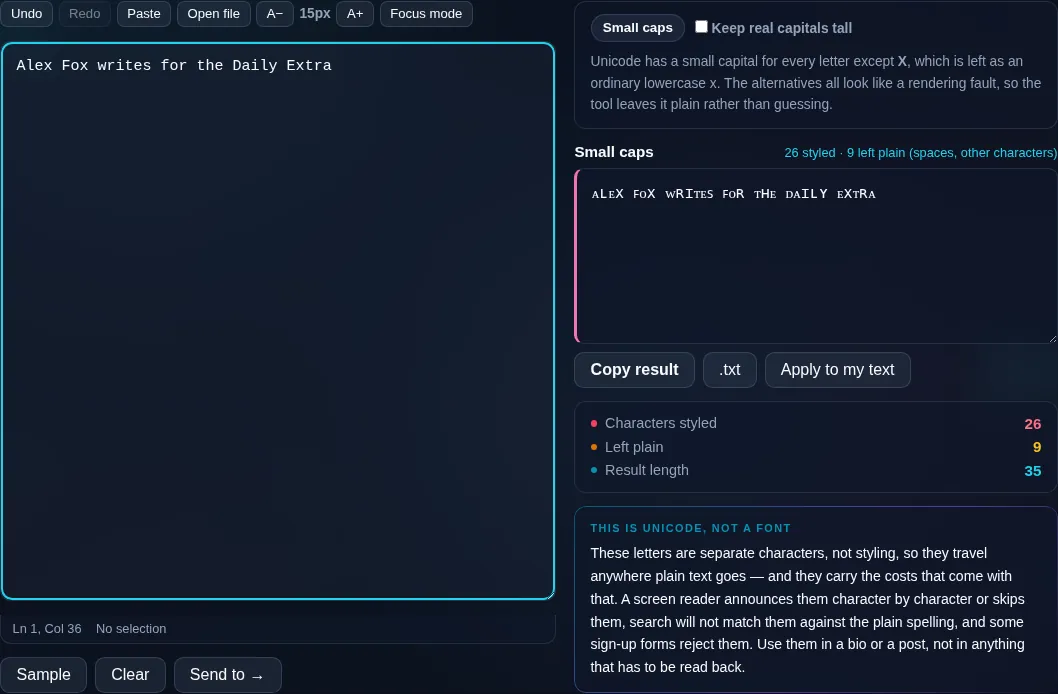
Small Caps Generator in action

Small Caps Generator converting text to small capitals in the browser.
Small caps result
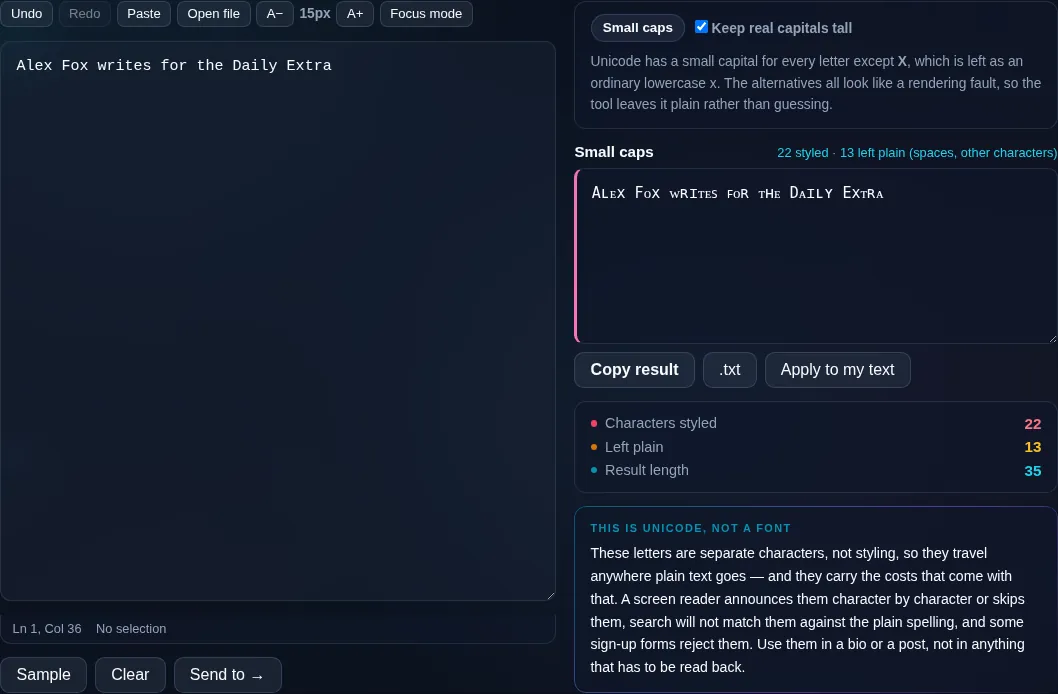
Small caps with the existing capitals left as full capitals.
Keep-caps option
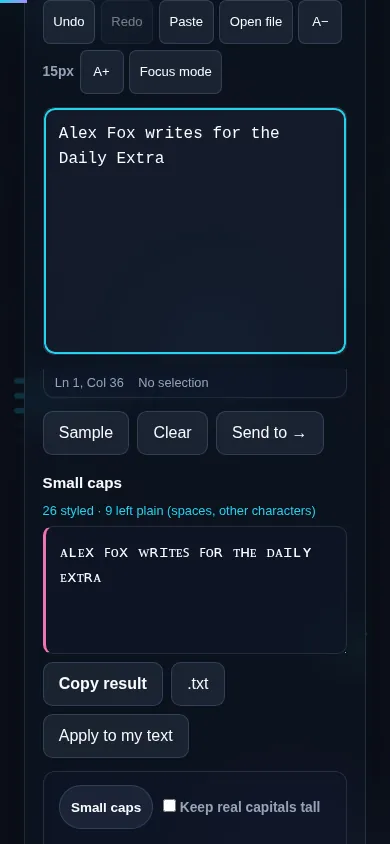
Making small caps text on a phone, no app installed.
Mobile (stacked)

About small caps

Small caps render letters as capitals but at roughly lowercase height, giving a tidy, even look that designers favour for headings, acronyms, and subtle emphasis. This generator maps your letters to Unicode small-capital characters, producing copy-and-pasteable text rather than a font, so it works in social bios and other plain-text fields. A 'keep real capitals tall' option leaves letters you typed in uppercase at full height, mimicking true typographic small caps where capitals stand above the small-cap lowercase. A practical caveat: Unicode doesn't have a dedicated small-capital glyph for every letter — a couple are approximated — so a rare letter may look slightly different, and as with all styled Unicode, rendering varies by platform and screen-reader support is limited. Everything runs locally in your browser. For more styles, see the Fancy Text Generator.

Frequently Asked Questions

What are small caps?

Small caps are letters shaped like capitals but sized to lowercase height, giving a clean, uniform appearance. They're used in typography for headings, acronyms, and gentle emphasis. This tool produces them as Unicode characters you can copy and paste anywhere.

How do I make small caps text?

Type your text and choose the small caps style — your letters become small capitals that you can copy and paste into a bio, header, or username. It's instant, and because it's Unicode text, the style carries over when you paste.

Is this a real small-caps font?

No — it's Unicode small-capital characters, not a font you apply. The look is similar to typographic small caps, but each letter is a distinct character. That's why it pastes into apps that don't let you choose fonts, like Instagram or X.

Can I keep my capital letters full-height?

Yes. A 'keep real caps tall' option leaves letters you typed in uppercase at full height while turning lowercase letters into small capitals — which mimics genuine typographic small caps, where the capitals stand taller than the small-cap letters.

Do all letters convert to small caps?

Almost all do. Unicode lacks a dedicated small-capital glyph for one or two letters, which are approximated with the closest match, so a rare letter might look slightly different. For the vast majority of text the result is consistent small caps.

Where does small caps text look best?

In short, stylish contexts — social bios, display names, headers, and acronyms — where its even, refined look stands out. Like other styled Unicode, it's best kept to short text, since rendering varies by platform and it's less friendly to screen readers.

Is my text private — is anything uploaded?

No. Everything runs in your browser, so whatever you type or paste is processed on your own device and never uploaded to a server. Nothing is stored once you close the tab. That keeps your text — notes, code, documents, lists — completely private.

Is it free, and do I need to sign up?

Yes, it's completely free with no account, no trial, and no limit on how many times you use it. Because it runs entirely in your browser, there are no server costs, no usage caps, and no watermark or branding added to your text.

Does it work on a phone?

Yes. It runs in your phone's browser with nothing to install, so you can use it on Android or iOS. The layout adapts to small screens, so you can paste text, get the result, and copy it on the go just as easily as on a computer.

Does it work offline?

Once the page has loaded, it runs entirely on your device, so it keeps working without a connection — which is also why nothing is uploaded. You only need to be online to open the page the first time; after that the tool works locally.

Can I copy or download the result?

Yes. You can copy the result to your clipboard with one click, and longer output can be downloaded as a text file. Everything is processed locally, so copying and downloading are instant with no upload step and no waiting.

Is there a limit on how much text I can process?

There's no artificial cap, because the work happens on your device rather than a server. The practical limit is your device's memory, so very large inputs are smoother on a computer than an older phone. For most everyday text, processing is effectively instant.

Still have questions?

If you can't find the answer you're looking for, feel free to contact our support team.

Contact Us