Strikethrough Text Generator

Add strikethrough (cross-out) or underline to text using Unicode you can copy and paste anywhere.

100% Browser-Based Local Processing
15px

Ln 1, Col 1 No selection

Struck through Nothing to style yet
Characters styled
0
Left plain
0
Result length
0

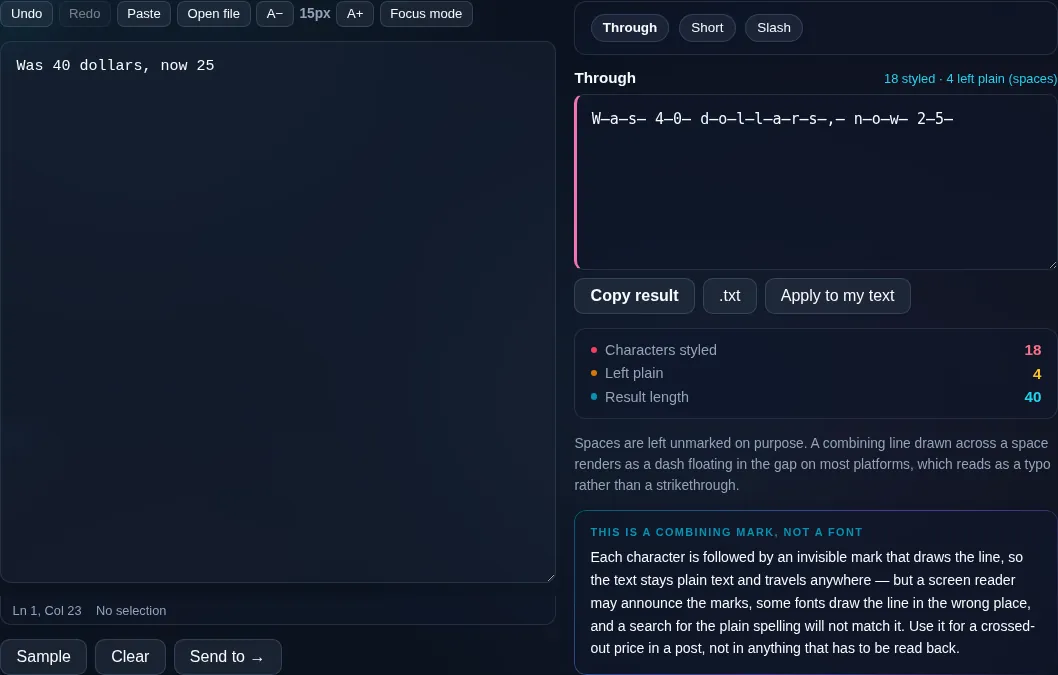
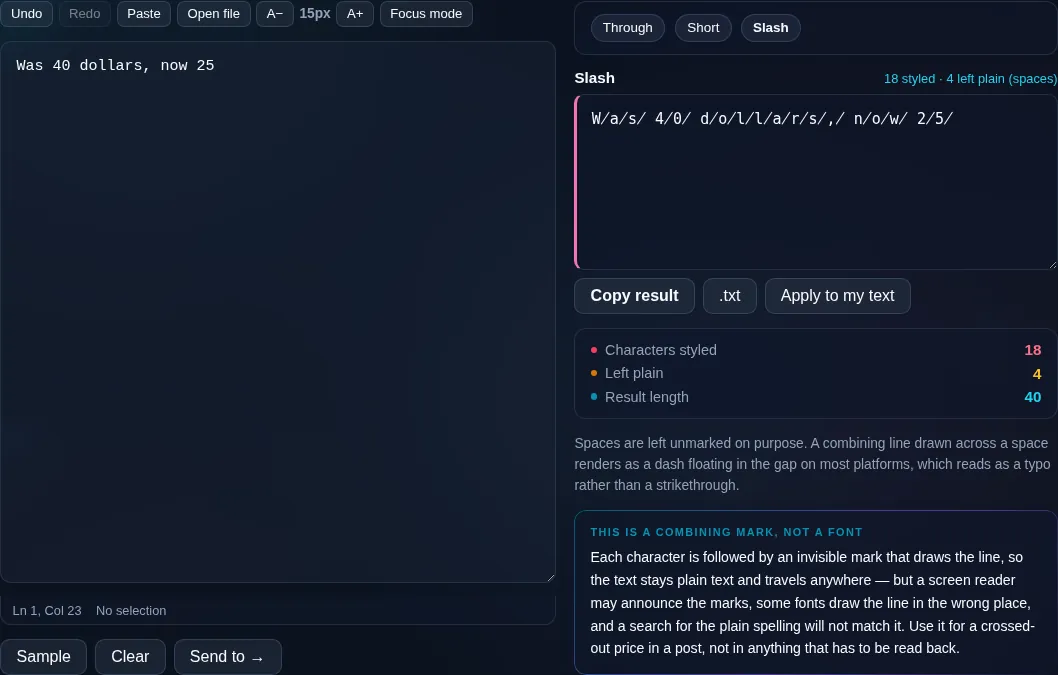
Spaces are left unmarked on purpose. A combining line drawn across a space renders as a dash floating in the gap on most platforms, which reads as a typo rather than a strikethrough.

Each character is followed by an invisible mark that draws the line, so the text stays plain text and travels anywhere — but a screen reader may announce the marks, some fonts draw the line in the wrong place, and a search for the plain spelling will not match it. Use it for a crossed-out price in a post, not in anything that has to be read back.

Privacy Focused

🔒 Local Processing. Your text never leaves your device.

Instant Results

🌐 Fully Client-Side. Runs instantly in your browser.

No Signup

⚡ No accounts. No API keys. Just open and use.

Browser Based

🚀 No installs, no sign-ups, no character limits.

What is a Strikethrough Text Generator?

Strikethrough Text Generator draws a line through your text — a strikethrough or cross-out — using Unicode combining marks, so it pastes into chats, posts, and docs that lack a strikethrough button. It also does underline and double-strike. Type your text and copy it. It runs entirely in your browser, so your text stays private.

A strikethrough says 'this was here but it's struck out' — for corrections, crossed-off list items, old prices, or a joke. Many apps don't offer the formatting, but Unicode can fake it.

This tool overlays a strike (or underline) on your text in one click, pasteable anywhere. It runs entirely in your browser, so nothing is uploaded. Type, copy, and paste.
How to make strikethrough text

Step 1: Type or paste your text into the box

Type or paste your text into the box.

Step 2: Choose strikethrough, double-strikethrough, or underline

Choose strikethrough, double-strikethrough, or underline.

Step 3: Click to copy it, then paste it into your message, post, or document

Click to copy it, then paste it into your message, post, or document.

Strikethrough Text Generator in action

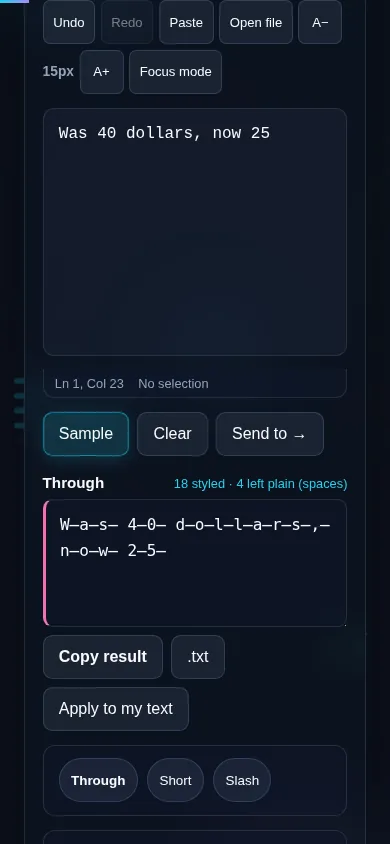
Strikethrough Text Generator crossing out text in the browser.
Strikethrough result
Text crossed out with the slash mark instead of a line through it.
Underline/double
Making strikethrough text on a phone, no app installed.
Mobile (stacked)

How strikethrough text works

Unlike bold or cursive, which use whole alternative alphabets, strikethrough is created with Unicode combining marks — invisible characters that attach to the letter before them and draw a line through (or under) it. The generator inserts a combining long stroke after each character, producing crossed-out text that's still ordinary letters underneath, so it pastes into places without a strikethrough button. Variants include a single strike, a double strike, an underline, and a slash overlay. Because the effect depends on the platform rendering combining marks correctly, alignment can look slightly off in some apps and a few render them poorly, and screen readers generally ignore the strike entirely (reading the plain word), so don't rely on it to convey meaning to everyone. Everything runs locally in your browser. For other styles, see the Fancy Text Generator.

Frequently Asked Questions

How do I cross out text?

Type your text and pick the strikethrough style — a line is drawn through it, and you can copy and paste the result into a chat, post, or document. It works even where there's no strikethrough button, because the line is part of the Unicode characters.

How is strikethrough different from bold or cursive text?

Bold and cursive swap your letters for alternative styled letters. Strikethrough keeps your normal letters and adds a Unicode combining mark that draws a line through each one. So the underlying text is unchanged — there's just a stroke layered over it.

Can I underline or double-strike instead?

Yes. As well as a single strikethrough, you can apply a double strikethrough, an underline, or a slash overlay, all using combining marks. Pick whichever effect fits — a correction, a crossed-off item, or emphasis.

Where can I use strikethrough text?

In chats and messengers, social posts and comments, usernames, and documents that don't have a strikethrough button. It's popular for showing corrections, crossing items off a list, displaying an old price next to a new one, and comic effect.

Why does the line sometimes look misaligned?

Because the strike comes from a combining mark that the platform positions over your letter, and different apps and fonts render that positioning slightly differently. On most modern platforms it looks fine; on a few it can sit a little high or low. Testing where you'll use it helps.

Will screen readers read struck-through text?

They typically read the plain word and ignore the strike, since the combining mark is decorative. So don't use strikethrough alone to signal that something is cancelled or wrong for assistive-technology users — pair it with words if the meaning matters.

Is my text private — is anything uploaded?

No. Everything runs in your browser, so whatever you type or paste is processed on your own device and never uploaded to a server. Nothing is stored once you close the tab. That keeps your text — notes, code, documents, lists — completely private.

Is it free, and do I need to sign up?

Yes, it's completely free with no account, no trial, and no limit on how many times you use it. Because it runs entirely in your browser, there are no server costs, no usage caps, and no watermark or branding added to your text.

Does it work on a phone?

Yes. It runs in your phone's browser with nothing to install, so you can use it on Android or iOS. The layout adapts to small screens, so you can paste text, get the result, and copy it on the go just as easily as on a computer.

Does it work offline?

Once the page has loaded, it runs entirely on your device, so it keeps working without a connection — which is also why nothing is uploaded. You only need to be online to open the page the first time; after that the tool works locally.

Can I copy or download the result?

Yes. You can copy the result to your clipboard with one click, and longer output can be downloaded as a text file. Everything is processed locally, so copying and downloading are instant with no upload step and no waiting.

Is there a limit on how much text I can process?

There's no artificial cap, because the work happens on your device rather than a server. The practical limit is your device's memory, so very large inputs are smoother on a computer than an older phone. For most everyday text, processing is effectively instant.

Still have questions?

If you can't find the answer you're looking for, feel free to contact our support team.

Contact Us