Excel Column Letter to Number Converter

A is 1, Z is 26 and AA is 27 — convert either way, translate A1 to R1C1, and expand a range to its cells.

100% Browser-Based Local Processing

How this conversion works

The relation

The working, letter by letter

    The columns worth knowing

    LettersNumberWhat it is

    A1 ↔ R1C1 reference

    Range expander

    Privacy Focused

    Local Processing. The values you enter never leave your device.

    Instant Results

    Fully Client-Side. Runs instantly in your browser.

    No Signup

    No accounts. No API keys. Just open and use.

    Browser Based

    No installs, no sign-ups, no conversion limits.

    How Excel column letters become numbers

    Excel column letters are bijective base-26. A is 1, Z is 26, AA is 27, and the last column of an .xlsx sheet is XFD at 16,384. Converting letters to a number is one pass: start at 0, and for each letter multiply by 26 and add its place in the alphabet. Going back subtracts 1 before each division, and that subtraction is the whole trick. The older .xls format stopped at IV, column 256. This page converts either direction, translates A1 references to R1C1 and back, and expands a range like A1:D10 into its 40 cells with the row and column counts. Nothing here rounds anything: every conversion is integer arithmetic and reverses exactly across all 16,384 columns.

    Most explanations call this base 26 and then quietly get the boundary wrong. It is not base 26.

    A positional number system needs a zero digit. Base 26 would run 0 to 25 and write the value after Z as BA, because B is 1 and A is 0. Excel has no letter for zero: the alphabet is 1 to 26, every digit carries a real value, and the column after Z is AA. Systems built like that are called bijective, and the name matters here because it is the one thing that tells you which answer to expect at 27, 703 and 16,384.

    The two limits

    XFD is 16,384. Multiply it out: X is 24, so 24 × 676 = 16,224; F is 6, giving 6 × 26 = 156; D is 4. That is 16,224 + 156 + 4 = 16,384.

    IV is 256, the last column of the old .xls format. Nine alphabets of 26 is 234, and V is 22, so 234 + 22 = 256. Anything to the right of IV disappears when a modern workbook is saved down to .xls, which is the practical reason to know where that boundary sits.

    Past XFD this converter keeps answering and changes what it claims. 16,385 is XFE, which is correct, and there is no column XFE in any spreadsheet. Those are two separate facts and the tool states both rather than choosing the tidier one.

    A1 and R1C1

    R1C1 style writes both halves of a reference as numbers, so D10 becomes R10C4. It is far easier to read arithmetic in, which is why it survives as an option in Excel decades after A1 won the default.

    The catch is the brackets. R1C1 is an address and always means the same cell. R[1]C[1] is an offset — one row down and one column right of whatever cell the formula is written in — so it points somewhere different in every cell that holds it. A converter that answers a relative reference without asking where it lives is inventing the base cell. This one asks.

    Ranges

    The expander takes A1:D10 and lists all 40 references, in reading order. Write it backwards as D10:A1 and you get the same 40, plus a line saying the range was normalised. A whole-column range like A:D covers the sheet’s full 1,048,576 rows, which is 4,194,304 cells: the counts are reported and the list is not built, because producing four million strings would lock the tab rather than answer anything.

    How to convert an Excel column letter to a number

    Three panels, and you only ever need the one you came for.

    Step 1: Convert a letter or a number. Type BQ and get 69; type 69 and get BQ.

    Both sides are editable and either drives the other, so there is no direction to pick.

    Case does not matter on input and the output is upper case, which is what Excel itself shows.

    Step 2: Check the bounds. XFD at 16384 is the last column in an .xlsx sheet.

    Anything past it is refused rather than extrapolated.

    Legacy .xls files stop at IV, which is 256, so a sheet that appears to end after column IV was probably saved in the old format rather than damaged.

    Step 3: Translate A1 to R1C1. A1 names a cell by letter and row; R1C1 names it by row and column number.

    A1 is the default view and R1C1 is what macros use. Paste either form and the other appears.

    Dollar signs are read without complaint, so $A$1 and A1 resolve to the same column.

    Step 4: Give a base cell for relative references. A reference in square brackets is relative to the cell the formula sits in.

    R[1]C[1] needs to know where it is measured from. Enter that cell in the base field and the translation resolves.

    Leave it empty and the page says what it needs rather than assuming a position, because assuming one produces an answer that looks right and is not.

    Step 5: Expand a range. Give it A1:D10 and you get the 40 cells plus the row, column and cell counts.

    Bounded ranges are listed in full.

    Whole-column and whole-row ranges return counts only, which is the difference between a useful answer and a frozen tab.

    The column converter in action

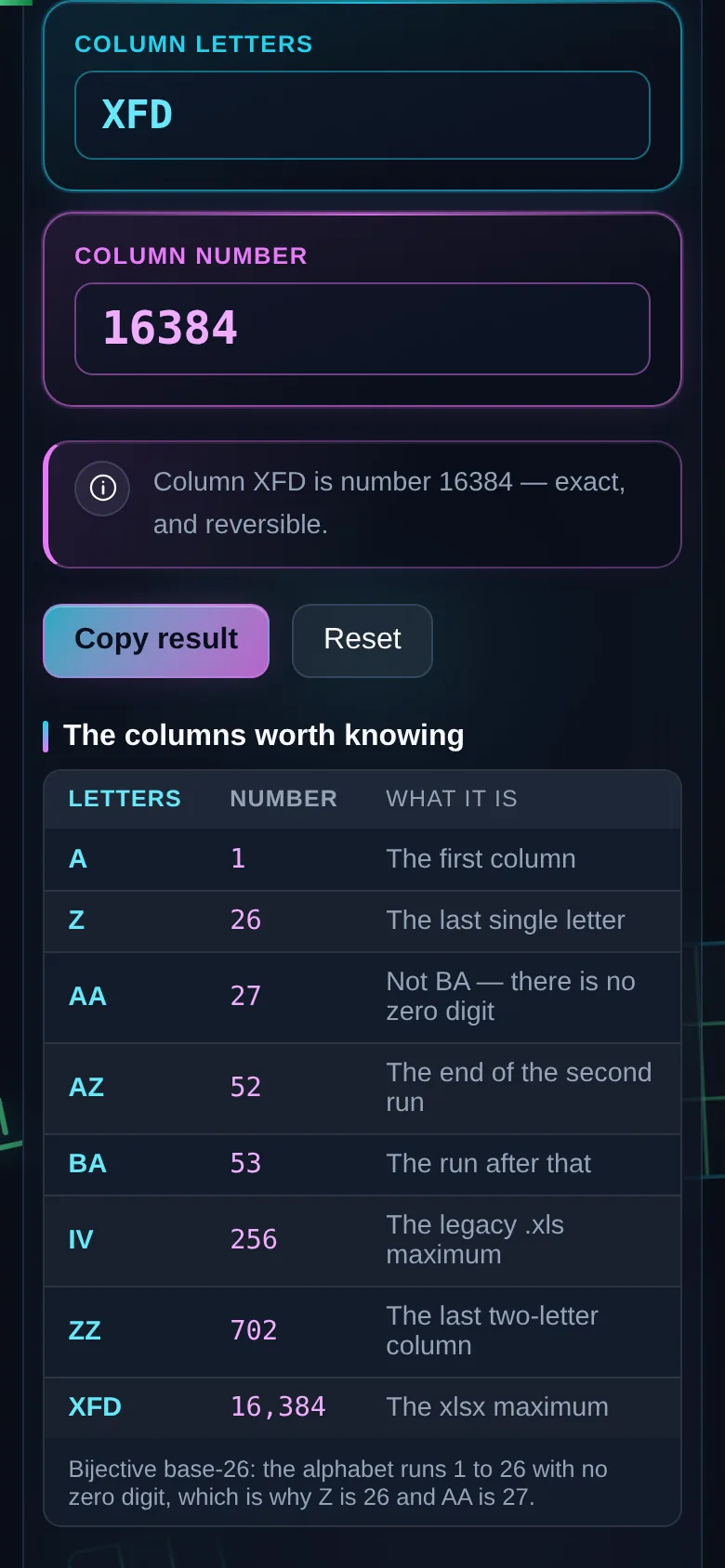
    XFD in the letters pane and 16384 in the number pane, with the note confirming the conversion is exact, beside a table listing A, Z, AA, IV and XFD with their numbers.
    XFD resolved to 16384, the last column an xlsx sheet can hold
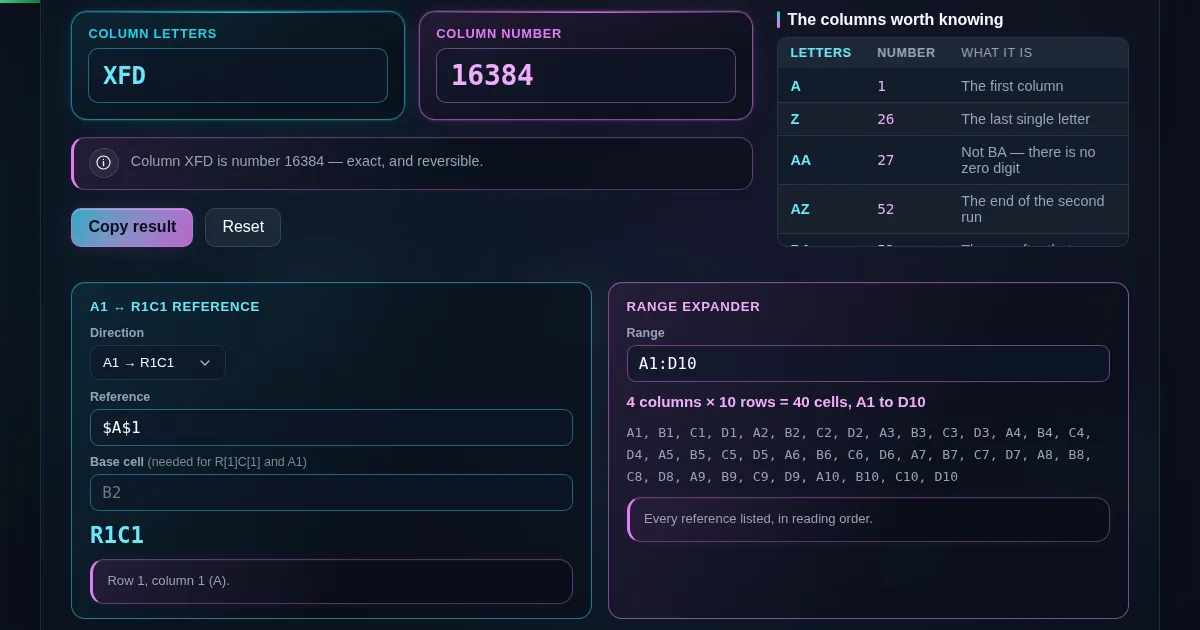
    The A1 to R1C1 panel translating a reference, and the range expander showing A1 to D10 as forty cell references with the row, column and cell counts.
    The reference translator and the range expander
    The same converter on a 390 pixel phone screen, with the two panes and the two panels stacked.
    The same tool on a phone

    Frequently Asked Questions

    What column is number 16384 in Excel?

    XFD. That is the last column an .xlsx sheet can hold, so 16384 is the highest number this converter treats as addressable. Past it the letters are still correct arithmetic, but no sheet has a column to match.

    Why is column 27 AA and not BA?

    Because the letters are bijective base-26, not base 26, and the difference is a missing digit.

    A real base-26 system needs a zero. There is no letter for zero here: the alphabet runs 1 to 26, so Z is 26 and the next column has to start a second digit at AA. In true base 26 the value after Z would be BA, and the two systems disagree about every number from 27 up.

    How many columns does an Excel sheet have?

    16,384 in the .xlsx format, ending at XFD. The older .xls format stopped at 256, ending at IV. Both limits are in the table beside the converter.

    How do I convert a column letter to a number inside Excel?

    =COLUMN(A1) returns 1. The other way, =SUBSTITUTE(ADDRESS(1,16384,4),"1","") returns XFD. This page is quicker when you have a number in front of you and no spreadsheet open.

    What is R1C1 notation?

    A reference style where both parts are numbers: R1C1 is the cell A1 and R10C4 is D10. Excel can display formulas either way, and R1C1 makes the arithmetic inside a formula far easier to read because the columns stop being letters.

    Why does R[1]C[1] need a base cell?

    Because it is an offset, not an address.

    R1C1 means row 1, column 1. R[1]C[1] means one row down and one column right of wherever the formula lives, so it resolves to C3 in a formula written in B2 and to a different cell everywhere else. This tool asks for the base cell instead of guessing one.

    How many cells are in the range A1:D10?

    40 — four columns, A to D, by ten rows. The range expander lists every reference and gives the row, column and cell counts.

    What does a range like A:D mean?

    Every row of columns A to D. That is the full sheet height of 1,048,576 rows, so A:D is 4,194,304 cells. This page reports the count and does not build the list, because a four-million-entry array would hang the tab rather than answer the question.

    What is the last column in an old .xls file?

    IV, which is column 256. Nine full alphabets of 26 plus 22 more: 9 × 26 + 22 = 256. Converting an .xlsx down to .xls loses everything to the right of it.

    Does this tool upload my spreadsheet?

    It never sees one. This page reads no file at all — you type a letter, a number, a reference or a range, and the arithmetic runs in your browser. It keeps working with the network switched off.