Excel to JSON Converter

An array of objects, a 2D array or one array per column, and the output parses.

100% Browser-Based Local Processing
Drop a spreadsheet, or click to choose one .xlsx, .xlsm, .xls and .csv. Read in this tab, never uploaded.
Spreadsheet
Output options
JSON


    One sheet at a time. This writes JSON text and reads none of it back into a spreadsheet: there is no import direction here, and nothing is uploaded. Values Excel can hold and JSON cannot - NaN, Infinity and error cells - are written as null rather than guessed at.

    Privacy Focused

    Local Processing. The values you enter never leave your device.

    Instant Results

    Fully Client-Side. Runs instantly in your browser.

    No Signup

    No accounts. No API keys. Just open and use.

    Browser Based

    No installs, no sign-ups, no conversion limits.

    Excel to JSON, and the output parses

    This converter reads a sheet from an .xlsx workbook and writes JSON in one of three shapes: an array of objects keyed by the header row, a two-dimensional array, or one array per column. Excel holds values that JSON cannot. NaN and Infinity are not in the JSON specification and JSON.parse rejects both, so they are written as null with no option to do otherwise. Error cells such as #N/A and #REF! become null by default, or the literal error string if you prefer. Text like 007 stays "007" and is never coerced to 7. The file is never uploaded.

    The three shapes are not cosmetic, because one of them carries a constraint the others do not. A JSON object cannot hold two identical keys, so a sheet with two columns named region is refused in the array-of-objects shape and both columns are named in the message. The same file converts without complaint as a two-dimensional array, where headers are just row zero and may repeat. The refusal says which shape works instead of sending you back to the spreadsheet to rename something.

    Dates become ISO 8601 strings by default, since JSON has no date type at all. The raw Excel serial and a Unix epoch value are both available. A cell showing 2024-01-01 is stored as 45292, and whichever option you pick agrees with the Excel serial date converter on this site, because both pages call the same conversion code rather than two implementations that drift.

    Long integers get one more piece of care. JSON can represent a number past Number.MAX_SAFE_INTEGER, but JSON.parse reads it back as a float and the last digits change, which quietly corrupts account numbers and database IDs. Those are emitted as strings and flagged. Float precision, by contrast, is genuinely exact here: JSON numbers and Excel numbers are both IEEE-754 doubles, so nothing is rounded on the way through and there is nothing to warn about.

    If your source is a .csv rather than a workbook, CSV to JSON is the page you want. It reads a flat file with no sheets, no merged cells and no serial dates, so it needs none of the machinery here. The two hand off to each other rather than competing.
    How to convert an Excel sheet to JSON

    Five steps. The shape you pick in step three decides which files are valid.

    Step 1: Choose your workbook. Drop it on the page or click to browse.

    Drop an .xlsx or .xls file onto the page, or browse for one. It is parsed in your browser. A file that is not a workbook is refused with the extension it actually saw, rather than producing empty output.

    Step 2: Pick the sheet. Only the selected one is converted.

    Multi-sheet workbooks show a picker, and only the selected sheet is converted. An empty sheet is refused by name and the picker stays open, so you can choose another one instead of hitting a dead end.

    Step 3: Choose the shape. It decides which files are valid.

    Array of objects when the header row names your keys, which covers most work. A two-dimensional array when column order matters more than column names, or when the headers repeat. One array per column when you are feeding something columnar, such as a plotting library.

    Step 4: Decide how dates and empty cells are written.

    Dates default to ISO 8601 strings and can be switched to the Excel serial or a Unix epoch. Empty cells are left out of each object by default; turn that off and they come through as null. Whether a missing key and a null key mean the same thing depends on what reads the file, so the tool does not guess.

    Step 5: Copy or download the JSON. Two-space indent by default.

    Copy it or save it as a .json file. Indentation is two spaces by default and can be set to zero for a minified file. The quirk summary above the output says how many cells were formulas, merges or errors, so you know what the file went through before you ship it.

    Excel to JSON Converter in action

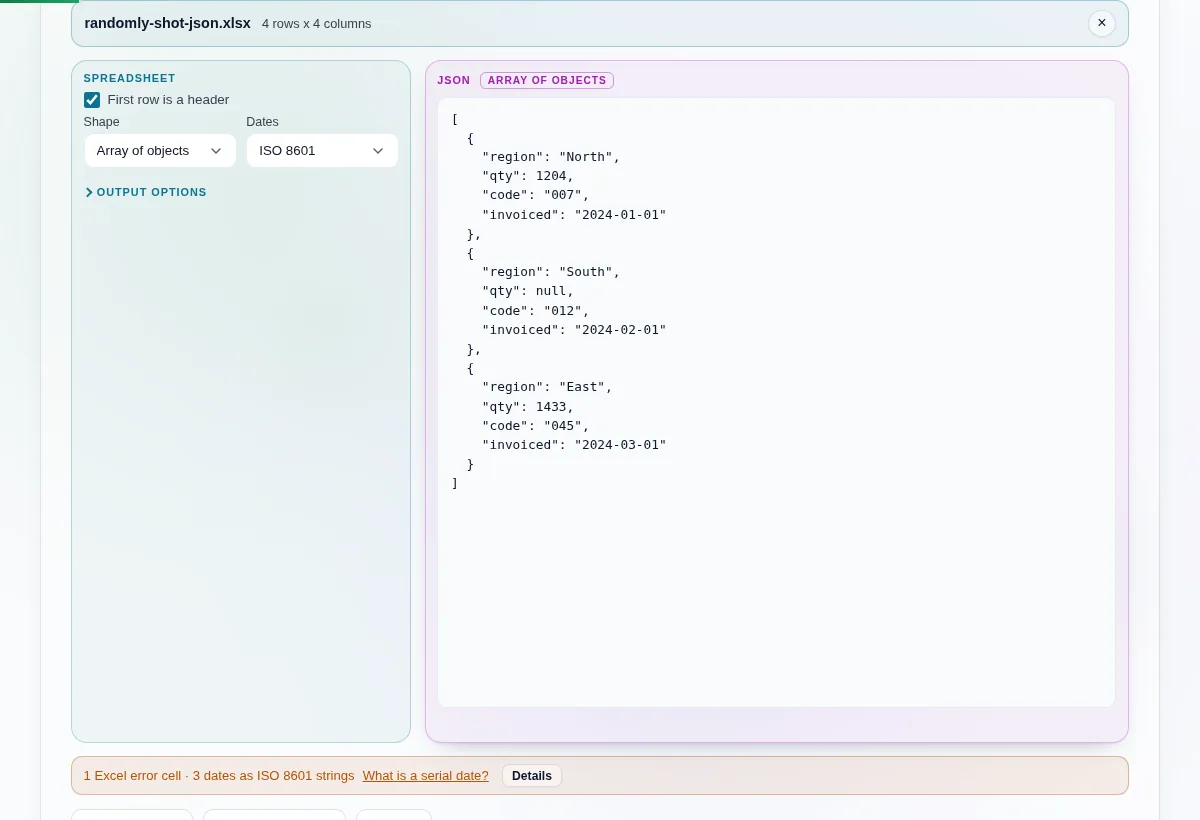
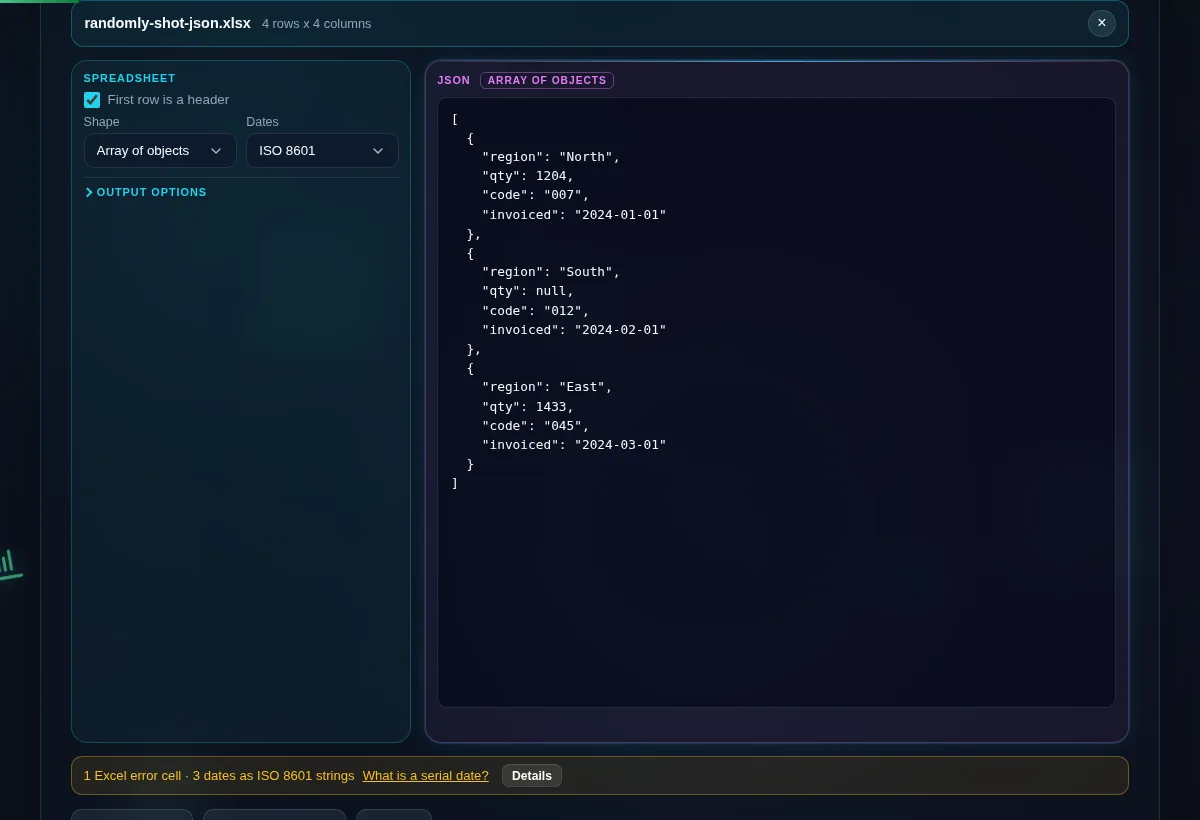
    A workbook loaded with the shape set to array of objects, beside indented JSON output and a summary line counting the error cells and dates.
    Array of objects, indented, with the summary line counting what changed on the way through
    A spreadsheet row holding an N/A error converted to JSON, where the quantity is written as null and the leading-zero code stays a quoted string.
    An error cell becomes null, not the number 42 that Excel stores underneath it
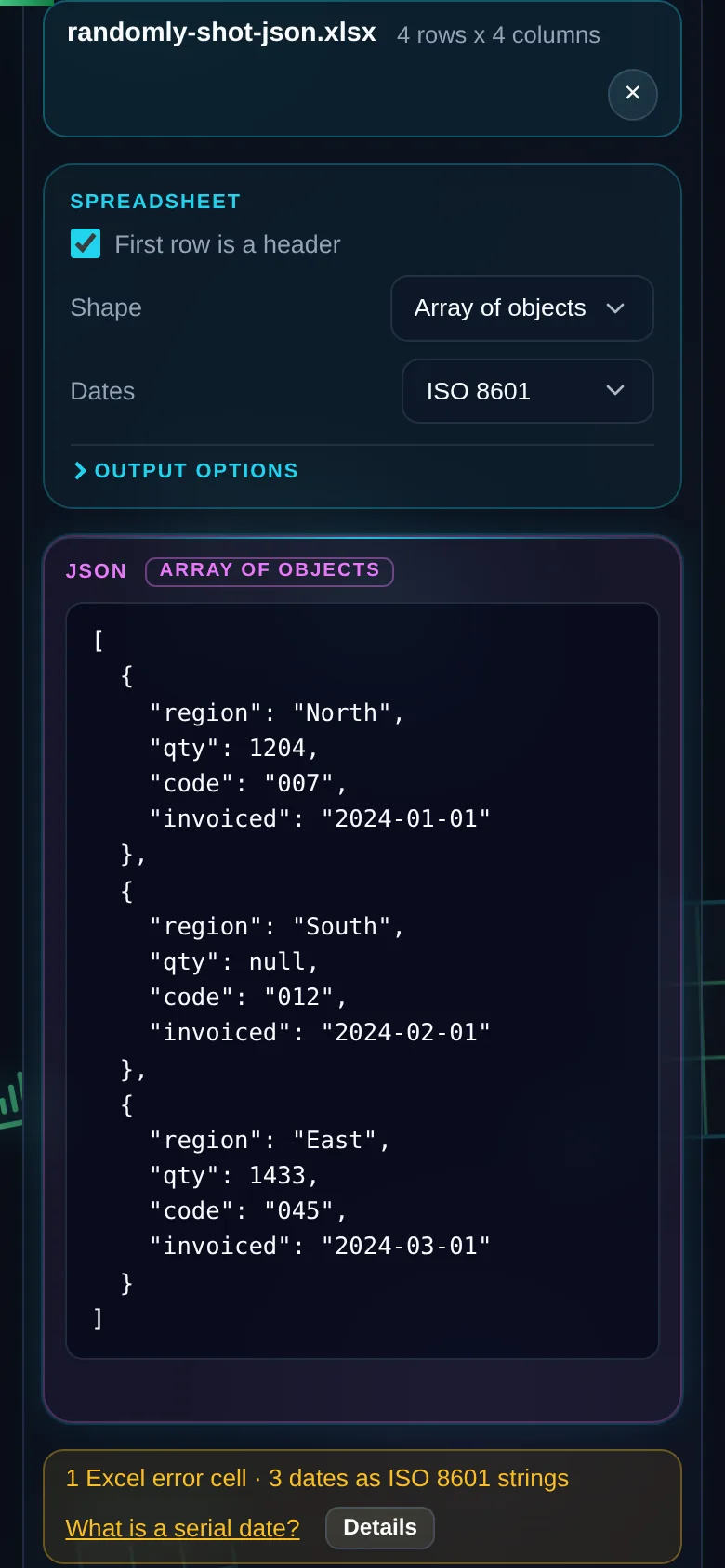
    The same converter on a 390 pixel phone screen, with the shape selector above the JSON output.
    The same tool on a phone

    Frequently Asked Questions

    Why is my Excel to JSON output not valid JSON?

    Usually because it contains NaN or Infinity. Neither is in the JSON specification, and JSON.parse throws on both, so a file containing them is not JSON at all no matter what produced it. Several converters emit them anyway. This one writes null instead, always, with no option, because there is no second correct answer. Every output here is parsed before you see it.

    What happens to #N/A and other error cells?

    They become null by default, and the converter counts them. #N/A, #REF! and #DIV/0! are Excel error values rather than data, and none of them is representable in JSON. If you would rather keep the evidence, switch the option and they come through as literal strings. Which you want depends on whether the consumer treats a missing value differently from a broken one.

    Which JSON shape should I pick?

    Array of objects if your sheet has a header row and you want named keys, which covers most cases. A two-dimensional array if the order of columns matters more than their names, or if the headers repeat. One array per column if you are feeding something columnar, like a plotting library. The shape changes which files are valid, so read the duplicate-header answer below.

    What happens if two columns have the same header?

    In the array-of-objects shape it is refused, and both columns are named. A JSON object cannot hold two identical keys, so the later one would silently overwrite the earlier one and you would never know. The same file is fine as a two-dimensional array, where headers are just row zero and may repeat. The refusal offers that switch rather than sending you back to the spreadsheet.

    How are dates written?

    As ISO 8601 strings by default, because JSON has no date type. Two other options exist: the raw Excel serial, which for 2024-01-01 is 45292, and a Unix epoch value. Whichever you pick agrees with the serial date converter on this site, because both pages run the same conversion code. That cross-check is a test, not a claim.

    Why did my long ID number come out as a string?

    Because JavaScript cannot read it back as a number without losing digits. JSON can represent an integer past Number.MAX_SAFE_INTEGER, but JSON.parse turns it into a float and the last few digits change. Long account numbers and database IDs hit this constantly. The converter emits those as strings and flags them. Turning that off is not offered, because the alternative is silent data loss.

    Does 007 stay 007?

    Yes. 007 is text in the spreadsheet and it stays the string "007" in the JSON. Coercing it to the number 7 would drop information somebody deliberately stored, and part numbers, postcodes and phone extensions are full of it. Type coercion exists as an option and it is off by default, which is the right way round. Empty cells are omitted unless you ask for null.

    Is my spreadsheet uploaded anywhere?

    No. The workbook is parsed by a library served from this domain, in the tab you have open, and no request leaves the page while it converts. Your browser's network tab will show an empty list. Because there is no server step, the tool also works with the connection off, and a large file converts as fast as your own machine allows.