Count & Analyze Text

Count words, characters, sentences, lines and paragraphs, then measure word frequency, reading time and readability.

100% Browser-Based Local Processing

Measure the text directly

Six counts, read straight off your text. Each tool leads with one number and keeps the rest as context.

Estimate from the measurements

Two numbers that are calculated from the counts above rather than read off the page. Both are estimates, and both say so.

Measured Derived A derived number is only as good as the count it is built from, which is why the six measured tools say exactly how they tokenise your text.

Looking for something else — case conversion, cleaning, encoding, styled text? Browse all 60 text tools.

Privacy Focused

🔒 Local Processing. Your text never leaves your device.

Instant Results

🌐 Fully Client-Side. Runs instantly in your browser.

No Signup

⚡ No accounts. No API keys. Just open and use.

Browser Based

🚀 No installs, no sign-ups, no character limits.

What does it mean to count and analyse text?

Counting and analysing text means measuring what a passage is made of: how many words, characters, sentences, lines and paragraphs it holds, which words repeat, how long it takes to read, and how hard it is to read. Randomly's eight tools each answer one of those questions in your browser.

These eight tools belong together because they are one pass over the same string, read through eight different lenses. Every one of them tokenises your text once — into code points, words, lines, sentences and paragraphs — and then leads with the single number you came for. A word counter and a readability checker are not different programs; they are different questions asked of the same measurement.

That is also why the answers agree with each other. The reading time on one page and the word count on another come from the same tokeniser, so they cannot drift apart the way two unrelated sites' counters do. Pick the tool named after the number you need, and treat the rest of its readout as context — and when you want a second opinion, Send to carries the same text straight into any of the other seven instead of making you copy and paste it.

Nothing is uploaded. Every count happens locally, so a confidential draft, a client's contract or a block of production log lines can be measured without leaving your machine.
How to count and analyse your text

Step 1: Pick the tool named after the number you actually need — the eight cards above each lead with one metric

Everything else on that page is supporting context for it.

Step 2: Paste or type your text into the editor

The counts update as you type, and a large paste is debounced so the page stays responsive.

Step 3: Read the hero number first, then open the tabs beside it for the breakdown — composition, distributions, encoding and the plain-language insights

Read the hero number first, then open the tabs beside it for the breakdown — composition, distributions, encoding and the plain-language insights.

Step 4: Export what you need: copy the summary, download a .txt or .csv, or save a PDF report

All three are produced in the browser from what is already on screen.

Step 5: Carry the same text to another tool with Send to, rather than copying it out and pasting it back in

Pick any of the eight and your text arrives in the next editor with its history intact. The handoff happens inside the browser tab — it is never put in the address bar and never reaches a server.

Count & Analyze Text in action

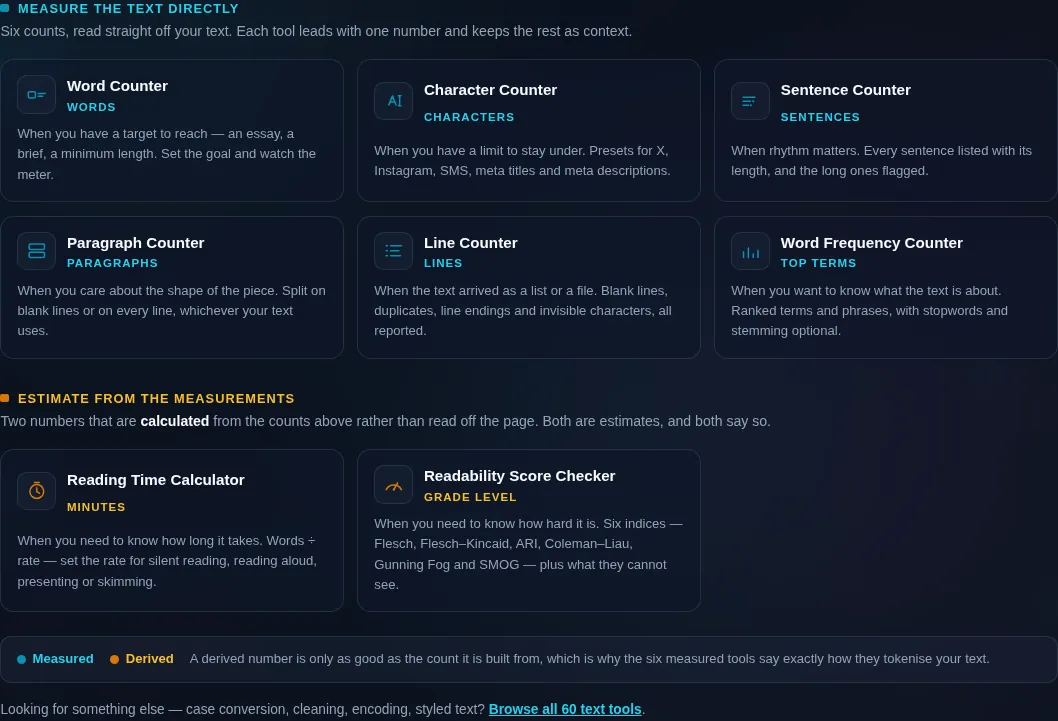
The Count and Analyze cluster grid, eight text tools each with the metric it leads with, dark mode
The eight-tool cluster grid
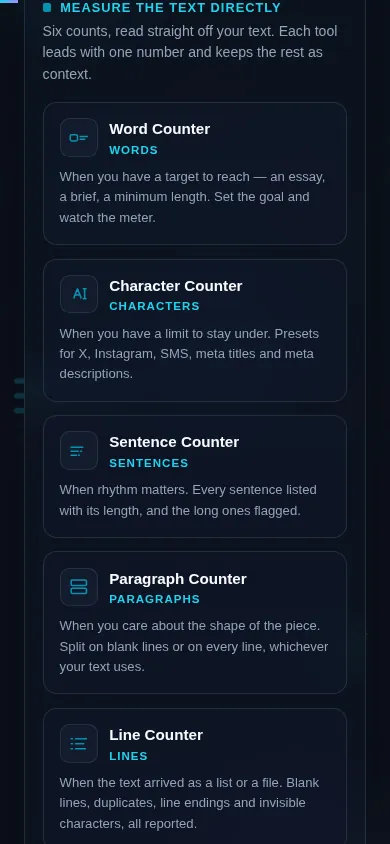
The Count and Analyze cluster on a phone, the eight tool cards stacked in a single column
Mobile (grid stacked to one column)

How to choose, and how the eight metrics relate

Start from the question rather than the tool. If you have a limit to stay under — a 280-character post, a 60-character title tag — use the Character Counter, because limits are almost always counted in characters. If you have a target to reach, like a 1,500-word assignment, use the Word Counter and its goal meter. If you care about structure, use the Sentence, Paragraph or Line counters: sentences for rhythm, paragraphs for shape, lines for anything that arrived as a list or a file. If you want to know what the text is about, use the Word Frequency Counter, which ranks terms and n-grams with stopwords filtered out. If you need to know how long it takes, use the Reading Time Calculator. And if you need to know how hard it is, use the Readability Score Checker.

The metrics are not independent, and knowing the arithmetic tells you which numbers to trust. Words divided by your reading rate is reading time — nothing more, which is why the rate matters more than the tool. Words per sentence and syllables per word are the only two inputs to both Flesch scores, so a text with the same average sentence length and the same word complexity will score identically no matter what it says. Characters divided by words is average word length. Because reading time and every readability index are derived from the word count, an error in the tokeniser propagates into both — which is the honest reason to know how the tokeniser works.

Three things it is worth being plain about. Characters are counted by code point, so a plain emoji is one character and a skin-tone emoji is two, because that is literally what it is made of. Sentence segmentation is a regular expression over ., ! and ?, so an abbreviation like "Dr." reads as a sentence break and the sentence count is approximate by design. Syllables are counted by an English-tuned heuristic, so every readability score is an estimate, and below about 100 words it is indicative only — SMOG in particular is defined on a 30-sentence sample and says so on the page when your sample is smaller.

Frequently Asked Questions

Why do two word counters give different answers for the same text?

Because "word" is a definition, not a fact. These tools count a word as any run of non-space characters containing at least one letter or digit, so don't is one word, state-of-the-art is one word, and --- is none. A tool that splits on every punctuation mark will report more; one that requires a dictionary match will report fewer. The definition is stated on each page so you can tell which convention a limit expects.

Can I move my text from one of these tools to another?

Yes. Every tool has a Send to button that hands the text you are working on straight to any of the other seven, so you can count words, then check readability, then look at word frequency without copying and pasting between tabs. The handoff happens inside your browser tab — the text is not put in the address bar, not sent to a server, and not kept once it has been picked up. Your undo history starts fresh on the new page, with the arrival as the first step.

Do hyphenated words count as one word or two?

One. A hyphenated compound like state-of-the-art has no space in it, so it is a single token by the rule above — the same answer Microsoft Word gives. Two words joined by an en dash with spaces around it, as in input — output, count as two. If you are writing to a limit set by someone else, this is the single most common reason your number and theirs differ by a few.

How are emoji counted?

By code point, which is what an emoji actually is. A plain 👍 is one character. A skin-toned 👍🏽 is two, because it is a base emoji plus a modifier. A family emoji built from several people joined by zero-width joiners can be seven or more. This is not a quirk to work around — it is exactly how Twitter/X, SMS gateways and most databases measure the same string, so counting any other way would give you a number no platform agrees with.

Why is the sentence count wrong when my text has abbreviations?

Because sentence segmentation is a regular expression over ., ! and ?, and an abbreviation ends in a full stop. "Dr. Smith went home." reads as two sentences, not one. Every page that shows a sentence count labels it approximate for this reason. Proper sentence segmentation needs a language model and an abbreviation dictionary; for prose without heavy abbreviation the regex is accurate, and where it is not, the error is always an over-count.

What is a good Flesch Reading Ease score?

For general web writing, 60–70 is the usual target — plain English that most adults read comfortably. Above 80 is very easy, close to children's writing. Below 30 is dense, academic or legal. Journalism typically lands in the 50s and 60s. Remember the scale is derived from just two things: average sentence length and average syllables per word. Shortening sentences raises the score even when the ideas get no clearer, so treat it as a warning light, not a grade.

What reading speed should I use?

The Reading Time Calculator defaults to 238 words per minute, the figure from Brysbaert's 2019 meta-analysis of silent reading in English. Use 150 for reading aloud, 130 for presenting from a script, and 400 for skimming. If your audience is technical or the text is dense, drop the rate rather than trusting the default — reading time is nothing more than words divided by rate, so the rate is where all the judgement lives.

Do these tools work offline?

Once a page has loaded, yes — the counting is entirely local JavaScript, so you can pull the network cable and keep typing and the numbers keep updating. What needs a connection is the first load of the page itself. There is no service worker yet, so a hard refresh while offline will not work; a tab you already have open will.

Is my text uploaded anywhere?

No. Nothing you paste leaves your browser. There is no upload, no request to any server carrying your text, no account and no storage — closing the tab discards everything. That is not a promise made only in the copy: these pages contain no FormData and no XMLHttpRequest, every download is generated locally from a Blob, and the release checks grep for exactly that before any of them ship.

What is a stopword?

A very common function word — *the*, *of*, *and*, *is*, *to* — that carries grammar rather than meaning. The Word Frequency Counter shows every word by default, and an "Ignore common words" toggle drops a fixed English stopword list. Turn it on when you want to know what a text is *about*, since an unfiltered ranking of any English prose puts *the* first every time. Leave it off when you are looking at rhythm or writing style, because function-word frequency is exactly what a stylometric read measures.

What is the difference between characters with and without spaces?

Just whether the space bar counts. Both totals are shown on every page that counts characters, because different limits measure differently: a meta-description limit and an SMS segment count every character including spaces, while some coursework specifications and typography rules count only the visible ones. The "no spaces" figure here drops the space character specifically; a separate "no whitespace" figure drops tabs and line breaks too.

Do these counts match Microsoft Word or Google Docs?

The word count usually matches to within a word or two on ordinary prose, because all three use essentially the same whitespace-splitting rule. Character counts can differ, because Word counts a line break as a character in some views and not others. The larger differences come from what you selected: Word counts footnotes and text boxes only when you ask it to, and neither Word nor Docs counts by code point, so any text with emoji will diverge.

What does "code point" mean?

A code point is one entry in the Unicode table — the smallest unit that stands for a character. It is not the same as a byte, and not the same as what JavaScript calls a character internally, where anything above U+FFFF takes two slots. Counting by code point means é written as a single precomposed character is 1, while the same é typed as e plus a combining accent is 2 — the two look identical on screen and genuinely are different strings.

Still have questions?

If you can't find the answer you're looking for, feel free to contact our support team.

Contact Us