Sentence Counter

Count the sentences in your text and see average sentence length, plus the longest and shortest.

100% Browser-Based Local Processing
15px

Ln 1, Col 1 No selection

0

Sentences

0% Not started

Progress towards your sentence target.

Average words per sentence
Words
0
Paragraphs
0
Characters
0
Passive voice
0

Strict splits on . ! ? followed by a space or the end of the text, so decimals and domains stay whole but an abbreviation (Dr.) reads as a break. Relaxed also treats every line break as a sentence end, which is what you want for subtitles, bullet lists and poetry. Neither is exact; treat the number as close.

Privacy Focused

🔒 Local Processing. Your text never leaves your device.

Instant Results

🌐 Fully Client-Side. Runs instantly in your browser.

No Signup

⚡ No accounts. No API keys. Just open and use.

Browser Based

🚀 No installs, no sign-ups, no character limits.

What is a Sentence Counter?

Sentence Counter counts how many sentences are in your text and shows the average sentence length, plus the longest and shortest sentences. Paste or type and the stats update live. It runs entirely in your browser, so your writing stays private — useful for meeting limits and tightening prose.

Sentence count matters for assignments with sentence limits, for summaries, and for checking writing style — long average sentence length is a sign your prose may be hard to read.

This tool counts sentences live and analyzes their length, all in your browser. Nothing is uploaded. Paste your text and see the breakdown instantly.
How to count sentences

Step 1: Paste or type your text into the box

Paste or type your text into the box.

Step 2: Read the live sentence count and average words per sentence

Read the live sentence count and average words per sentence.

Step 3: Check the longest and shortest sentences to tighten your writing, then copy your text

Check the longest and shortest sentences to tighten your writing, then copy your text.

Sentence Counter in action

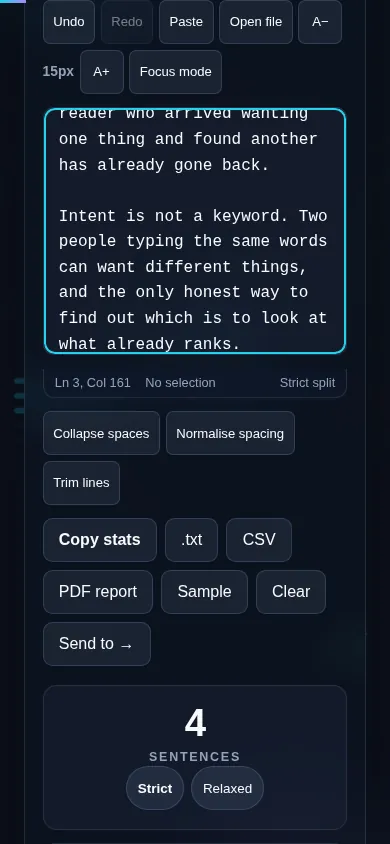
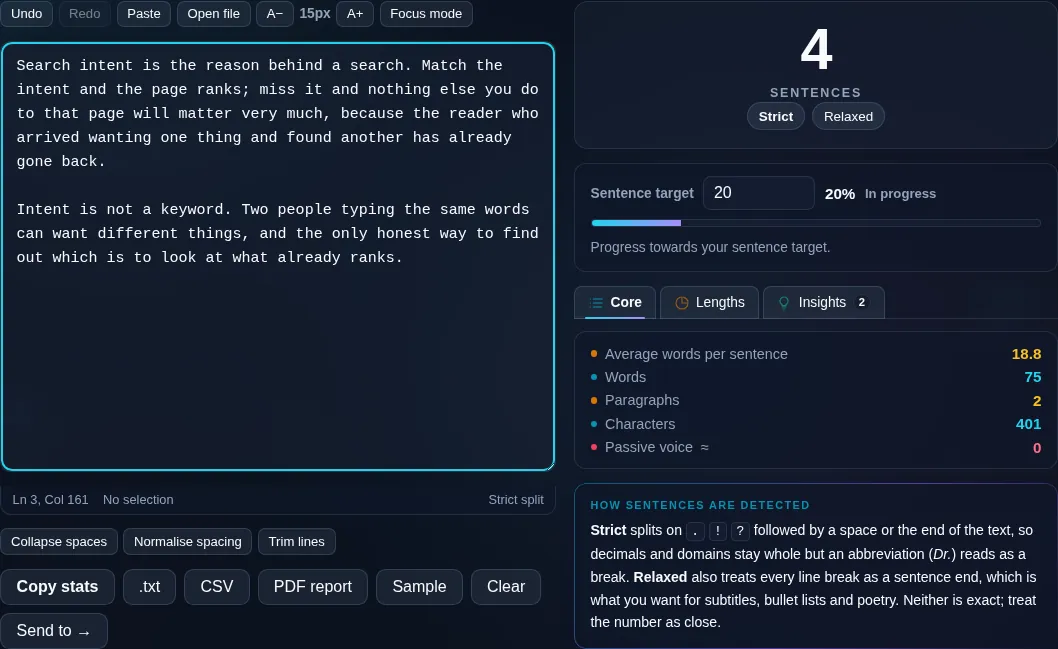
Sentence Counter showing a live sentence count in the browser.
Sentence count + average
Sentence count with average length and longest sentence.
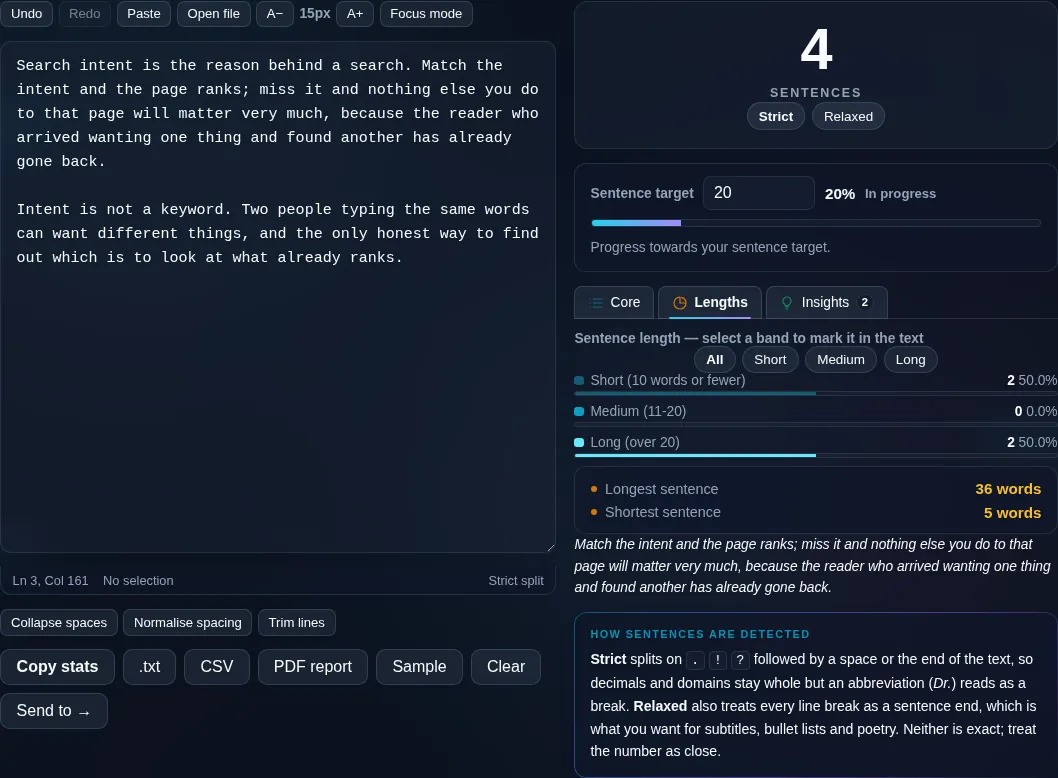
Longest/shortest
Counting sentences on a phone, no app installed.
Mobile (stacked)

Counting sentences and reading style

The counter detects sentence boundaries by looking for ending punctuation — periods, question marks, and exclamation points — while trying to ignore common abbreviations like 'Dr.' and decimals like '3.5' that also contain periods. From that it reports the sentence count, the average number of words per sentence, and the longest and shortest sentences. Average sentence length is a useful writing signal: very long averages (over ~25 words) often mean dense, hard-to-read prose, while a mix of lengths reads more naturally. Because boundary detection is heuristic, unusual punctuation can shift the count slightly. Everything updates live and runs locally in your browser. For a fuller readability score, see the Readability Score Checker; for word totals, the Word Counter.

Frequently Asked Questions

How does it count sentences?

It scans for sentence-ending punctuation — periods, question marks, and exclamation points — and counts each as the end of a sentence, while trying to skip abbreviations and decimal points that also use periods. The count updates live as you type or edit your text.

Does it handle abbreviations like 'Dr.' or 'e.g.'?

It tries to. Common abbreviations and decimal numbers contain periods that aren't sentence ends, and the tool uses heuristics to avoid counting them as new sentences. It handles most everyday text well, but very abbreviation-heavy writing may need a sanity check.

What is average sentence length and why does it matter?

It's the total words divided by the number of sentences. It's a quick readability signal: averages above roughly 25 words often indicate dense, hard-to-follow prose, while shorter and varied sentences read more easily. Watching this number helps you tighten your writing.

Can it show my longest and shortest sentences?

Yes. Alongside the count and average, it highlights the longest and shortest sentences, so you can find a sprawling sentence that needs breaking up or spot choppy one-word fragments. It's a fast way to even out your sentence rhythm.

Why might the count differ from what I expect?

Sentence counting is inherently approximate because punctuation is ambiguous — ellipses, quotes, abbreviations, and decimals all complicate it. The tool uses sensible rules that match normal prose, but unusual formatting can nudge the number by one or two.

Is this useful for assignments with sentence limits?

Yes. If you've been asked to write a summary in a set number of sentences, or to keep paragraphs short, the live count lets you hit the target exactly without counting by hand. The length analysis also helps you keep each sentence clear.

Is my text private — is anything uploaded?

No. Everything runs in your browser, so whatever you type or paste is processed on your own device and never uploaded to a server. Nothing is stored once you close the tab. That keeps your text — notes, code, documents, lists — completely private.

Is it free, and do I need to sign up?

Yes, it's completely free with no account, no trial, and no limit on how many times you use it. Because it runs entirely in your browser, there are no server costs, no usage caps, and no watermark or branding added to your text.

Does it work on a phone?

Yes. It runs in your phone's browser with nothing to install, so you can use it on Android or iOS. The layout adapts to small screens, so you can paste text, get the result, and copy it on the go just as easily as on a computer.

Does it work offline?

Once the page has loaded, it runs entirely on your device, so it keeps working without a connection — which is also why nothing is uploaded. You only need to be online to open the page the first time; after that the tool works locally.

Can I copy or download the result?

Yes. You can copy the result to your clipboard with one click, and longer output can be downloaded as a text file. Everything is processed locally, so copying and downloading are instant with no upload step and no waiting.

Is there a limit on how much text I can process?

There's no artificial cap, because the work happens on your device rather than a server. The practical limit is your device's memory, so very large inputs are smoother on a computer than an older phone. For most everyday text, processing is effectively instant.

Still have questions?

If you can't find the answer you're looking for, feel free to contact our support team.

Contact Us