Paragraph Counter

Count the paragraphs in your text and see average words per paragraph.

100% Browser-Based Local Processing
15px

Ln 1, Col 1 No selection

0

Paragraphs

0% Not started

Progress towards your paragraph target.

Average words per paragraph
Words
0
Sentences
0
Non-empty lines
0
Reading time
0m 00s

Word-processor text separates paragraphs with a blank line. Text pasted from a spreadsheet, a subtitle file or a bullet list usually puts one per line. Pick whichever matches your source — the count changes and neither is wrong.

Privacy Focused

🔒 Local Processing. Your text never leaves your device.

Instant Results

🌐 Fully Client-Side. Runs instantly in your browser.

No Signup

⚡ No accounts. No API keys. Just open and use.

Browser Based

🚀 No installs, no sign-ups, no character limits.

What is a Paragraph Counter?

Paragraph Counter counts how many paragraphs are in your text and shows the average words per paragraph. You can choose whether paragraphs are split by blank lines or by every line break. Paste or type and it updates live, entirely in your browser, so your writing stays private.

Paragraph count helps with structured writing — essays with a required number of paragraphs, web copy where short paragraphs read better, or breaking up a wall of text.

This tool counts paragraphs live and shows how long each one is, all in your browser. Nothing is uploaded. Paste your text and see the structure at a glance.
How to count paragraphs

Step 1: Paste or type your text into the box

Paste or type your text into the box.

Step 2: Read the live paragraph count and average words per paragraph

Read the live paragraph count and average words per paragraph.

Step 3: Switch the line-break mode if needed (blank lines vs every line), then copy your text

Switch the line-break mode if needed (blank lines vs every line), then copy your text.

Paragraph Counter in action

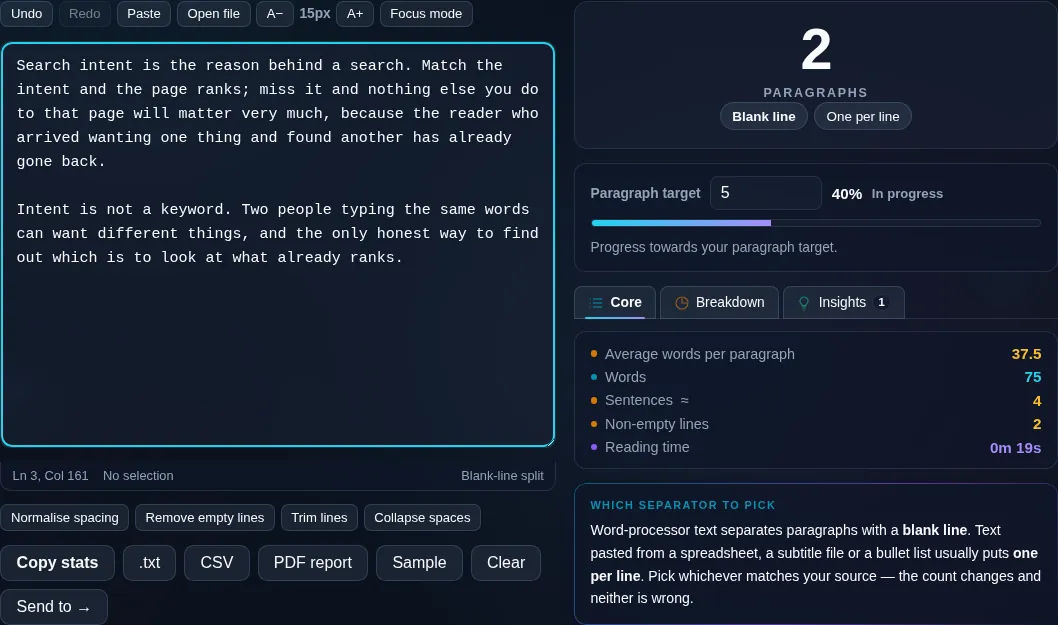
Paragraph Counter showing a live paragraph count in the browser.
Paragraph count
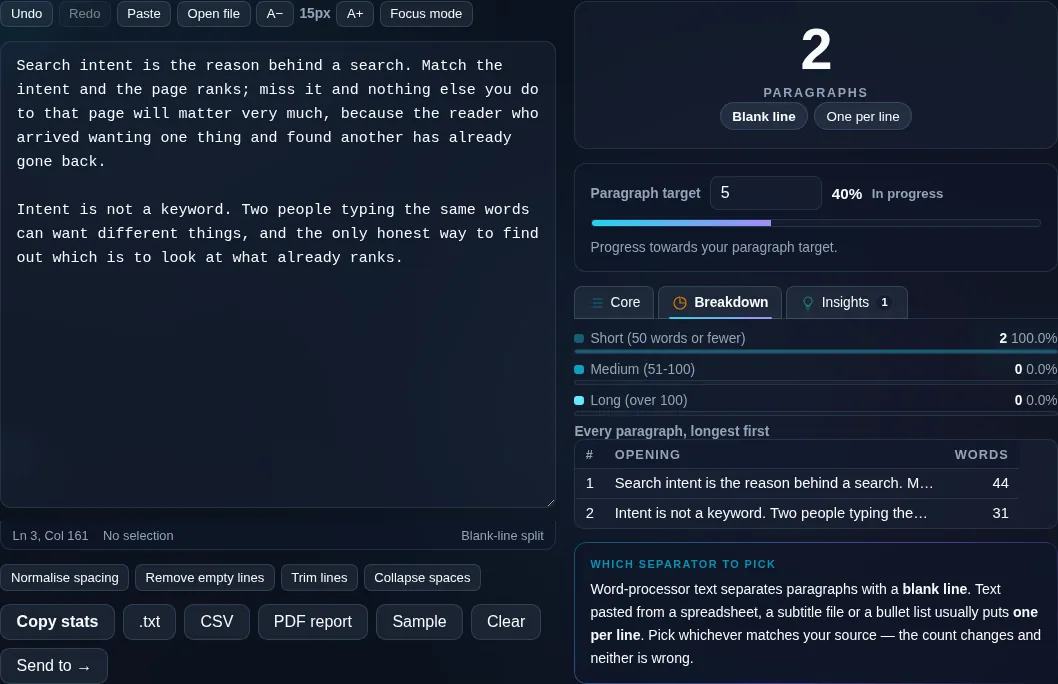
Paragraph count with average words per paragraph.
Line-break mode
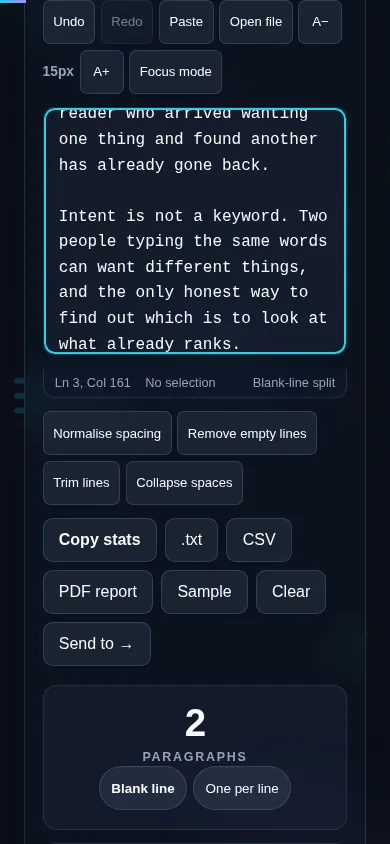
Counting paragraphs on a phone, no app installed.
Mobile (stacked)

How paragraphs are counted

By default, the counter treats a paragraph as a block of text separated by a blank line, which is how paragraphs are normally written. Some pasted text instead uses a single line break between paragraphs, so there's a toggle to count every non-empty line as its own paragraph. Alongside the count, it shows average words per paragraph, which is a useful structure signal — long paragraphs (over ~150 words) are harder to read on screens, where shorter paragraphs work better. Trailing blank lines and extra spacing are ignored so they don't inflate the count. Everything updates live and runs locally in your browser, so nothing is uploaded. For sentences within paragraphs, use the Sentence Counter; for overall length, the Word Counter.

Frequently Asked Questions

How does it count paragraphs?

By default it counts blocks of text separated by a blank line as separate paragraphs, which matches how most documents are formatted. The count updates live as you type, and empty trailing lines are ignored so they don't inflate the total.

What if my text uses single line breaks between paragraphs?

Use the line-break toggle. Some text — especially copied from certain apps — separates paragraphs with a single newline rather than a blank line. Switching the mode counts every non-empty line as its own paragraph, so the count matches how your text is actually structured.

Does it show words per paragraph?

Yes. It reports the average words per paragraph, which is a helpful structure check: paragraphs over roughly 150 words can feel like a wall of text, especially on screens, while shorter paragraphs are easier to read. The figure updates live as you edit.

Do blank lines or extra spacing affect the count?

Extra blank lines and trailing whitespace are ignored, so a couple of empty lines between paragraphs or at the end won't be counted as paragraphs. This keeps the count accurate even if your text has inconsistent spacing.

Is this useful for essays with a paragraph requirement?

Yes. If an assignment asks for a set number of paragraphs, the live count lets you hit it exactly. The per-paragraph word average also helps you keep paragraphs balanced rather than having one huge block and several tiny ones.

Does it count words and sentences too?

Yes. Alongside paragraphs it shows the total words, characters, and sentences, so you get a full picture of your text's length and structure in one place. For deeper sentence analysis, the Sentence Counter focuses on sentence length specifically.

Is my text private — is anything uploaded?

No. Everything runs in your browser, so whatever you type or paste is processed on your own device and never uploaded to a server. Nothing is stored once you close the tab. That keeps your text — notes, code, documents, lists — completely private.

Is it free, and do I need to sign up?

Yes, it's completely free with no account, no trial, and no limit on how many times you use it. Because it runs entirely in your browser, there are no server costs, no usage caps, and no watermark or branding added to your text.

Does it work on a phone?

Yes. It runs in your phone's browser with nothing to install, so you can use it on Android or iOS. The layout adapts to small screens, so you can paste text, get the result, and copy it on the go just as easily as on a computer.

Does it work offline?

Once the page has loaded, it runs entirely on your device, so it keeps working without a connection — which is also why nothing is uploaded. You only need to be online to open the page the first time; after that the tool works locally.

Can I copy or download the result?

Yes. You can copy the result to your clipboard with one click, and longer output can be downloaded as a text file. Everything is processed locally, so copying and downloading are instant with no upload step and no waiting.

Is there a limit on how much text I can process?

There's no artificial cap, because the work happens on your device rather than a server. The practical limit is your device's memory, so very large inputs are smoother on a computer than an older phone. For most everyday text, processing is effectively instant.

Still have questions?

If you can't find the answer you're looking for, feel free to contact our support team.

Contact Us