Character Counter

Count characters with and without spaces in real time, with limit presets for X, Instagram, SMS, and SEO meta tags.

100% Browser-Based Local Processing
15px

Ln 1, Col 1 No selection UTF-8 · 0 bytes

0

Characters

Limit presets

Remaining 280 Optimal
Characters, no spaces
0
Excluding all whitespace
0
Words
0
Sentences
0
Paragraphs
0
Lines
0
Reading time
0m 00s

Characters are counted by Unicode code point. An emoji built from several code points — a skin-toned 👍🏽 is two — counts as more than one, which is close to how X and SMS bill it. Combining accents (e + ´) count as two; a precomposed é counts as one.

Privacy Focused

🔒 Local Processing. Your text never leaves your device.

Instant Results

🌐 Fully Client-Side. Runs instantly in your browser.

No Signup

⚡ No accounts. No API keys. Just open and use.

Browser Based

🚀 No installs, no sign-ups, no character limits.

What is a Character Counter?

Character Counter counts the characters in your text in real time, with and without spaces, and shows how many you have left against limits for X, Instagram, SMS, and SEO meta tags. Paste or type and the count updates live. It runs entirely in your browser, so your text stays private.

Lots of places cap your characters — a tweet, an SMS, an SEO title or meta description, an Instagram caption. Going over means your text gets cut off, so you need an exact live count.

This counter shows characters with and without spaces and how many remain for each platform, updating as you type. It runs entirely in your browser, so nothing is uploaded. Paste, check, and trim to fit.
How to count characters

Step 1: Paste or type your text into the box

Paste or type your text into the box.

Step 2: Read the live character count — with and without spaces

Read the live character count — with and without spaces.

Step 3: Pick a platform preset (or set a custom limit) to see how many characters you have left, then copy your text

Pick a platform preset (or set a custom limit) to see how many characters you have left, then copy your text.

Character Counter in action

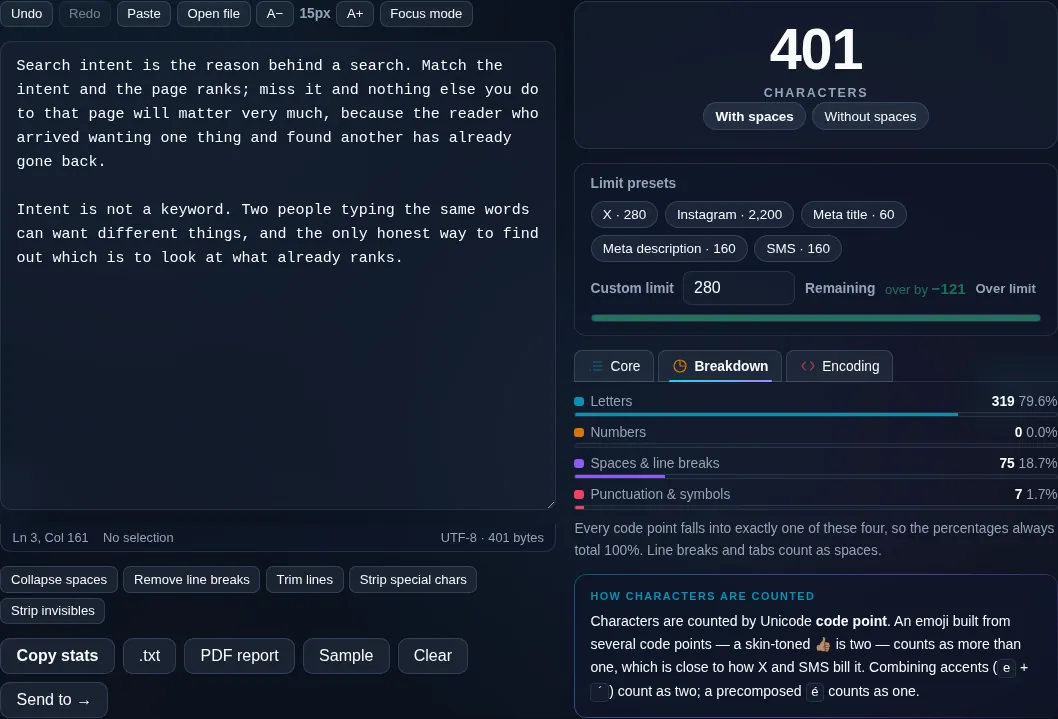
Character Counter showing a live character count in the browser.
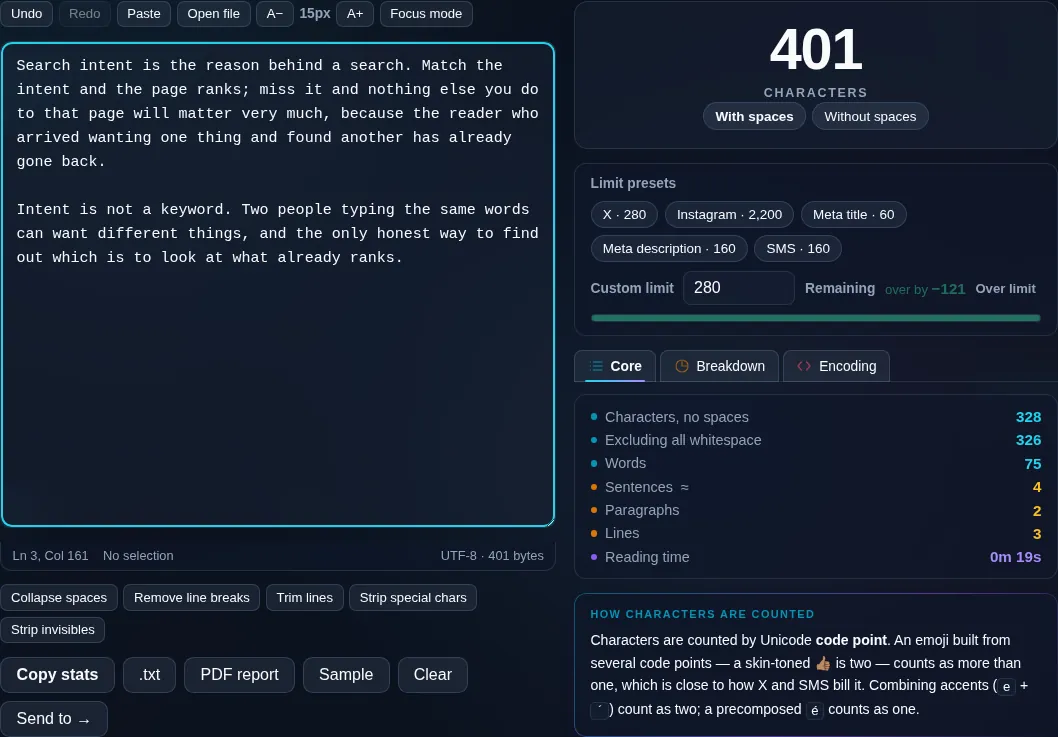
Live character count
Character count with platform limits and remaining characters.
Platform limits
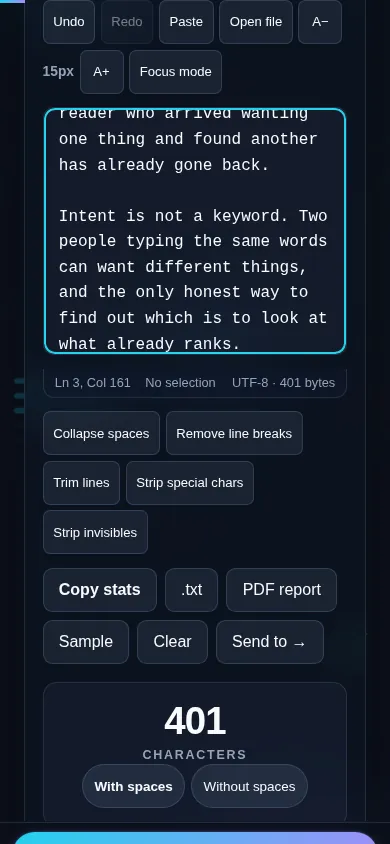
Counting characters on a phone, no app installed.
Mobile (stacked)

Character limits and how they're counted

Different platforms count characters differently, so this tool shows the total both with and without spaces and lets you compare against common limits: X/Twitter posts, SMS segments, SEO meta titles (around 60) and descriptions (around 160), and social captions. You can also set a custom limit. One subtlety is emoji and some non-Latin characters: a single emoji can be made of several underlying code units, so a 'character' you see may count as more than one toward a platform's limit — the tool explains how it counts so there are no surprises. Newlines count as characters too. Everything updates live and runs locally in your browser, so nothing is uploaded. For words rather than characters, use the Word Counter.

Frequently Asked Questions

How do I count characters in my text?

Paste or type into the box and the character count appears instantly, updating as you edit. It shows the total with spaces and without spaces, plus the word and line counts, so you can check your text against any limit without pressing a button.

What's the difference between counting with and without spaces?

'With spaces' counts every character including the spaces between words — this is what most platforms (X, SMS, meta tags) measure. 'Without spaces' counts only the visible characters, which some assignments or fields require. Showing both means you're covered whichever limit applies.

Does it have presets for Twitter/X and other platforms?

Yes. Built-in presets cover common limits — X/Twitter posts, SMS message segments, SEO meta titles and descriptions, and social captions — and the counter shows how many characters you have left for the one you pick. You can also enter a custom limit.

How are emoji counted?

Carefully — but it's worth understanding. A single emoji can be built from several underlying code units, so it may count as more than one character toward a strict platform limit. The tool shows how it counts so the number matches what platforms like X actually enforce.

Do spaces and line breaks count?

Spaces count in the 'with spaces' total, and line breaks count as characters too, since most platforms include them. The 'without spaces' total excludes spaces so you can see the visible-character count separately. Both update live as you type.

Why does my count differ from another tool?

Usually it's the with/without-spaces choice or how emoji and line breaks are handled. This counter shows both space options and explains its emoji counting, so you can match whichever rule a specific platform or assignment uses rather than guessing.

Is my text private — is anything uploaded?

No. Everything runs in your browser, so whatever you type or paste is processed on your own device and never uploaded to a server. Nothing is stored once you close the tab. That keeps your text — notes, code, documents, lists — completely private.

Is it free, and do I need to sign up?

Yes, it's completely free with no account, no trial, and no limit on how many times you use it. Because it runs entirely in your browser, there are no server costs, no usage caps, and no watermark or branding added to your text.

Does it work on a phone?

Yes. It runs in your phone's browser with nothing to install, so you can use it on Android or iOS. The layout adapts to small screens, so you can paste text, get the result, and copy it on the go just as easily as on a computer.

Does it work offline?

Once the page has loaded, it runs entirely on your device, so it keeps working without a connection — which is also why nothing is uploaded. You only need to be online to open the page the first time; after that the tool works locally.

Can I copy or download the result?

Yes. You can copy the result to your clipboard with one click, and longer output can be downloaded as a text file. Everything is processed locally, so copying and downloading are instant with no upload step and no waiting.

Is there a limit on how much text I can process?

There's no artificial cap, because the work happens on your device rather than a server. The practical limit is your device's memory, so very large inputs are smoother on a computer than an older phone. For most everyday text, processing is effectively instant.

Still have questions?

If you can't find the answer you're looking for, feel free to contact our support team.

Contact Us