Line Counter

Count the lines in your text, with the option to count only non-empty lines.

100% Browser-Based Local Processing
15px

Ln 1, Col 1 No selection

0

Lines

Non-empty lines
0
Empty lines
0
Duplicate lines
0
Words
0
Reading time
0m 00s
Speaking time
0m 00s

Line breaks are counted the same whether the text uses Windows (CRLF), Unix (LF) or classic Mac (CR) endings. A trailing newline creates a final empty line, which is why a file ending in a blank line counts one higher than you expect. Long lines do not wrap into extra lines: a line ends at a line break and nothing else.

Privacy Focused

🔒 Local Processing. Your text never leaves your device.

Instant Results

🌐 Fully Client-Side. Runs instantly in your browser.

No Signup

⚡ No accounts. No API keys. Just open and use.

Browser Based

🚀 No installs, no sign-ups, no character limits.

What is a Line Counter?

Line Counter counts the number of lines in your text, with an option to count only non-empty lines. It counts hard line breaks, so it's ideal for lists, code, logs, and data. Paste or type and it updates live, entirely in your browser, so your text stays private.

When you're working with lists, rows of data, log files, or code, the count that matters is lines — how many entries, records, or statements you have. A line counter gives it instantly.

This tool counts total and non-empty lines live, all in your browser, with nothing uploaded. Paste your text and read the count.
How to count lines

Step 1: Paste or type your text (or list) into the box

Paste or type your text (or list) into the box.

Step 2: Read the live line count — total lines and non-empty lines

Read the live line count — total lines and non-empty lines.

Step 3: Copy your text or its stats; use the sort or dedupe tools if you need to clean the list

Copy your text or its stats; use the sort or dedupe tools if you need to clean the list.

Line Counter in action

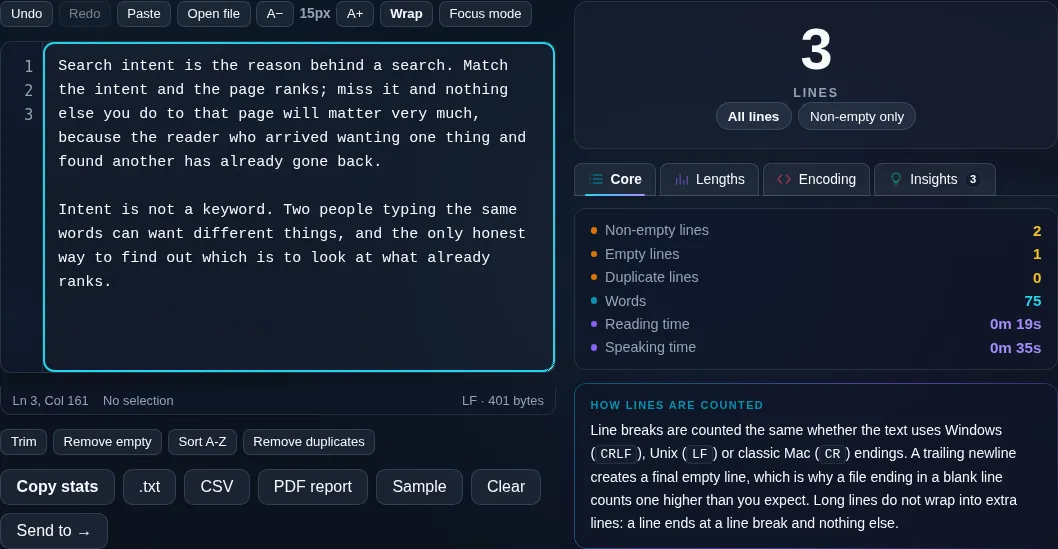
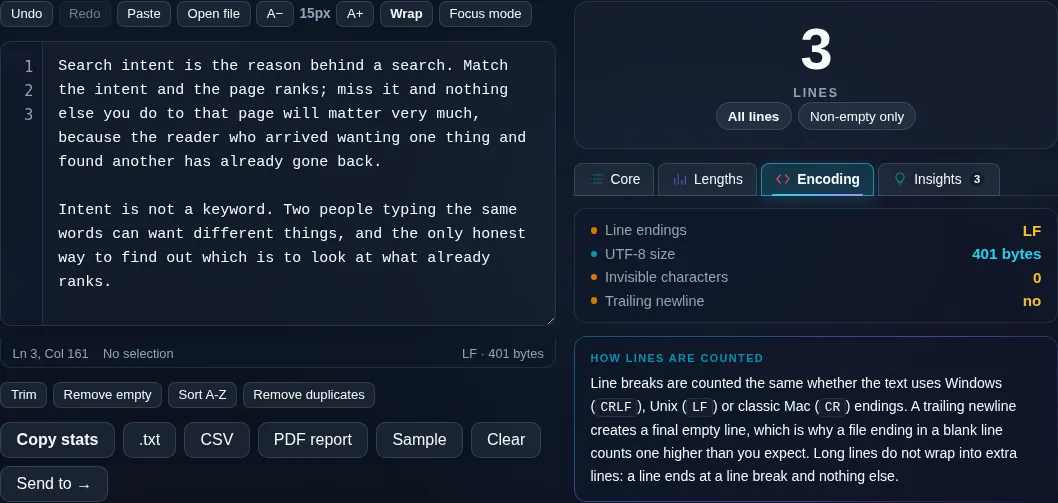
Line Counter showing a live line count in the browser.
Line count
Total and non-empty line counts for a list.
Total vs non-empty
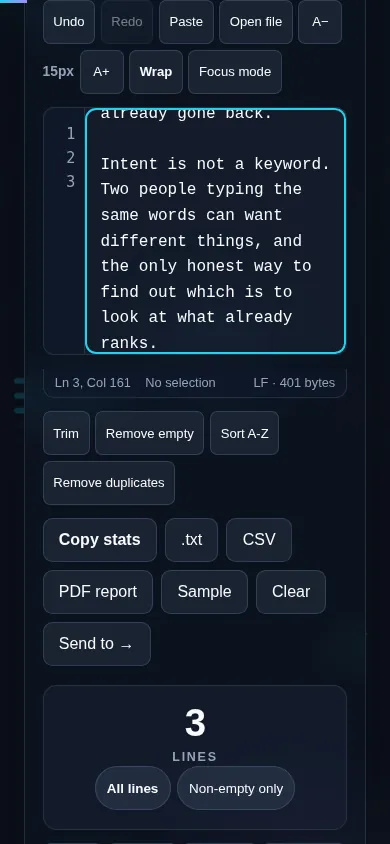
Counting lines on a phone, no app installed.
Mobile (stacked)

What counts as a line

The counter counts hard line breaks — the actual newline characters in your text — not the visual wrapping you see when a long line flows onto the next row of the screen. That means the count reflects real lines or list entries, which is what you want for data and code. It shows both the total line count and the count of non-empty lines, so blank separator lines don't distort your tally of actual entries. A trailing newline at the end is handled sensibly so it doesn't add a phantom empty line. Everything updates live and runs locally in your browser, so nothing is uploaded. To tidy a list, pair this with the Remove Empty Lines, Remove Duplicate Lines, and Sort Text Lines tools.

Frequently Asked Questions

How do I count the lines in my text?

Paste or type your text into the box and the line count appears immediately, updating as you edit. It shows the total number of lines and, separately, the number of non-empty lines, so you can count actual entries in a list or rows in data.

Does it count wrapped lines or actual line breaks?

Actual line breaks. The counter counts the real newline characters in your text, not the visual wrapping that happens when a long line is too wide for the screen. So a single long paragraph with no line breaks counts as one line, however it appears on screen.

What's the difference between total and non-empty lines?

Total lines counts every line including blank ones; non-empty lines counts only lines that contain text. If your list has blank separator lines, the non-empty count tells you how many real entries there are, while the total reflects the raw structure.

Is it useful for counting list items or data rows?

Very. Because it counts hard line breaks, each item in a one-per-line list or each record in line-based data counts as one line. The non-empty option ensures blank lines between sections don't inflate your count of actual items.

Does a trailing blank line get counted?

The counter handles a trailing newline sensibly so it doesn't add a phantom extra line to the total. This keeps the count matching the number of lines you actually see, which is important when the exact count matters for data or code.

Can I clean up the lines after counting?

Yes — this pairs naturally with the other line tools. Use Remove Empty Lines to drop blanks, Remove Duplicate Lines to dedupe, and Sort Text Lines to order them. They're all client-side, so you can count, clean, and recount without anything leaving your browser.

Is my text private — is anything uploaded?

No. Everything runs in your browser, so whatever you type or paste is processed on your own device and never uploaded to a server. Nothing is stored once you close the tab. That keeps your text — notes, code, documents, lists — completely private.

Is it free, and do I need to sign up?

Yes, it's completely free with no account, no trial, and no limit on how many times you use it. Because it runs entirely in your browser, there are no server costs, no usage caps, and no watermark or branding added to your text.

Does it work on a phone?

Yes. It runs in your phone's browser with nothing to install, so you can use it on Android or iOS. The layout adapts to small screens, so you can paste text, get the result, and copy it on the go just as easily as on a computer.

Does it work offline?

Once the page has loaded, it runs entirely on your device, so it keeps working without a connection — which is also why nothing is uploaded. You only need to be online to open the page the first time; after that the tool works locally.

Can I copy or download the result?

Yes. You can copy the result to your clipboard with one click, and longer output can be downloaded as a text file. Everything is processed locally, so copying and downloading are instant with no upload step and no waiting.

Is there a limit on how much text I can process?

There's no artificial cap, because the work happens on your device rather than a server. The practical limit is your device's memory, so very large inputs are smoother on a computer than an older phone. For most everyday text, processing is effectively instant.

Still have questions?

If you can't find the answer you're looking for, feel free to contact our support team.

Contact Us