Word Frequency Counter

Count how often each word appears and rank the most-used words, with stopword filtering and CSV export.

100% Browser-Based Local Processing
15px

Ln 1, Col 1 No selection No term selected

0

Unique terms

from 0 words

Words
0
Unique words
0
Lexical variety
Top term density
Average word length
Average words per sentence
Reading time
0m 00s

Terms are case-folded by default, and leading and trailing punctuation is stripped. “Ignore common words” removes a fixed English stopword list — useful for keyword work, misleading for style analysis. “Group word forms” folds run, runs and running together using a simple suffix rule, which is fast and approximate rather than a real stemmer. The top 50 rows are shown; the CSV contains every term.

Privacy Focused

🔒 Local Processing. Your text never leaves your device.

Instant Results

🌐 Fully Client-Side. Runs instantly in your browser.

No Signup

⚡ No accounts. No API keys. Just open and use.

Browser Based

🚀 No installs, no sign-ups, no character limits.

What is a Word Frequency Counter?

Word Frequency Counter counts how many times each word appears in your text and ranks them from most to least used. You can ignore case, filter out common stopwords like 'the' and 'and', and export the table. It runs entirely in your browser, so your text stays private — useful for SEO and writing analysis.

Which words do you lean on most? Word frequency analysis answers that — useful for checking keyword usage in SEO copy, spotting overused words in your writing, or analyzing any text.

This tool builds a ranked frequency table and lets you filter out filler words, all in your browser. Nothing is uploaded. Paste your text and see your most-used words instantly.
How to count word frequency

Step 1: Paste or type your text into the box

Paste or type your text into the box.

Step 2: Toggle case-insensitive matching and stopword removal, and set a minimum word length if you like

Toggle case-insensitive matching and stopword removal, and set a minimum word length if you like.

Step 3: Read the ranked frequency table, then copy it or export as CSV

Read the ranked frequency table, then copy it or export as CSV.

Word Frequency Counter in action

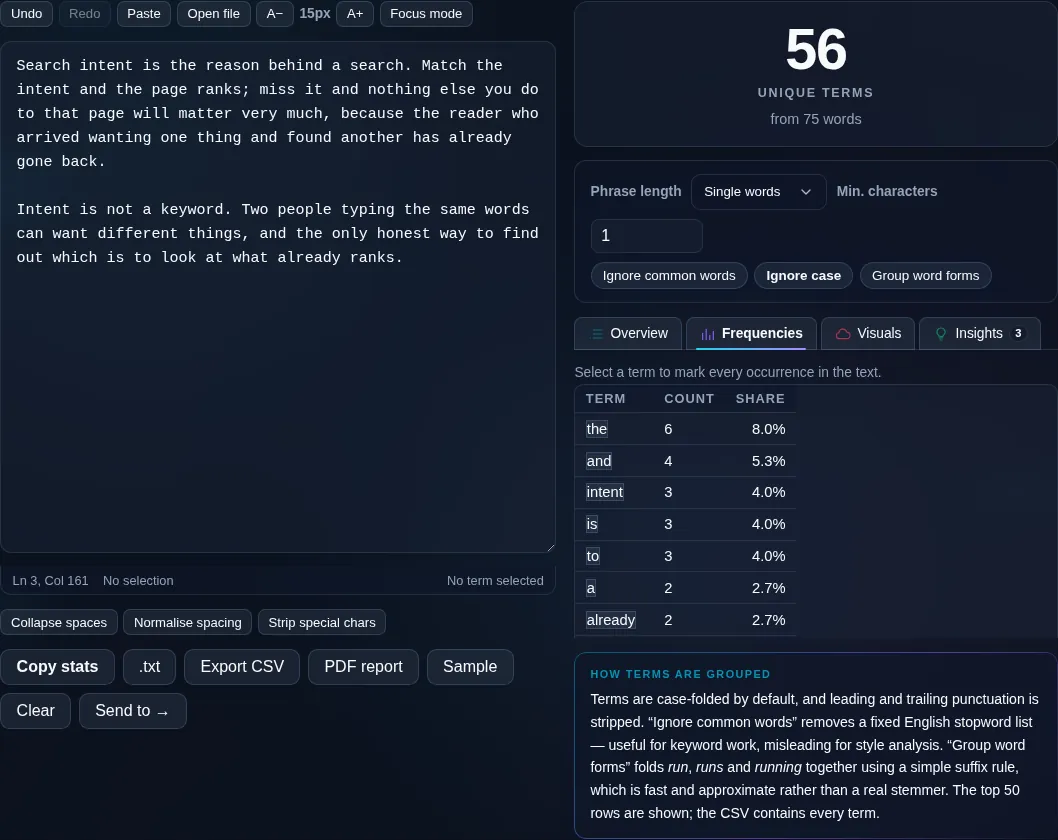
Word Frequency Counter ranking the most-used words in the browser.
Frequency table
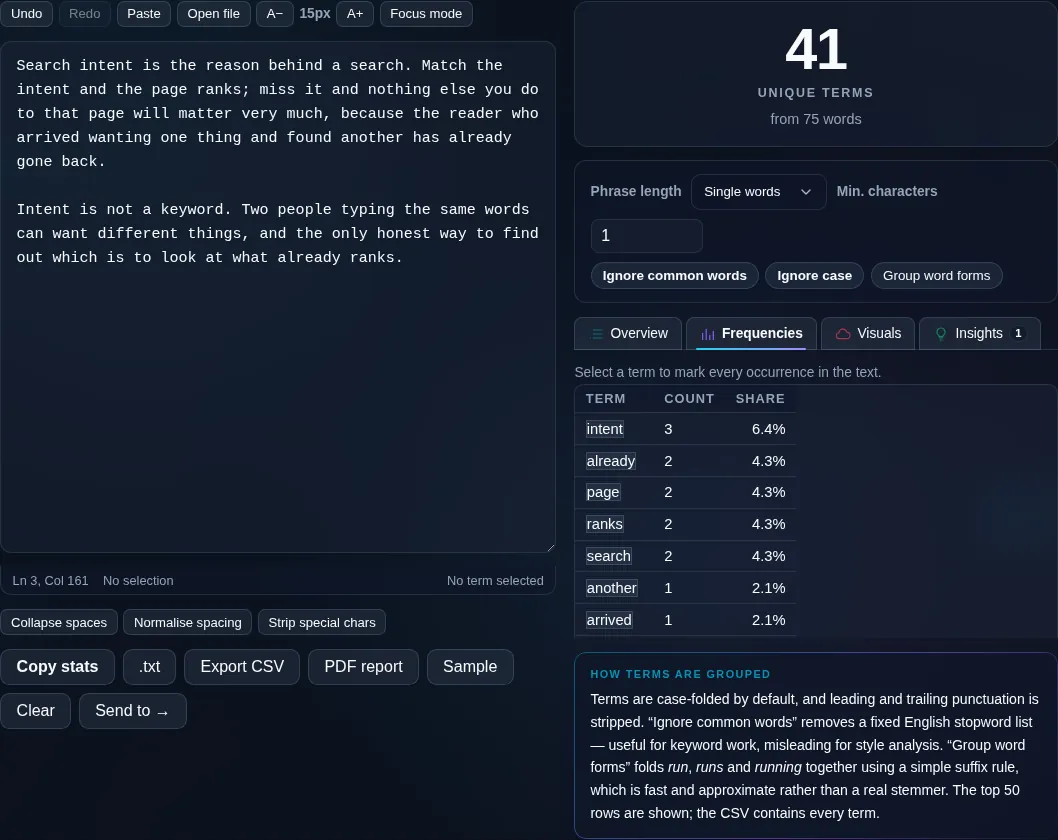
A ranked word frequency table with stopwords removed.
Stopwords removed
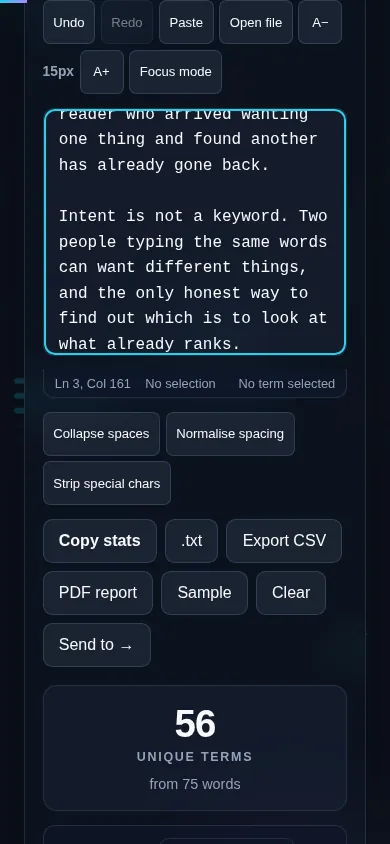
Counting word frequency on a phone, no app installed.
Mobile (stacked)

Frequency, stopwords, and keyword density

The tool splits your text into words, strips surrounding punctuation, and tallies how often each appears, then sorts the list from most to least frequent. Turning on case-insensitive matching treats 'The' and 'the' as the same word, which is usually what you want. Common 'stopwords' — 'the', 'a', 'and', 'of', 'to' — dominate any text and rarely carry meaning, so a toggle removes them to surface the words that actually matter, which is exactly what's useful for SEO keyword density and writing analysis. A minimum-length filter further hides short fillers, and an optional phrase (n-gram) mode counts two- or three-word phrases. Stopword lists are language-specific, so pick the right language. Everything runs locally in your browser, and you can export the table as CSV. For overall totals, use the Word Counter.

Frequently Asked Questions

How does it count word frequency?

It breaks your text into words, removes the punctuation around them, and counts how many times each word occurs, then ranks them from most to least frequent. The result is a table showing each word and its count, which updates when you change the options.

Can it ignore common words like 'the' and 'and'?

Yes. A stopword filter removes the most common function words — 'the', 'a', 'and', 'of', 'to' and similar — which otherwise top every frequency list without telling you anything. Removing them surfaces the meaningful words, which is what matters for keyword analysis and editing.

Is it case-sensitive?

You choose. With case-insensitive matching on, 'The' and 'the' are counted as the same word, which is normally what you want for frequency analysis. Turn it off if you specifically need to distinguish capitalized forms, for example to find proper nouns.

Can I use it for SEO keyword density?

Yes. Frequency counting is the basis of keyword density — paste your page copy, optionally remove stopwords, and see how often your target terms appear relative to everything else. Just remember density is only one signal; natural, readable writing matters more than hitting a number.

Does it count phrases, not just single words?

Optionally. A phrase (n-gram) mode counts repeated two- and three-word phrases as well as single words, which helps you spot repeated expressions or multi-word keywords. Single-word counting is the default; switch on phrases when you want them.

Can I export the frequency list?

Yes. You can copy the table or export it as a CSV file to open in a spreadsheet for further analysis or charting. Because everything runs locally, the export happens instantly with no upload, keeping your text private.

Is my text private — is anything uploaded?

No. Everything runs in your browser, so whatever you type or paste is processed on your own device and never uploaded to a server. Nothing is stored once you close the tab. That keeps your text — notes, code, documents, lists — completely private.

Is it free, and do I need to sign up?

Yes, it's completely free with no account, no trial, and no limit on how many times you use it. Because it runs entirely in your browser, there are no server costs, no usage caps, and no watermark or branding added to your text.

Does it work on a phone?

Yes. It runs in your phone's browser with nothing to install, so you can use it on Android or iOS. The layout adapts to small screens, so you can paste text, get the result, and copy it on the go just as easily as on a computer.

Does it work offline?

Once the page has loaded, it runs entirely on your device, so it keeps working without a connection — which is also why nothing is uploaded. You only need to be online to open the page the first time; after that the tool works locally.

Can I copy or download the result?

Yes. You can copy the result to your clipboard with one click, and longer output can be downloaded as a text file. Everything is processed locally, so copying and downloading are instant with no upload step and no waiting.

Is there a limit on how much text I can process?

There's no artificial cap, because the work happens on your device rather than a server. The practical limit is your device's memory, so very large inputs are smoother on a computer than an older phone. For most everyday text, processing is effectively instant.

Still have questions?

If you can't find the answer you're looking for, feel free to contact our support team.

Contact Us