The Ultimate Professional XML Formatter for Developers
In the modern landscape of software development and data interchange, XML (eXtensible Markup Language) remains a cornerstone for structuring complex information. However, dealing with minified, unindented, or poorly structured XML can be a significant hurdle during debugging and system integration. Our XML Formatter is meticulously engineered to bridge this gap, providing a high-performance, developer-focused workspace that delivers instant structural clarity. Unlike generic tools, this environment offers real-time feedback, identifying syntax errors as you type and automatically restructuring raw XML into a clean, human-readable hierarchy.
Security and speed are our top priorities. This tool operates entirely within your browser (client-side), meaning your sensitive XML data never touches a server. This is critical for developers working with proprietary configurations, API payloads, or confidential data structures. Whether you are using our JSON to CSV converter or managing complex SQL queries, having a reliable XML beautifier is essential for maintaining high standards in your development workflow.
The interface supports advanced features such as collapsible tree visualization, multiple indentation levels (2 spaces, 4 spaces, or tabs), and a powerful minification toggle for preparing payloads for production. By combining deep parsing logic with a futuristic, responsive UI, we ensure that you spend less time squinting at tags and more time building great software.
How to Use the XML Formatter Effectively
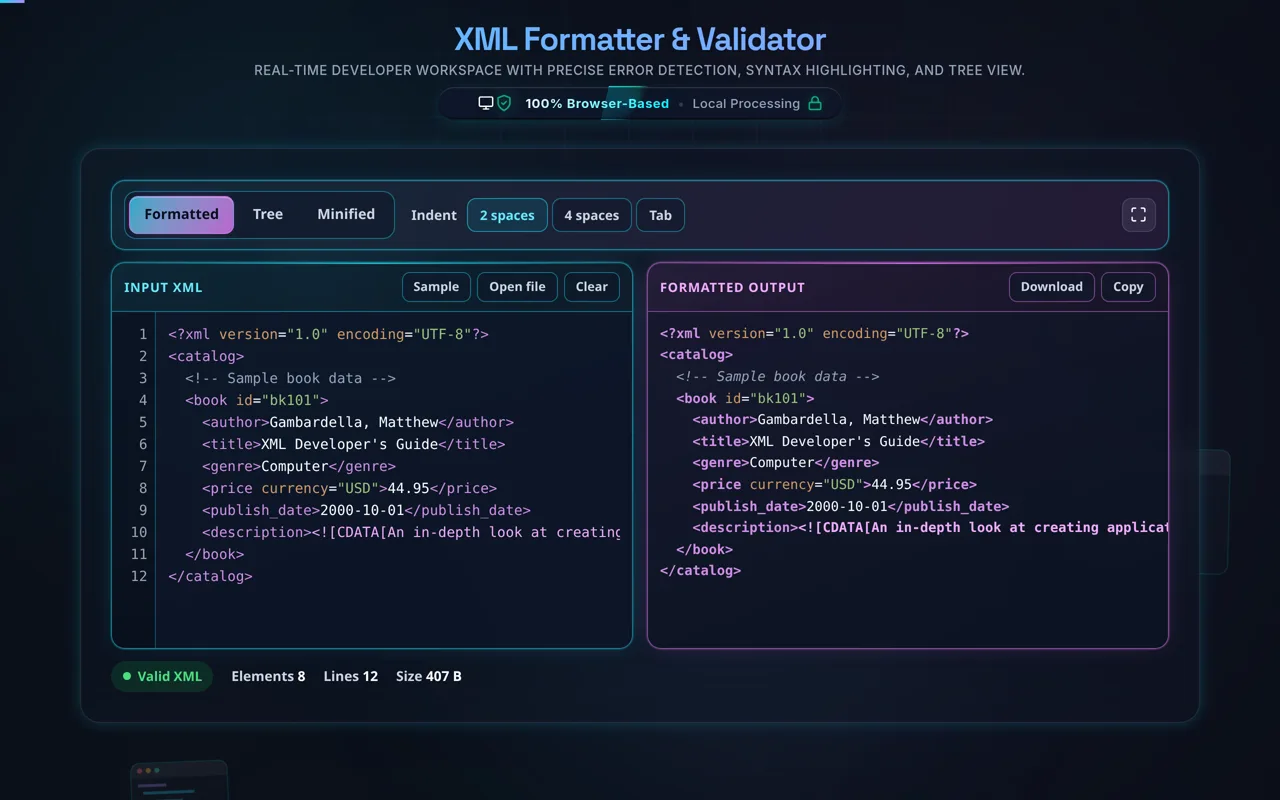
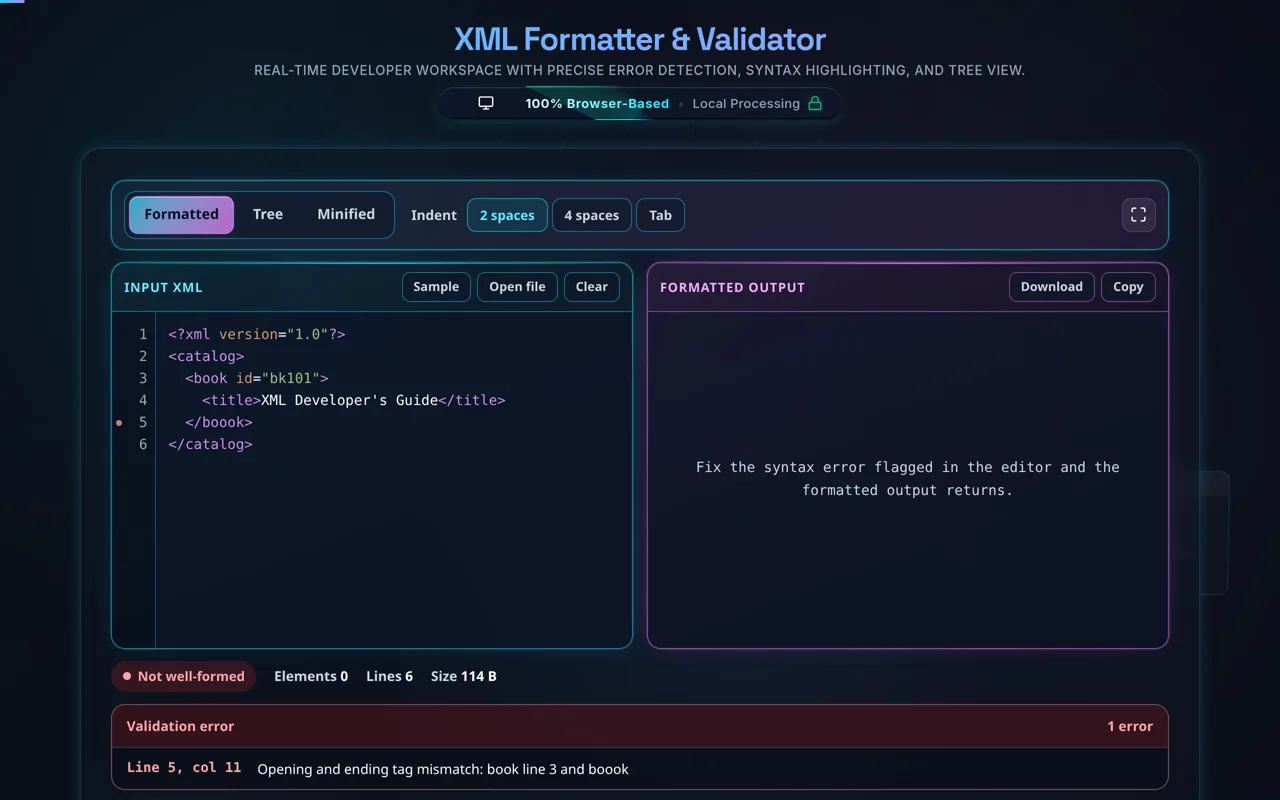
Using the XML Formatter is straightforward, yet it offers deep customization for power users. Begin by pasting your raw, minified, or unformatted XML into the left-hand input panel. The tool instantly detects the content and triggers a validation check. If the XML is valid, the formatted version appears in the right panel immediately. If there is a syntax error, such as a missing closing tag or an improperly nested element, the validation indicator at the bottom will alert you with the specific error message to guide your debugging process.
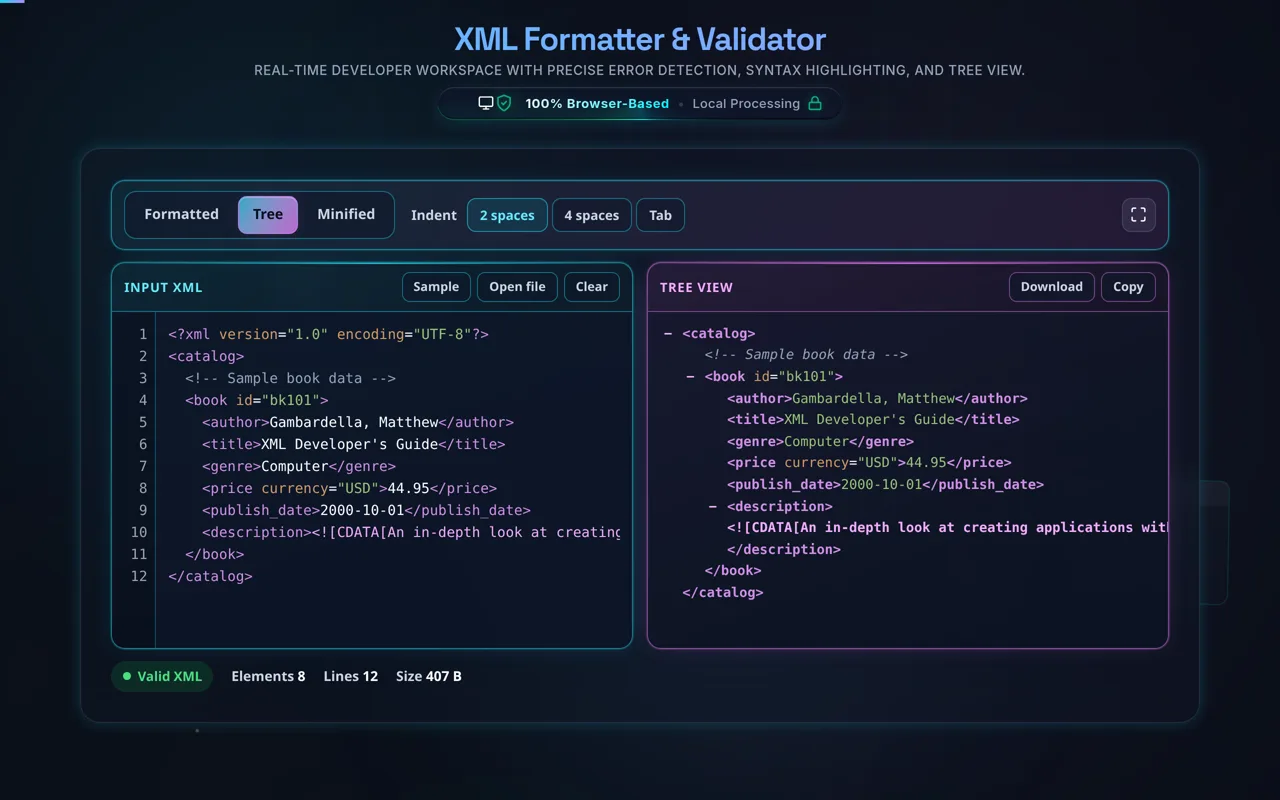
For larger documents, the "Tree View" mode is invaluable. By toggling this feature, you can transform the flat text into a collapsible node tree, allowing you to hide entire branches of data while focusing on the specific nodes you need to inspect. This is particularly useful when analyzing long XML files exported from databases or complex SOAP API responses. You can also easily switch between 2-space and 4-space indentation using the settings bar to match your project's coding standards.
Once you are satisfied with the result, use the "Copy XML" button to instantly move the formatted code to your clipboard or the "Download" button to save it as a local file. If you are preparing data for a network request, use the "Minify" toggle to strip all unnecessary whitespace, significantly reducing the file size without altering the underlying data structure. This seamless transition between beautification and optimization makes it the perfect companion for tools like our URL Encoder or Base64 Decoder.
Most online XML formatters are simple wrappers around basic library functions that offer limited control and zero security guarantees. Our tool is built from the ground up with developer ergonomics in mind. It features a dual-pane workspace that provides instant, deterministic formatting without page reloads. The inclusion of a hierarchical tree viewer allows developers to explore nested attributes and content in a way that plain text editors cannot.
Furthermore, we adhere to strict accessibility and performance standards. By using optimized inlined CSS and high-contrast color variables, we ensure that the tool remains readable even during long coding sessions in dark mode. The integration with our broader ecosystem, including JSON validation and HTML formatting, provides a unified experience that respects your device settings and workflow preferences.
Security is a non-negotiable aspect of professional development. Many online formatters transmit your data to a backend server for processing, which poses a significant risk for proprietary or sensitive data. Our XML Formatter is 100% client-side. The parsing, formatting, and validation logic all run within your local browser environment. No data is ever sent to our servers or stored in any database.
This approach not only ensures total privacy but also significantly increases speed, as there is no network latency involved in the formatting process. You can even use the tool offline once the page has loaded. Whether you are formatting an XML configuration for an image metadata system or a complex dataset for a timestamp converter, you can trust that your data remains strictly on your machine.
Yes, our formatting engine is designed for efficiency. We use incremental parsing strategies to ensure that the UI remains responsive even when handling large XML documents. While extreme file sizes (tens of megabytes) may experience a slight lag depending on your local hardware, standard developer XML files are processed almost instantaneously.
Debugging is made easier with our integrated validation system. When the parser encounters malformed XMLāsuch as unclosed tags, illegal characters in attributes, or mismatched hierarchiesāit identifies the issue immediately. This real-time validation is a massive time-saver compared to the "trial and error" approach required by simpler tools. It works seamlessly alongside our Regex Tester and Diff Checker to provide a complete suite for data structural analysis.