UTC to Local Time Converter
UTC Input Panel Precision Entry
Converted Result Detecting...
Related Tools
Time Zone Converter Age Calculator Stopwatch Date Difference Military Time Leap Year Checker PDF to JPG PNG to JPG Image ResizerUniversal Time Coordination Explained
The UTC to Local Time Converter is an essential utility for developers, international travelers, and digital nomads who operate across multiple longitudinal boundaries. Universal Coordinated Time (UTC) serves as the primary time standard by which the world regulates clocks and time. Unlike local time zones, UTC does not observe daylight saving time, providing a consistent baseline for synchronization. Our tool bridges the gap between this global standard and your local reality. By using our precision-engineered interface, you can determine exactly what time a specific UTC moment corresponds to in your current region or any other IANA-defined timezone.
Understanding the time difference between time zones is crucial for scheduling global meetings and managing server logs. For instance, if you are working with a unix timestamp converter, the data is often provided in UTC. Converting this to a readable local format ensures that human error is minimized during critical operations. Our system automatically detects your browser's offset and applies the necessary logic to calculate shifts, including complex DST changes that occur at different times across the globe, verified against a live world clock.
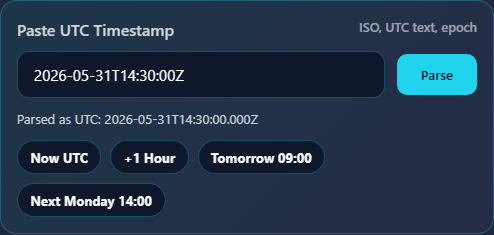
To begin using the UTC to Local Time Converter, start by adjusting the scroll-based selectors in the UTC Input Panel. Unlike traditional text fields that are prone to formatting errors, our selectors allow you to choose the exact year, month, day, and time with fluid precision. The interface is designed to be thumb-optimized for mobile users while remaining highly functional for desktop environments. As you change any value, the Result Panel updates in real-time, displaying the equivalent local time based on your system's auto-detected zone.
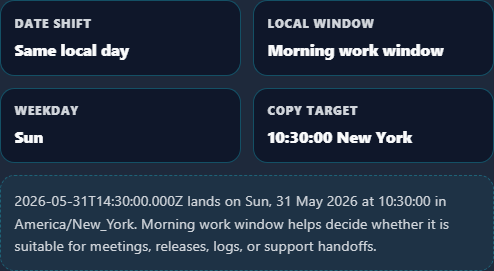
If you need to check the time for a different region, use the searchable Timezone Selector to override the default detection. This is particularly useful when planning travel or managing a meeting time planner for remote teams. The visual timeline at the bottom provides a 24-hour map, highlighting if the conversion results in a date change. Once satisfied, use the copy buttons to export the time in ISO 8601 format or a human-readable string. For developers, this tool integrates perfectly with workflows involving timestamp to date converter transformations.
Frequently Asked Questions
While often used interchangeably in casual conversation, UTC (Coordinated Universal Time) and GMT (Greenwich Mean Time) have distinct definitions. GMT is a time zone used in some European and African countries, while UTC is a time standard that serves as the foundation for all time zones. UTC is based on high-precision atomic clocks, whereas GMT is based on the Earth's rotation. In practical terms for most users of our utc to local time tool, the time values are identical, but UTC is preferred for technical and scientific applications due to its absolute stability.
When you use a world clock, you will notice that most digital systems refer to UTC offsets (e.g., UTC+5) rather than GMT. This standard ensures that regardless of political changes to time zone names or daylight saving rules, the underlying numerical offset remains constant. Our converter uses the IANA database to ensure that even the most obscure regional shifts are accounted for when you transform UTC data into local insights.
Daylight Saving Time (DST) is one of the most complex aspects of time conversion because it does not happen simultaneously worldwide. Our UTC to Local Time Converter handles this complexity transparently by utilizing the latest IANA Time Zone Database integrated into your browser. When you select a specific date and time, the system checks whether DST is active for that specific moment in the target zone. If it is, the offset is automatically adjusted (usually by one hour) and the difference indicator will reflect the change. This is much more accurate than using a simple daylight saving time calculator manually.
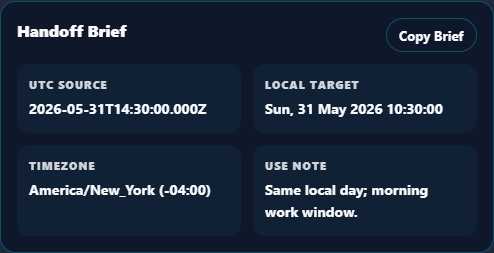
For example, if you are converting a UTC time in July for a New York local time, the system knows to apply EDT (UTC-4) rather than the standard EST (UTC-5). This automation prevents the "one-hour-off" error that plagues manual scheduling. Whether you are using a time duration calculator for a flight or setting up a global webinar, the deterministic logic used here ensures that the result is legally and geographically correct for the date provided.
Every calculation performed on this website happens entirely client-side. This means that the moment you adjust a scroll selector or change a timezone, your own device's processor handles the math. No data is transmitted to our servers, and no external API calls are made to fetch the time. This "local-first" approach ensures maximum privacy and extreme speed. It also means that if you are using an analog clock or a digital clock utility on our site, the synchronization is as fast as your hardware allows.
This architectural choice is intentional. By eliminating server-side processing, we provide a professional-grade tool that works offline (if the page is cached) and responds with zero latency. For developers working with sensitive unix timestamps, knowing that your data never leaves your browser provides an extra layer of security and trust. Our commitment to high-performance, accessible, and private tools is what makes Randomly.online a leading choice for time-based utilities.