Local Time to UTC Converter

Convert any local wall time into UTC, ISO 8601, Unix timestamps, SQL UTC, and copy-ready handoff notes with searchable city time zones.

100% Browser-BasedLocal Processing
UTC Now --:--:--
Source Time Zone Detecting...
Local Preview --

Enter Local Time

Use the city search when the local timezone name is not obvious.

DST aware
--
00:00--:--23:59
Converted UTC Time
--:--:--
Select local time
UTC +00:00
ISO 8601 UTC --
Unix seconds --
Unix milliseconds --
SQL UTC --

Copyable UTC Handoff

Choose a local time and source timezone to generate a clean UTC handoff.

Tip: Use the date-shift note before sending meeting times, release schedules, or database timestamps.

Privacy Focused

🔒 Local Processing. Your data never leaves your device.

Instant Results

🌐 Fully Client-Side. Runs instantly in your browser.

No Signup

⚡ No accounts. No hassle. Just open and use.

Browser Based

🚀 Works right in your browser. No installs, no downloads.

Convert a Local Clock Time into a Global UTC Moment

Local time to UTC conversion turns a calendar date, clock time, and source timezone into one universal moment. This tool returns the UTC date and time plus ISO 8601, Unix timestamp, SQL UTC, and copyable handoff formats.

Use it when a meeting invite, flight plan, server job, database row, or support ticket gives you a local wall time but the system receiving it needs UTC. Search by city when the timezone identifier is unclear, then copy the format your workflow needs.

For the reverse workflow, use the UTC to Local Time Converter. For multi-region planning, open the Time Zone Converter or World Clock.

What the Converter Gives You

Developer Formats

Copy ISO 8601 UTC, Unix seconds, Unix milliseconds, and SQL UTC for APIs, logs, databases, and JavaScript.

Scheduling Context

See whether the UTC date moves to the previous day, same day, or next day before sharing a global schedule.

City Time Search

Search small and large cities from the shared city-timezone data file, then map the selected city to its IANA timezone.

Need Best Output Use It For
API payload ISO 8601 UTC JSON, REST APIs, webhooks, and cross-system handoffs.
Database datetime SQL UTC Storing a neutral timestamp before user-local display.
Programming timestamp Unix seconds or milliseconds Server logs, cache expiry, JavaScript Date values, and monitoring data.

Visual Guide Screenshots

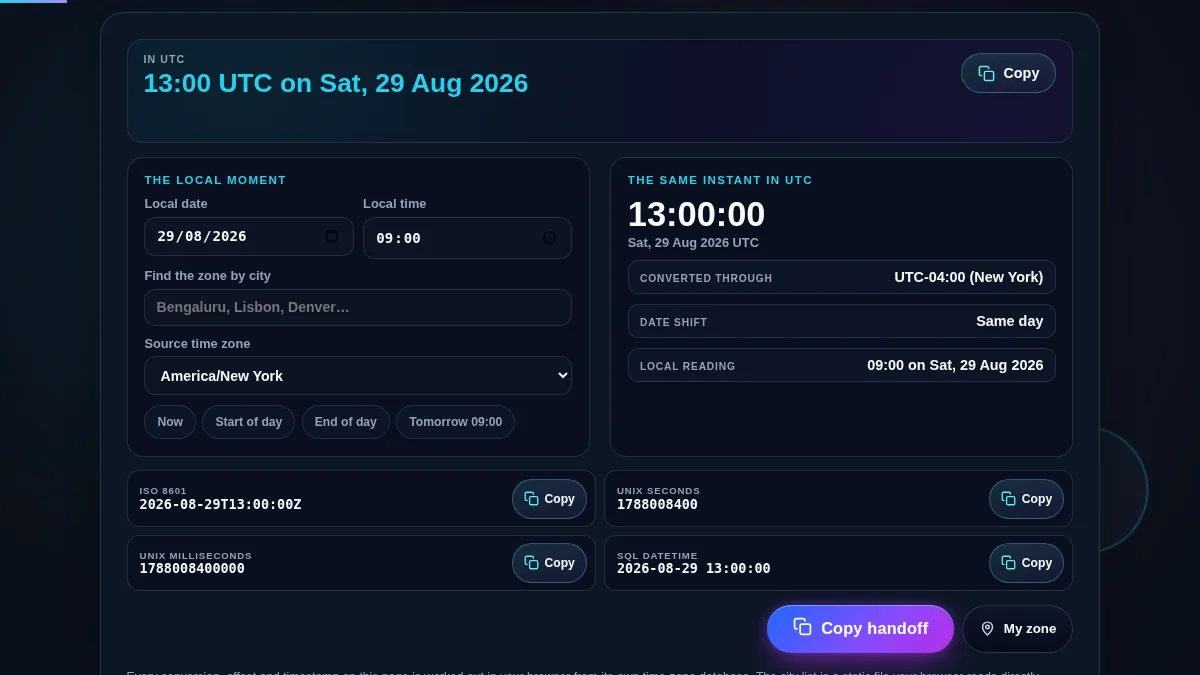
Compact local time to UTC converter workspace showing input and UTC output together
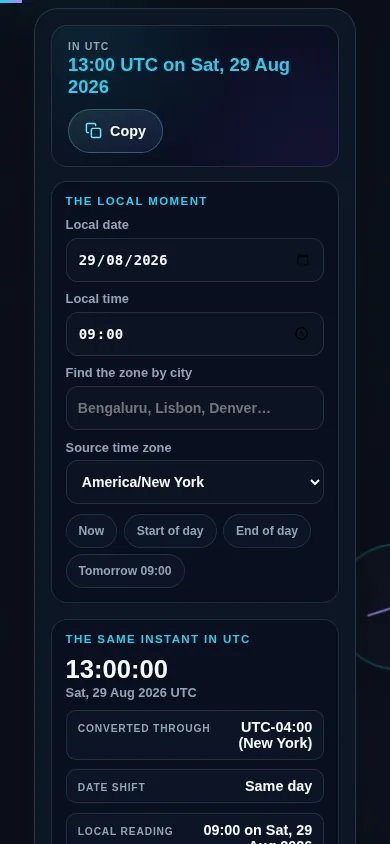
Compact workspace keeps the local inputs and UTC outputs close together on desktop and mobile.
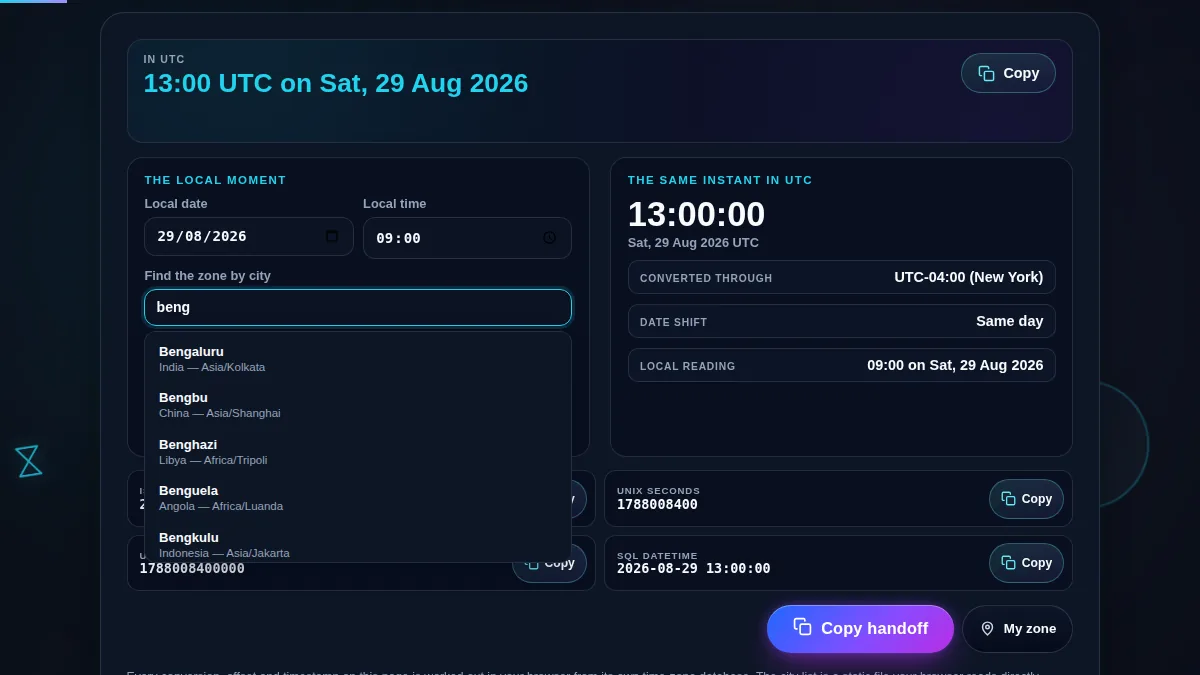
Searchable city timezone dropdown mapping a city name to an IANA timezone
City search helps users find the right timezone without memorizing IANA names.
Open Graph preview for local time to UTC converter with city search and UTC outputs
Social preview image for the converter, optimized around the main user task.

How to Use the Local Time to UTC Converter

Choose the local date, time, and source timezone

Enter the local date and clock time first. Then search for the city or timezone where that time happens. If someone says "9 AM in Bengaluru" or "2 PM New York time," the timezone field maps that city to the right IANA timezone before calculating UTC.

Read the UTC result and copy the correct format

The main panel shows the converted UTC clock time, date, offset, and date-shift note. Use ISO 8601 for APIs, SQL UTC for databases, Unix seconds for many server systems, and Unix milliseconds for JavaScript timestamps.

Use the handoff brief for teams and tickets

Copy all outputs when you need one clean note for a ticket, release checklist, incident report, webinar email, or database migration. The brief keeps the source local time visible so reviewers can confirm the conversion.

Frequently Asked Questions

How do I convert local time to UTC?

Enter the local date and clock time, choose the city or IANA timezone where that time happens, and read the UTC result. The tool also gives ISO 8601, Unix seconds, Unix milliseconds, SQL UTC, and a copyable handoff note.

Can I search by city instead of timezone name?

Yes. The timezone field searches a shared city-to-timezone dataset, so small city names can map to their correct IANA timezone and representative timezone label. This is useful when a user knows the city but not the technical timezone ID.

Does the converter handle daylight saving time?

Yes. The conversion uses browser timezone rules for the selected IANA timezone and date, so daylight saving offsets are reflected when the browser has current timezone data. This matters for future meetings and historical log reviews.

What is the difference between UTC and GMT?

UTC is the time standard used for timestamps, APIs, logs, databases, and global synchronization. GMT is a historical time-zone label. They often display the same clock time, but UTC is the safer technical handoff format.

Why does the UTC date sometimes change?

The UTC date changes when the source timezone is far ahead of or behind UTC. For example, late evening in Asia can become the previous UTC day, while early morning in the Americas can also shift dates.

Should I store local time or UTC in software?

Most software should store the exact instant in UTC and display local time for users. Keeping UTC in databases and logs avoids ambiguity when users, servers, and teams are in different time zones.

Is Unix timestamp based on UTC?

Yes. Unix time counts seconds from the Unix epoch at 1970-01-01 00:00:00 UTC. This tool converts local wall time into that UTC instant before generating Unix seconds or milliseconds.

Is my date and timezone data uploaded?

No. The conversion runs in your browser after the page loads. Your entered time, selected city, timezone, and copied UTC values are not uploaded by the converter.

Still have questions?

If you can't find the answer you're looking for, feel free to contact our support team.

Contact Us
Copied