🔒 Local Processing. Your data never leaves your device.
Instant Results
🌐 Fully Client-Side. Runs instantly in your browser.
No Signup
⚡ No accounts. No hassle. Just open and use.
Browser Based
🚀 Works right in your browser. No installs, no downloads.
Overview
Compare current time around the world in one browser view.
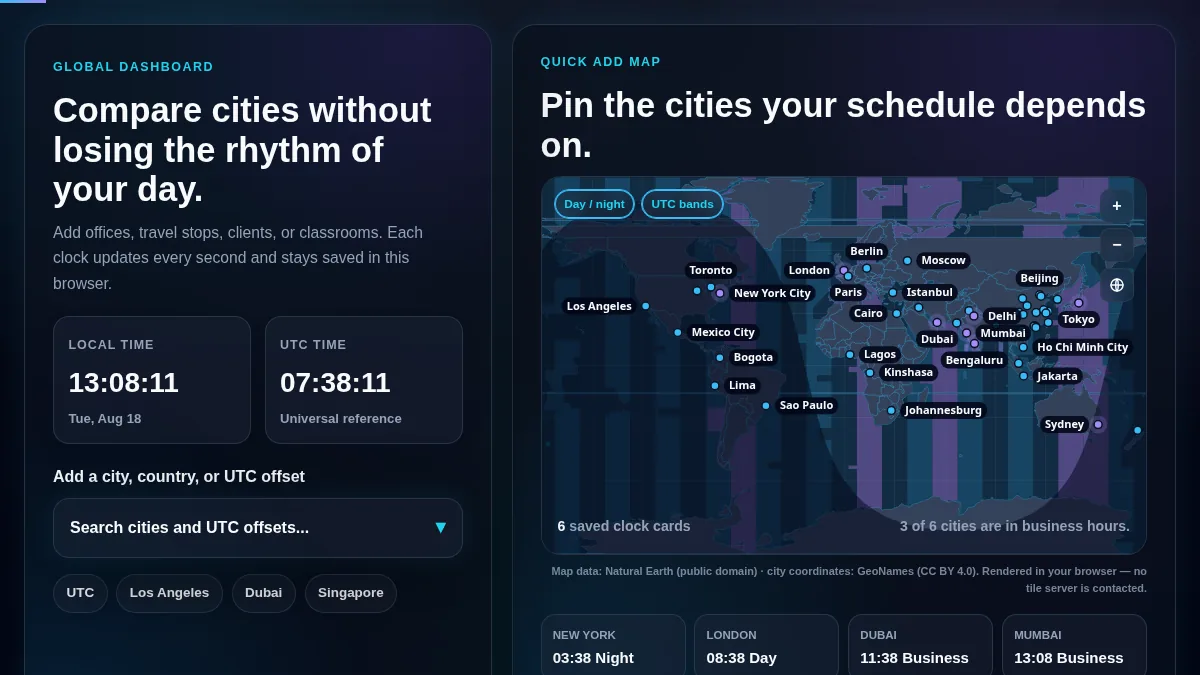
World Clock Online is a free browser tool that shows live local time for multiple cities, countries, IANA time zones, and UTC offsets at the same time. Use it when you need a fast global time clock for meetings, travel, support desks, classrooms, or international deadlines.
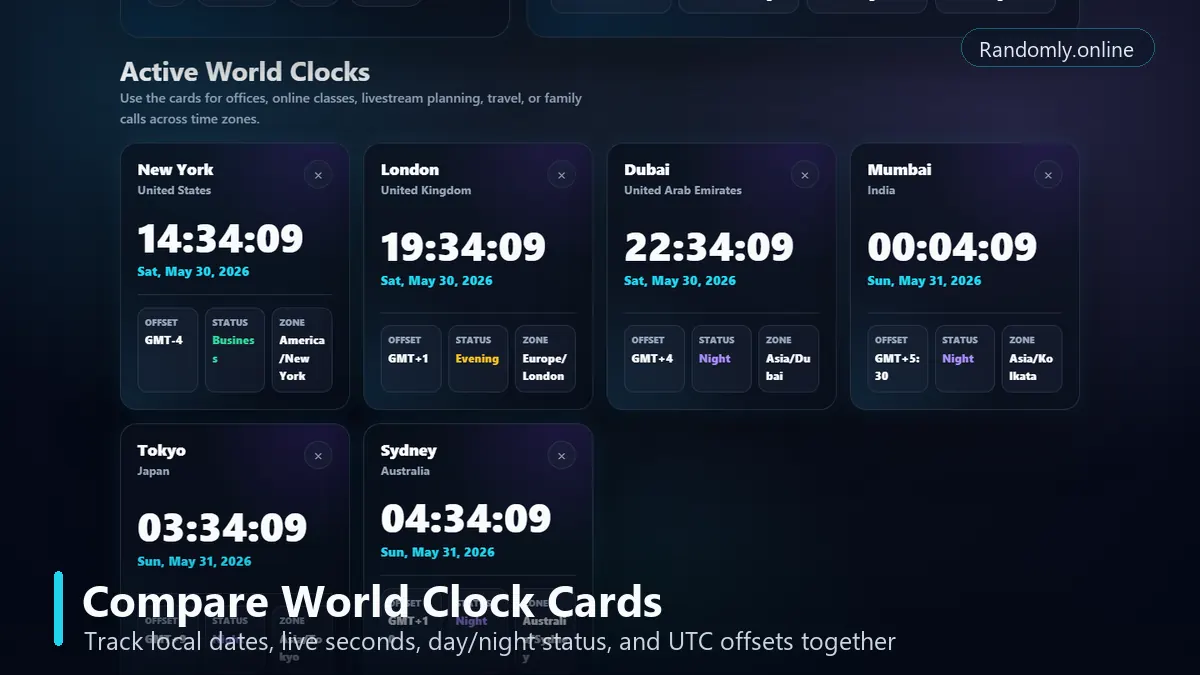
This page is built for people who need more than one clock. Add London, New York, Dubai, Mumbai, Tokyo, Sydney, UTC, or a non-standard offset such as UTC+05:45. Each world clock card shows live seconds, the local date, the UTC offset, and whether the location is currently in morning, business hours, evening, or night.
The tool runs locally in your browser after the page loads. Your saved city list stays on this device, so you can reopen the same world clock dashboard without signing in or uploading your schedule.
world clock online
world clock with time zones
city time clock
UTC offset clock
meeting planner across time zones
Compare multiple city clocks with local dates, live seconds, UTC offsets, and day or night status.
Use Cases
Where a searchable world clock helps most.
Remote teams
Keep headquarters, contractors, clients, and support teams visible before you schedule standups, handoffs, demos, or recurring calls.
Classrooms
Show current time around the world when teaching geography, time zones, international events, or global collaboration.
Travel planning
Track home time, destination time, airport connections, and hotel check-in windows without calculating offsets manually.
Operations desks
Use city cards for 24-hour support, incident response, deployment windows, broadcast schedules, and cross-region deadlines.
Livestreams and webinars
Compare audience locations and start times when planning international streams, workshops, product launches, or online classes.
Personal calls
Save family and friend locations so you know whether it is a good time to call before sending a message.
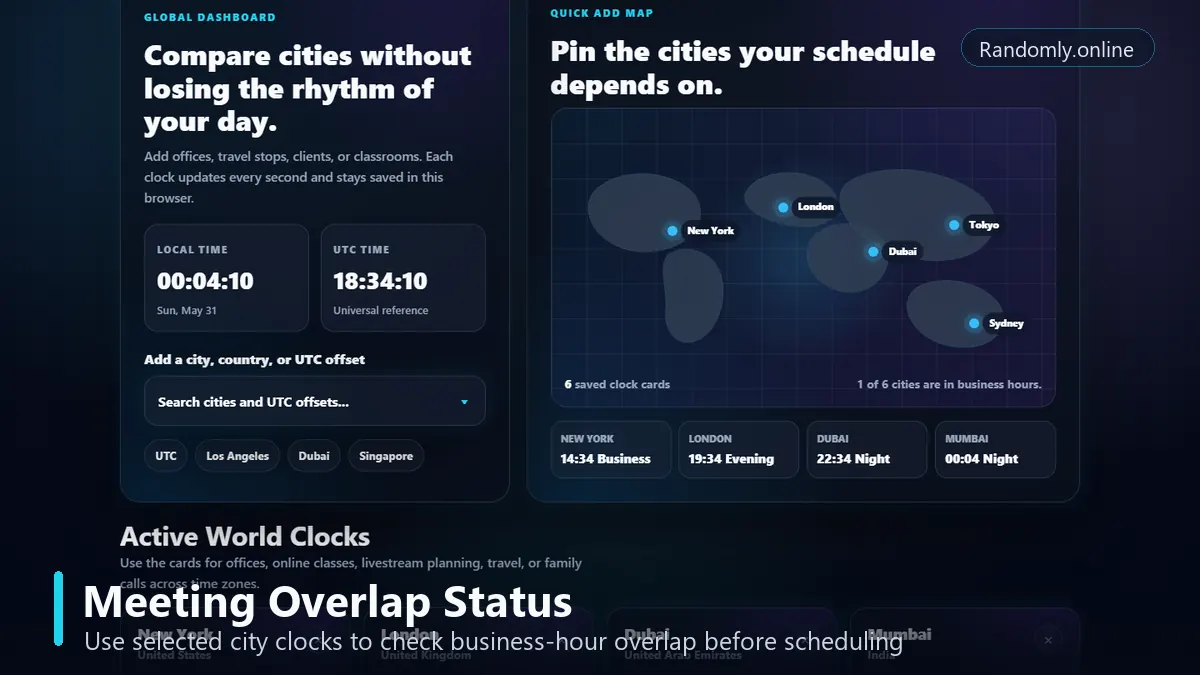
The meeting status area helps you spot whether selected cities are inside normal working hours.
Features
Search cities, countries, IANA zones, and 38 current UTC offsets.
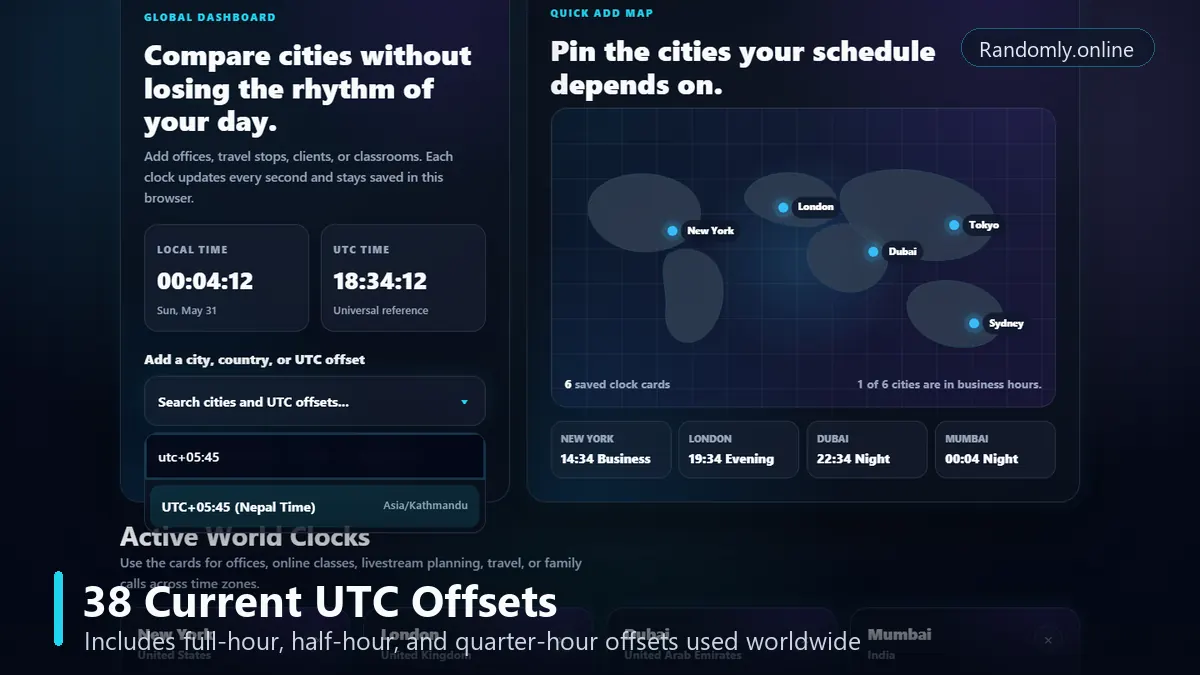
The world clock search covers 38 current local UTC offsets, including full-hour offsets and non-standard offsets such as UTC-09:30, UTC-02:30, UTC+03:30, UTC+04:30, UTC+05:30, UTC+05:45, UTC+06:30, UTC+08:45, UTC+09:30, UTC+10:30, and UTC+12:45.
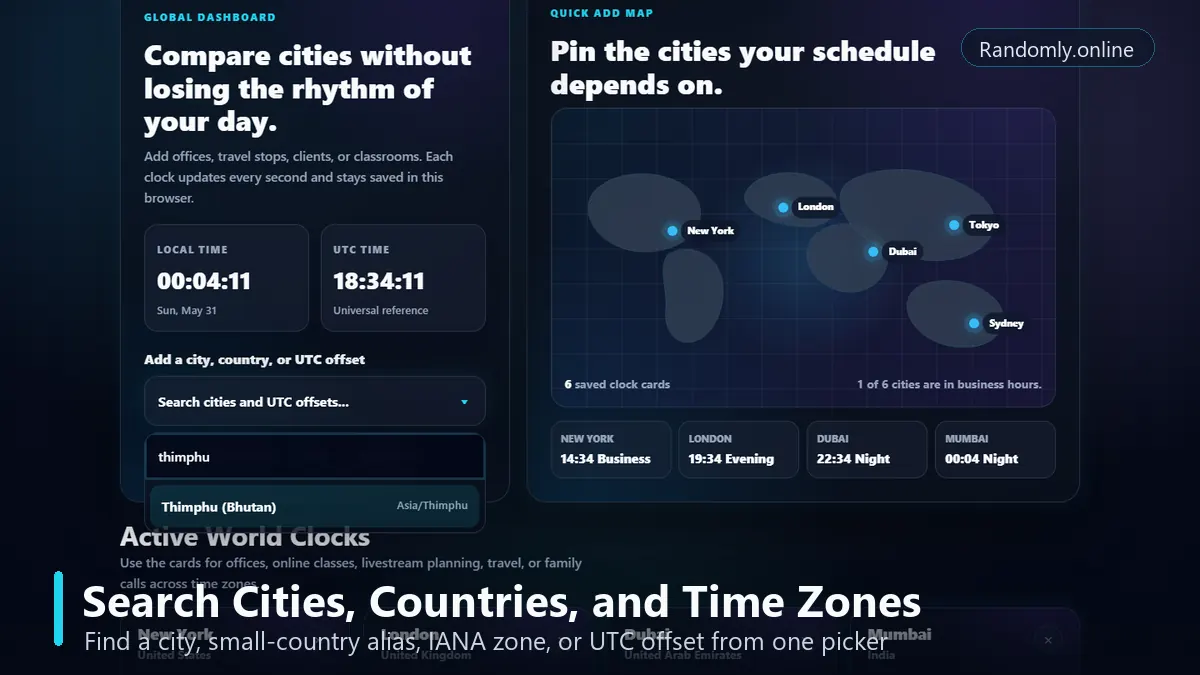
Search can match common city names, country names, aliases, and browser-supported IANA time zones. For example, searches like London, Nepal, Thimphu, Asia/Kolkata, and UTC+05:45 can lead to the right clock card or representative time zone.
For accuracy, the live city cards rely on the browser's date and time APIs. Modern browsers support IANA-style time zone names through JavaScript's internationalization features, which means city rules such as daylight saving time are handled by the browser's time zone data.
Reference checks: Timeanddate documents 38 current local UTC offsets worldwide, IANA maintains the time zone database used by many systems, and MDN documents browser support for IANA time zone names in Intl.DateTimeFormat. See Timeanddate, IANA, and MDN.
Offset coverage includes full-hour, half-hour, and quarter-hour local times currently used around the world.
Guide
How to use the world clock.
1. Search for a city, country, or UTC offset
Open the picker and type a location, country, IANA zone, or offset. Good examples are London, New York, Dubai, Nepal, Thimphu, Asia/Kolkata, UTC+05:30, UTC+05:45, and UTC+08:45.
Use the searchable picker to add cities, countries, fixed offsets, or browser-supported IANA time zones.
2. Add the matching world clock card
Select the result you want, use a quick-add button, or click a map pin. The selected city appears in the active clocks grid with live seconds and the local date.
3. Compare time, date, and UTC offset
Read each card's current local time, date, time zone label, and UTC offset. This is useful when one location has already moved into the next calendar day.
4. Check meeting availability
The meeting strip summarizes whether selected cities are in normal business hours. Use it as a quick check before scheduling team calls, webinars, support handoffs, or client meetings.
5. Keep your dashboard saved locally
Your selected clocks are saved in local browser storage on this device. You do not need an account, and your chosen city list is not sent to a server by this page.
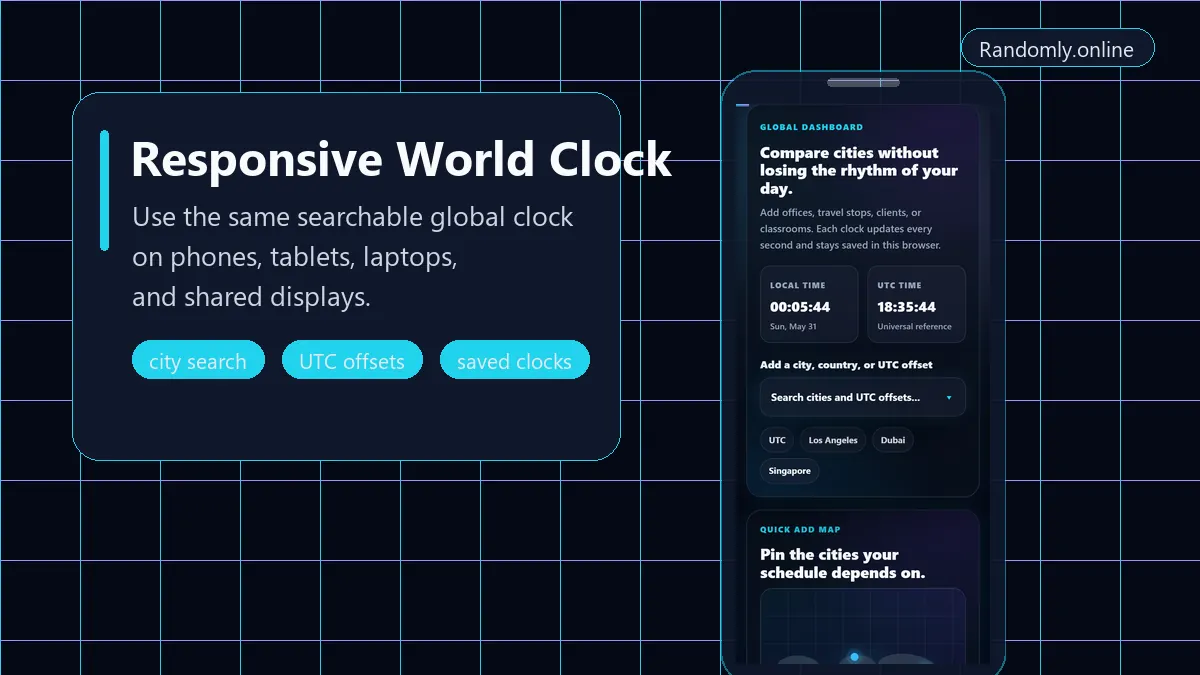
The responsive layout keeps the world clock usable on phones, tablets, laptops, and shared displays.
FAQ
World clock questions.
What is a world clock online?
A world clock online is a browser-based tool that shows the current local time in multiple cities, countries, or time zones at the same time. It is useful when you need to compare live time across regions quickly.
How many local UTC offsets does this world clock include?
The page includes 38 current local UTC offsets, including full-hour, half-hour, and quarter-hour offsets such as UTC+05:30, UTC+05:45, UTC+08:45, and UTC+12:45.
Can I search by country, city, or UTC offset?
Yes. The search picker accepts cities, countries, common aliases, IANA time zone names, and UTC offsets. Try searches like London, Nepal, Thimphu, Asia/Kolkata, or UTC+05:45.
Does the world clock adjust for daylight saving time?
The tool formats city times with the browser's Intl.DateTimeFormat time zone support. That means daylight-saving behavior follows the time zone rules available in the browser and operating system.
Can I use this for meetings across time zones?
Yes. Add each participant's city and check the meeting summary to see which selected locations are currently inside normal business hours before choosing a call time.
Is my saved city list private?
Yes. Selected cities are saved in local browser storage on your own device. The page does not require an account and does not upload your city list.
Can I use the page as a global office clock display?
Yes. The large clock cards, city labels, UTC offsets, and day/night status make the page useful on office displays, support desks, classrooms, and operations monitors.
What is the difference between a world clock and a time zone converter?
A world clock shows the current time in multiple locations at once. A time zone converter usually converts one selected date and time from one zone into another.
Can I add small cities that share a country time zone?
Yes. The picker combines featured city records, country aliases, offset records, and supported IANA time zones, so small-city searches can map to the correct representative time zone when the browser supports it.
Does the world clock work on mobile?
Yes. The layout adapts to phones and tablets with stacked panels, searchable dropdowns, and responsive city clock cards.