Digital Clock

Aesthetic, precise, and highly immersive full-screen display.

100% Browser-Based Local Processing
0 0
:
0 0
: 0 0
Loading Date...

Privacy Focused

🔒 Local Processing. Your data never leaves your device.

Instant Results

🌐 Fully Client-Side. Runs instantly in your browser.

No Signup

⚡ No accounts. No hassle. Just open and use.

Browser Based

🚀 Works right in your browser. No installs, no downloads.

Transform Your Screen into a Dedicated Digital Timepiece

Maintaining focus in a cluttered digital environment is a constant challenge for students, remote workers, and professionals. Constantly glancing at small system tray clocks or reaching for a mobile device frequently breaks concentration and disrupts workflow. The Digital Clock provides an elegant, distraction-free solution by turning your browser, idle monitor, or tablet into a highly accurate, aesthetic desk clock designed specifically to enhance focus and time awareness.

Unlike standard clock widgets, this digital clock uses your device's system time to provide highly accurate real-time updates directly in your browser. Once loaded, it continues working offline and allows you to customize the experience with themes, fullscreen mode, ambient backgrounds, and modern clock styles.

When combined with the true Full-Screen API, all UI elements gracefully fade away, providing an edge-to-edge experience. Built-in burn-in protection for AMOLED monitors makes it the safest and most visually appealing way to stay aware of time during long work or study sessions, especially when paired with a Pomodoro Timer strategy.
How to Use the Digital Clock

Configure your display for optimal focus and aesthetic appeal in just a few clicks.

Accessing Fullscreen & Auto-Hide

To maximize immersion, click the fullscreen icon located in the bottom control panel, or simply press the 'F' key on your keyboard. This expands the clock to cover your entire monitor, hiding browser tabs and system taskbars. Once in fullscreen mode, leave your mouse inactive for 3 seconds; the interface controls and your cursor will automatically fade away to eliminate all distractions. Moving the mouse restores the controls instantly.

Customizing Themes & Ambient Backgrounds

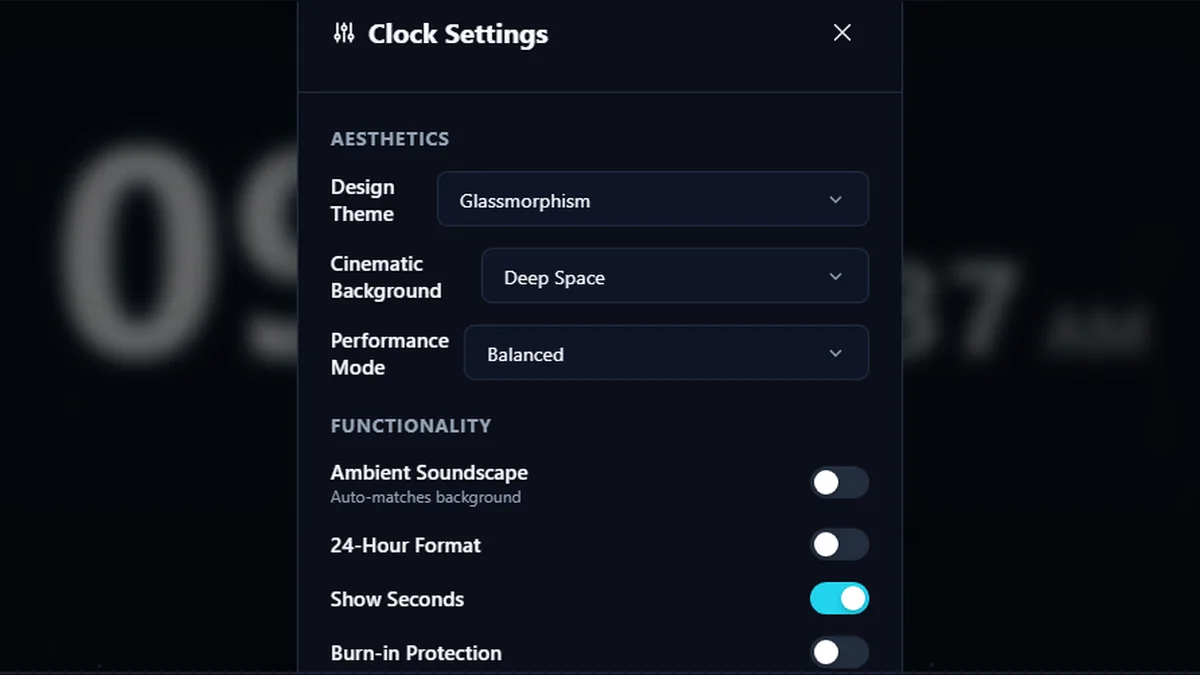
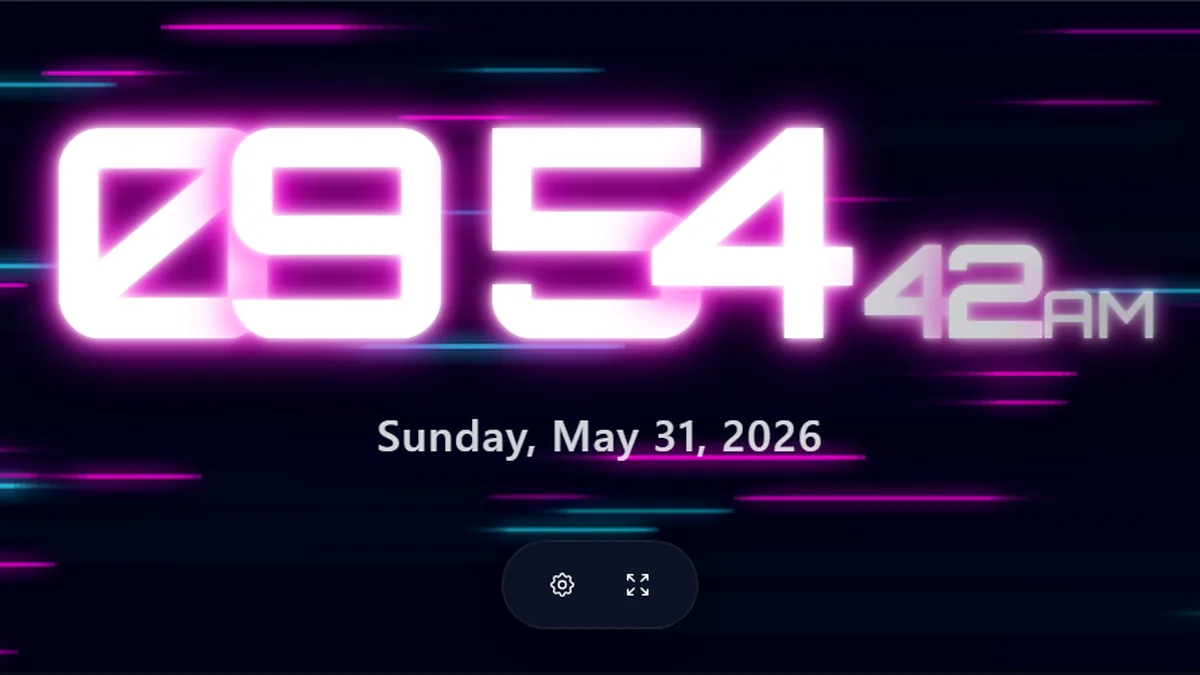
Click the gear icon to open the Settings panel. Change the 'Design Theme' to alter the font styling—options include Minimal, Retro LCD, and Cyberpunk. Below that, select an 'Cinematic Background' like Rain or Space to display smooth animated backgrounds behind the clock. These settings are automatically saved to your browser's local storage, ensuring your perfect setup is restored upon your next visit.

Enabling Ambient Soundscapes

For an entirely immersive environment, enable the "Ambient Soundscape" toggle in the settings menu. This activates ambient background sounds that automatically matches your chosen background. For example, selecting the 'Fire' background will play fireplace ambience. Use the provided volume slider to dial in the perfect background noise for studying or relaxing.

Frequently Asked Questions

Does this digital clock work without an internet connection?

Yes, absolutely. Once the page has loaded in your browser, the digital clock operates entirely offline. It utilizes your device's internal system clock and native JavaScript APIs to maintain precise time, meaning it will continue running smoothly and accurately even if you completely lose your internet connection.

How do I prevent screen burn-in when using this as a desk clock?

We have integrated a specific 'Burn-in Protection' feature accessible within the settings menu. When activated, the entire clock display will subtly shift its physical position on the screen every 60 seconds. This micro-movement ensures no single pixel remains illuminated continuously, protecting expensive OLED and AMOLED monitors during extended use.

Will the cinematic backgrounds drain my laptop battery?

Intensive graphical animations utilize GPU resources. For optimal battery life on mobile devices or laptops unplugged from a power source, we highly recommend setting the Performance Mode to 'Minimal' or selecting the 'Solid Color' background. The Cinematic mode is best utilized when your device is plugged into a dedicated power source.

Is my local time accurate on this web clock?

Yes. The clock reads time directly from your device's system clock, which is regularly synchronized by your operating system for accurate real-time display.

Can I disable the seconds counter for a cleaner look?

Yes. If you find the rapidly changing seconds visually distracting while trying to focus, simply open the settings menu (the gear icon) and toggle the 'Show Seconds' switch to off. This leaves you with a highly minimal, calm display showing only the hours and minutes.

What does the fullscreen digital clock display look like?

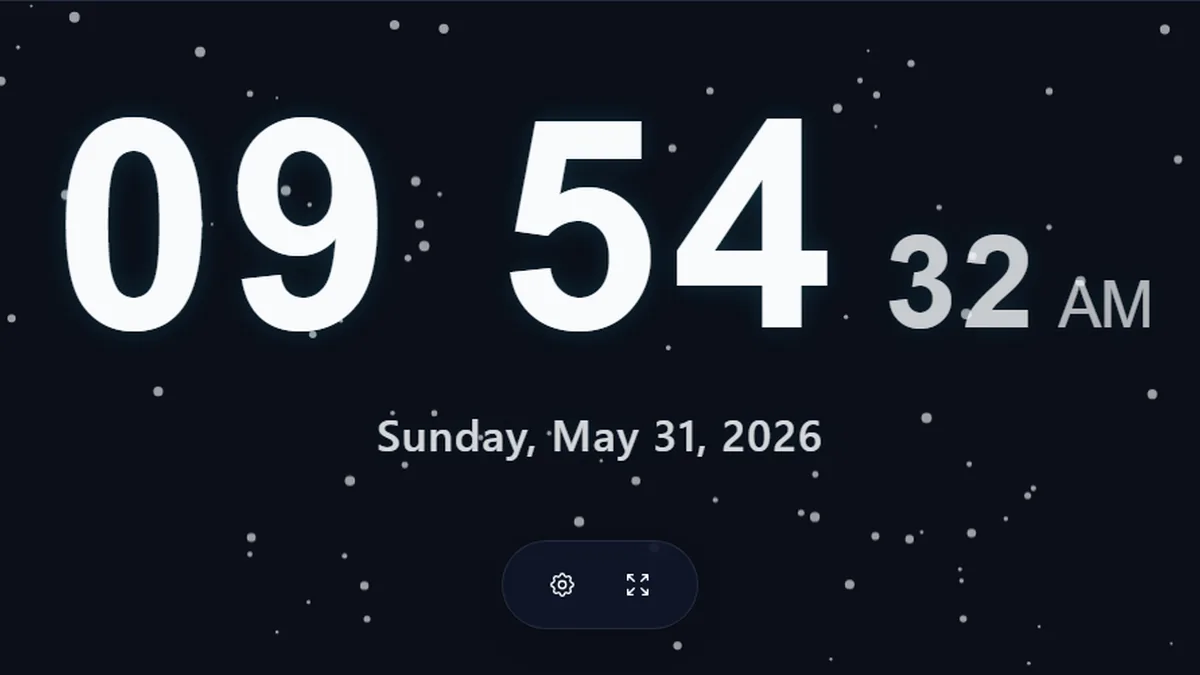
The fullscreen display shows a large digital time readout with seconds, AM or PM when enabled, the current date, and minimal floating controls for settings and fullscreen mode.

Fullscreen digital clock online with seconds and date display on a dark ambient background
Fullscreen digital clock display with seconds, date, and minimal controls.
Where can I change clock style, background, and performance mode?

Open the settings panel from the gear button to change the digital clock style, cinematic background, performance mode, ambient soundscape, 24-hour format, seconds display, and burn-in protection.

Digital clock settings panel with design theme, background, performance, seconds, and burn-in protection controls
Settings panel for digital clock styles, backgrounds, performance, and display options.
Can I use the digital clock as an ambient focus display?

Yes. Ambient backgrounds and digital clock styles can turn a monitor, tablet, or desk display into a calm focus clock for study, work, streaming, or room display use.

Ambient digital clock with neon style, seconds display, and cinematic background for focus sessions
Ambient digital clock theme for study, focus, desk, or room display use.

Still have questions?

If you can't find the answer you're looking for, feel free to contact our support team.

Contact Us