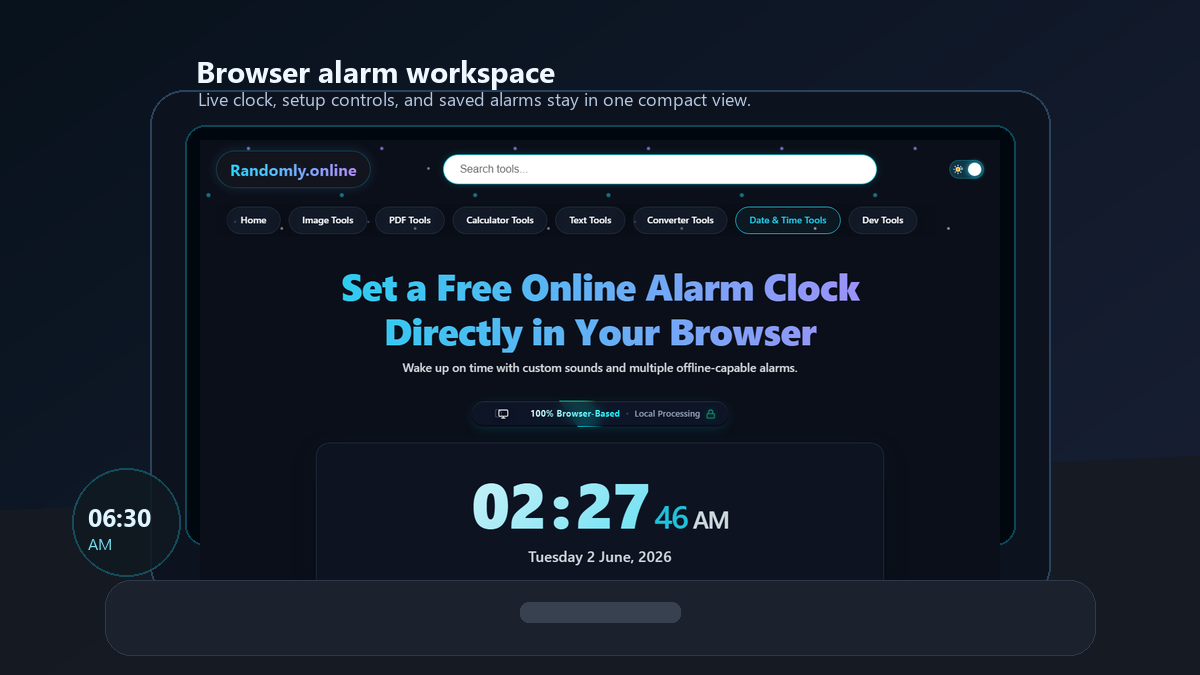
Set a Free Online Alarm Clock Directly in Your Browser
Wake up on time with custom sounds and multiple offline-capable alarms.
Set an Alarm
Privacy Focused
🔒 Local Processing. Your data never leaves your device.
Instant Results
🌐 Fully Client-Side. Runs instantly in your browser.
No Signup
⚡ No accounts. No hassle. Just open and use.
Browser Based
🚀 Works right in your browser. No installs, no downloads.
Set Alarm Online Without Download
This free browser wake up alarm runs entirely in your web browser. You do not need to download any apps, install software, or create an account to use it. Simply set your desired time, keep the browser tab open, and the alarm will ring exactly when you need it.
It works perfectly as a desktop alarm clock, as well as on laptops, tablets, and mobile phones. Because it runs locally on your device, it is fast, highly accurate, and extremely private.
Free Online Alarm Clock with Multiple Alarms
You are not limited to just one alert. You can create and manage multiple alarms at the same time. Set one alarm for your morning wake-up and another to remind you to take a screen break in the afternoon. Each alarm card has an easy toggle switch so you can turn them on or off without deleting them.
Custom Alarm Sounds & Wake-up Modes
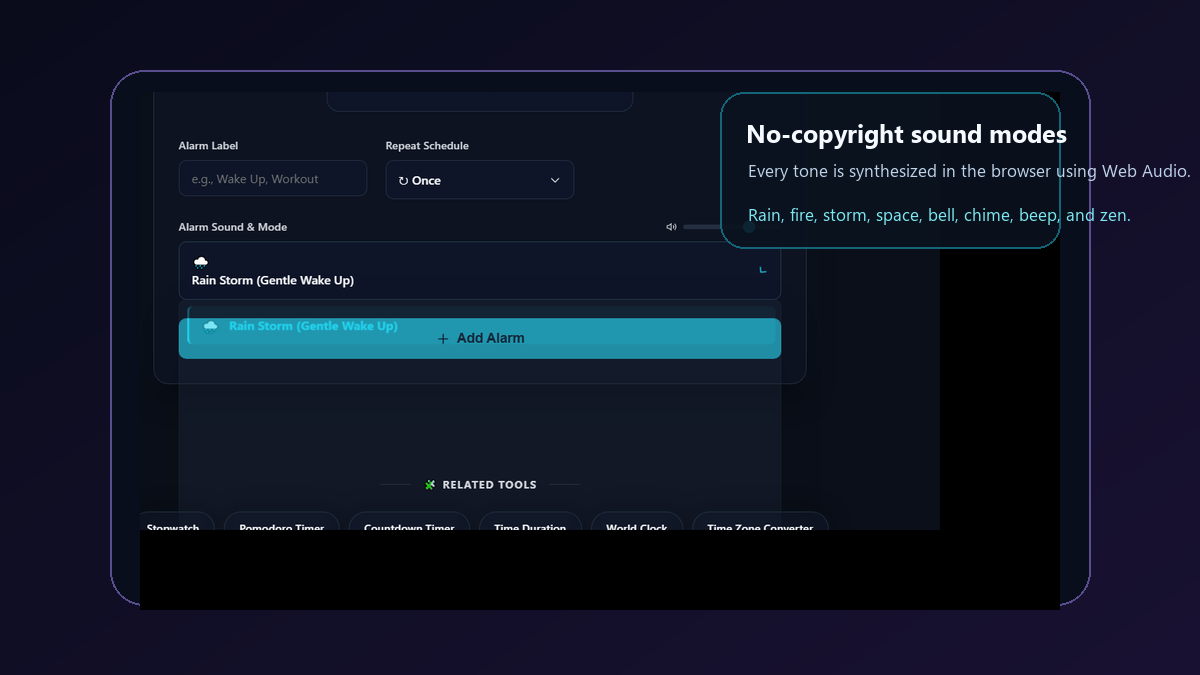
The alarm modes use original browser-generated audio instead of downloaded MP3 files, so there are no copyrighted sound assets to load. Different alarm personalities make reminders easier to notice, and you can preview each mode from the custom dropdown before saving an alarm:
- Rain Storm: A gentle, calming rain alarm clock that slowly gets louder if you don't wake up. Good for light sleepers.
- Crackling Fire: A warm screen glow with crackling fire sounds.
- Violent Thunderstorm: An effective online alarm for heavy sleepers. Loud thunder crashes and screen flashing.
- Deep Space: A pulsing, futuristic siren for a sharp wake-up call.
- Classic Bell: A bright synthesized bell toll for a traditional wake-up sound.
- Soft Chime: A lighter reminder tone for meetings, study blocks, and desk breaks.
- Focus Beep: A sharp repeating tone for short reminders and productivity alarms.
- Zen Bowl: A slower rising tone for meditation, naps, and calm transitions.
Best Ways to Use a Fullscreen Alarm Clock
A fullscreen alarm clock is useful for much more than just waking up in the morning. Here are the best ways to use it:
- Study Sessions: Use it as a study alarm clock to remind you to take breaks while studying on your laptop.
- Pomodoro Workflows: Pair this with our Pomodoro Timer to manage your productivity intervals.
- Cooking Reminders: Keep a tab open in the kitchen to track baking times without touching your phone with messy hands.
- Medication: Set daily repeating alarms so you never miss a dose while working at your desk.
- Power Naps: Set a quick 20-minute alarm and rest near your computer.
Online Alarm Clock vs Mobile Alarm Apps
Using a browser alarm clock stops you from getting distracted by your phone. When you pick up your smartphone to turn off an alarm, it is very easy to start checking emails or scrolling social media. By keeping your alarms on your computer monitor, you stay focused on your work. For tracking total time spent working, you can also use our Stopwatch tool.
How This Browser Alarm Clock Works
This tool uses modern web technologies to function without a server connection. It uses your browser's Local Storage to save your alarms, meaning if you accidentally close the page, your alarms will still be there when you come back.
The alarm sounds are generated using the Web Audio API. This means the sounds are created mathematically by your device rather than downloading large MP3 files. Because of this, the alarm works completely offline once the page has loaded.
How to Use This Browser Alarm Clock
Setting up your schedule takes only seconds. Follow these quick steps to create custom, reliable alarms.
Step 1: Set Your Desired Time
You can either type the exact hour and minute directly into the input boxes or use the smooth scroll wheels to find the right time. Ensure you correctly select AM or PM before moving on. If you set a time that has already passed for the current day, the tool automatically schedules the alarm for the next day, displaying a live countdown so you know exactly when it will ring.
Step 2: Customize Sound and Repeat Settings
Give your alarm a distinct label like "Morning Workout" or "Meeting" to keep yourself organized. Next, choose an alarm personality. Options range from a gentle rain storm for light sleepers to a loud, visual thunderstorm for heavy sleepers. You can also specify if this alarm should ring just once, daily, on weekdays, or only on weekends.
Step 3: Keep the Browser Tab Active
Click the "Add Alarm" button to save it. Crucially, you must keep this browser tab open for the alarm to trigger. Browsers pause background scripts when a computer goes to sleep, so check your device's power settings to ensure the machine stays awake. If you need to count down backwards to a deadline instead of a specific clock time, try using our Countdown Timer tool.
Frequently Asked Questions
Find quick answers regarding offline support, device sleep modes, and managing multiple alarms.
Can I set an alarm online for tomorrow?
Yes. If you set a time that has already passed today, the system automatically schedules the alarm for tomorrow and shows a live countdown.
Does this online alarm work when the browser tab is closed?
No. The browser tab must stay open. If you close the tab, the alarm cannot ring. However, your alarm settings are saved and will reload next time you visit.
How many alarms can I create?
You can add as many alarms as you want. There is no limit. Each alarm can have its own sound, label, and schedule.
Does this work on mobile browsers like iPhone and Android?
Yes. It works on both iPhone and Android. Keep the browser tab active and ensure your phone is not on silent mode.
Will the alarm ring if my computer goes to sleep?
No. If your computer goes to sleep, the browser stops running scripts. You need to adjust your device settings to keep it awake if you want the alarm to ring.
Can I use this alarm clock offline?
Yes. Once the page is loaded, it works completely offline. The alarm sounds are generated directly in your browser without needing an internet connection.
Are the alarm sounds copyright free?
Yes. The tones are generated by the Web Audio API inside your browser. The page does not download copyrighted alarm audio, music, or third-party sound files.
Can I snooze an online alarm?
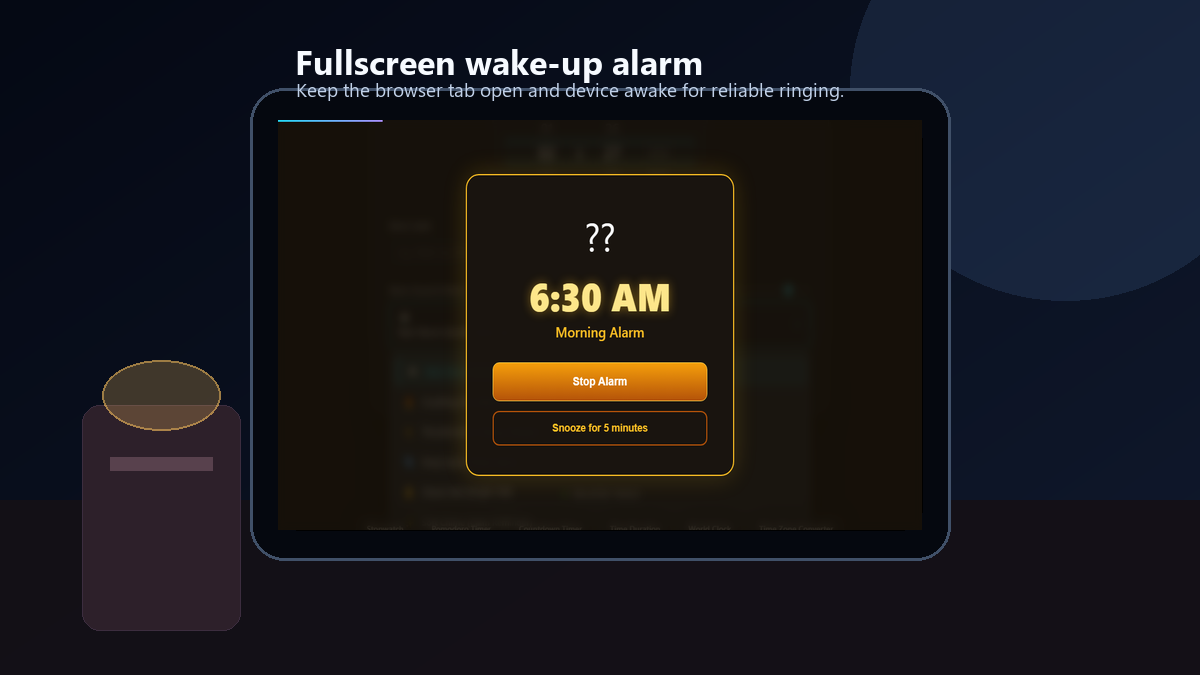
Yes. When the alarm rings, use the snooze button to create a temporary follow-up alarm five minutes later. This is useful for naps, wake-up routines, and short reminders.
Is this better than mobile alarm apps?
It is better when you want a focused desk alarm without picking up your phone. For a real wake-up alarm, keep your device awake and the browser tab open.
Still have questions?
If you can't find the answer you're looking for, feel free to contact our support team.