Add Prefix & Suffix to Lines

Add a prefix and suffix to every line — wrap lines in quotes, tags, or commas for code and data.

100% Browser-Based Local Processing
15px

Ln 1, Col 1 No selection

Presets

Type {n} in either field and turn on Count with {n} for a running number. Blank lines are left alone by default — wrapping one puts a stray "", in the middle of a list.

Wrapped Nothing to reorder yet
Lines wrapped
0
Blank lines left alone
0
Characters added
0

A column of names becomes a quoted SQL list, an HTML list or Markdown bullets in one step. Nothing is escaped, so read the result before pasting it into code.

Privacy Focused

🔒 Local Processing. Your text never leaves your device.

Instant Results

🌐 Fully Client-Side. Runs instantly in your browser.

No Signup

⚡ No accounts. No API keys. Just open and use.

Browser Based

🚀 No installs, no sign-ups, no character limits.

What is a Add Prefix & Suffix to Lines?

Add Prefix & Suffix to Lines puts text you choose at the start and/or end of every line. Wrap each line in quotes, add a comma, surround items with HTML tags, or append a note — in one click across the whole list. It runs entirely in your browser, so your data stays private.

Turning a plain list into code or formatted data usually means adding the same thing to every line — quotes around each item, a trailing comma, an HTML tag, a bullet. Doing it line by line is mind-numbing.

This tool adds a prefix and suffix to every line at once, all in your browser. Nothing is uploaded. Paste your list, set the wrap, and copy.
How to add a prefix and suffix to lines

Step 1: Paste your list, one item per line

Paste your list, one item per line.

Step 2: Enter the prefix (start) and/or suffix (end) to add; choose whether to skip empty lines

Enter the prefix (start) and/or suffix (end) to add; choose whether to skip empty lines.

Step 3: Apply, then copy or download the wrapped lines

Apply, then copy or download the wrapped lines.

Add Prefix & Suffix to Lines in action

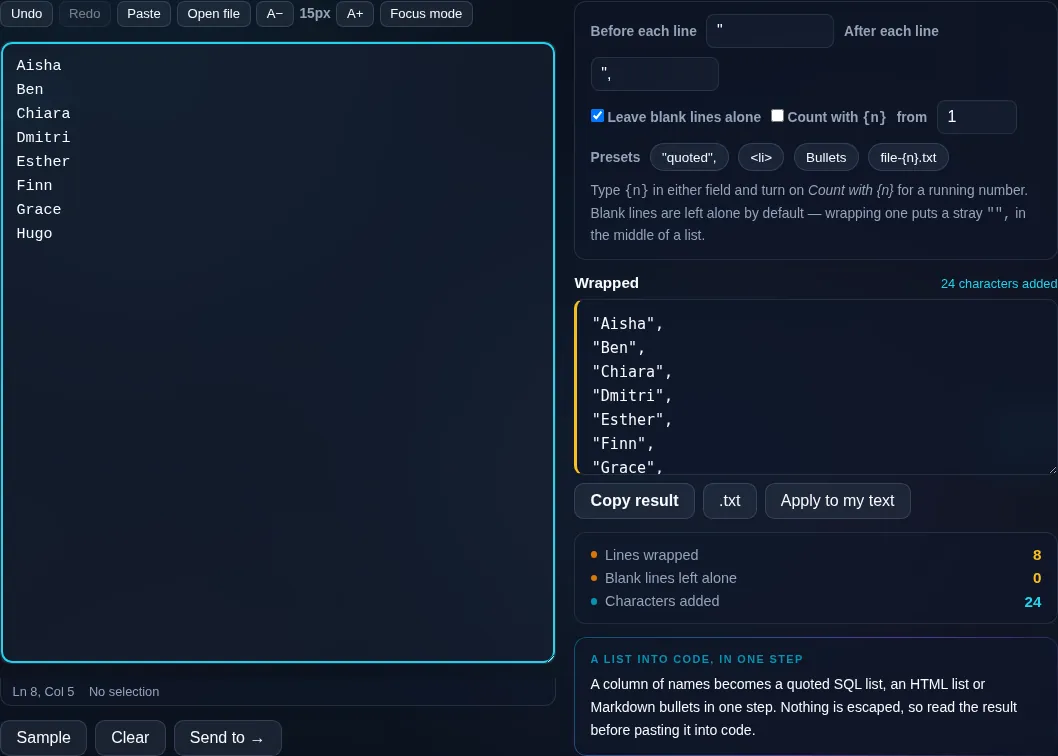
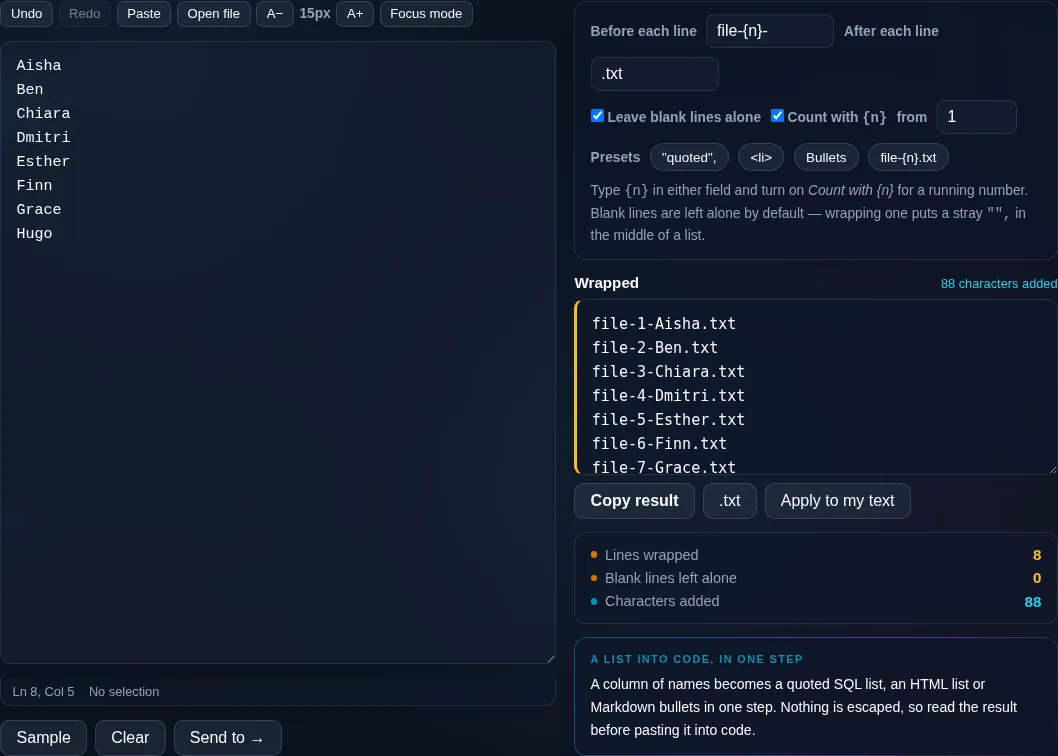
Add Prefix and Suffix wrapping each line in the browser.
Wrapped lines
Lines wrapped in quotes and commas to form a code array.
Code array example
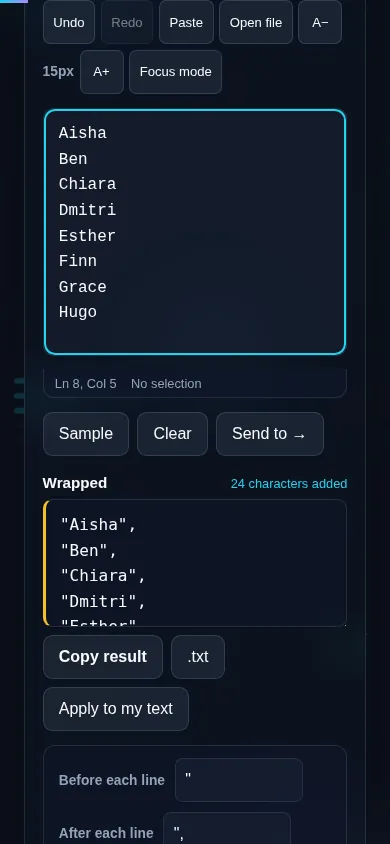
Adding prefix and suffix on a phone, no app installed.
Mobile (stacked)

Turning lists into code and data

This is the fast way to reshape a plain list into something structured. Wrap each line in double quotes and add a trailing comma to turn names into a code array; surround each item with <li> and </li> to build an HTML list; add a comma to make a CSV row; or prefix a dash to make a Markdown bullet list. The prefix goes at the start of each line and the suffix at the end, applied to every line at once. A skip-empty-lines option avoids wrapping blank lines, and an optional incrementing-number token lets you insert a running count into the prefix or suffix. Everything runs locally in your browser, so even long lists transform instantly and nothing is uploaded. To replace text within lines instead, use Find and Replace Text; to number lines specifically, the Add Line Numbers tool.

Frequently Asked Questions

How do I add text to the start and end of every line?

Paste your list, type a prefix and/or suffix, and apply. The prefix is added to the beginning of each line and the suffix to the end, across the whole list at once. Then copy or download the wrapped result — no need to edit lines one by one.

Can I wrap each line in quotes and add commas?

Yes. Set the prefix to a quote and the suffix to a quote plus a comma, and every line becomes a quoted, comma-separated item — exactly what you need to paste a list into a code array or JSON. It's one of the most common uses.

Can it add HTML tags around each line?

Yes. Use the prefix and suffix for opening and closing tags — for example <li> and </li> — to turn a plain list into HTML list items, or any other tag pair you need. It's a quick way to convert text into markup.

Does it skip blank lines?

If you turn on the skip-empty-lines option, blank lines are left untouched so you don't end up with prefixes and suffixes wrapped around nothing. Leave it off if you want the wrap applied to every line including empties.

Can I include an incrementing number?

Yes. An optional number token inserts a running count into your prefix or suffix, so you can generate things like '1: item', '2: item', or numbered code lines. The number increments automatically down the list.

How is this different from find and replace?

This adds text to the start and end of lines without needing to match anything — it always wraps every line. Find and Replace changes text that matches a search inside your content. Use this to wrap or tag lines; use Find and Replace to substitute specific text.

Is my text private — is anything uploaded?

No. Everything runs in your browser, so whatever you type or paste is processed on your own device and never uploaded to a server. Nothing is stored once you close the tab. That keeps your text — notes, code, documents, lists — completely private.

Is it free, and do I need to sign up?

Yes, it's completely free with no account, no trial, and no limit on how many times you use it. Because it runs entirely in your browser, there are no server costs, no usage caps, and no watermark or branding added to your text.

Does it work on a phone?

Yes. It runs in your phone's browser with nothing to install, so you can use it on Android or iOS. The layout adapts to small screens, so you can paste text, get the result, and copy it on the go just as easily as on a computer.

Does it work offline?

Once the page has loaded, it runs entirely on your device, so it keeps working without a connection — which is also why nothing is uploaded. You only need to be online to open the page the first time; after that the tool works locally.

Can I copy or download the result?

Yes. You can copy the result to your clipboard with one click, and longer output can be downloaded as a text file. Everything is processed locally, so copying and downloading are instant with no upload step and no waiting.

Is there a limit on how much text I can process?

There's no artificial cap, because the work happens on your device rather than a server. The practical limit is your device's memory, so very large inputs are smoother on a computer than an older phone. For most everyday text, processing is effectively instant.

Still have questions?

If you can't find the answer you're looking for, feel free to contact our support team.

Contact Us