Text Repeater

Repeat any text a chosen number of times, with separators like new lines, spaces, or commas.

100% Browser-Based Local Processing
15px

Ln 1, Col 1 No selection

Up to 10,000 copies, and the result stops at two million characters. Both limits are there so a large number cannot lock up the page while it builds a string your browser then has to hold in memory — if the cap is reached the readout says so rather than quietly handing back a short result.

Repeated Nothing to repeat yet
Copies made
0
Characters
0
Lines
0

Repeating a real sentence gives you test content in your own language, with your own accents and punctuation, which is exactly where layouts break and Latin filler does not. It is also the quickest way to build a long list from one row, or the same line a hundred times for a spacing test.

Privacy Focused

🔒 Local Processing. Your text never leaves your device.

Instant Results

🌐 Fully Client-Side. Runs instantly in your browser.

No Signup

⚡ No accounts. No API keys. Just open and use.

Browser Based

🚀 No installs, no sign-ups, no character limits.

What is a Text Repeater?

Text Repeater repeats your text a chosen number of times, separated however you like — new lines, spaces, commas, a custom separator, or nothing at all. Enter your text, set the count, and copy the result. It runs entirely in your browser, so your text stays private, and large counts are capped to keep things responsive.

Repeating text comes up more than you'd think: filling a field with test data, making a playful 'spam' message, generating placeholder content, or building a repeated pattern. Pasting it by hand is tedious.

This tool repeats your text instantly, with control over the separator between copies, all in your browser. Nothing is uploaded. Enter, repeat, and copy.
How to repeat text

Step 1: Type or paste the text you want to repeat

Type or paste the text you want to repeat.

Step 2: Set how many times to repeat it and choose a separator (new line, space, comma, custom, or none)

Set how many times to repeat it and choose a separator (new line, space, comma, custom, or none).

Step 3: Generate, then copy or download the repeated text

Generate, then copy or download the repeated text.

Text Repeater in action

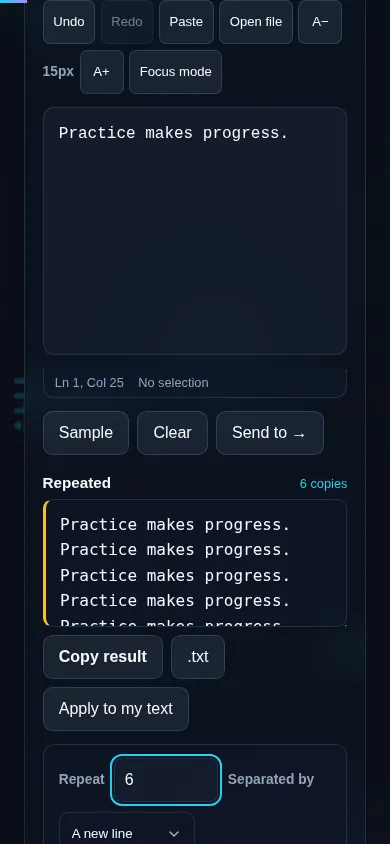
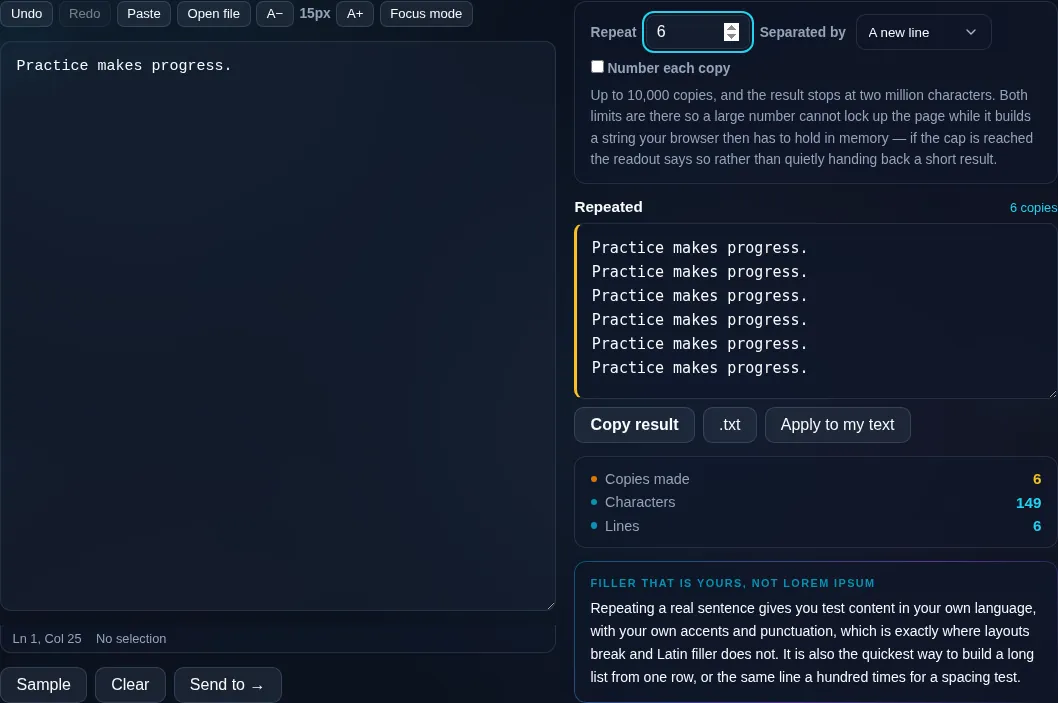
Text Repeater repeating text in the browser.
Repeated text
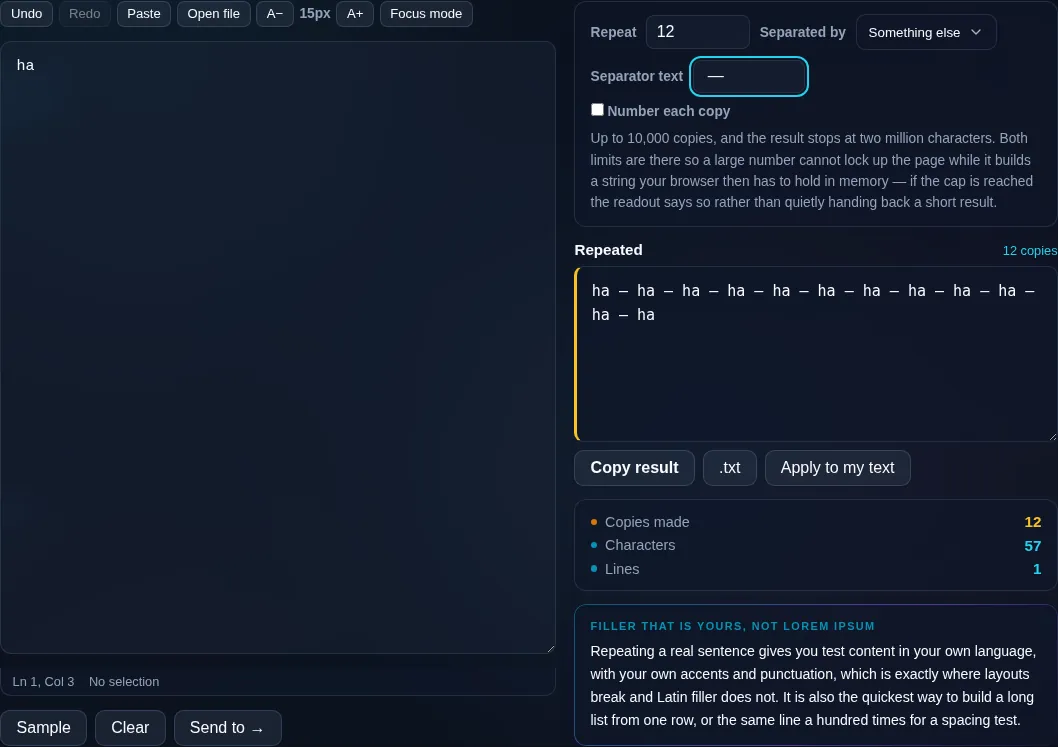
Text repeated multiple times with a chosen separator.
Separator options
Repeating text on a phone, no app installed.
Mobile (stacked)

Repeats, separators, and limits

The separator between copies matters as much as the count. A new line puts each repeat on its own line (handy for lists and test data), a space or comma keeps them inline, a custom separator lets you insert any text between copies, and 'none' joins them directly for a single repeated string. An optional numbering feature prefixes each repeat with its number, which is useful for generating sequenced test items. Because extremely large counts can produce enormous output and freeze a browser tab, the tool caps the count sensibly and shows the total output length so there are no surprises. Everything runs locally in your browser, so generating is instant and nothing is uploaded. To repeat by duplicating whole lines you can also combine this with the line tools.

Frequently Asked Questions

How do I repeat text multiple times?

Type or paste your text, set the number of repetitions, pick a separator, and generate. The text is duplicated that many times with your chosen separator between copies, and you can copy or download the result. It's instant, even for large counts within the limit.

Can I choose what goes between each repeat?

Yes. You can separate copies with a new line (one per line), a space, a comma, any custom separator you type, or nothing at all to join them directly. The separator option shapes whether you get a list, an inline string, or a continuous block.

Can it number each repetition?

Yes. An optional numbering feature prefixes each copy with its sequence number, so you get '1. text', '2. text', and so on. That's handy for generating numbered test data, placeholder items, or sequenced lines.

Is there a limit on how many times I can repeat?

There's a sensible cap to stop extremely large counts from freezing your browser tab, since repeating a long string millions of times produces huge output. The tool shows the total output length so you can see how big the result will be before copying.

What is a text repeater useful for?

Generating test or placeholder data, filling fields to check layouts, creating repeated patterns, and casual fun like a playful repeated message. Because the separator and count are adjustable, it adapts to both serious testing and lighthearted uses.

Does it work offline and keep my text private?

Yes. It runs entirely in your browser, so once the page has loaded it works offline, and the text you enter is never uploaded. You can repeat sensitive or placeholder text privately, instantly, on any device.

Is my text private — is anything uploaded?

No. Everything runs in your browser, so whatever you type or paste is processed on your own device and never uploaded to a server. Nothing is stored once you close the tab. That keeps your text — notes, code, documents, lists — completely private.

Is it free, and do I need to sign up?

Yes, it's completely free with no account, no trial, and no limit on how many times you use it. Because it runs entirely in your browser, there are no server costs, no usage caps, and no watermark or branding added to your text.

Does it work on a phone?

Yes. It runs in your phone's browser with nothing to install, so you can use it on Android or iOS. The layout adapts to small screens, so you can paste text, get the result, and copy it on the go just as easily as on a computer.

Does it work offline?

Once the page has loaded, it runs entirely on your device, so it keeps working without a connection — which is also why nothing is uploaded. You only need to be online to open the page the first time; after that the tool works locally.

Can I copy or download the result?

Yes. You can copy the result to your clipboard with one click, and longer output can be downloaded as a text file. Everything is processed locally, so copying and downloading are instant with no upload step and no waiting.

Is there a limit on how much text I can process?

There's no artificial cap, because the work happens on your device rather than a server. The practical limit is your device's memory, so very large inputs are smoother on a computer than an older phone. For most everyday text, processing is effectively instant.

Still have questions?

If you can't find the answer you're looking for, feel free to contact our support team.

Contact Us