Unicode Character Inspector

Inspect each character's Unicode code point, name, category, and UTF-8 encoding, and detect invisible or zero-width characters.

100% Browser-Based Local Processing
15px

Ln 1, Col 1 No selection

Code points
0
UTF-8 bytes
0
Invisible characters
0

0

Code points

in 0 characters as a reader counts them

A code point is not always a character: an emoji with a skin tone is several, and an accented letter can be one or two depending on how it was typed. When the two counts disagree, that difference is usually why a name will not match.

Glyph Code point Name UTF-8 HTML
Nothing to inspect yet.

Zero-width spaces, no-break spaces and direction marks survive copy and paste invisibly, and they are why a password, a filename or a spreadsheet lookup can fail against text that looks identical. Each one is listed by name rather than shown as an empty cell. For the numbers instead, use Text to ASCII Codes.

Privacy Focused

🔒 Local Processing. Your text never leaves your device.

Instant Results

🌐 Fully Client-Side. Runs instantly in your browser.

No Signup

⚡ No accounts. No API keys. Just open and use.

Browser Based

🚀 No installs, no sign-ups, no character limits.

What is a Unicode Character Inspector?

Unicode Character Inspector breaks down your text character by character, showing each one's Unicode code point (like U+0041), official name, category, UTF-8 bytes, and HTML entity. It also flags invisible and zero-width characters and possible look-alikes. Paste text and inspect it instantly. It runs entirely in your browser, so your text stays private.

When text misbehaves — a string won't match, a name has a hidden character, an emoji counts as several 'characters' — you need to see what's really there at the code-point level. That's what a Unicode inspector shows.

This tool lays out every character with its code point, name, and encoding, and catches the invisible ones, all in your browser. Nothing is uploaded. Paste and inspect.
How to inspect characters

Step 1: Paste or type your text into the box

Paste or type your text into the box.

Step 2: Read the per-character table — glyph, code point, name, category, and UTF-8 encoding

Read the per-character table — glyph, code point, name, category, and UTF-8 encoding.

Step 3: Check the flagged invisible or look-alike characters; copy any details you need

Check the flagged invisible or look-alike characters; copy any details you need.

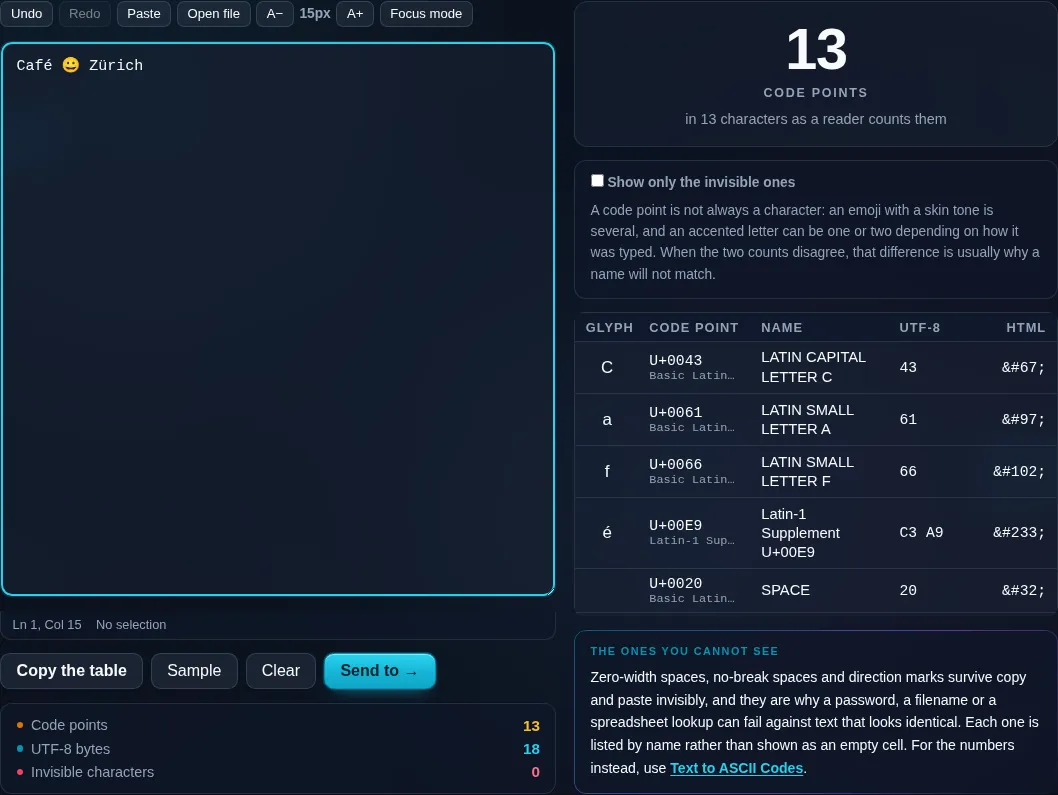
Unicode Character Inspector in action

Unicode Character Inspector showing code points in the browser.
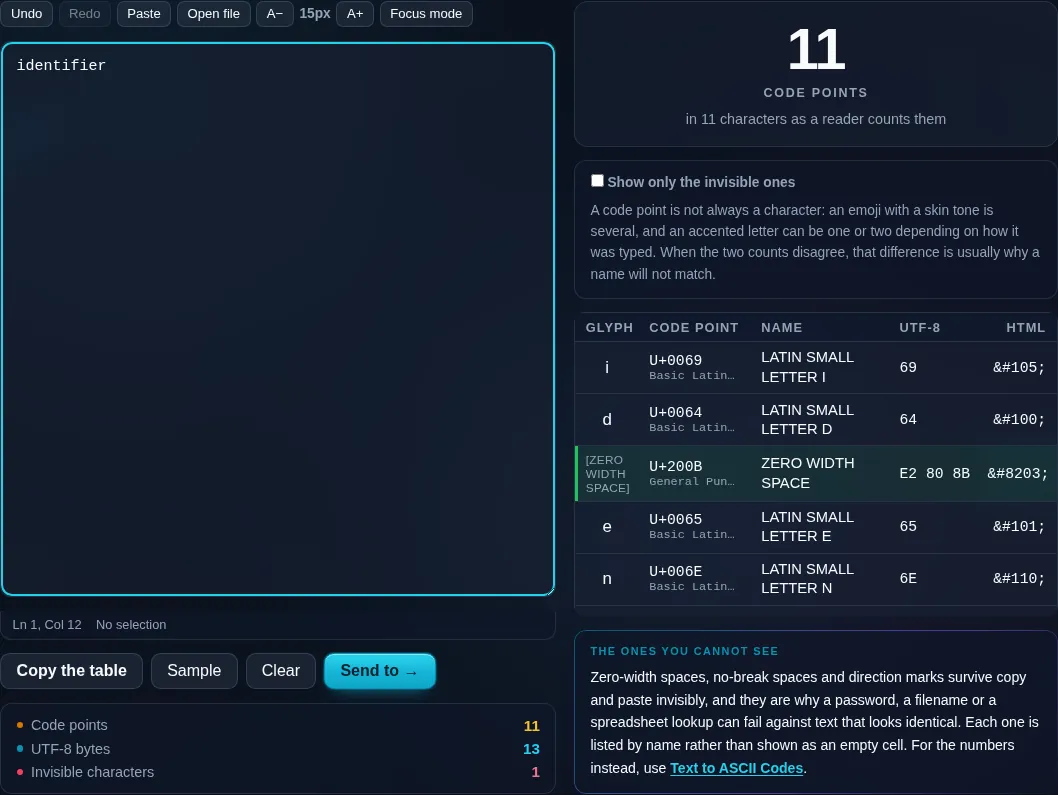
Character table
A zero-width space caught and named in the per-character table.
Invisible chars flagged
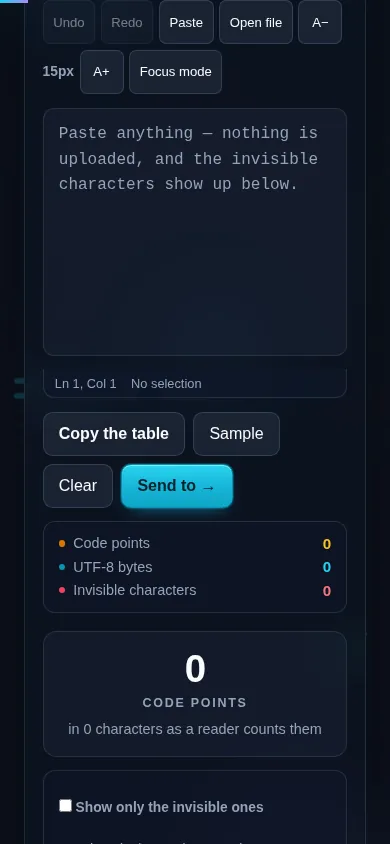
Inspecting Unicode characters on a phone, no app installed.
Mobile (stacked)

Code points, encodings, and hidden characters

Every character has a Unicode code point — a number written like U+0041 (the letter A) — plus an official name ('LATIN CAPITAL LETTER A'), a category (letter, punctuation, symbol), and a block. The inspector shows all of these along with how the character is stored in UTF-8 (its bytes), its HTML entity, and its decimal value, so it's useful for debugging encoding issues and building escape sequences. It distinguishes code points from graphemes: an emoji or flag may look like one character but be several code points combined, which explains why it counts as more than one in some character limits. Critically, it flags invisible and zero-width characters (zero-width space, byte-order marks, non-breaking spaces) that can break string matching or hide in pasted text, and warns about homoglyphs — look-alike characters from other scripts sometimes used in spoofing. Everything runs locally in your browser. For converting characters to plain ASCII codes, see the Text to ASCII Codes tool.

Frequently Asked Questions

What does the Unicode inspector show for each character?

For every character it shows the glyph, its Unicode code point (like U+1F600), the official name, the category and block, the UTF-8 bytes, the HTML entity, and the decimal value. That's a complete picture of what the character is and how it's stored.

How can it find invisible or hidden characters?

It flags characters that have no visible glyph — zero-width spaces, byte-order marks, non-breaking spaces, and other control characters — that often sneak into pasted text and break string comparisons or formatting. Seeing them listed lets you find and remove the culprit.

Why does an emoji count as more than one character?

Because many emoji are built from several Unicode code points combined — a base symbol plus modifiers, or multiple symbols joined. The inspector shows these components, which explains why one visible emoji can count as two or more 'characters' against a platform's limit.

What is a code point versus a grapheme?

A code point is a single Unicode value (like U+0065 for 'e'); a grapheme is what you perceive as one character, which may be several code points (an accented letter, an emoji). The inspector shows both counts, clarifying mismatches between what you see and what's stored.

What are homoglyphs and why does it warn about them?

Homoglyphs are characters from different scripts that look identical, like the Latin 'a' and the Cyrillic 'а'. They're sometimes used to spoof names or URLs. The inspector flags suspicious look-alikes so you can spot a string that isn't what it appears to be.

Is this useful for developers?

Very. It's ideal for debugging encoding problems, finding stray invisible characters that break matching, building escape sequences or HTML entities, and understanding why a string's length differs from its visible length. For raw character-to-code conversion, the Text to ASCII Codes tool is a simpler companion.

Is my text private — is anything uploaded?

No. Everything runs in your browser, so whatever you type or paste is processed on your own device and never uploaded to a server. Nothing is stored once you close the tab. That keeps your text — notes, code, documents, lists — completely private.

Is it free, and do I need to sign up?

Yes, it's completely free with no account, no trial, and no limit on how many times you use it. Because it runs entirely in your browser, there are no server costs, no usage caps, and no watermark or branding added to your text.

Does it work on a phone?

Yes. It runs in your phone's browser with nothing to install, so you can use it on Android or iOS. The layout adapts to small screens, so you can paste text, get the result, and copy it on the go just as easily as on a computer.

Does it work offline?

Once the page has loaded, it runs entirely on your device, so it keeps working without a connection — which is also why nothing is uploaded. You only need to be online to open the page the first time; after that the tool works locally.

Can I copy or download the result?

Yes. You can copy the result to your clipboard with one click, and longer output can be downloaded as a text file. Everything is processed locally, so copying and downloading are instant with no upload step and no waiting.

Is there a limit on how much text I can process?

There's no artificial cap, because the work happens on your device rather than a server. The practical limit is your device's memory, so very large inputs are smoother on a computer than an older phone. For most everyday text, processing is effectively instant.

Still have questions?

If you can't find the answer you're looking for, feel free to contact our support team.

Contact Us