Text to ASCII Codes Converter

Convert text to ASCII/character codes in decimal or hex — and decode codes back to text.

100% Browser-Based Local Processing
15px

Ln 1, Col 1 No selection

Reading back is forgiving about spacing — spaces, commas or line breaks all separate codes — but not about the base: 41 is A in hex and ) in decimal, and nothing in the codes says which you meant. A token that is not valid for the chosen base stops the read and is named.

Character codes Nothing to convert yet
Code points
0
Above 127
0
Highest code

ASCII stops at 127. Past it — an accented letter, a dash, an emoji — you get the Unicode code point, so one emoji is one number rather than two surrogate halves. For the bytes, Text to Binary; for the name and block, the Inspector.

Privacy Focused

🔒 Local Processing. Your text never leaves your device.

Instant Results

🌐 Fully Client-Side. Runs instantly in your browser.

No Signup

⚡ No accounts. No API keys. Just open and use.

Browser Based

🚀 No installs, no sign-ups, no character limits.

What is a Text to ASCII Codes Converter?

Text to ASCII Codes converts your text into character codes — in decimal or hexadecimal — and decodes codes back into text. Paste 'Hi' and get '72 105', or paste codes to recover the text. It runs entirely in your browser, so your text stays private, and you can copy the result either way.

Every character has a numeric code — 'A' is 65, 'a' is 97. Converting text to those codes (and back) is useful for learning how computers store text, building escape sequences, debugging, and simple encoding puzzles.

This tool converts both ways, in decimal or hex, all in your browser. Nothing is uploaded. Paste text or codes and convert.
How to convert text to ASCII codes

Step 1: Paste text to encode, or paste codes to decode

Paste text to encode, or paste codes to decode.

Step 2: Choose the base (decimal or hex) and the separator between codes

Choose the base (decimal or hex) and the separator between codes.

Step 3: Convert, then copy the codes or the decoded text

Convert, then copy the codes or the decoded text.

Text to ASCII Codes Converter in action

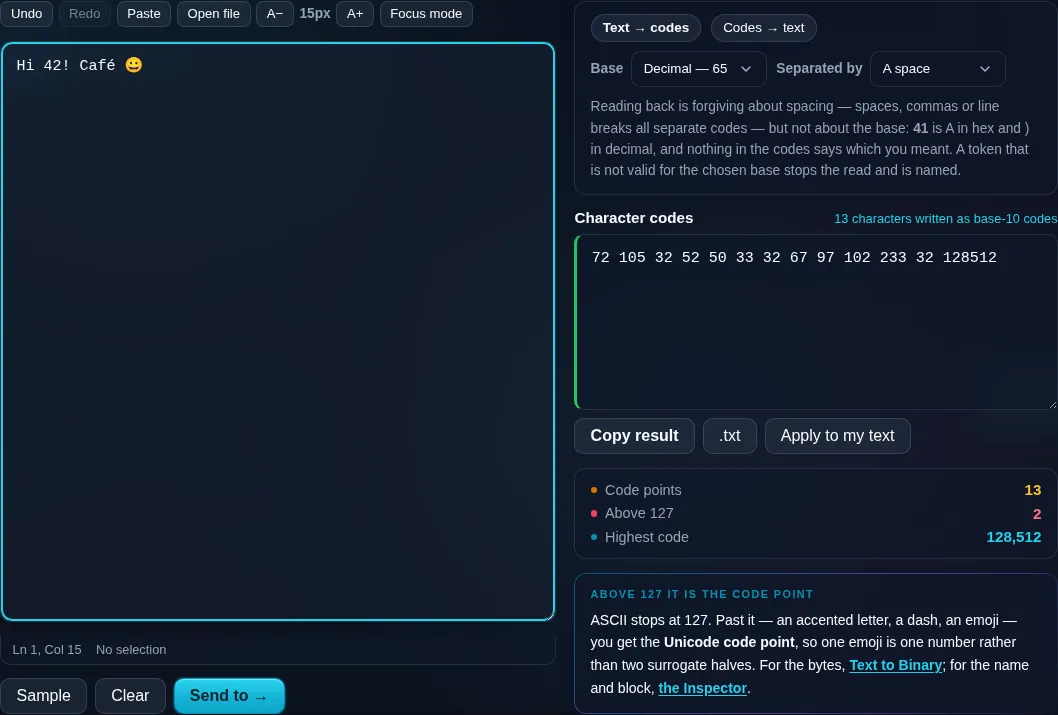
Text to ASCII Codes converting text to codes in the browser.
Codes result
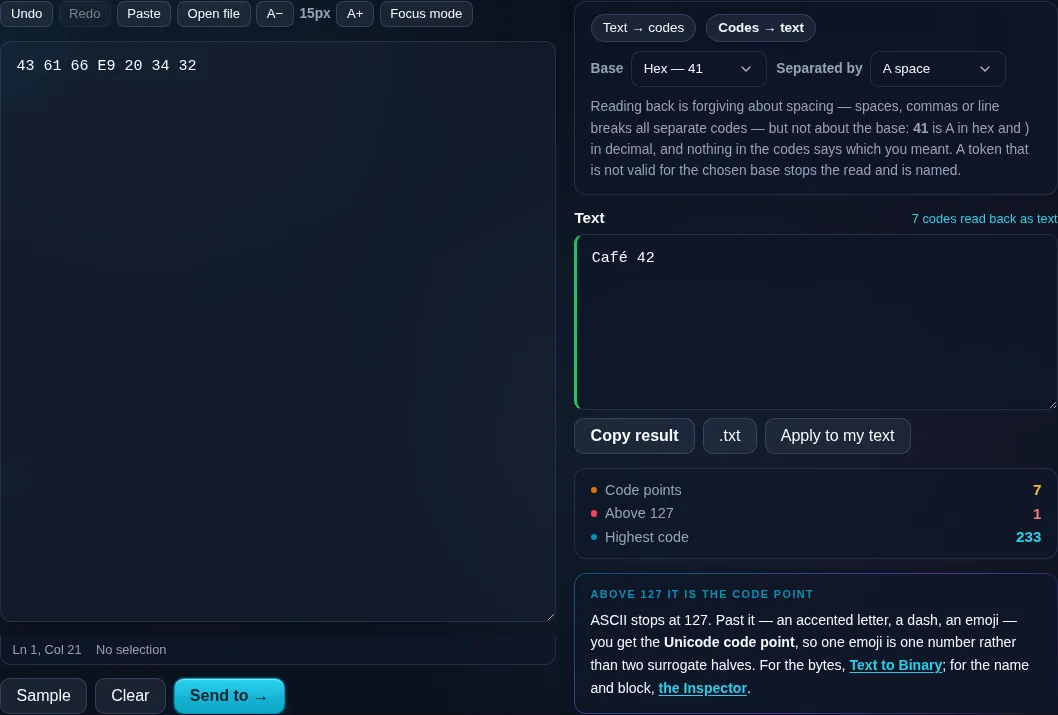
Hex character codes read back into the text they came from.
Decode mode
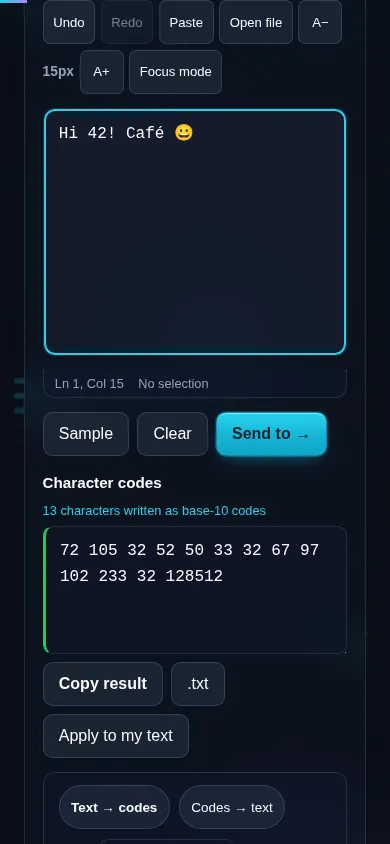
Converting text to ASCII codes on a phone, no app installed.
Mobile (stacked)

Character codes, ASCII, and Unicode

Classic ASCII assigns codes 0–127 to English letters, digits, punctuation, and control characters — 'A' is 65, '0' is 48, space is 32. This tool converts each character to its code in decimal, hexadecimal, or octal with the separator you choose, and decodes a list of codes back into text. Because real-world text contains characters beyond plain ASCII (accents, emoji, other scripts), those characters show their Unicode code point rather than a 7-bit ASCII value — so it's really a character-code converter that's fully ASCII-compatible for the 0–127 range. On decode, invalid codes are reported. It's handy for education, building escape sequences, and quick encoding tasks. Everything runs locally in your browser, so nothing is uploaded. For binary specifically, the developer Text to Binary tool is linked; to inspect characters in full detail, the Unicode Character Inspector.

Frequently Asked Questions

How do I convert text to ASCII codes?

Paste your text, choose decimal or hex and a separator, and convert — each character becomes its numeric code, so 'Hi' becomes '72 105' in decimal. You can then copy the codes. The conversion is instant and works for any length of text.

Can it convert ASCII codes back to text?

Yes. Paste a list of character codes (in the same base and separator you select) and the tool decodes them back into readable text. It's a two-way converter, so you can encode text to codes and decode codes to text as needed.

Can I get hexadecimal instead of decimal?

Yes. You can output codes in decimal, hexadecimal, or octal. Hex is common in programming and escape sequences (where 'A' is 41 in hex), so the base option lets you match whatever format your task or code requires.

What happens with characters above code 127?

Plain ASCII only covers codes 0–127. For characters beyond that — accented letters, emoji, other scripts — the tool shows the character's Unicode code point instead, so nothing is lost. It's fully ASCII-compatible for standard characters and Unicode-aware for the rest.

What's the difference from the binary converter?

This tool shows character codes as numbers (decimal, hex, or octal). The developer Text to Binary converter shows them as binary (1s and 0s). They're related views of the same underlying codes — use this for readable numbers and the binary tool, linked here, for bits.

What is this useful for?

Learning how text is stored as numbers, building escape sequences, debugging encoding, solving encoding puzzles, and quick conversions when working with low-level data. The decode direction also lets you read back codes someone else has produced.

Is my text private — is anything uploaded?

No. Everything runs in your browser, so whatever you type or paste is processed on your own device and never uploaded to a server. Nothing is stored once you close the tab. That keeps your text — notes, code, documents, lists — completely private.

Is it free, and do I need to sign up?

Yes, it's completely free with no account, no trial, and no limit on how many times you use it. Because it runs entirely in your browser, there are no server costs, no usage caps, and no watermark or branding added to your text.

Does it work on a phone?

Yes. It runs in your phone's browser with nothing to install, so you can use it on Android or iOS. The layout adapts to small screens, so you can paste text, get the result, and copy it on the go just as easily as on a computer.

Does it work offline?

Once the page has loaded, it runs entirely on your device, so it keeps working without a connection — which is also why nothing is uploaded. You only need to be online to open the page the first time; after that the tool works locally.

Can I copy or download the result?

Yes. You can copy the result to your clipboard with one click, and longer output can be downloaded as a text file. Everything is processed locally, so copying and downloading are instant with no upload step and no waiting.

Is there a limit on how much text I can process?

There's no artificial cap, because the work happens on your device rather than a server. The practical limit is your device's memory, so very large inputs are smoother on a computer than an older phone. For most everyday text, processing is effectively instant.

Still have questions?

If you can't find the answer you're looking for, feel free to contact our support team.

Contact Us