Reverse Text

Reverse the characters of your text to write it backwards, with correct handling of emoji.

100% Browser-Based Local Processing
15px

Ln 1, Col 1 No selection

Reversing by raw code point splits an emoji into two broken characters and lifts an accent off its letter. Keeping them whole is what you want for ordinary text; turn it off only when you are looking at the code points themselves.

Reversed Nothing to reorder yet
Characters reversed
0
Lines
0
Emoji and accents kept whole
0

Type Never odd or even and the result comes back the same — that is the tool working, not failing. Reversing a whole text moves the line breaks too, so a list read backwards ends up on one line; reverse each line on its own to keep the shape of a list.

Privacy Focused

🔒 Local Processing. Your text never leaves your device.

Instant Results

🌐 Fully Client-Side. Runs instantly in your browser.

No Signup

⚡ No accounts. No API keys. Just open and use.

Browser Based

🚀 No installs, no sign-ups, no character limits.

What is a Reverse Text?

Reverse Text flips the characters of your text so it reads backwards — 'hello' becomes 'olleh'. It can reverse the whole text or each line separately, and handles emoji correctly so they aren't broken. Paste your text and reverse it in one click. It runs entirely in your browser, so your text stays private.

Reversing text is handy for puzzles, fun social posts, testing how something handles backwards input, or creating a simple obfuscated string. By hand it's surprisingly fiddly.

This tool reverses your characters instantly, with the emoji-safe handling many tools get wrong, all in your browser. Nothing is uploaded. Paste, reverse, and copy.
How to reverse text

Step 1: Paste or type your text into the box

Paste or type your text into the box.

Step 2: Choose to reverse the whole text or each line separately

Choose to reverse the whole text or each line separately.

Step 3: Reverse, then copy or download the backwards text

Reverse, then copy or download the backwards text.

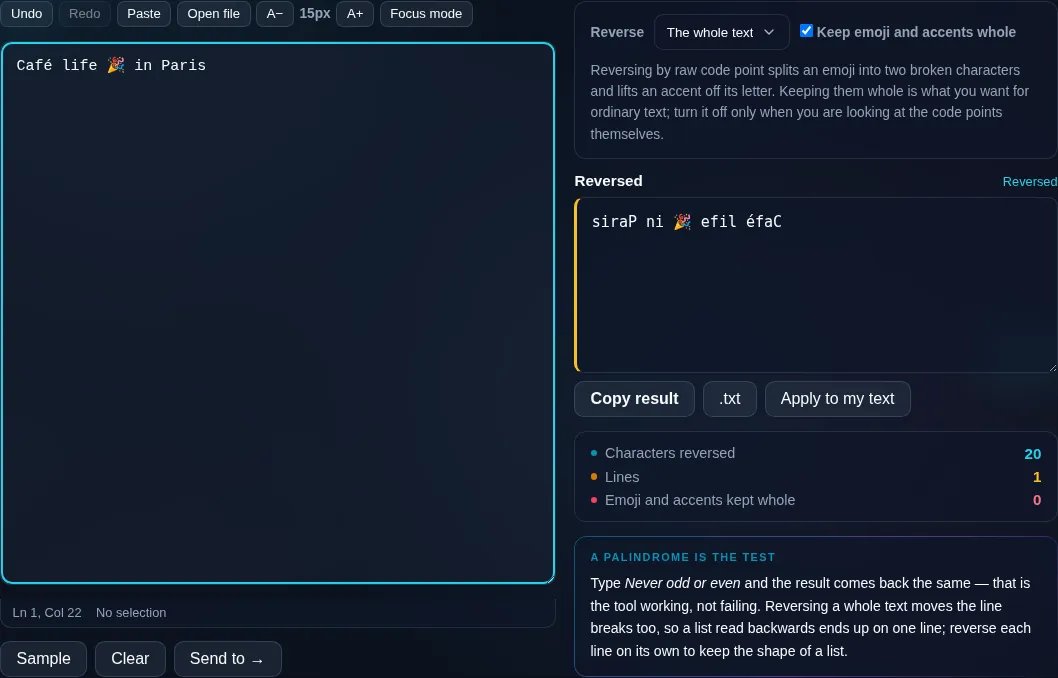
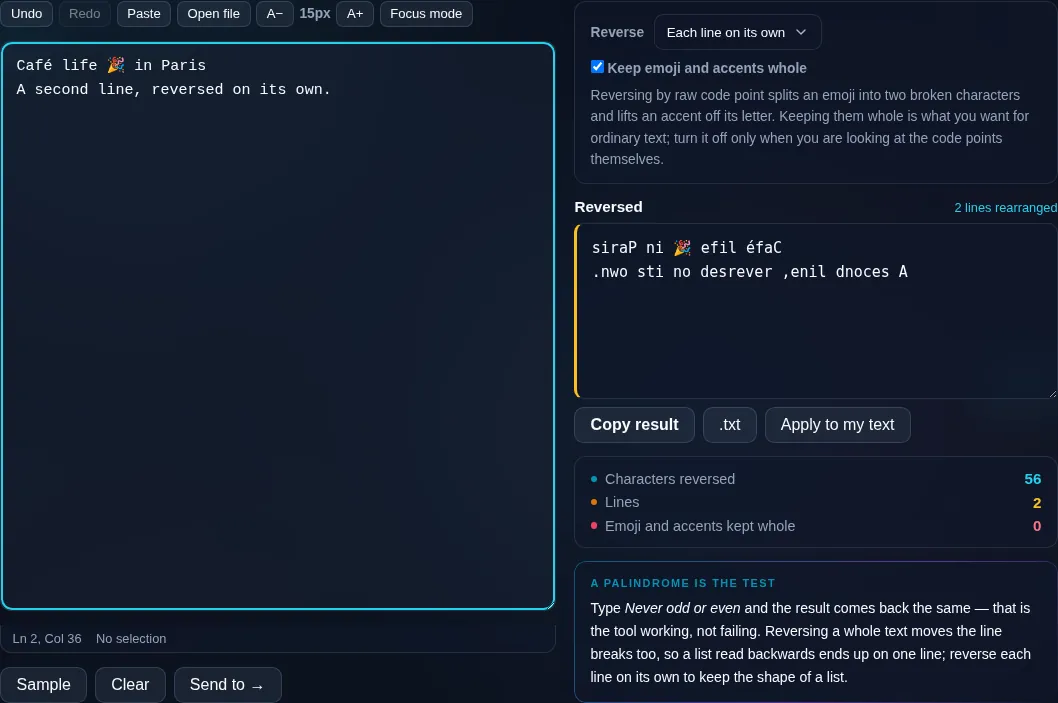
Reverse Text in action

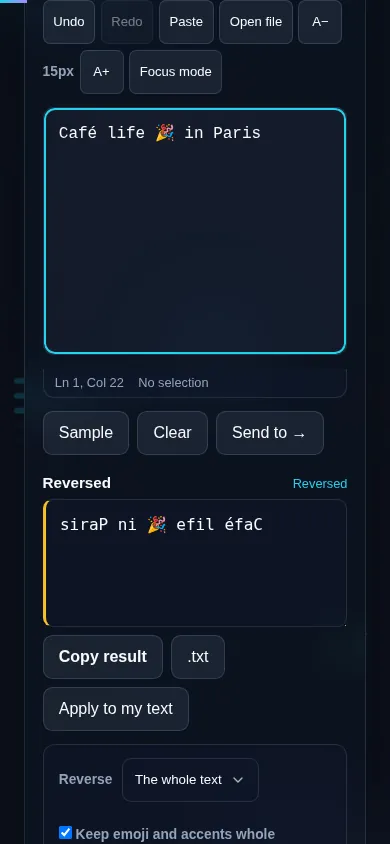
Reverse Text writing text backwards in the browser.
Backwards text
Text reversed character by character with emoji intact.
Per-line option
Reversing text on a phone, no app installed.
Mobile (stacked)

Reversing characters the right way

Reversing text means writing its characters in the opposite order, so the last character comes first. The catch is that modern text isn't a simple list of characters: an emoji, a flag, or an accented letter can be made of several underlying code units, and a naive reversal scrambles them into broken symbols. This tool reverses by grapheme — the visible characters you actually see — so emoji and combined characters survive intact. You can reverse the entire text as one string or reverse each line independently (keeping the lines in place), and line breaks are handled sensibly. Note that reversing right-to-left scripts like Arabic or Hebrew has its own subtleties because they're already displayed right to left. Everything runs locally in your browser. To reverse the order of words instead of characters, use Reverse Word Order; for lines, Reverse Line Order; for a flipped upside-down look, the Upside-Down Text generator.

Frequently Asked Questions

How do I write text backwards?

Paste your text and click reverse — the characters are flipped into the opposite order, so 'example' becomes 'elpmaxe'. You can copy or download the result. Choose whether to reverse the whole text at once or reverse each line on its own.

Does it break emoji or accented characters?

No. It reverses by visible character (grapheme), so emoji, flags, and accented or combined letters stay intact rather than being scrambled into broken pieces. Many simple reversers get this wrong; this one keeps multi-part characters together.

Can I reverse each line separately?

Yes. There's an option to reverse each line on its own while keeping the lines in their original positions, instead of reversing the entire block as one string. That's useful when you want every line backwards but the list still in order.

What's the difference between reversing text and reversing words?

Reversing text flips individual characters ('the cat' → 'tac eht'). Reversing word order keeps each word readable but reverses their sequence ('the cat' → 'cat the'). Use this tool for backwards characters; use Reverse Word Order to reorder words without scrambling them.

Is reversed text the same as upside-down text?

No. Reversing puts the characters in backwards order but they're still normal letters. Upside-down (flip) text uses special characters that appear inverted and is read right-to-left. If you want the visually flipped look, use the Upside-Down Text generator instead.

What can I use reversed text for?

Puzzles and word games, playful social media posts, testing how an app handles unusual input, and light obfuscation of a string. It's a quick, fun transformation — and because the original stays in the box, you can reverse it back just as easily.

Is my text private — is anything uploaded?

No. Everything runs in your browser, so whatever you type or paste is processed on your own device and never uploaded to a server. Nothing is stored once you close the tab. That keeps your text — notes, code, documents, lists — completely private.

Is it free, and do I need to sign up?

Yes, it's completely free with no account, no trial, and no limit on how many times you use it. Because it runs entirely in your browser, there are no server costs, no usage caps, and no watermark or branding added to your text.

Does it work on a phone?

Yes. It runs in your phone's browser with nothing to install, so you can use it on Android or iOS. The layout adapts to small screens, so you can paste text, get the result, and copy it on the go just as easily as on a computer.

Does it work offline?

Once the page has loaded, it runs entirely on your device, so it keeps working without a connection — which is also why nothing is uploaded. You only need to be online to open the page the first time; after that the tool works locally.

Can I copy or download the result?

Yes. You can copy the result to your clipboard with one click, and longer output can be downloaded as a text file. Everything is processed locally, so copying and downloading are instant with no upload step and no waiting.

Is there a limit on how much text I can process?

There's no artificial cap, because the work happens on your device rather than a server. The practical limit is your device's memory, so very large inputs are smoother on a computer than an older phone. For most everyday text, processing is effectively instant.

Still have questions?

If you can't find the answer you're looking for, feel free to contact our support team.

Contact Us