Reverse Line Order

Reverse the order of lines in your text to flip a list top-to-bottom.

100% Browser-Based Local Processing
15px

Ln 1, Col 1 No selection

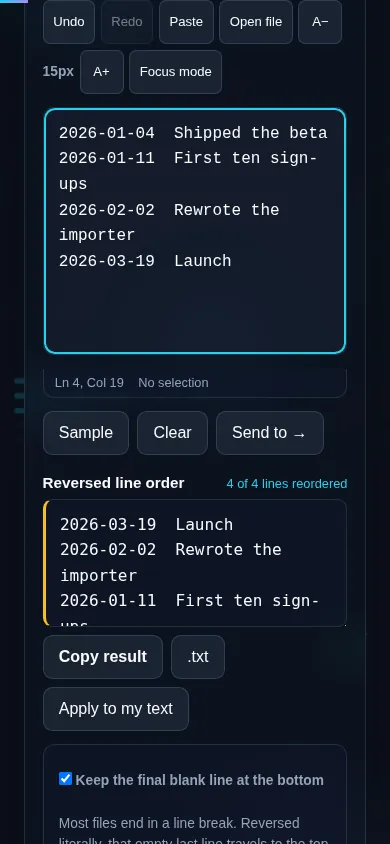
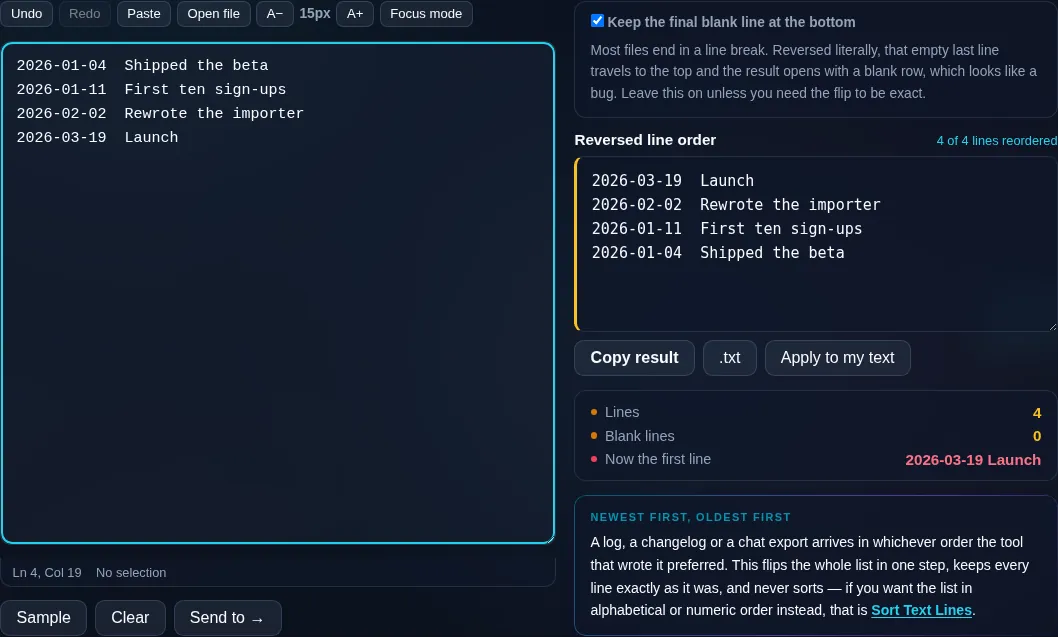
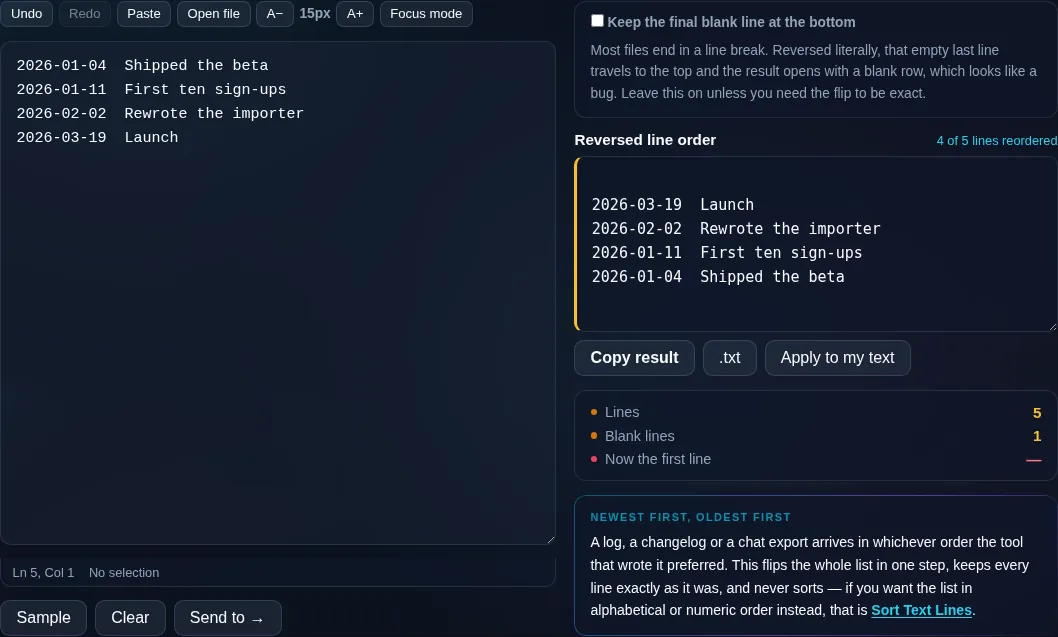
Most files end in a line break. Reversed literally, that empty last line travels to the top and the result opens with a blank row, which looks like a bug. Leave this on unless you need the flip to be exact.

Reversed line order Nothing to reorder yet
Lines
0
Blank lines
0
Now the first line

A log, a changelog or a chat export arrives in whichever order the tool that wrote it preferred. This flips the whole list in one step, keeps every line exactly as it was, and never sorts — if you want the list in alphabetical or numeric order instead, that is Sort Text Lines.

Privacy Focused

🔒 Local Processing. Your text never leaves your device.

Instant Results

🌐 Fully Client-Side. Runs instantly in your browser.

No Signup

⚡ No accounts. No API keys. Just open and use.

Browser Based

🚀 No installs, no sign-ups, no character limits.

What is a Reverse Line Order?

Reverse Line Order flips your text so the last line becomes the first and the first becomes the last. The lines themselves are unchanged — only their top-to-bottom order is reversed. Paste a list and flip it in one click. It runs entirely in your browser, so your list stays private.

Sometimes a list is in the wrong direction — newest at the bottom when you want it at the top, or you simply need it flipped. Reversing the line order does it instantly.

This tool flips your lines in one click, leaving each line's content alone, all in your browser. Nothing is uploaded. Paste, flip, and copy.
How to reverse line order

Step 1: Paste your list or text, one item per line

Paste your list or text, one item per line.

Step 2: Click Reverse Line Order to flip it top-to-bottom

Click Reverse Line Order to flip it top-to-bottom.

Step 3: Copy or download the flipped list

Copy or download the flipped list.

Reverse Line Order in action

Reverse Line Order flipping a list in the browser.
Flipped list
A list flipped so the last line is now first.
Before/after
Reversing line order on a phone, no app installed.
Mobile (stacked)

Flipping a list top to bottom

Reversing line order takes your lines and puts them in the opposite sequence: the last line moves to the top, the second-to-last becomes second, and so on, down to the original first line now at the bottom. The content of each line is untouched — nothing is sorted, reworded, or rearranged within a line. This is the quick fix when data arrives in the wrong direction, such as a log or chat export with the newest entry at the bottom that you'd rather read newest-first. A trailing blank line at the end is handled sensibly so it doesn't end up stranded at the top. Everything runs locally in your browser, so even long lists flip instantly and nothing is uploaded. To sort lines into alphabetical or numeric order instead, use Sort Text Lines; to reverse characters or words, the Reverse Text and Reverse Word Order tools.

Frequently Asked Questions

How do I reverse the order of lines?

Paste your list with one item per line and click Reverse Line Order. The lines are flipped so the last becomes first and the first becomes last, while each line's text stays exactly the same. Then copy or download the result.

Does it change the content of each line?

No. Only the order of the lines is reversed — the words, spacing, and characters within each line are left completely untouched. It's purely a reordering, so it's safe to run on any list or block of text.

How is this different from sorting?

Reversing simply flips the existing order top-to-bottom, regardless of what the lines say. Sorting rearranges lines into alphabetical or numeric order. Use reverse when you want the opposite of the current sequence; use Sort Text Lines when you want a specific A–Z or numeric order.

Is it useful for logs or chat exports?

Yes. Logs and chat or message exports often list the newest entry last. Reversing the line order puts the most recent first, so you can read newest-to-oldest without scrolling to the bottom. The entries themselves stay intact.

What happens to a blank line at the end?

A trailing blank line is handled so it doesn't get flipped to the top and create an awkward empty first line. The meaningful lines are reversed cleanly, keeping the result tidy.

Can I undo the flip?

Yes. Reversing again restores the original order, since flipping twice returns the list to how it started. Your original text also remains in the box, so reverting is easy if you change your mind.

Is my text private — is anything uploaded?

No. Everything runs in your browser, so whatever you type or paste is processed on your own device and never uploaded to a server. Nothing is stored once you close the tab. That keeps your text — notes, code, documents, lists — completely private.

Is it free, and do I need to sign up?

Yes, it's completely free with no account, no trial, and no limit on how many times you use it. Because it runs entirely in your browser, there are no server costs, no usage caps, and no watermark or branding added to your text.

Does it work on a phone?

Yes. It runs in your phone's browser with nothing to install, so you can use it on Android or iOS. The layout adapts to small screens, so you can paste text, get the result, and copy it on the go just as easily as on a computer.

Does it work offline?

Once the page has loaded, it runs entirely on your device, so it keeps working without a connection — which is also why nothing is uploaded. You only need to be online to open the page the first time; after that the tool works locally.

Can I copy or download the result?

Yes. You can copy the result to your clipboard with one click, and longer output can be downloaded as a text file. Everything is processed locally, so copying and downloading are instant with no upload step and no waiting.

Is there a limit on how much text I can process?

There's no artificial cap, because the work happens on your device rather than a server. The practical limit is your device's memory, so very large inputs are smoother on a computer than an older phone. For most everyday text, processing is effectively instant.

Still have questions?

If you can't find the answer you're looking for, feel free to contact our support team.

Contact Us