Extract Numbers from Text

Extract all the numbers from a block of text into a clean list, with an optional sum and average.

100% Browser-Based Local Processing
15px

Ln 1, Col 1 No selection

Numbers found Nothing to extract yet
How many
0
Total
Average
Smallest
Largest

A figure glued to letters is skipped by default, so the 42 in ID42 is not a value unless you ask for it, and a currency symbol is never part of the number. When nothing is found the statistics read as a dash rather than zero — an average of nothing is not zero. To turn written figures into digits, use Words to Numbers.

Privacy Focused

🔒 Local Processing. Your text never leaves your device.

Instant Results

🌐 Fully Client-Side. Runs instantly in your browser.

No Signup

⚡ No accounts. No API keys. Just open and use.

Browser Based

🚀 No installs, no sign-ups, no character limits.

What is a Extract Numbers from Text?

Extract Numbers from Text scans a block of text and pulls out every number — integers and decimals — into a clean list, and can total or average them for you. Paste your text and extract in one click. It runs entirely in your browser, so your data stays private, and you can handle negatives and thousands separators.

When you need just the figures out of a paragraph, report, or export — prices, quantities, IDs, measurements — picking them out by hand is slow. Extraction does it instantly.

This tool pulls every number from your text and can even sum or average them, all in your browser. Nothing is uploaded. Paste, extract, and copy.
How to extract numbers from text

Step 1: Paste the text containing the numbers

Paste the text containing the numbers.

Step 2: Set options — include decimals, negatives, or thousands separators — and choose list, sum, or average

Set options — include decimals, negatives, or thousands separators — and choose list, sum, or average.

Step 3: Extract, then copy the numbers or the total

Extract, then copy the numbers or the total.

Extract Numbers from Text in action

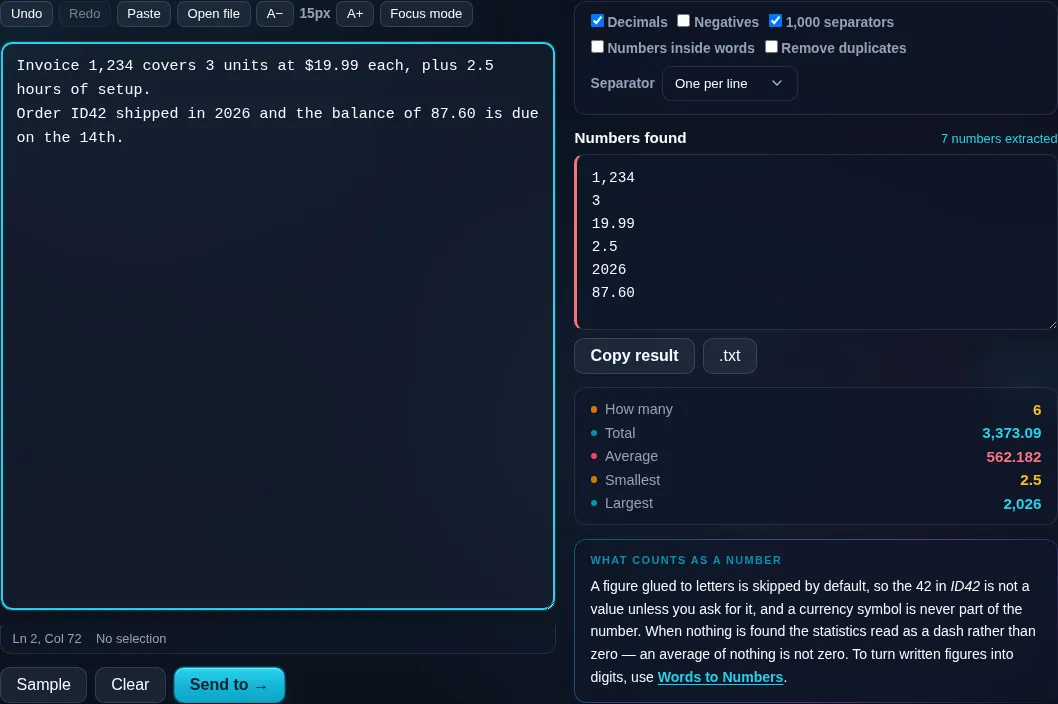
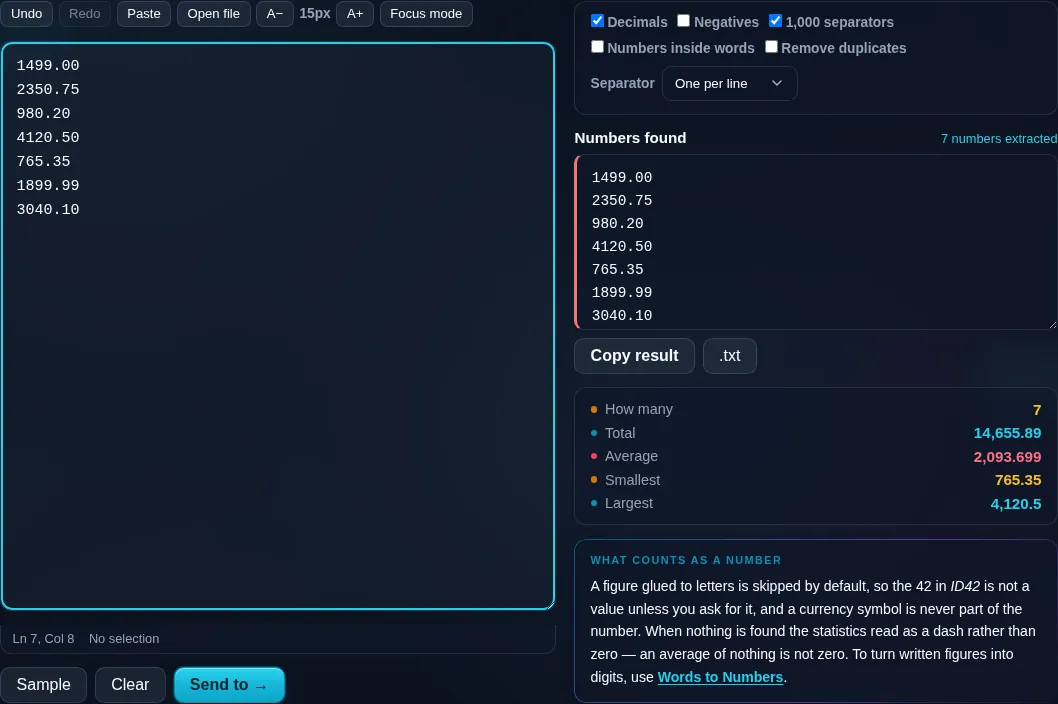
Extract Numbers from Text pulling figures from text in the browser.
Extracted numbers
Numbers extracted from a paragraph with a sum and average.
Sum/average
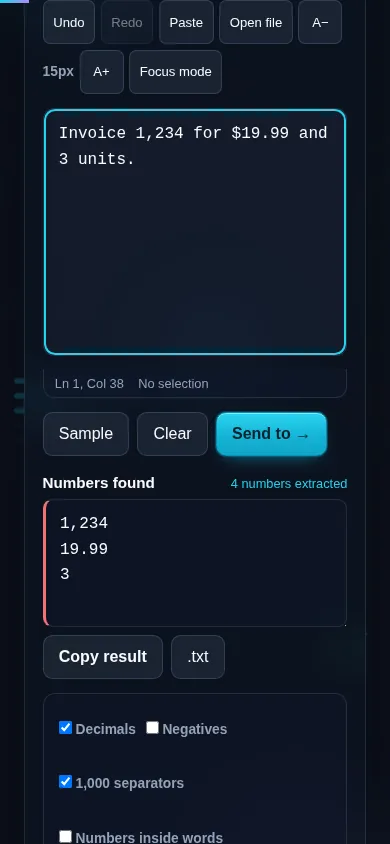
Extracting numbers on a phone, no app installed.
Mobile (stacked)

Pulling numbers out cleanly

The tool finds numeric values in your text and lists them, with options that matter for real data: include decimals (so 3.14 stays whole), recognize negative signs, and handle thousands separators (so '1,234' is read as 1234 rather than two numbers). Beyond a plain list, it can compute the sum and average of the extracted values, turning a paragraph of figures into a quick total without a calculator, and it can deduplicate or keep order. A few honest notes: numbers embedded in identifiers or codes will be pulled too, dates and version numbers can be split unless you adjust the rules, and phone-like strings may appear — so configure the options to match your text. Everything runs locally in your browser, so your data is never uploaded. To extract contact details instead, use Extract Emails & URLs; to turn written-out numbers into digits, the Words to Numbers Converter.

Frequently Asked Questions

How do I extract numbers from text?

Paste the text and extract — every number is pulled into a clean list you can copy. It scans the whole block at once, so prices, quantities, or measurements scattered through a paragraph are collected in one step instead of by hand.

Can it include decimals and negative numbers?

Yes. Options let you keep decimals intact (so '3.5' is one number, not '3' and '5') and recognize negative signs. Turn them on or off to match your data — for instance, treating a hyphen as a minus sign or as a separator.

Does it handle numbers with thousands separators?

Yes, with the option enabled. It can read '1,234,567' as a single number rather than splitting it at the commas. Because separators vary by locale, the setting lets you tell the tool how your numbers are formatted so the extraction is correct.

Can it total or average the numbers?

Yes. Beyond listing the numbers, it can compute their sum and average, so you can get the total of a column of figures from a paragraph instantly. It's a quick way to add up values without copying them into a calculator or spreadsheet.

Will it pull numbers out of IDs or dates?

It can, since it matches numeric patterns — so digits inside identifiers, codes, dates, or version strings may be extracted or split. If that's not what you want, adjust the options or clean the text first; the tool extracts what looks like a number by your settings.

How is this different from extracting emails and URLs?

This tool focuses on numeric values — integers and decimals. The Extract Emails & URLs tool pulls contact details and links. Use this for figures and quantities; use the other extractor for addresses and URLs. Both run privately in your browser.

Is my text private — is anything uploaded?

No. Everything runs in your browser, so whatever you type or paste is processed on your own device and never uploaded to a server. Nothing is stored once you close the tab. That keeps your text — notes, code, documents, lists — completely private.

Is it free, and do I need to sign up?

Yes, it's completely free with no account, no trial, and no limit on how many times you use it. Because it runs entirely in your browser, there are no server costs, no usage caps, and no watermark or branding added to your text.

Does it work on a phone?

Yes. It runs in your phone's browser with nothing to install, so you can use it on Android or iOS. The layout adapts to small screens, so you can paste text, get the result, and copy it on the go just as easily as on a computer.

Does it work offline?

Once the page has loaded, it runs entirely on your device, so it keeps working without a connection — which is also why nothing is uploaded. You only need to be online to open the page the first time; after that the tool works locally.

Can I copy or download the result?

Yes. You can copy the result to your clipboard with one click, and longer output can be downloaded as a text file. Everything is processed locally, so copying and downloading are instant with no upload step and no waiting.

Is there a limit on how much text I can process?

There's no artificial cap, because the work happens on your device rather than a server. The practical limit is your device's memory, so very large inputs are smoother on a computer than an older phone. For most everyday text, processing is effectively instant.

Still have questions?

If you can't find the answer you're looking for, feel free to contact our support team.

Contact Us