Extract Emails & URLs from Text

Extract email addresses, URLs, and phone numbers from any block of text, with deduplication.

100% Browser-Based Local Processing
15px

Ln 1, Col 1 No selection

Everything found Nothing to extract yet
Emails
0
URLs
0
Phone numbers
0

This finds addresses and links written in their normal form. An address obfuscated as name at example dot com is not matched, because a pattern loose enough to catch it also matches ordinary sentences, and a list full of false positives is worse than a short one. Trailing sentence punctuation is trimmed from a link, but a closing bracket that belongs to the link is kept. A run of digits needs a separator or a country code before it counts as a phone number, which is what keeps a year or an order number out. To pull figures rather than contacts, use Extract Numbers from Text.

Privacy Focused

🔒 Local Processing. Your text never leaves your device.

Instant Results

🌐 Fully Client-Side. Runs instantly in your browser.

No Signup

⚡ No accounts. No API keys. Just open and use.

Browser Based

🚀 No installs, no sign-ups, no character limits.

What is a Extract Emails & URLs from Text?

Extract Emails & URLs from Text scans a block of text and pulls out every email address and URL — and optionally phone numbers — into a clean, deduplicated list you can copy or export. Paste your text and extract in one click. It runs entirely in your browser, so your text and the extracted data stay private.

Pulling the email addresses, links, or phone numbers out of a messy block of text — an export, a page, an email thread — is fiddly to do by hand. Pattern matching does it instantly.

This tool extracts emails, URLs, and phone numbers, dedupes them, and lets you copy the list, all in your browser. Nothing is uploaded. Paste, extract, and copy.
How to extract emails and URLs

Step 1: Paste the text containing the addresses or links

Paste the text containing the addresses or links.

Step 2: Choose what to extract — emails, URLs, and/or phone numbers — and whether to deduplicate

Choose what to extract — emails, URLs, and/or phone numbers — and whether to deduplicate.

Step 3: Extract, then copy or export the list

Extract, then copy or export the list.

Extract Emails & URLs from Text in action

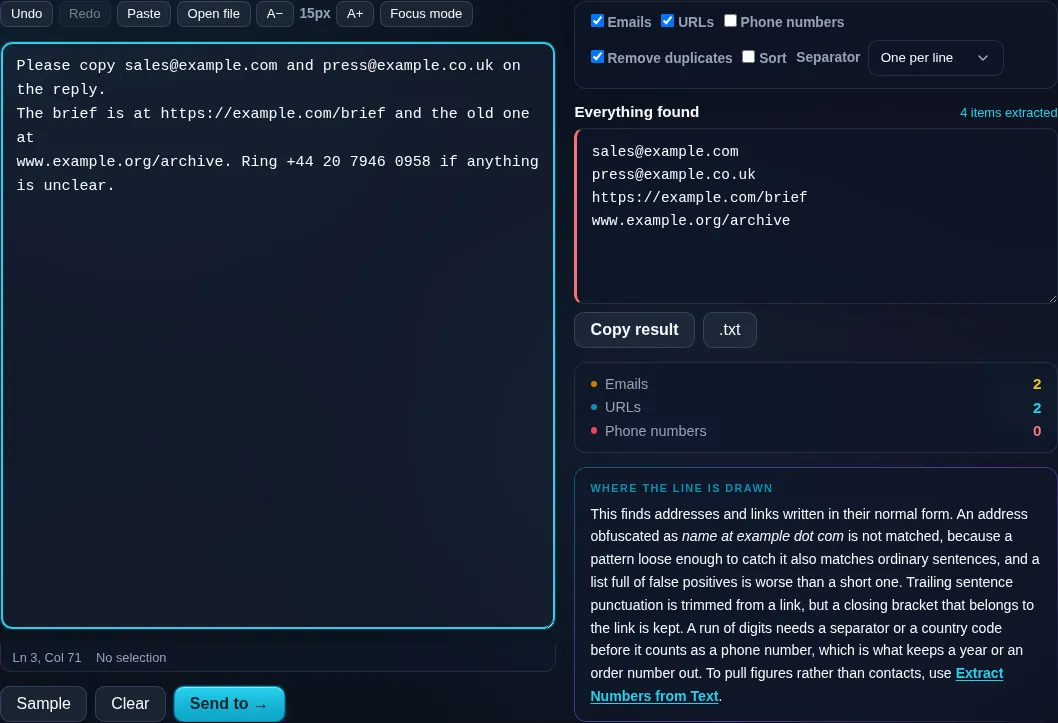
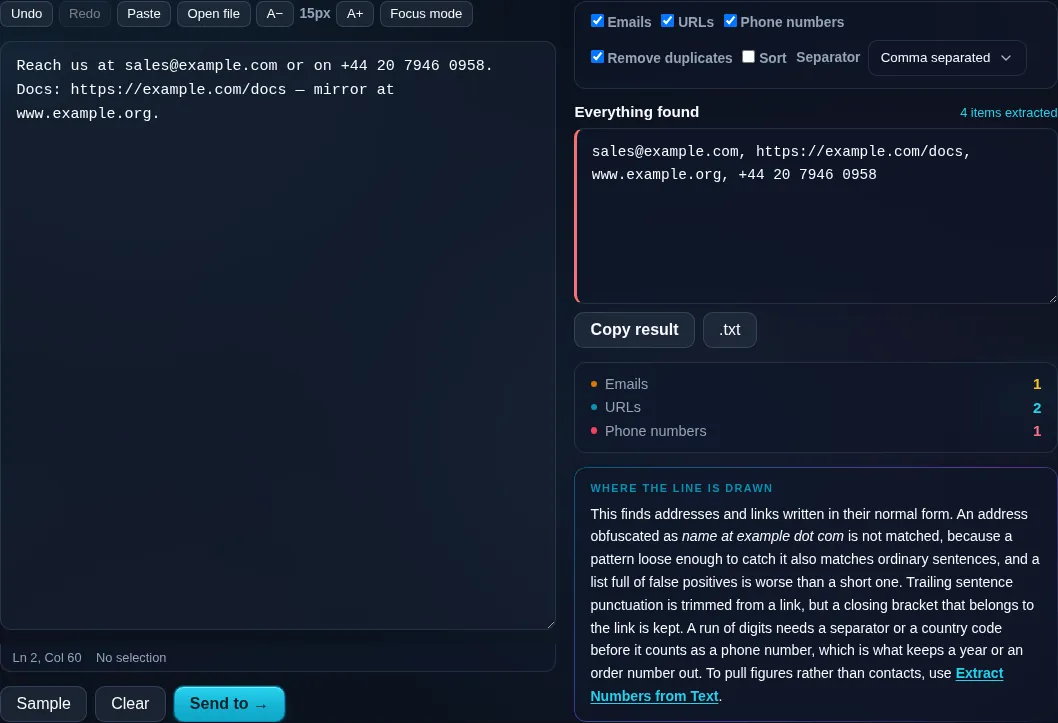
Extract Emails and URLs pulling data from text in the browser.
Extracted list
Emails and URLs extracted from a block of text, deduplicated.
Type toggles
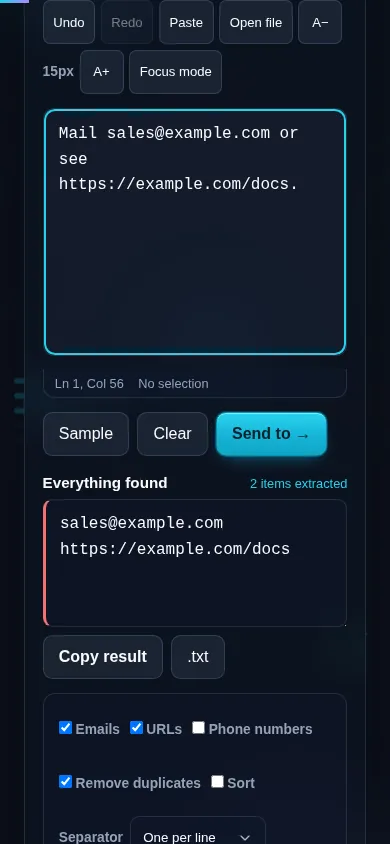
Extracting emails and URLs on a phone, no app installed.
Mobile (stacked)

What it extracts and how to use it well

The tool uses pattern matching to find email addresses, web URLs, and (optionally) phone numbers within your text, then collects them into a list with duplicates removed and an optional sort. You can choose the output separator — one per line for a clean list, or comma-separated for pasting elsewhere — and it shows how many it found. A couple of honest caveats: pattern matching can miss deliberately obfuscated addresses (like 'name [at] example [dot] com') and may occasionally include a false positive or trim trailing punctuation from a URL, so it's worth a quick check before relying on the results; international phone formats vary widely too. Please use it responsibly — for tidying your own data, not harvesting addresses for unsolicited email. Everything runs locally in your browser, so the text and the extracted contacts are never uploaded. To pull out numeric figures rather than contacts, use Extract Numbers from Text.

Frequently Asked Questions

How do I extract email addresses from text?

Paste the text, enable the emails option, and extract — every email address is pulled into a deduplicated list you can copy or export. It scans the whole block at once, so you don't have to hunt for addresses manually.

Can it extract URLs and phone numbers too?

Yes. You can toggle emails, URLs, and phone numbers independently, extracting any combination. The results are collected into a list with duplicates removed, so you get a clean set of each type you asked for in one pass.

Does it remove duplicate addresses?

Yes. Deduplication is built in, so if the same email or link appears several times in the text it's listed once. You can also sort the results and choose how they're separated — one per line or comma-separated — for whatever you need next.

Will it catch obfuscated emails like 'name at example dot com'?

Often not. Pattern matching looks for the standard 'name@domain' form, so deliberately obfuscated addresses written to dodge scrapers may be missed. It's reliable for normally formatted addresses; unusual or disguised ones may need a manual look.

Is it accurate, or can it make mistakes?

It's pattern-based, so it's very good with standard formats but can occasionally include a false positive or trim trailing punctuation from a URL. Treat the output as a strong first pass and give it a quick check before using the results in something important.

Is my text private, and is this for ethical use?

Yes to privacy — extraction happens entirely in your browser, so neither your text nor the results are uploaded. Please use it ethically: it's meant for organizing your own data and content, not for harvesting addresses to send unsolicited or spam email.

Is my text private — is anything uploaded?

No. Everything runs in your browser, so whatever you type or paste is processed on your own device and never uploaded to a server. Nothing is stored once you close the tab. That keeps your text — notes, code, documents, lists — completely private.

Is it free, and do I need to sign up?

Yes, it's completely free with no account, no trial, and no limit on how many times you use it. Because it runs entirely in your browser, there are no server costs, no usage caps, and no watermark or branding added to your text.

Does it work on a phone?

Yes. It runs in your phone's browser with nothing to install, so you can use it on Android or iOS. The layout adapts to small screens, so you can paste text, get the result, and copy it on the go just as easily as on a computer.

Does it work offline?

Once the page has loaded, it runs entirely on your device, so it keeps working without a connection — which is also why nothing is uploaded. You only need to be online to open the page the first time; after that the tool works locally.

Can I copy or download the result?

Yes. You can copy the result to your clipboard with one click, and longer output can be downloaded as a text file. Everything is processed locally, so copying and downloading are instant with no upload step and no waiting.

Is there a limit on how much text I can process?

There's no artificial cap, because the work happens on your device rather than a server. The practical limit is your device's memory, so very large inputs are smoother on a computer than an older phone. For most everyday text, processing is effectively instant.

Still have questions?

If you can't find the answer you're looking for, feel free to contact our support team.

Contact Us