Words to Numbers Converter

Convert written-out numbers back into digits — 'two hundred and five' becomes 205.

100% Browser-Based Local Processing
15px

Ln 1, Col 1 No selection

Hyphens, the word "and" and any capitals are all fine, and an ordinal comes back as its number: twenty-first is 21. A line holding no number words is reported, never returned as zero — a confident 0 is worse than a line saying it could not be read.

In digits Nothing to convert yet
Numbers read
0
Biggest value
Could not be read
0

Whole numbers, positive or negative, short scale. It does not read a decimal: "three point one four" is reported as unreadable rather than turned into 3 or 314, because both are wrong and neither announces itself. Decimals going the other way are Number to Words.

Privacy Focused

🔒 Local Processing. Your text never leaves your device.

Instant Results

🌐 Fully Client-Side. Runs instantly in your browser.

No Signup

⚡ No accounts. No API keys. Just open and use.

Browser Based

🚀 No installs, no sign-ups, no character limits.

What is a Words to Numbers Converter?

Words to Numbers Converter turns written-out numbers back into digits — 'two hundred and five' becomes 205, 'one thousand' becomes 1000. It understands 'and', hyphenated words, and scale words like hundred, thousand, and million. Enter the words and copy the number. It runs entirely in your browser, so your data stays private.

The reverse of spelling a number out: taking 'three thousand four hundred and twenty' and getting 3420. Useful for processing written amounts, transcriptions, forms, and teaching.

This tool parses number words into digits in one click, all in your browser. Nothing is uploaded. Type the words and copy the figure.
How to convert words to numbers

Step 1: Type or paste the number written in words

Type or paste the number written in words.

Step 2: Convert — the tool parses it into digits

Convert — the tool parses it into digits.

Step 3: Copy the resulting number

Copy the resulting number.

Words to Numbers Converter in action

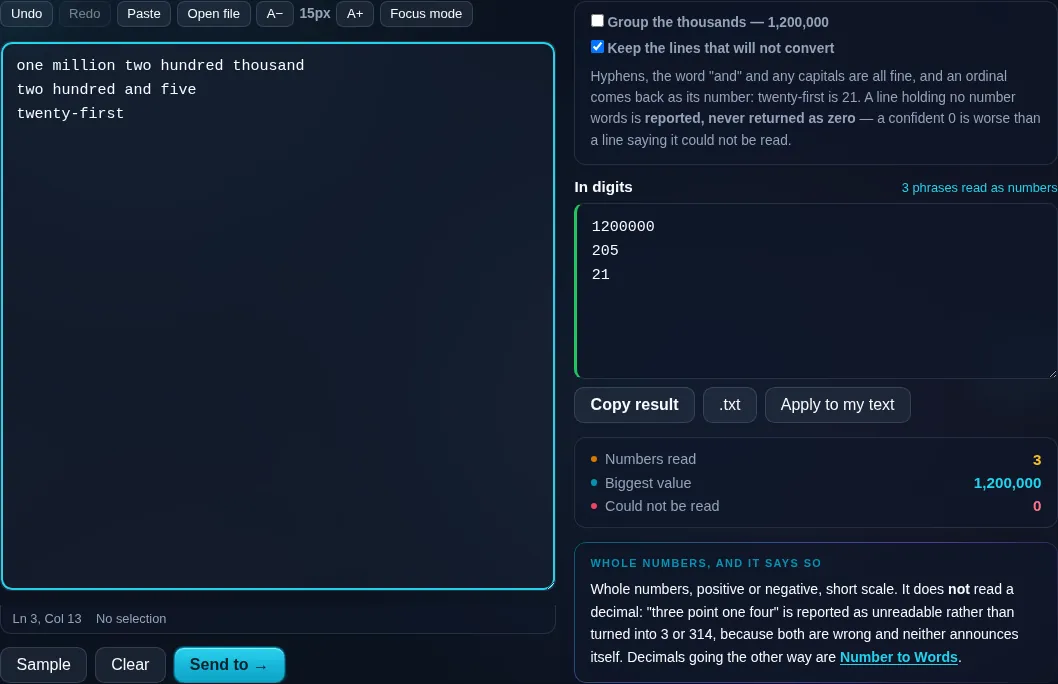
Words to Numbers Converter turning words into digits in the browser.
Digits result
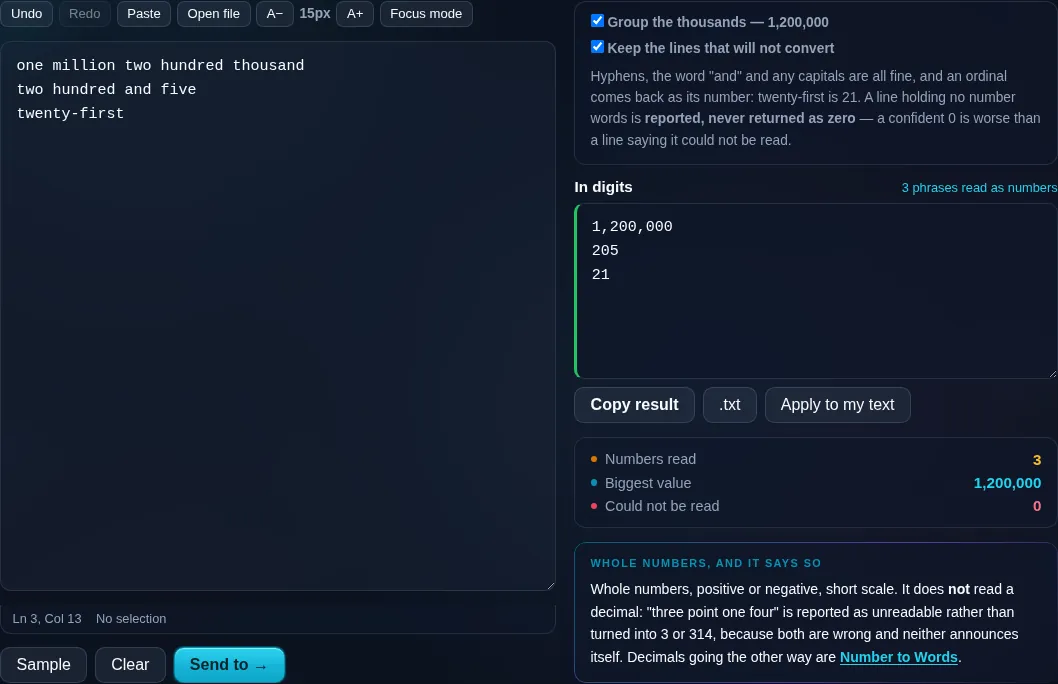
Written-out number parsed into digits.
Scale words
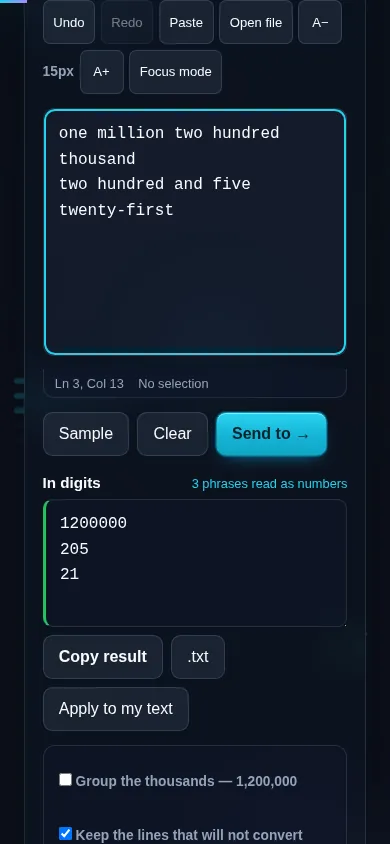
Converting words to numbers on a phone, no app installed.
Mobile (stacked)

Parsing number words

The converter reads standard English number words and assembles them into a value: digit words (one to nine), teens and tens, and scale words (hundred, thousand, million, billion) combined the way English builds numbers. It correctly handles the connector 'and' ('one hundred and five' → 105), hyphenated compounds ('twenty-one' → 21), and ordinals ('twenty-first' → 21). Decimals expressed as 'point' followed by digits are supported too. Because natural language can be ambiguous or non-standard, unusual phrasing may need a small adjustment, and the parser expects English number words. An option can pull a number out of a longer sentence rather than requiring the whole input to be a number. Everything runs locally in your browser, so nothing is uploaded. This is the reverse of the Number to Words Converter; to pull all numeric figures out of mixed text, use Extract Numbers from Text.

Frequently Asked Questions

How do I convert written numbers to digits?

Type the number in words — like 'four hundred and seventy-two' — and the tool parses it into the digits 472, which you can copy. It understands the way English combines digit words, tens, and scale words such as hundred and thousand.

Does it understand 'and' and hyphens?

Yes. It correctly reads 'one hundred and five' as 105 and hyphenated compounds like 'thirty-seven' as 37. These are the normal ways English writes numbers, so the parser handles them without you needing to remove the 'and' or the hyphens.

Can it handle large numbers with scale words?

Yes. Scale words — hundred, thousand, million, billion — are combined properly, so 'two million three hundred thousand' becomes 2,300,000. It builds the value the way you'd say the number, handling the multipliers and additions in the right order.

Does it convert decimals?

Yes. Decimals expressed with 'point' followed by digit words are supported, so 'three point one four' becomes 3.14. The whole-number part and the fractional digits are parsed together into a single decimal value.

What about ordinals like 'twenty-first'?

Ordinal words are recognized and converted to their numeric value — 'first' to 1, 'twenty-first' to 21, 'one hundredth' to 100. That's useful for parsing positions, rankings, or dates written in ordinal form.

What if the words are inside a sentence?

An option lets the tool find and convert a number embedded in a longer sentence rather than requiring the entire input to be just the number. For pulling every numeric value out of mixed text, the Extract Numbers tool is the better fit.

Is my text private — is anything uploaded?

No. Everything runs in your browser, so whatever you type or paste is processed on your own device and never uploaded to a server. Nothing is stored once you close the tab. That keeps your text — notes, code, documents, lists — completely private.

Is it free, and do I need to sign up?

Yes, it's completely free with no account, no trial, and no limit on how many times you use it. Because it runs entirely in your browser, there are no server costs, no usage caps, and no watermark or branding added to your text.

Does it work on a phone?

Yes. It runs in your phone's browser with nothing to install, so you can use it on Android or iOS. The layout adapts to small screens, so you can paste text, get the result, and copy it on the go just as easily as on a computer.

Does it work offline?

Once the page has loaded, it runs entirely on your device, so it keeps working without a connection — which is also why nothing is uploaded. You only need to be online to open the page the first time; after that the tool works locally.

Can I copy or download the result?

Yes. You can copy the result to your clipboard with one click, and longer output can be downloaded as a text file. Everything is processed locally, so copying and downloading are instant with no upload step and no waiting.

Is there a limit on how much text I can process?

There's no artificial cap, because the work happens on your device rather than a server. The practical limit is your device's memory, so very large inputs are smoother on a computer than an older phone. For most everyday text, processing is effectively instant.

Still have questions?

If you can't find the answer you're looking for, feel free to contact our support team.

Contact Us