ROT13 & Caesar Cipher

Apply ROT13 or a Caesar shift cipher to text and decode it back.

100% Browser-Based Local Processing
15px

Ln 1, Col 1 No selection

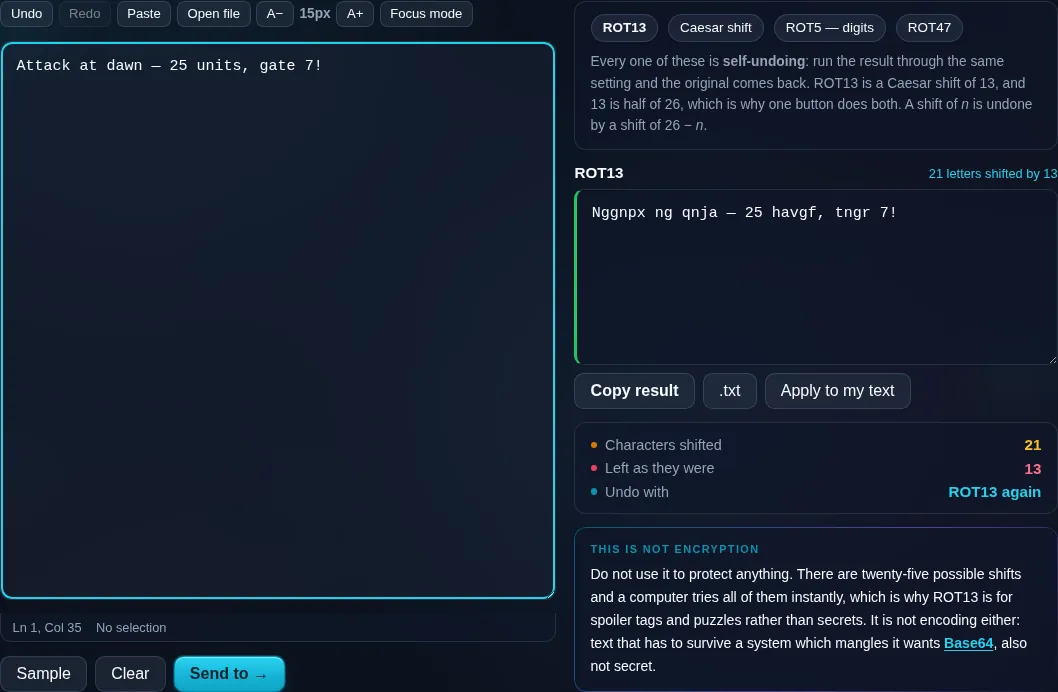
Every one of these is self-undoing: run the result through the same setting and the original comes back. ROT13 is a Caesar shift of 13, and 13 is half of 26, which is why one button does both. A shift of n is undone by a shift of 26 − n.

ROT13 Nothing to convert yet
Characters shifted
0
Left as they were
0
Undo with

Do not use it to protect anything. There are twenty-five possible shifts and a computer tries all of them instantly, which is why ROT13 is for spoiler tags and puzzles rather than secrets. It is not encoding either: text that has to survive a system which mangles it wants Base64, also not secret.

Privacy Focused

🔒 Local Processing. Your text never leaves your device.

Instant Results

🌐 Fully Client-Side. Runs instantly in your browser.

No Signup

⚡ No accounts. No API keys. Just open and use.

Browser Based

🚀 No installs, no sign-ups, no character limits.

What is a ROT13 & Caesar Cipher?

ROT13 & Caesar Cipher shifts each letter of your text along the alphabet — ROT13 by 13 places (its own reverse), or a Caesar cipher by any shift you choose. Paste text to encode or decode it. It's for learning and puzzles, not security, since it's trivially reversible. It runs entirely in your browser, so your text stays private.

The Caesar cipher is the oldest and simplest letter cipher: shift every letter a fixed number of places along the alphabet. ROT13 is the popular shift-by-13 variant used to hide spoilers and puzzle answers.

This tool applies both and decodes them too, all in your browser. A clear note: this is for fun and education, not real security. Paste, shift, and copy.
How to use the ROT13 / Caesar cipher

Step 1: Paste or type your text into the box

Paste or type your text into the box.

Step 2: Choose ROT13, or Caesar and set the shift amount; the tool encodes or decodes accordingly

Choose ROT13, or Caesar and set the shift amount; the tool encodes or decodes accordingly.

Step 3: Copy the result; use the all-shifts view to crack an unknown Caesar shift

Copy the result; use the all-shifts view to crack an unknown Caesar shift.

ROT13 & Caesar Cipher in action

ROT13 and Caesar Cipher encoding text in the browser.
Cipher result
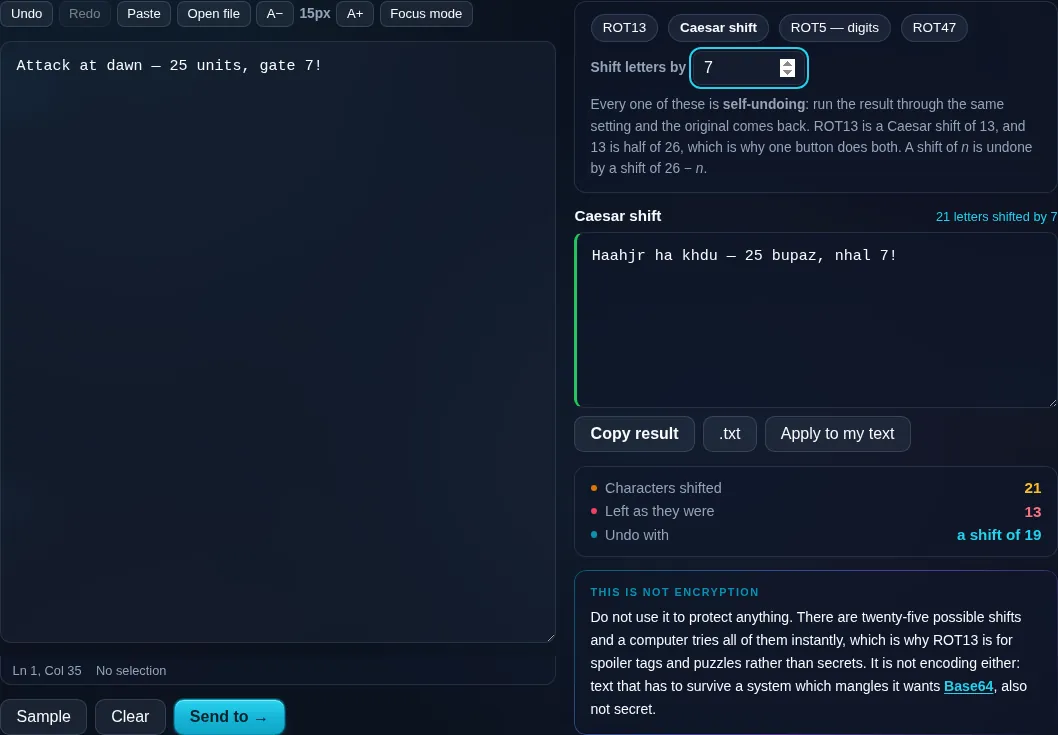
A Caesar shift of seven applied, with ROT13, ROT5 and ROT47 beside it.
The four cipher settings
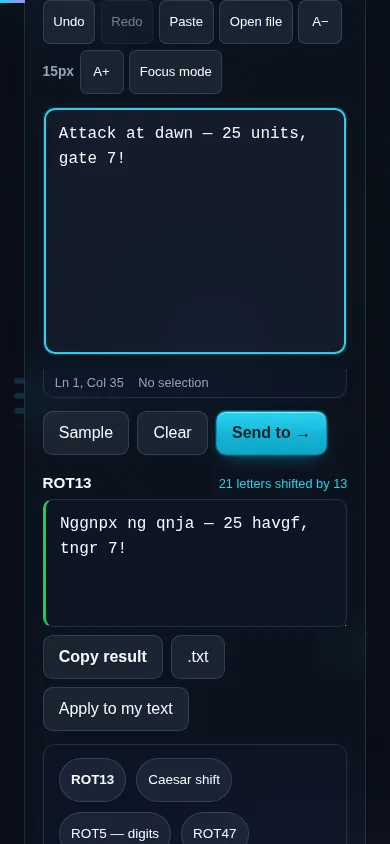
Using the ROT13 cipher on a phone, no app installed.
Mobile (stacked)

How shift ciphers work — and why they're not secure

A Caesar cipher replaces each letter with the one a fixed number of positions later in the alphabet, wrapping from Z back to A; a shift of 3 turns 'A' into 'D'. ROT13 is simply a shift of 13, and because the alphabet has 26 letters, applying ROT13 again returns the original — that self-reversing property is why it's so popular for hiding spoilers. This tool preserves case and leaves numbers and punctuation unchanged (an optional ROT5 shifts digits too), and it offers a view showing all 25 possible shifts at once, which 'cracks' any Caesar-enciphered text instantly. That ease of cracking is the important point: shift ciphers offer no real security. They're trivially broken by trying all 25 shifts or by letter-frequency analysis, so they must never be used to protect sensitive information — they're for puzzles, classrooms, and obscuring spoilers only. (Base64 and encoding tools likewise are not encryption.) Everything runs locally in your browser.

Frequently Asked Questions

What is ROT13?

ROT13 is a Caesar cipher with a fixed shift of 13 letters: 'A' becomes 'N', 'B' becomes 'O', and so on. Because 13 is half of 26, applying ROT13 a second time restores the original text, which makes it a simple, self-reversing way to hide spoilers, answers, or punchlines.

What is a Caesar cipher?

A Caesar cipher shifts every letter a fixed number of places along the alphabet, wrapping around at the end — a shift of 3 turns 'cat' into 'fdw'. It's one of the oldest known ciphers, named after Julius Caesar, and is mainly of historical and educational interest today.

How do I decode a Caesar cipher if I don't know the shift?

Use the all-shifts view, which shows the text decoded with every possible shift from 1 to 25 at once. The correct shift is the one that produces readable text. Because there are only 25 possibilities, any Caesar cipher can be cracked this way in seconds.

Is this secure encryption I can use to protect data?

No — and this is important. Shift ciphers offer no real security: they're broken instantly by trying all 25 shifts or by frequency analysis. Never use ROT13 or a Caesar cipher to protect passwords, personal data, or anything sensitive. They're strictly for puzzles, learning, and hiding spoilers.

Does it change numbers and punctuation?

By default it shifts only letters, leaving numbers, spaces, and punctuation untouched, which keeps the text's shape. An optional ROT5 mode also shifts digits if you want numbers obscured too. Case is preserved, so capitals stay capitals.

Why isn't Base64 or this cipher considered encryption?

Because anyone can reverse them without a secret key — ROT13 just needs another ROT13, Base64 just needs decoding. Encryption requires a key that keeps the data unreadable without it. These tools transform or obscure text, but they don't protect it, which is why we flag them as not-for-security.

Is my text private — is anything uploaded?

No. Everything runs in your browser, so whatever you type or paste is processed on your own device and never uploaded to a server. Nothing is stored once you close the tab. That keeps your text — notes, code, documents, lists — completely private.

Is it free, and do I need to sign up?

Yes, it's completely free with no account, no trial, and no limit on how many times you use it. Because it runs entirely in your browser, there are no server costs, no usage caps, and no watermark or branding added to your text.

Does it work on a phone?

Yes. It runs in your phone's browser with nothing to install, so you can use it on Android or iOS. The layout adapts to small screens, so you can paste text, get the result, and copy it on the go just as easily as on a computer.

Does it work offline?

Once the page has loaded, it runs entirely on your device, so it keeps working without a connection — which is also why nothing is uploaded. You only need to be online to open the page the first time; after that the tool works locally.

Can I copy or download the result?

Yes. You can copy the result to your clipboard with one click, and longer output can be downloaded as a text file. Everything is processed locally, so copying and downloading are instant with no upload step and no waiting.

Is there a limit on how much text I can process?

There's no artificial cap, because the work happens on your device rather than a server. The practical limit is your device's memory, so very large inputs are smoother on a computer than an older phone. For most everyday text, processing is effectively instant.

Still have questions?

If you can't find the answer you're looking for, feel free to contact our support team.

Contact Us