NATO Phonetic Alphabet Converter

Convert text into the NATO phonetic alphabet — Alpha, Bravo, Charlie — to spell names and codes clearly over the phone or radio.

100% Browser-Based Local Processing
15px

Ln 1, Col 1 No selection

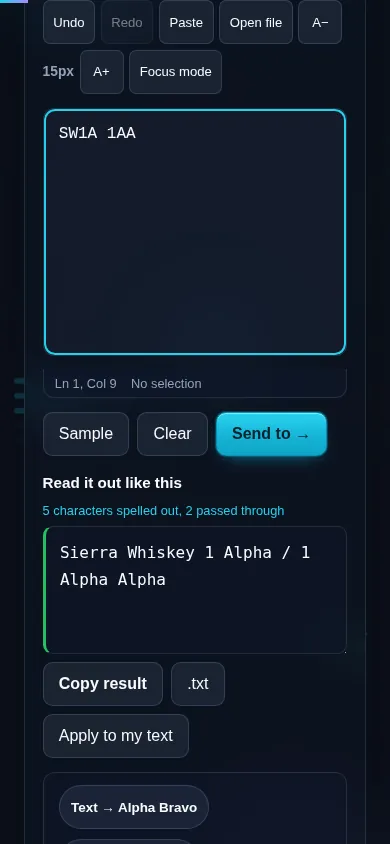
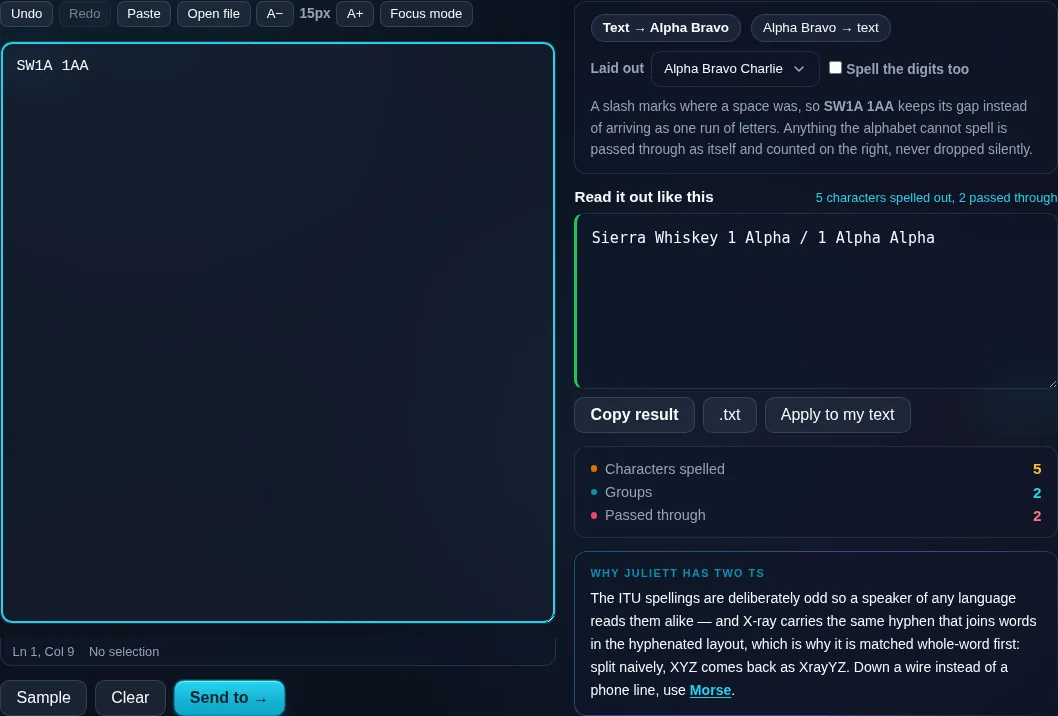
A slash marks where a space was, so SW1A 1AA keeps its gap instead of arriving as one run of letters. Anything the alphabet cannot spell is passed through as itself and counted on the right, never dropped silently.

Read it out like this Nothing to convert yet
Characters spelled
0
Groups
0
Passed through
0

The ITU spellings are deliberately odd so a speaker of any language reads them alike — and X-ray carries the same hyphen that joins words in the hyphenated layout, which is why it is matched whole-word first: split naively, XYZ comes back as XrayYZ. Down a wire instead of a phone line, use Morse.

Privacy Focused

🔒 Local Processing. Your text never leaves your device.

Instant Results

🌐 Fully Client-Side. Runs instantly in your browser.

No Signup

⚡ No accounts. No API keys. Just open and use.

Browser Based

🚀 No installs, no sign-ups, no character limits.

What is a NATO Phonetic Alphabet Converter?

NATO Phonetic Alphabet Converter spells your text using the standard phonetic alphabet — A becomes Alpha, B Bravo, C Charlie — so names, codes, and confirmations can be communicated clearly over the phone or radio. Paste your text and get the phonetic spelling instantly. It runs entirely in your browser, so your text stays private.

Reading out a code, name, or reference over a noisy phone line is error-prone — 'B' and 'P', 'M' and 'N' sound alike. The NATO phonetic alphabet fixes that by giving each letter a distinct word: Alpha, Bravo, Charlie.

This tool converts any text into that phonetic spelling in one click, all in your browser. Nothing is uploaded. Paste, convert, and read it out.
How to convert text to the NATO phonetic alphabet

Step 1: Paste or type the text you need to spell out

Paste or type the text you need to spell out.

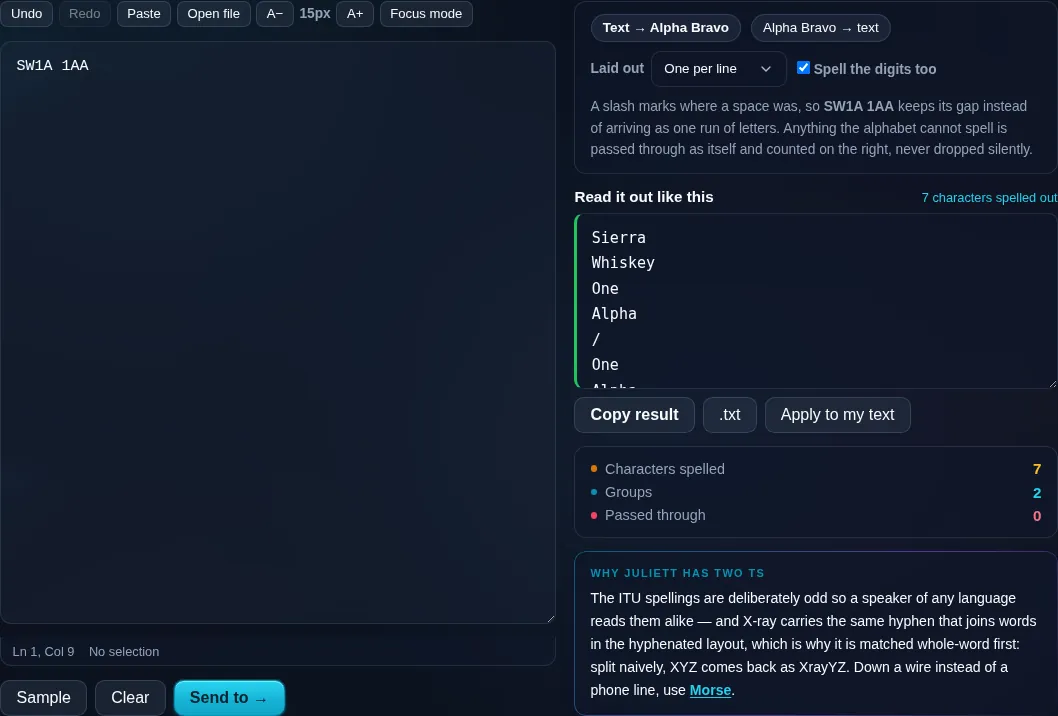
Step 2: Convert it to NATO words; choose the output format (spaced, hyphenated, or one per line)

Convert it to NATO words; choose the output format (spaced, hyphenated, or one per line).

Step 3: Copy the phonetic spelling, ready to read aloud

Copy the phonetic spelling, ready to read aloud.

NATO Phonetic Alphabet Converter in action

NATO Phonetic Alphabet Converter spelling text in the browser.
Phonetic result
The same reference spelled out one code word per line.
Output formats
Converting to the NATO phonetic alphabet on a phone, no app installed.
Mobile (stacked)

Clear spelling over phone and radio

The NATO phonetic alphabet (officially the NATO/ICAO spelling alphabet) assigns an unambiguous code word to each letter so that easily confused letters can't be mistaken: Alpha, Bravo, Charlie, Delta, and so on through Zulu. This tool maps each letter of your text to its code word and spells out digits in their spoken form, so a booking reference, serial number, or name comes across correctly even on a bad connection. You can format the output spaced, hyphenated, or one word per line depending on whether you're reading it aloud or printing it. An optional reverse mode turns a sequence of code words back into letters. It's the everyday tool for call centres, IT support, aviation, and anyone confirming details by voice. Everything runs locally in your browser, so nothing is uploaded. For dots-and-dashes signaling, see the Morse Code Translator.

Frequently Asked Questions

What is the NATO phonetic alphabet?

It's a standard set of code words — Alpha, Bravo, Charlie, through Zulu — where each represents a letter. Because the words sound distinct, they prevent letters being misheard over the phone or radio. It's used in aviation, the military, and customer support worldwide.

How do I spell a word phonetically with it?

Paste your text and convert — each letter becomes its code word, so 'CAT' becomes 'Charlie Alpha Tango'. You can then read it aloud to communicate the spelling clearly. Digits are spelled out too, which is ideal for reference numbers and codes.

Does it handle numbers?

Yes. Digits are converted to their spoken forms alongside the letter code words, so a mixed code like 'A1' comes out as 'Alpha One'. That makes it suitable for serial numbers, booking references, and postcodes that combine letters and numbers.

Can I convert NATO words back into letters?

Yes. An optional reverse mode takes a sequence of code words — 'Bravo Tango Whiskey' — and turns it back into the letters 'BTW'. It recognizes the standard code words, so you can decode something that was spelled out to you.

Why use a phonetic alphabet at all?

Because many letters sound alike over voice — B/P/T/D, M/N, S/F — and a single misheard letter can ruin a code or name. Replacing each letter with a distinct word removes that ambiguity, which is why it's standard in aviation, emergency services, and support lines.

How is this different from Morse code?

The NATO alphabet replaces letters with spoken words for clear voice communication. Morse code replaces letters with dots and dashes for signaling by sound, light, or key. Use NATO for speaking over the phone or radio; use the Morse Code Translator for dot-and-dash signaling.

Is my text private — is anything uploaded?

No. Everything runs in your browser, so whatever you type or paste is processed on your own device and never uploaded to a server. Nothing is stored once you close the tab. That keeps your text — notes, code, documents, lists — completely private.

Is it free, and do I need to sign up?

Yes, it's completely free with no account, no trial, and no limit on how many times you use it. Because it runs entirely in your browser, there are no server costs, no usage caps, and no watermark or branding added to your text.

Does it work on a phone?

Yes. It runs in your phone's browser with nothing to install, so you can use it on Android or iOS. The layout adapts to small screens, so you can paste text, get the result, and copy it on the go just as easily as on a computer.

Does it work offline?

Once the page has loaded, it runs entirely on your device, so it keeps working without a connection — which is also why nothing is uploaded. You only need to be online to open the page the first time; after that the tool works locally.

Can I copy or download the result?

Yes. You can copy the result to your clipboard with one click, and longer output can be downloaded as a text file. Everything is processed locally, so copying and downloading are instant with no upload step and no waiting.

Is there a limit on how much text I can process?

There's no artificial cap, because the work happens on your device rather than a server. The practical limit is your device's memory, so very large inputs are smoother on a computer than an older phone. For most everyday text, processing is effectively instant.

Still have questions?

If you can't find the answer you're looking for, feel free to contact our support team.

Contact Us