Case Converter

Convert text to UPPERCASE, lowercase, Title Case, Sentence case, or aLtErNaTiNg case in one click.

100% Browser-Based Local Processing
15px

Ln 1, Col 1 No selection

Convert to

Need a code identifier instead? The camelCase converter and the snake_case converter cover camelCase, PascalCase, snake_case, kebab-case, CONSTANT_CASE and dot.case.

UPPERCASE Nothing to convert
Characters
0
Words
0
Sentences
0
Lines
0

Your text stays in the left pane whichever case you pick, so you can compare Title Case against Sentence case and only then press Apply to my text. Each case has its own page with the settings this one leaves at their defaults — Title Case has AP, Chicago, APA and MLA presets, and UPPERCASE has Turkish letter rules.

Privacy Focused

🔒 Local Processing. Your text never leaves your device.

Instant Results

🌐 Fully Client-Side. Runs instantly in your browser.

No Signup

⚡ No accounts. No API keys. Just open and use.

Browser Based

🚀 No installs, no sign-ups, no character limits.

What is a Case Converter?

Case Converter changes the letter case of your text instantly. Paste any text and switch it to UPPERCASE, lowercase, Title Case, Sentence case, Capitalize Each Word, or aLtErNaTiNg case with one click. It runs entirely in your browser, so your text stays private, and you can copy or download the result.

Retyping text just to fix its capitalization is a waste of time — whether you've got a heading stuck in ALL CAPS, a sentence in lowercase, or a title that needs proper case. A case converter does it in one click.

This tool covers every common case in one place and runs entirely in your browser, so nothing is uploaded. Paste your text, pick a case, and copy the result.
How to convert text case

Step 1: Paste or type your text into the box

Paste or type your text into the box.

Step 2: Click the case you want — UPPERCASE, lowercase, Title Case, Sentence case, and so on

Click the case you want — UPPERCASE, lowercase, Title Case, Sentence case, and so on.

Step 3: Copy the converted text or download it as a .txt file; clear to start over

Copy the converted text or download it as a .txt file; clear to start over.

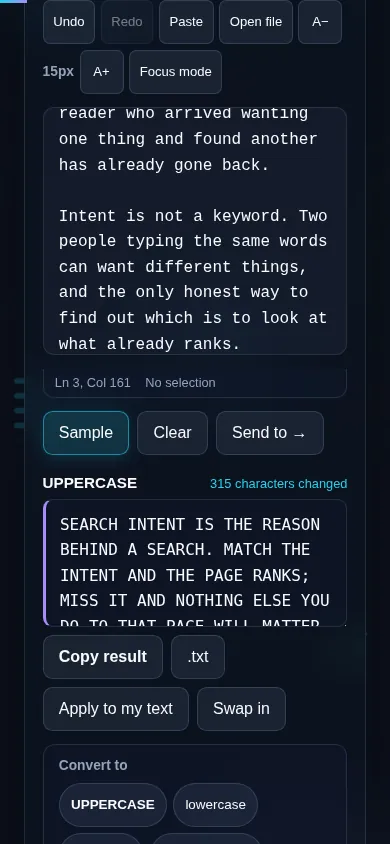
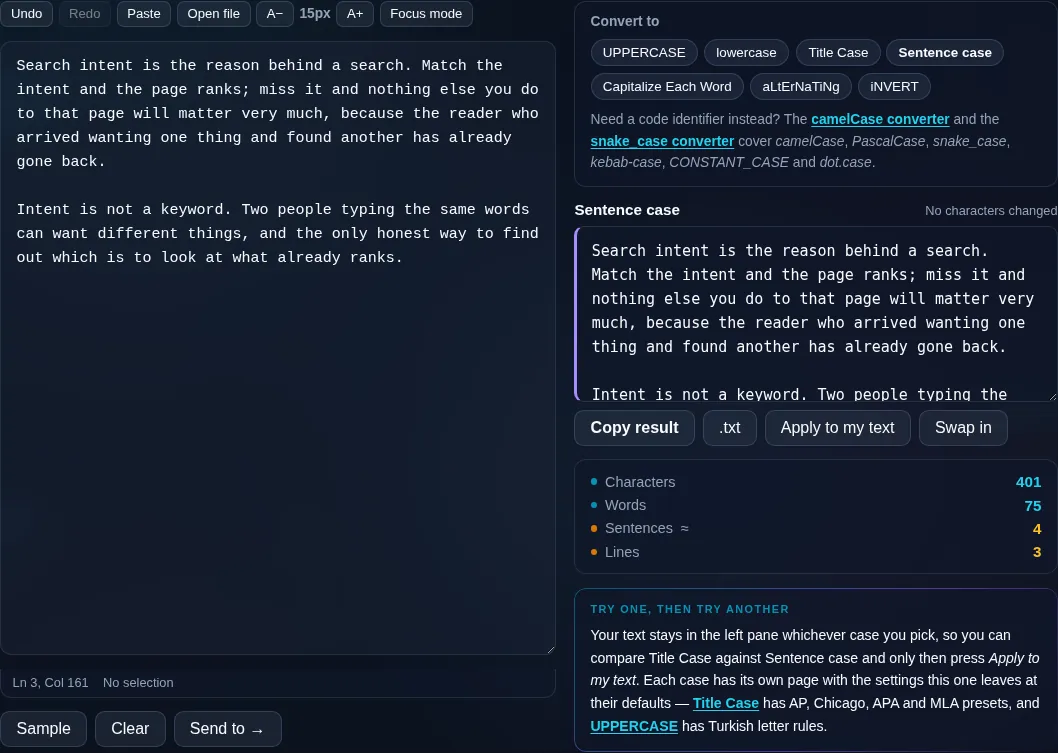
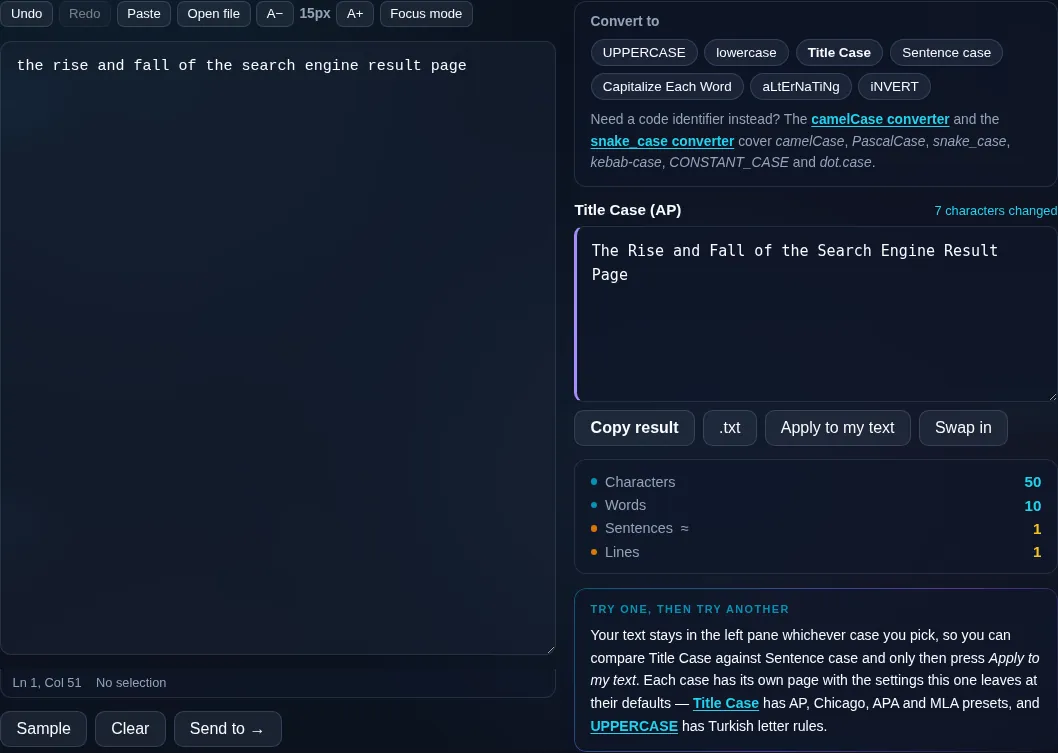
Case Converter in action

Case Converter changing text case in the browser.
Case buttons + result
Text converted between several cases with copy and download.
Title vs sentence case
Converting text case on a phone, no app installed.
Mobile (stacked)

Which case should you use?

UPPERCASE is for emphasis or constants; lowercase strips all capitals; Sentence case capitalizes just the first letter of each sentence (the natural style for prose); Title Case capitalizes the important words for headings and titles; Capitalize Each Word capitalizes every word regardless of style rules; and aLtErNaTiNg case is the playful mocking style for social posts. Title and sentence case use sensible heuristics, so acronyms or proper nouns occasionally need a manual tweak. Everything happens locally in your browser, so even long documents convert instantly and your text is never uploaded. For headings specifically, the Title Case Converter adds AP/Chicago style rules; for programming identifiers, see the camelCase and snake_case converters.

Frequently Asked Questions

What cases can this converter handle?

It covers all the common ones: UPPERCASE, lowercase, Title Case, Sentence case, Capitalize Each Word, aLtErNaTiNg case, and InVeRsE (swap) case. Paste your text once and switch between them freely until you have the style you need, then copy or download the result.

What's the difference between Title Case and Capitalize Each Word?

Title Case follows style rules — it capitalizes the main words but leaves small words like 'a', 'of', and 'the' lowercase, which is how headlines are written. Capitalize Each Word capitalizes every single word with no exceptions. Use Title Case for titles and headings, and Capitalize Each Word when you want all words capitalized.

What is Sentence case?

Sentence case capitalizes only the first letter of each sentence and the word 'I', leaving everything else lowercase — the normal way you'd write a paragraph. It's the quickest fix for text that arrived in ALL CAPS or all lowercase and needs to read naturally again.

Does it handle acronyms and proper nouns correctly?

Mostly. The converter uses smart heuristics, but it can't always tell that 'NASA' should stay capitalized or that 'paris' is a place. Title and sentence case get the common cases right; for anything unusual, a quick manual tweak after converting takes care of it.

Will it change my text's spelling or punctuation?

No. The converter only changes letter case — it never alters spelling, words, punctuation, spacing, or line breaks. Your text comes back exactly as you wrote it, just with the capitalization you chose, so it's safe to run on anything.

Can I undo a conversion?

Yes. If you pick the wrong case, you can switch to another one or use undo to get back your original text, since your input stays in the box. Nothing is committed until you copy or download, so you can experiment freely.

Is my text private — is anything uploaded?

No. Everything runs in your browser, so whatever you type or paste is processed on your own device and never uploaded to a server. Nothing is stored once you close the tab. That keeps your text — notes, code, documents, lists — completely private.

Is it free, and do I need to sign up?

Yes, it's completely free with no account, no trial, and no limit on how many times you use it. Because it runs entirely in your browser, there are no server costs, no usage caps, and no watermark or branding added to your text.

Does it work on a phone?

Yes. It runs in your phone's browser with nothing to install, so you can use it on Android or iOS. The layout adapts to small screens, so you can paste text, get the result, and copy it on the go just as easily as on a computer.

Does it work offline?

Once the page has loaded, it runs entirely on your device, so it keeps working without a connection — which is also why nothing is uploaded. You only need to be online to open the page the first time; after that the tool works locally.

Can I copy or download the result?

Yes. You can copy the result to your clipboard with one click, and longer output can be downloaded as a text file. Everything is processed locally, so copying and downloading are instant with no upload step and no waiting.

Is there a limit on how much text I can process?

There's no artificial cap, because the work happens on your device rather than a server. The practical limit is your device's memory, so very large inputs are smoother on a computer than an older phone. For most everyday text, processing is effectively instant.

Still have questions?

If you can't find the answer you're looking for, feel free to contact our support team.

Contact Us