camelCase Converter

Convert words or phrases to camelCase or PascalCase for variable and identifier names.

100% Browser-Based Local Processing
15px

Ln 1, Col 1 No selection

Identifier style

Off gives parseHttpResponse, which most JavaScript, Java and C# style guides prefer. On gives parseHTTPResponse. Neither is wrong — match whatever your codebase already does.

camelCase Nothing to convert
Words found
0
Identifier length
0

Spaces, hyphens, underscores, dots and punctuation all mark word boundaries, and camelCase input is split at its own humps — so getUserName round-trips rather than collapsing into one token. If the result would start with a digit it gets an underscore, because no language here lets an identifier begin with one. Need the other family? Use the snake_case converter.

Privacy Focused

🔒 Local Processing. Your text never leaves your device.

Instant Results

🌐 Fully Client-Side. Runs instantly in your browser.

No Signup

⚡ No accounts. No API keys. Just open and use.

Browser Based

🚀 No installs, no sign-ups, no character limits.

What is a camelCase Converter?

camelCase Converter turns words or phrases into camelCase or PascalCase — the joined-word styles used for variable, function, and class names in code. Paste a phrase like 'user first name' and get 'userFirstName' or 'UserFirstName'. It runs entirely in your browser, so your text stays private.

Naming variables and functions means converting a plain phrase like 'user first name' into a joined identifier — camelCase ('userFirstName') or PascalCase ('UserFirstName'). Doing it by hand is fiddly and error-prone.

This converter does it instantly. Paste your phrase, pick camel or Pascal, and copy the result — all in your browser, nothing uploaded.
How to convert text to camelCase

Step 1: Paste or type the words or phrase

Paste or type the words or phrase.

Step 2: Toggle camelCase (first word lowercase) or PascalCase (first word capitalized)

Toggle camelCase (first word lowercase) or PascalCase (first word capitalized).

Step 3: Convert, then copy the identifier into your code

Convert, then copy the identifier into your code.

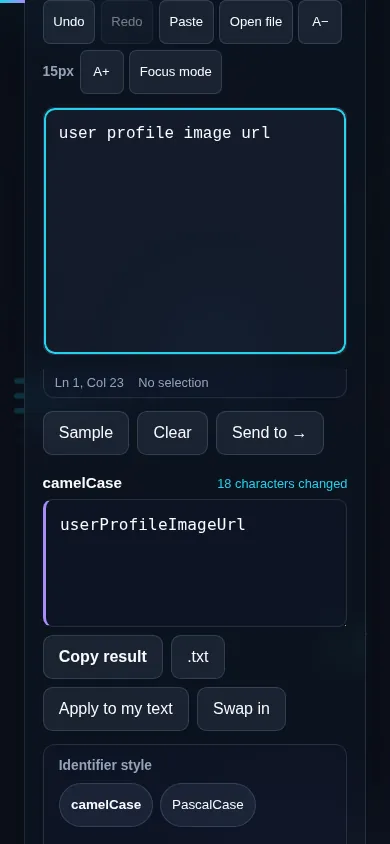
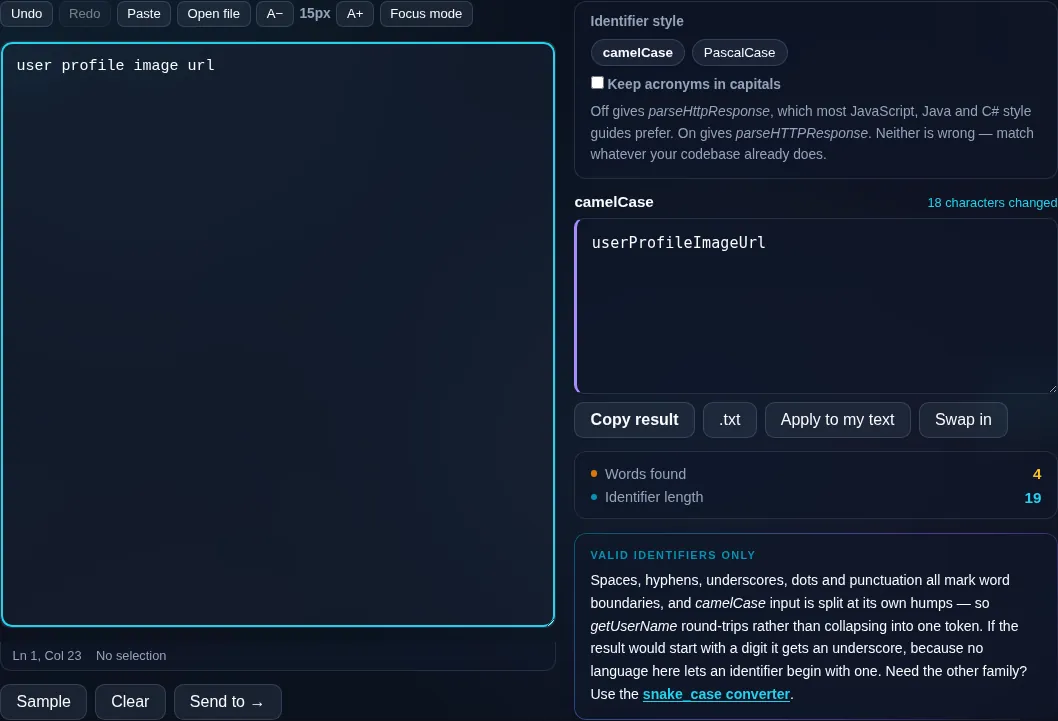
camelCase Converter in action

camelCase Converter turning a phrase into camelCase in the browser.
camelCase result
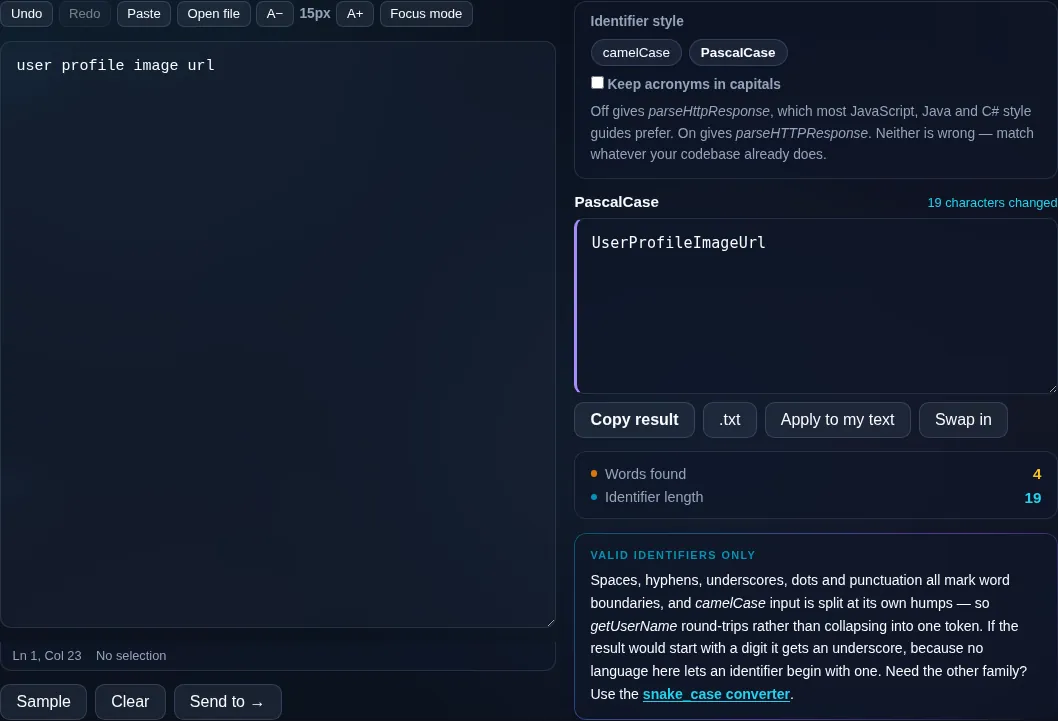
A phrase converted to camelCase and PascalCase identifiers.
Pascal toggle
Converting to camelCase on a phone, no app installed.
Mobile (stacked)

camelCase vs PascalCase

Both styles join words with no spaces and capitalize the start of each word; the difference is the first word. camelCase starts lowercase ('getUserName') and is common for variables and functions in JavaScript, Java, and similar languages. PascalCase (also called UpperCamelCase) capitalizes the first word too ('GetUserName') and is typically used for classes, types, and components. This tool splits your input on spaces, hyphens, and underscores, strips other punctuation, and joins everything in the style you pick. Acronyms are a known gray area — different teams write 'parseHTML' or 'parseHtml' — so an option controls how runs of capitals are treated. Everything runs locally in your browser. For snake_case or kebab-case, use the snake_case converter; for formatting whole code files, see the dev tools.

Frequently Asked Questions

What is camelCase?

camelCase joins words with no spaces and capitalizes the first letter of each word except the first, like 'firstName' or 'getUserData'. It's the standard naming style for variables and functions in many languages, including JavaScript and Java. This tool produces it from any phrase in one click.

What's the difference between camelCase and PascalCase?

Both join words and capitalize each word's first letter; the only difference is the very first letter. camelCase starts lowercase ('userName') and PascalCase starts uppercase ('UserName'). camelCase is typical for variables and functions, while PascalCase is used for classes, types, and components.

What separators does it understand?

It splits your input on spaces, hyphens, and underscores, so 'user-first-name', 'user_first_name', and 'user first name' all convert correctly. Other punctuation is stripped, and the words are joined in the camelCase or PascalCase style you choose.

How does it handle acronyms like HTML or URL?

Acronyms are the trickiest case because teams disagree — some write 'parseHTML', others 'parseHtml'. The converter offers an option to either keep runs of capitals or title-case them, so you can match your project's convention rather than being forced into one.

Does it handle numbers and leading digits?

Numbers are kept as part of the identifier — 'address line 2' becomes 'addressLine2'. If your text starts with a digit, the converter keeps it but note that many languages don't allow identifiers to begin with a number, so you may need to adjust the name.

Is this related to the developer formatting tools?

Yes — it's the text-focused companion to Randomly's developer tools. This page converts a phrase into a single identifier; for formatting or minifying entire code files (JSON, HTML, CSS, JavaScript), use the dedicated formatters in the dev tools, which are linked from here.

Is my text private — is anything uploaded?

No. Everything runs in your browser, so whatever you type or paste is processed on your own device and never uploaded to a server. Nothing is stored once you close the tab. That keeps your text — notes, code, documents, lists — completely private.

Is it free, and do I need to sign up?

Yes, it's completely free with no account, no trial, and no limit on how many times you use it. Because it runs entirely in your browser, there are no server costs, no usage caps, and no watermark or branding added to your text.

Does it work on a phone?

Yes. It runs in your phone's browser with nothing to install, so you can use it on Android or iOS. The layout adapts to small screens, so you can paste text, get the result, and copy it on the go just as easily as on a computer.

Does it work offline?

Once the page has loaded, it runs entirely on your device, so it keeps working without a connection — which is also why nothing is uploaded. You only need to be online to open the page the first time; after that the tool works locally.

Can I copy or download the result?

Yes. You can copy the result to your clipboard with one click, and longer output can be downloaded as a text file. Everything is processed locally, so copying and downloading are instant with no upload step and no waiting.

Is there a limit on how much text I can process?

There's no artificial cap, because the work happens on your device rather than a server. The practical limit is your device's memory, so very large inputs are smoother on a computer than an older phone. For most everyday text, processing is effectively instant.

Still have questions?

If you can't find the answer you're looking for, feel free to contact our support team.

Contact Us