×

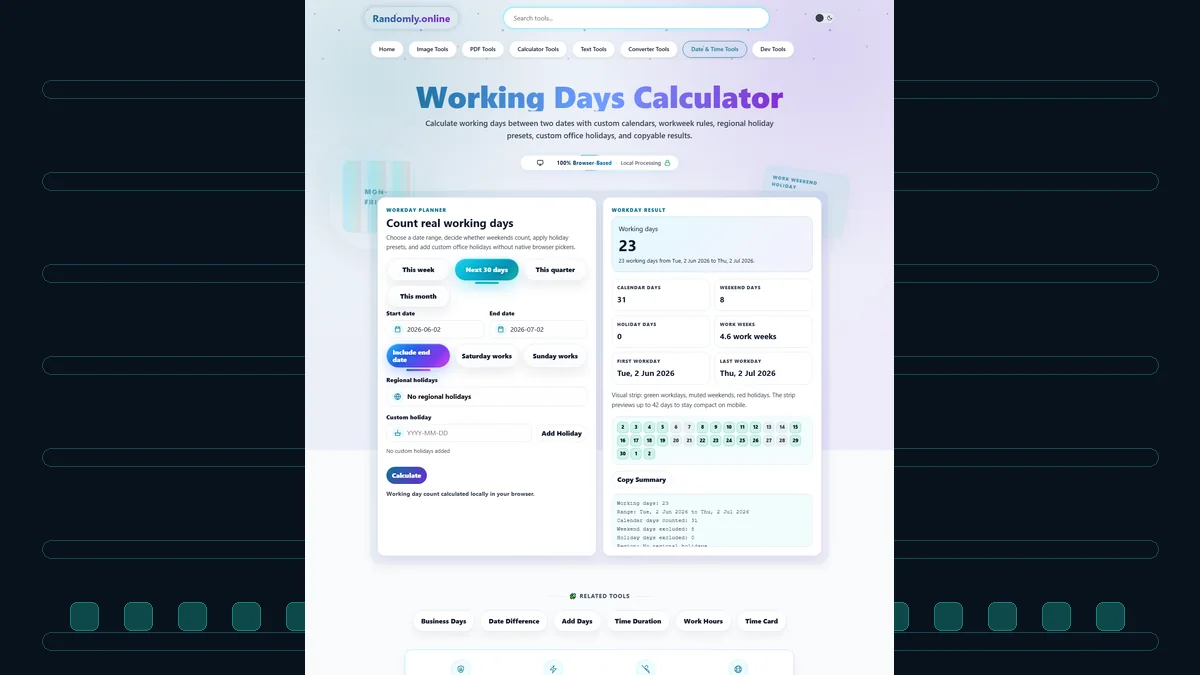
Working Days Calculator

Configuration

Today Tomorrow +1 Month
+7 Days +1 Month +1 Year

Options

Total Working Days 0 Select dates to begin
0
Calendar Days
0
Weekend Days
0
Holidays
Work
Weekend
Holiday

Monthly Breakdown

PeriodWork DaysOff Days

Working Days Calculator: Plan with Precision

Time management is the cornerstone of professional success, and knowing exactly how many working days you have available is essential for meeting deadlines, planning projects, and managing payroll. The Working Days Calculator by Randomly.online is a sophisticated tool designed to bridge the gap between calendar dates and your actual schedule. Unlike standard calendars, this workspace actively filters out weekends and holidays. For complex business logic, you might also find our Business Days Calculator extremely useful for corporate forecasting.

Whether you are a project manager estimating a delivery sprint or an HR professional calculating leave, accuracy is non-negotiable. This tool processes date ranges against configurable workweeks instantly. You can toggle specific weekends and integrate holidays from major global economies. For those working with digital data, our Date to Timestamp Converter ensures your scheduling remains compatible with backend systems.

The interface is built for speed. With instant calculations that trigger as you adjust a date, you can scenario-plan in real-time. For a broader view of your year, our Calendar Generator provides a full visual layout to complement your day counts. All calculations run client-side, ensuring your business planning data never leaves your device.

How to Use This Tool

We have designed this calculator to be intuitive. Follow these simple steps for 100% accuracy:

  1. Select Your Range: Define your Start and End dates. For document processing during your workdays, you might need to convert files using our PNG to PDF Converter.
  2. Configure the Workweek: Toggle "Saturday is Workday" or "Sunday is Workday" if your schedule differs from the traditional Mon-Fri pattern.
  3. Manage Holidays: Select a region to auto-load public holidays or add custom company dates. You can also find upcoming breaks using our Public Holidays Finder.
  4. Analyze & Export: Review the count, check the monthly breakdown, and export as CSV. For marketing assets, try our Image Compressor to keep your reports lightweight.

Frequently Asked Questions

Does this calculator include public holidays automatically?

Yes, but it is optional. You can select a region from the dropdown menu to automatically exclude federal and bank holidays from the working day count. We keep these holiday datasets updated for the current and near-future years. However, since regional observances vary, we also provide a "Custom Holiday" feature allowing you to manually add specific dates to ensure 100% accuracy for your local office.

How does the "Include End Date" option change the calculation?

Date mathematics can be tricky. By standard definition, Monday to Tuesday is often treated as 1 day (24 hours). However, in a work context, if you work Monday and Tuesday, that is 2 working days. The "Include End Date" toggle allows you to switch between these methodologies depending on whether you are counting elapsed time or active work shifts.

Is this tool suitable for international workweeks?

Absolutely. While the Western standard is Monday-Friday, many parts of the world operate differently. For example, Middle Eastern workweeks often run Sunday-Thursday. Our logic is flexible: simply use the "Saturday is Workday" and "Sunday is Workday" switches to model any 5, 6, or 7-day workweek pattern globally.