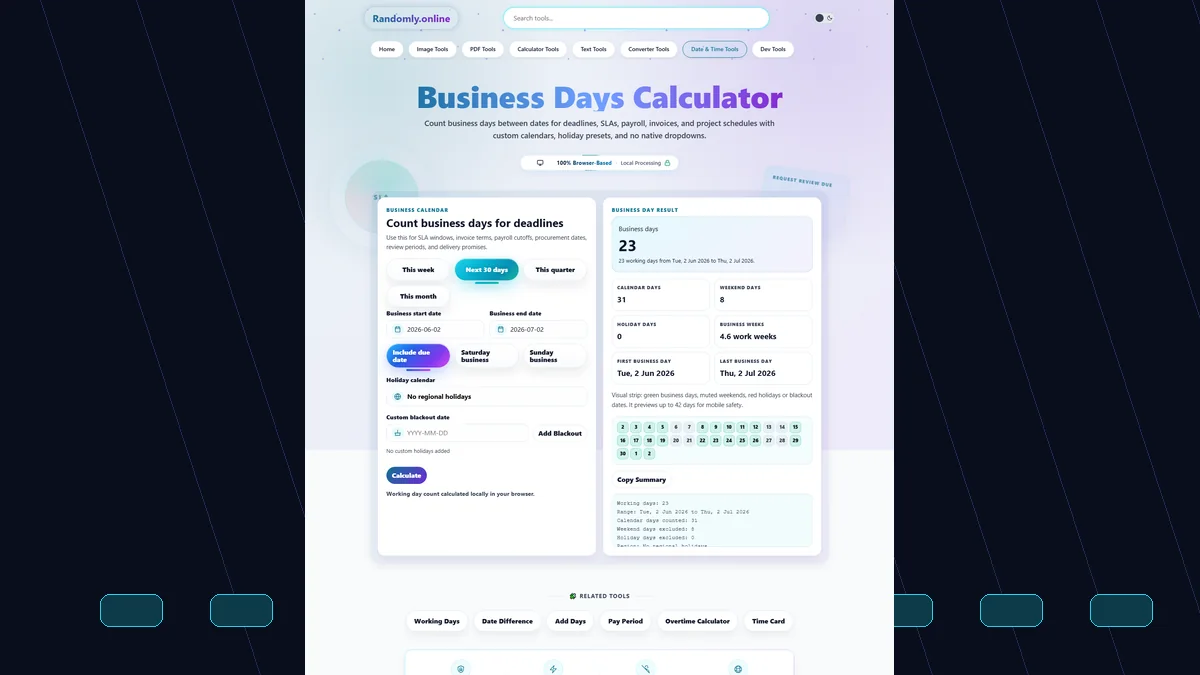
Business Days Calculator
Precision counter for working days and holiday exclusions.
Related Tools
Calculate Business Days Effectively
Precision time management is vital for modern professional workflows. Whether you're tracking project milestones or preparing invoices, our Business Days Calculator provides an instant count of working hours. To ensure your schedules are synced perfectly, you can cross-reference your results with our Current Date & Time utility.
This tool allows for deep customization, excluding weekends and specific regional holidays. For those creating physical schedules, we recommend using our Calendar Generator to visualize your work year. If you are converting reports to digital formats, our PNG to PDF Converter is a great companion for business documentation.
Step-by-Step Guide
Follow these simple steps to calculate your professional timelines:
- Set Dates: Pick your start and end points using the precision calendars.
- Define Work: Use the Working Days Calculator logic if you have a non-standard 6-day work week.
- Subtract Holidays: Select your region to automatically exclude bank holidays.
- Add Buffers: If you need to extend a deadline, use the Add Days to Date tool for precise forecasting.
FAQ
Does this tool handle specific international holidays?
Yes, we provide built-in logic for several major regions. For a more comprehensive global list, you can use our Public Holidays Finder to identify specific dates to exclude manually.
Can I calculate days for payroll cycles?
Absolutely. Project managers and HR staff often use this alongside our Salary Days Calculator to determine precise payment periods for hourly or salaried employees.
Is there a mobile-friendly export option?
Yes! Every calculation can be copied or exported as a CSV. This ensures you can move your data instantly into spreadsheet software or project tracking apps without manual re-entry.