×

Pay Period Calculator

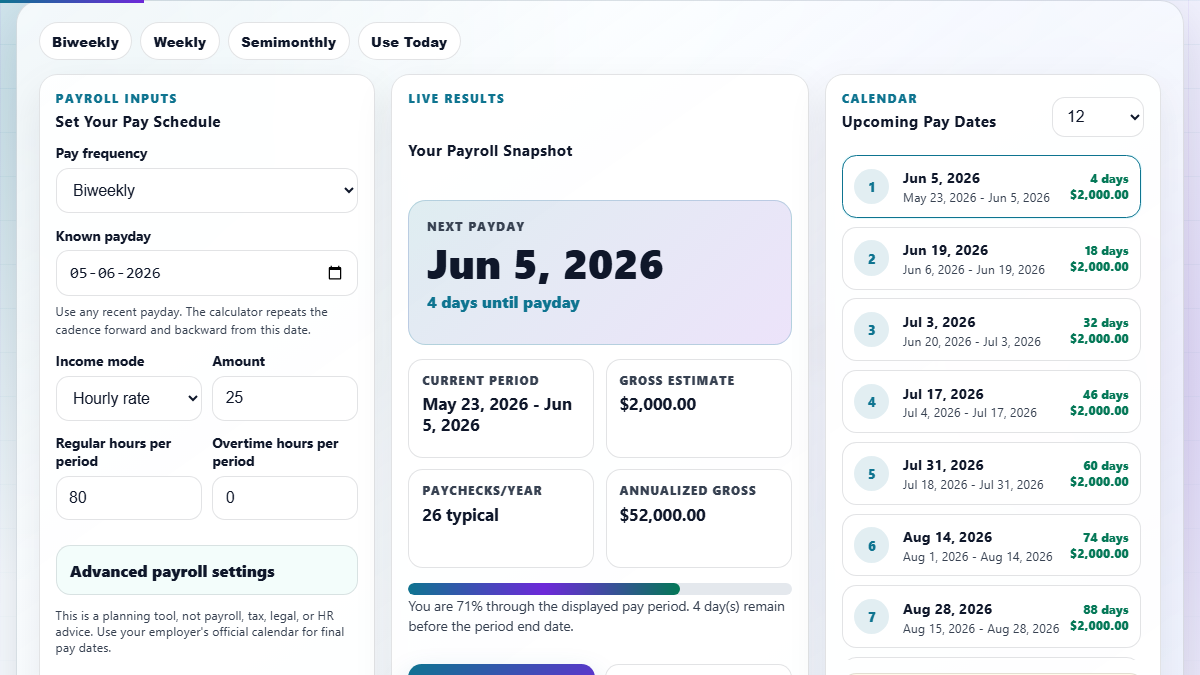
Current Cycle Status

Period Start: --
Period End: --
Next Payday: --
Projected Gross Pay: $0.00

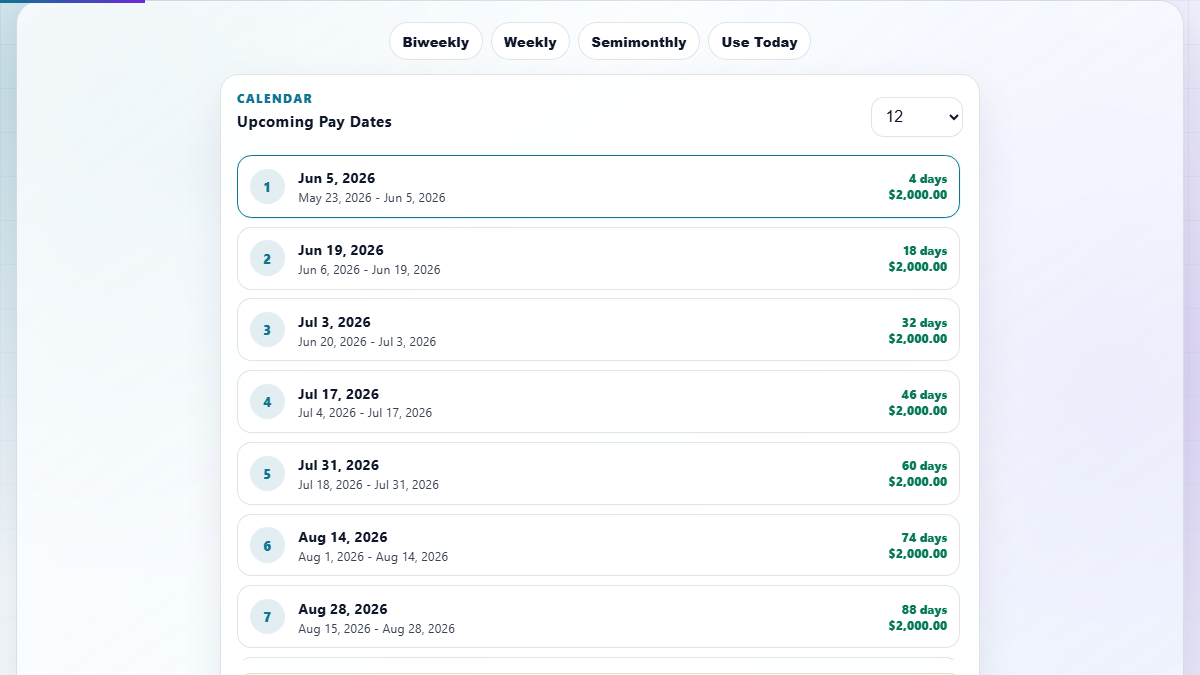
Upcoming Pay Schedule

Master Your Payroll with the Pay Period Calculator

Navigating the complexities of modern employment requires precise tools. Our Pay Period Calculator is designed for employees, freelancers, and HR professionals who demand absolute clarity. Whether you are on a weekly, biweekly, semimonthly, or monthly payroll cycle, understanding when your next paycheck arrives and exactly how it is calculated is fundamental to financial wellness. By using working days calculations in conjunction with our payroll logic, you can map out your entire fiscal year with confidence.

Calculations are performed entirely client-side, ensuring your sensitive financial data never leaves your device. This deterministic approach handles irregular month lengths, leap years, and weekend shifts seamlessly. Furthermore, if you are planning for future events or budgeting for tax season, knowing your fiscal year alignment ensures your salary projections are integrated perfectly with your financial reporting.

How to Use the Pay Period Calculator +

1. Select Frequency: Choose your payroll frequency from the dropdown menu. Options include Weekly (52 periods/year), Biweekly (26 or 27 periods/year), Semimonthly (24 periods/year), and Monthly (12 periods/year).

2. Set Anchor Date: Input your most recent payday or the start of your current pay period. This acts as the mathematical anchor for all future projections. Our system uses this to sync with the current date and provide real-time status updates.

3. Configure Earnings: Enter your hourly rate or base salary per period. If you are eligible for overtime, enable the OT toggle and input your estimated overtime hours to see a projected gross pay amount including the 1.5x premium rate.

4. Review Results: The "Current Cycle Status" panel will instantly show you where you stand. The visual timeline strip indicates progress through the current pay cycle, helping you visualize the wait until your next deposit.

5. Export & Plan: Use the export feature to generate a payroll-ready summary. You can also consult our detailed overtime calculator for more complex shift differentials or bonus structures.

FAQ: Biweekly vs. Semimonthly Cycles? +

Understanding the difference between biweekly and semimonthly pay periods is one of the most common payroll inquiries. A biweekly schedule means you are paid every two weeks (typically on the same day of the week, like Friday). This results in 26 pay periods a year, with two months containing three paydays. This can be beneficial for budgeting if you treat those "extra" paychecks as savings or debt payments.

In contrast, a semimonthly schedule means you are paid twice a month, usually on fixed dates such as the 1st and 15th, or the 15th and the last day of the month. This results in exactly 24 pay periods per year. While the individual paychecks are slightly larger than biweekly checks for the same annual salary, the lack of "extra" payday months requires a different budgeting strategy. Our date difference tool can help you calculate the exact number of days between these specific intervals.

FAQ: How are Leap Years and Month Lengths Handled? +

Our Pay Period Calculator utilizes deterministic JavaScript date objects to ensure that irregular month lengths (like February's 28 or 29 days) and the 30/31 day variations are accounted for automatically. For semimonthly and monthly cycles, the logic identifies the last day of the month dynamically. For example, if a pay date is set to the 31st but the current month only has 30 days, the system correctly adjusts the anchor to the 30th without user intervention.

This is particularly important for long-term planning. If you are using our tool to project a year in advance, the logic maintains the integrity of the cycle even through a leap year transition. For those tracking age-related milestones alongside their financial planning, our age calculator provides similar high-precision date handling for birth-to-date calculations.

FAQ: Can I Calculate Overtime and Taxes? +

This calculator currently focuses on Gross Pay and Scheduling. Gross pay is the total amount earned before any deductions like federal/state taxes, Social Security, or health insurance premiums. We include a dedicated overtime module that calculates earnings at 1.5 times the base rate for hours worked beyond the standard period threshold. This is crucial for hourly employees who often see fluctuations in their net income based on seasonal demand.

For a complete financial picture, we recommend using this tool to establish your base schedule and then applying your local tax percentages to the results. If you are working on a specific deadline or project, our countdown timer can help you stay on track for those periods where overtime is most likely to be earned. Always verify your final pay stub against your company's official HR portal for specific withholding accuracy.