Tabs to Spaces Converter

Convert tabs to spaces (or spaces to tabs) with a configurable tab width to fix indentation.

100% Browser-Based Local Processing
15px

Ln 1, Col 1 No selection

Convert

A tab at the start of a line is indentation; one in the middle is usually aligning a column. Leaving the box ticked converts the first kind and leaves the second alone, which is what a code file almost always wants.

Converted indentation Nothing to clean yet
Tabs in your text
0
Lines
0
Characters
0

Nothing on screen distinguishes a tab from the spaces it looks like, which is why mixed indentation survives review and then breaks a YAML file or a Python block. The count above is of real tab characters, so it tells you which one you actually have.

Privacy Focused

🔒 Local Processing. Your text never leaves your device.

Instant Results

🌐 Fully Client-Side. Runs instantly in your browser.

No Signup

⚡ No accounts. No API keys. Just open and use.

Browser Based

🚀 No installs, no sign-ups, no character limits.

What is a Tabs to Spaces Converter?

Tabs to Spaces Converter swaps tab characters for spaces — or spaces back to tabs — using a tab width you choose (2, 4, 8, or custom). It's the quick way to fix inconsistent indentation in code or text. It runs entirely in your browser, so your code stays private, and you can copy or download the result.

Mixed tabs and spaces are a classic source of broken indentation — code that looks aligned in one editor and ragged in another, or files that fail a linter. Converting consistently to one or the other fixes it.

This tool converts tabs to spaces (or the reverse) at the width you set, entirely in your browser. Nothing is uploaded. Paste, convert, and copy.
How to convert tabs to spaces

Step 1: Paste your code or text into the box

Paste your code or text into the box.

Step 2: Choose the direction (tabs→spaces or spaces→tabs) and set the tab width

Choose the direction (tabs→spaces or spaces→tabs) and set the tab width.

Step 3: Convert, then copy or download the result

Convert, then copy or download the result.

Tabs to Spaces Converter in action

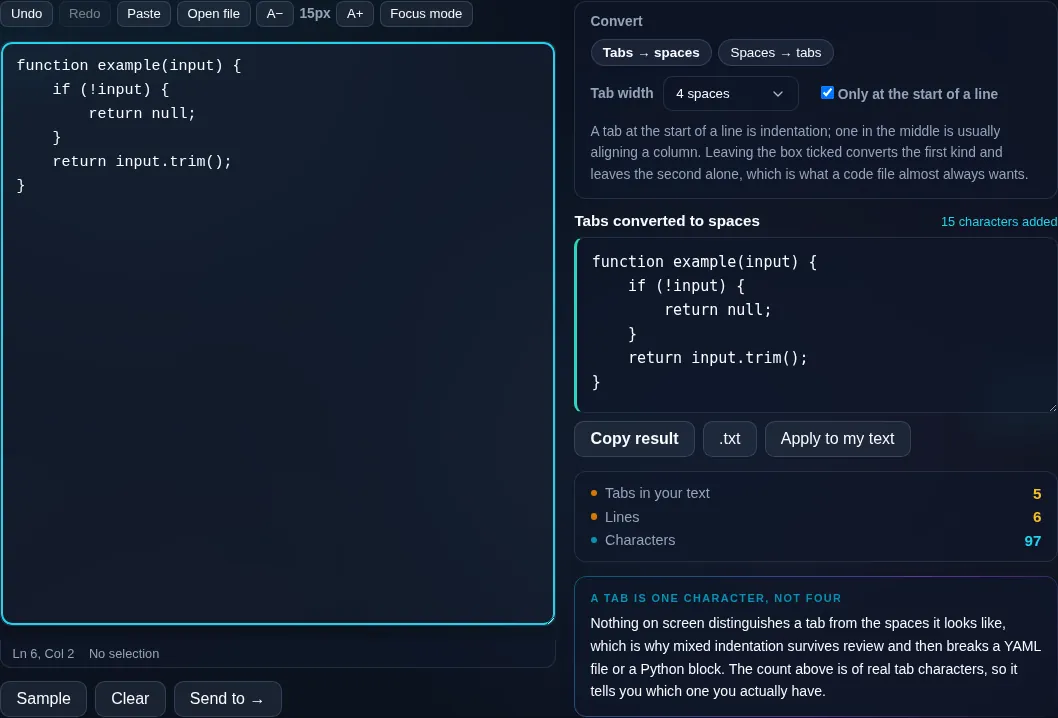
Tabs to Spaces Converter fixing indentation in the browser.
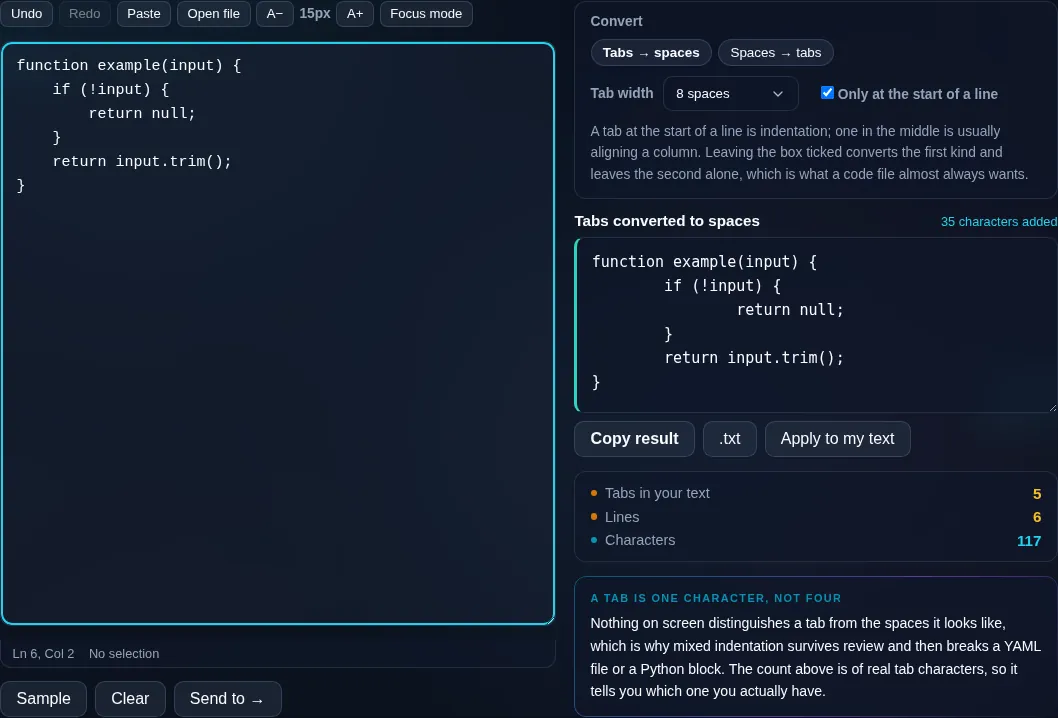
Converted indentation
Tabs converted to spaces at a chosen width.
Tab width
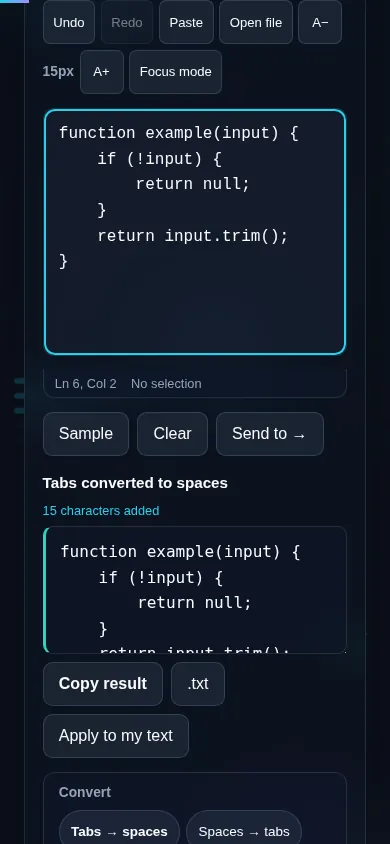
Converting tabs to spaces on a phone, no app installed.
Mobile (stacked)

Tab width and indentation

A tab character has no fixed size — it's displayed as whatever width an editor is set to, which is why the same file can look different everywhere and why mixing tabs with spaces ruins alignment. Converting to spaces makes indentation explicit and consistent: each tab becomes the number of spaces you choose (2 and 4 are the most common conventions, 8 the traditional default). The reverse direction packs leading spaces back into tabs if your project prefers tabs. A leading-only option converts just the indentation at the start of each line and leaves tabs or spaces inside the line alone, which is usually what you want for code. Everything runs locally in your browser, so even large files convert instantly and nothing is uploaded. For formatting or minifying whole code files, see the developer tools.

Frequently Asked Questions

How do I convert tabs to spaces?

Paste your code or text, choose tabs→spaces, set the tab width (commonly 2 or 4), and convert. Each tab is replaced by that many spaces, giving you consistent, explicit indentation that looks the same in every editor. Then copy or download the result.

What tab width should I use?

It depends on your project's convention — 2 and 4 spaces are the most common, while 8 is the traditional terminal default. If you're matching an existing codebase, use whatever it already uses; consistency within a project matters more than the specific number.

Can it convert spaces back to tabs?

Yes. The reverse direction packs runs of leading spaces into tab characters at your chosen width, for projects or languages that prefer tabs for indentation. It's the mirror of tabs→spaces, so you can convert a file either way as needed.

Does it only affect indentation?

With the leading-only option on, yes — it converts just the whitespace at the start of each line and leaves any tabs or spaces inside the line untouched. That's the safe choice for code, where inner spacing (like inside strings) shouldn't change.

Why are mixed tabs and spaces a problem?

Because tabs render at different widths in different editors, mixing them with spaces makes indentation that looks aligned in one place and broken in another. Many languages and linters also reject inconsistent indentation. Converting everything to one style removes the ambiguity.

Is this related to the code formatters?

Yes — it's the focused, text-side companion to Randomly's developer formatters. This tool just normalizes tabs and spaces; to fully reformat or minify JSON, HTML, CSS, or JavaScript files, use the dedicated formatters in the dev tools, which are linked from here.

Is my text private — is anything uploaded?

No. Everything runs in your browser, so whatever you type or paste is processed on your own device and never uploaded to a server. Nothing is stored once you close the tab. That keeps your text — notes, code, documents, lists — completely private.

Is it free, and do I need to sign up?

Yes, it's completely free with no account, no trial, and no limit on how many times you use it. Because it runs entirely in your browser, there are no server costs, no usage caps, and no watermark or branding added to your text.

Does it work on a phone?

Yes. It runs in your phone's browser with nothing to install, so you can use it on Android or iOS. The layout adapts to small screens, so you can paste text, get the result, and copy it on the go just as easily as on a computer.

Does it work offline?

Once the page has loaded, it runs entirely on your device, so it keeps working without a connection — which is also why nothing is uploaded. You only need to be online to open the page the first time; after that the tool works locally.

Can I copy or download the result?

Yes. You can copy the result to your clipboard with one click, and longer output can be downloaded as a text file. Everything is processed locally, so copying and downloading are instant with no upload step and no waiting.

Is there a limit on how much text I can process?

There's no artificial cap, because the work happens on your device rather than a server. The practical limit is your device's memory, so very large inputs are smoother on a computer than an older phone. For most everyday text, processing is effectively instant.

Still have questions?

If you can't find the answer you're looking for, feel free to contact our support team.

Contact Us