Capitalize Each Word

Capitalize the first letter of every word in your text, with no style-guide exceptions.

100% Browser-Based Local Processing
15px

Ln 1, Col 1 No selection

Leave the second box clear and NASA stays NASA; tick it and wORK becomes Work. Neither setting capitalises after an apostrophe, so don’t never becomes Don’T.

Capitalized Each Word Nothing to convert
Characters
0
Words
0
Lines
0

Every word gets a capital, with no style-guide exceptions — so a tale of two cities becomes A Tale Of Two Cities, keeping the Of. If you are setting a headline and want the small words left alone, use the Title Case converter instead.

Privacy Focused

🔒 Local Processing. Your text never leaves your device.

Instant Results

🌐 Fully Client-Side. Runs instantly in your browser.

No Signup

⚡ No accounts. No API keys. Just open and use.

Browser Based

🚀 No installs, no sign-ups, no character limits.

What is a Capitalize Each Word?

Capitalize Each Word capitalizes the first letter of every word in your text — with no exceptions for small words. Paste your text and every word, including 'a', 'of', and 'the', gets a capital. It runs entirely in your browser, so your text stays private, and you can copy or download the result.

Sometimes you want every single word capitalized — for a label, a form field, a name list, or a specific design look — not the selective capitalization that title-case rules apply.

This tool capitalizes the first letter of every word, full stop. It runs entirely in your browser, so nothing is uploaded. Paste, capitalize, and copy.
How to capitalize each word

Step 1: Paste or type your text into the box

Paste or type your text into the box.

Step 2: Click Capitalize Each Word; optionally lowercase the remaining letters

Click Capitalize Each Word; optionally lowercase the remaining letters.

Step 3: Copy the result or download it as a .txt file

Copy the result or download it as a .txt file.

Capitalize Each Word in action

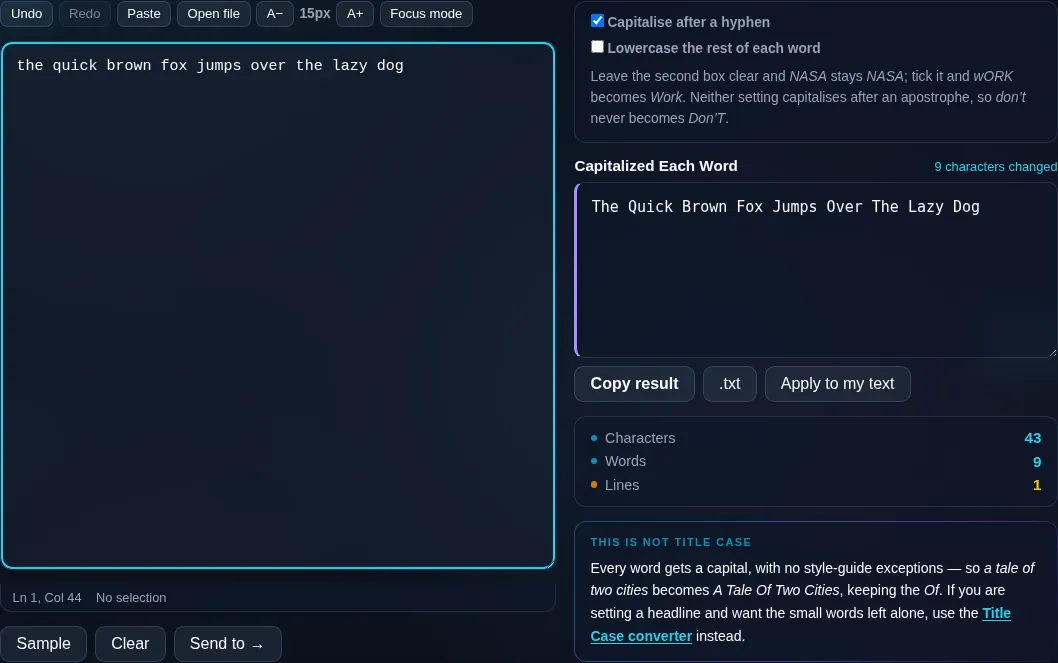
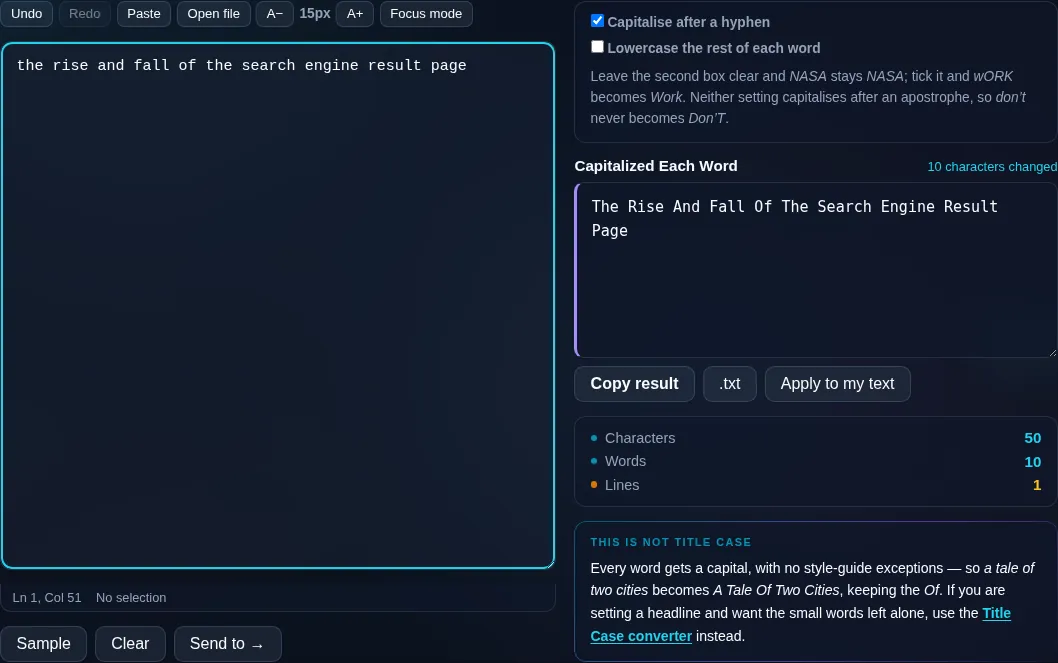
Capitalize Each Word capitalizing every word in the browser.
Capitalized result
Every word capitalized, including small words.
vs Title Case
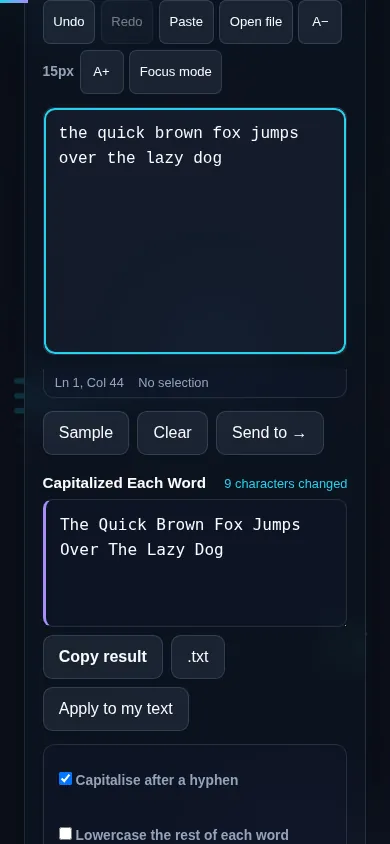
Capitalizing each word on a phone, no app installed.
Mobile (stacked)

Capitalize Each Word vs Title Case

This tool capitalizes the first letter of every word without exception, so 'the lord of the rings' becomes 'The Lord Of The Rings' — note that 'Of' and 'The' are capitalized too. That's different from Title Case, which deliberately leaves short words like 'of' and 'the' lowercase to follow headline style. Capitalize Each Word is the right choice for labels, name lists, or any place you genuinely want every word capitalized; Title Case is right for proper titles and headings. You can optionally lowercase the rest of each word first (so 'iPhone' style mixed caps get normalized) or keep them as-is, and choose how hyphenated words are handled. Everything runs locally in your browser.

Frequently Asked Questions

What does Capitalize Each Word do?

It makes the first letter of every word a capital — every word, with no exceptions. So 'meeting notes for the team' becomes 'Meeting Notes For The Team'. Unlike title case, it doesn't leave short words like 'for' and 'the' lowercase.

How is this different from Title Case?

Title Case follows style rules and keeps small words (a, of, the, and) lowercase, which is correct for headlines. Capitalize Each Word capitalizes every word equally. Choose this when you want all words capitalized; choose the Title Case Converter for proper titles.

Can it lowercase the rest of each word?

Yes. There's an option to lowercase the remaining letters before capitalizing the first, which cleans up text that has mixed or random capitals inside words. Or you can leave the rest as-is if your text already has the inner casing you want.

How does it handle hyphenated words?

You can choose whether to capitalize the letter after a hyphen, so 'state-of-the-art' can become either 'State-of-the-art' or 'State-Of-The-Art' depending on your preference. The same applies to other word-joining punctuation.

Does it change my words or just the capitals?

Only the capitalization changes — spelling, punctuation, spacing, and word order all stay the same. Each word simply gets a capital first letter, so it's safe to run on any text and easy to reverse with the lowercase tool.

What is this useful for?

Labels, headings where you want every word capitalized, lists of names or titles, form fields, and design copy that calls for full capitalization. It's also handy as a starting point before manually lowercasing a few words to match a specific style.

Is my text private — is anything uploaded?

No. Everything runs in your browser, so whatever you type or paste is processed on your own device and never uploaded to a server. Nothing is stored once you close the tab. That keeps your text — notes, code, documents, lists — completely private.

Is it free, and do I need to sign up?

Yes, it's completely free with no account, no trial, and no limit on how many times you use it. Because it runs entirely in your browser, there are no server costs, no usage caps, and no watermark or branding added to your text.

Does it work on a phone?

Yes. It runs in your phone's browser with nothing to install, so you can use it on Android or iOS. The layout adapts to small screens, so you can paste text, get the result, and copy it on the go just as easily as on a computer.

Does it work offline?

Once the page has loaded, it runs entirely on your device, so it keeps working without a connection — which is also why nothing is uploaded. You only need to be online to open the page the first time; after that the tool works locally.

Can I copy or download the result?

Yes. You can copy the result to your clipboard with one click, and longer output can be downloaded as a text file. Everything is processed locally, so copying and downloading are instant with no upload step and no waiting.

Is there a limit on how much text I can process?

There's no artificial cap, because the work happens on your device rather than a server. The practical limit is your device's memory, so very large inputs are smoother on a computer than an older phone. For most everyday text, processing is effectively instant.

Still have questions?

If you can't find the answer you're looking for, feel free to contact our support team.

Contact Us