Advanced JSON Auto Fill Generator

Intelligently detect and populate empty or null values in JSON structures with context-aware sample data.

100% Browser-Based Local Processing

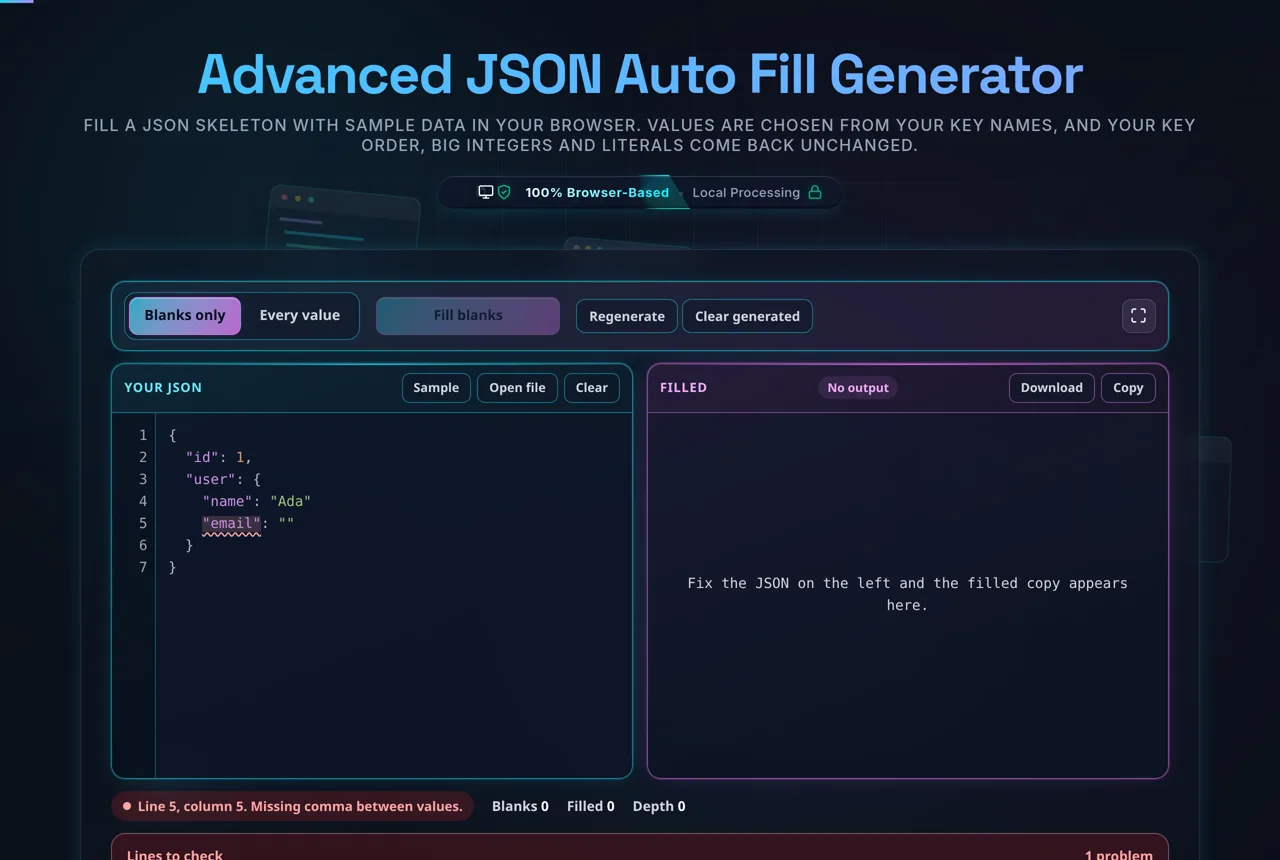
Input JSON

Filled Output

Privacy Focused

🔒 Local Processing. Your code never leaves your device.

Instant Results

🌐 Fully Client-Side. Runs instantly in your browser.

No Signup

⚡ No accounts. No API keys. Just open and use.

Browser Based

🚀 No installs, no CLI, no build step.

How to Use the Smart JSON Populator

Step-by-Step Guide for Developers

Using the JSON Auto Fill Generator is designed to be frictionless. First, paste your raw JSON structure into the "Input JSON" panel. This can be a simple object or a massive payload with nested arrays. The system instantly validates your syntax; if there's a missing comma or bracket, you'll see a helpful indicator. Once your JSON is ready, check the "Overwrite Non-Empty" toggle if you want to replace existing data with new sample values—this is particularly useful if you have "lorem ipsum" text you want to swap for realistic names and emails.

Click the "Auto Fill Empty Fields" button to trigger the recursive engine. In milliseconds, the tool traverses every branch of your JSON tree. It applies rules for UUID Generation for ID fields and Unix Timestamp logic for date fields. The "Filled Output" panel will display the result, formatted and ready for use. You can then use the "Copy" button to grab the code for your local IDE or save it as a file for your test suite. Everything runs locally in your browser, ensuring your data never leaves your machine, making it safe for even sensitive internal schema testing.

Need a hand?

Still have questions?

If you can't find the answer you're looking for, feel free to contact our support team.

Contact Us

Frequently Asked Questions

How do I fill JSON with sample data?

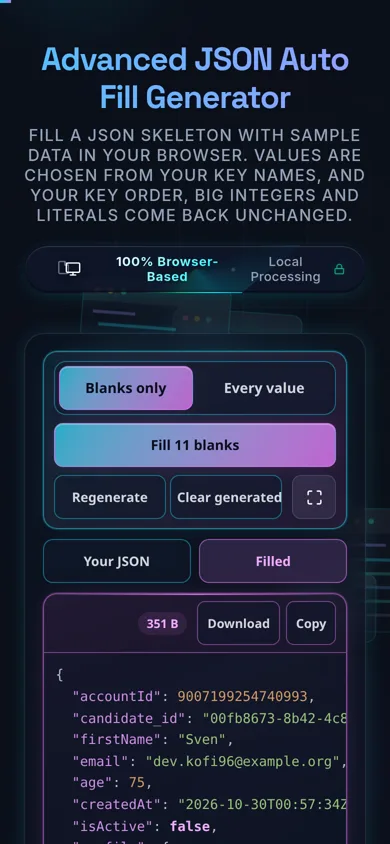
Paste your JSON structure — a skeleton with empty strings and nulls, or a partly-filled object — and the tool populates the blanks with context-aware sample data, guessed from your key names and value types. Your keys and nesting stay intact. Review the result and copy the filled, valid JSON. Everything happens in your browser; nothing is uploaded.

Does this upload my JSON, and does it work offline?

No upload, and yes it works offline. All generation happens in your browser using JavaScript — there's no server receiving your structure, no logging, and no tracking. Once the page has loaded it keeps working with no internet connection, which you can confirm in your browser's network tab. Your JSON, even a proprietary schema, never leaves your device.

What does it fill in — empty and null values?

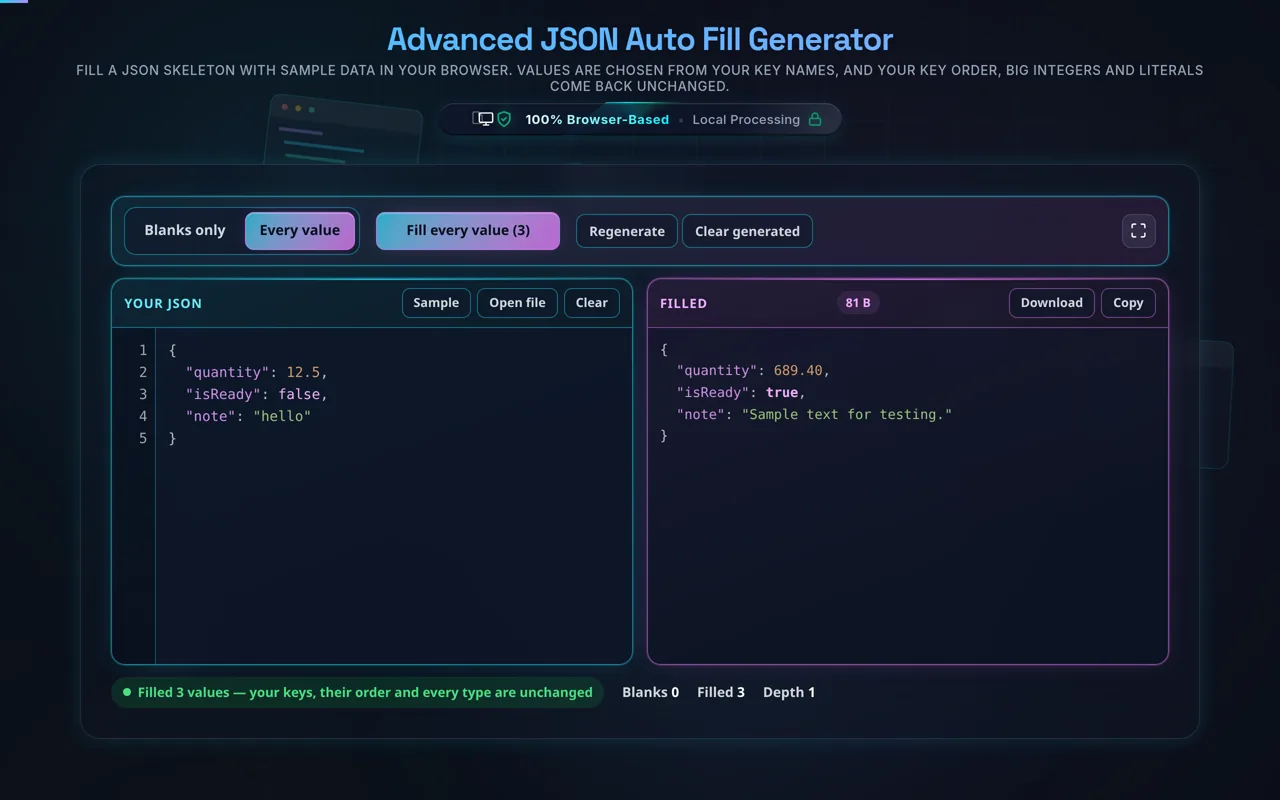
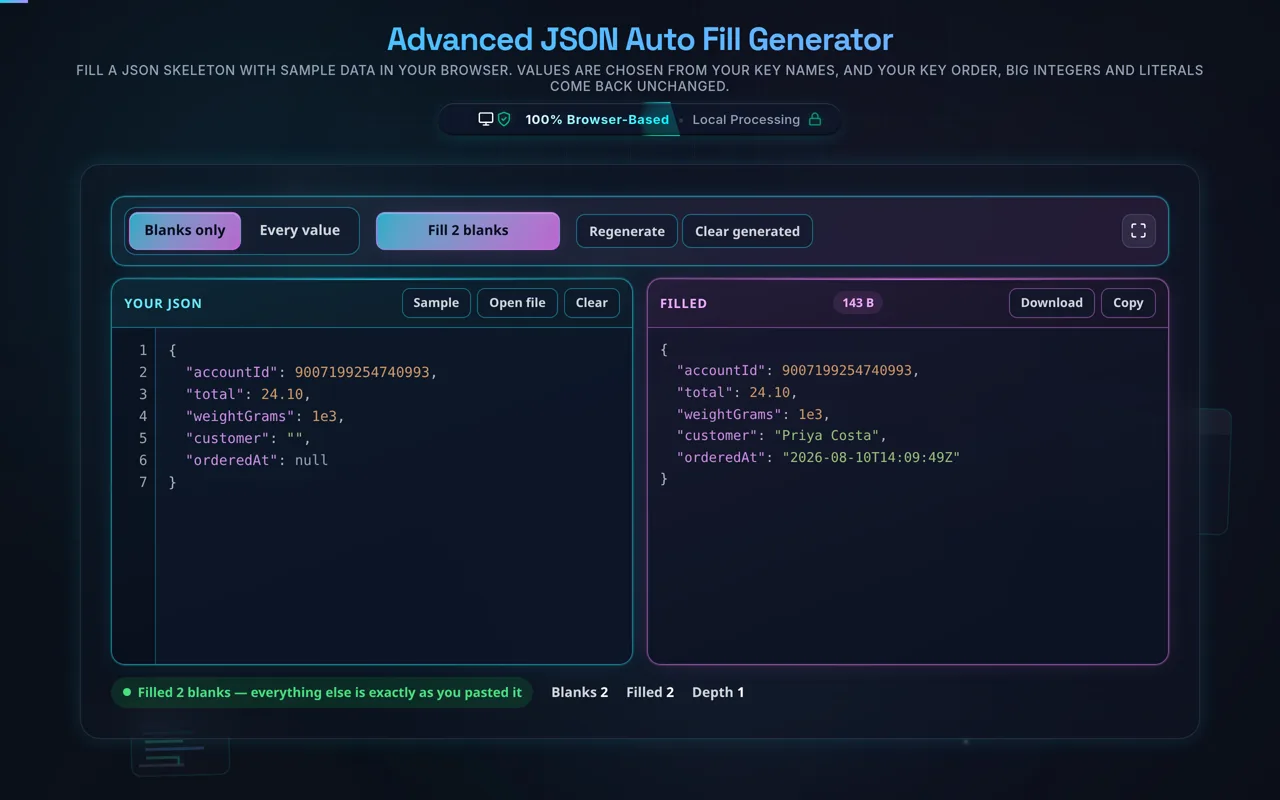
By default, yes — it targets empty strings and null values, leaving anything you've already filled untouched. That lets you paste a mostly-complete object and only top up the blanks. It walks the whole structure, including nested objects and arrays, so empties buried deep inside get filled too. If you want every value replaced instead, use Overwrite All.

What does "Overwrite All" do?

Overwrite All regenerates every value in the structure, not just the empty or null ones — so even values you typed in get replaced with fresh sample data. It's useful when you want a completely fresh mock from an existing example, or to reshuffle placeholder data. The trade-off is that it discards your existing values, so use the default empties-only mode when you need to preserve what's already there.

How does context-aware data generation work?

The tool looks at each key's name and the existing value type to pick a plausible sample. A key like email gets an email-style string, firstName a name, age a number, createdAt a date-like value, and a boolean stays a boolean. It's pattern-based inference, so descriptive keys produce the best results. Ambiguous or unusual keys fall back to generic values that fit the type.

Is the generated data real?

No — it's mock/placeholder data, created for testing, prototyping, and demos. Names, emails, and dates are made up to look plausible; they don't correspond to real people or records, and you shouldn't treat them as accurate or use them as production data. That's exactly what you want for filling a UI or a test fixture — realistic-looking values without touching anyone's real information.

Will it change my keys or structure?

No. Fill JSON only touches values — it never renames keys, adds or removes fields, or reshapes your nesting. You get back the same object you pasted, with the blanks (or, in Overwrite All, every value) populated. This is deliberate: the point is to keep your schema exactly as designed and just supply data for it, so the output drops straight into whatever expects that shape.

Can I use it for mock API responses and testing?

Yes — that's a primary use. Paste the shape of an API response and fill it to get a realistic mock you can wire into a front-end, a test, or a demo before the real endpoint exists. Because it preserves your structure and outputs valid JSON, the result behaves like the real payload for development purposes. Just remember the values are placeholders, not real data.

What data types does it generate?

It matches common JSON types: strings (names, emails, and other text inferred from the key), numbers (integers or decimals), booleans, and date-like strings, plus filled entries inside arrays and nested objects. The exact value is chosen to suit the key and the existing type, so a numeric field gets a number and a text field gets text — keeping the output both plausible and type-consistent with your structure.

Does it always output valid JSON?

Yes. The tool parses your input, fills values in place, and serializes the result as valid JSON, so what you copy is always well-formed and ready to use. If your input isn't valid JSON to begin with, fix it first — the JSON Validator will pinpoint the problem. Once the structure parses, the filled output is guaranteed to stay syntactically correct.

Can it handle nested objects and arrays?

Yes. It walks the entire structure, so empty or null values inside nested objects and inside array items are filled too, not just top-level fields. Arrays of objects — a common API shape — get each object's blanks populated. Deeply nested structures work the same way; the tool preserves the nesting exactly and only supplies values where they're needed (or everywhere, in Overwrite All).

Is it free, and are there limits?

Yes, completely free — no payment, no signup, no account, and no usage caps or watermarks. Since everything runs in your browser, there's nothing for us to meter; the only practical limit is your device's performance on very large structures. Use it as much as you like, including offline once the page has loaded.

Still have questions?

If you can't find the answer you're looking for, feel free to contact our support team.

Contact Us