Secret Santa Generator

Draw Secret Santa pairings in your browser — set exclusions, and reveal who has who one-by-one or with secret links.

100% Browser-Based Local Processing
Not drawn yet

Add everyone taking part, then draw. Nobody will be given their own name, and any exclusions you set are respected.

0 people

Nothing is uploaded and nothing is saved — closing the tab clears the draw.

Privacy Focused

🔒 Local Processing. Your names and lists never leave your device.

Instant Results

🌐 Fully Client-Side. Runs instantly in your browser.

No Signup

⚡ No accounts. No API keys. Just open and use.

Browser Based

🚀 No installs, no sign-ups, no server round-trip.

What is a Secret Santa Generator?

Secret Santa Generator draws a gift exchange in your browser: add everyone, set exclusions (like couples not drawing each other), and it assigns who gives to whom with no one getting themselves. Reveal assignments one-by-one on the device or with per-person secret links — no emails, no account, nothing uploaded.

Organising Secret Santa shouldn't require everyone to sign up to an app or hand over emails. This tool draws the whole exchange privately in your browser: it pairs everyone fairly, makes sure no one is assigned themselves, and respects any exclusions you set.

Because it's fully client-side, nothing is uploaded and no emails are sent. Reveal assignments by passing the device around one person at a time, or share a secret link with each participant that shows only their own giftee.
How to organise a Secret Santa draw

Step 1: Add all participants, and set any exclusions (for example, partners who shouldn't draw each other)

Add all participants, and set any exclusions (for example, partners who shouldn't draw each other).

Step 2: Draw — the tool assigns a giver to each person so nobody gets themselves and all exclusions are respected

Draw — the tool assigns a giver to each person so nobody gets themselves and all exclusions are respected.

Step 3: Reveal privately: pass the device and show each person their giftee one at a time, or share each participant's secret link

Reveal privately: pass the device and show each person their giftee one at a time, or share each participant's secret link.

Secret Santa Generator in action

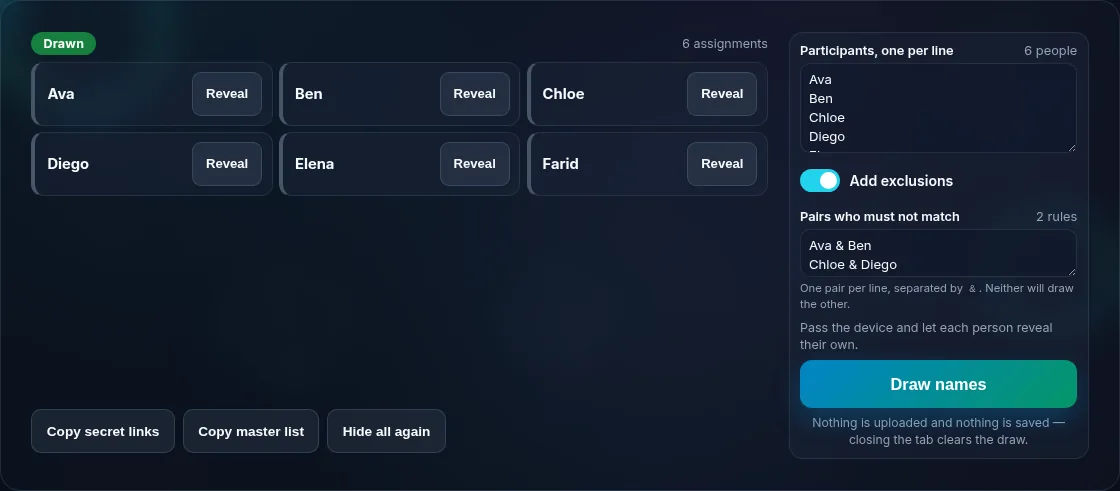
Secret Santa participants with exclusion rules set.
Participants + exclusions
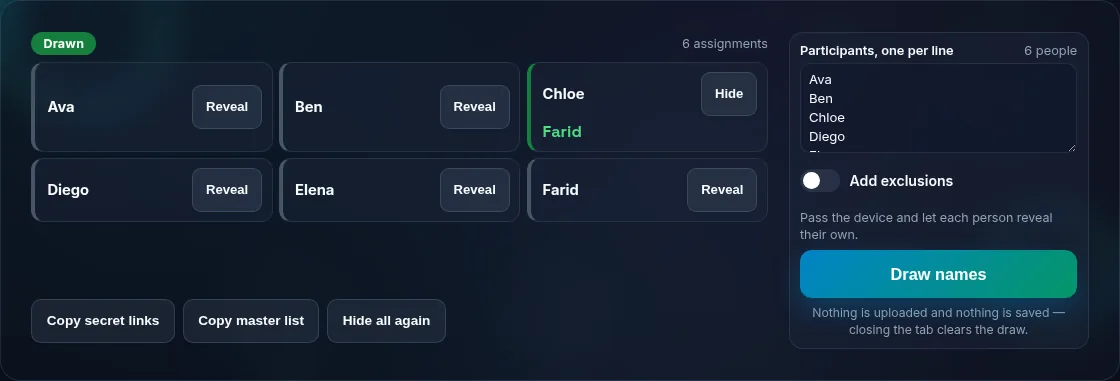
Revealing a Secret Santa assignment privately.
Secret reveal
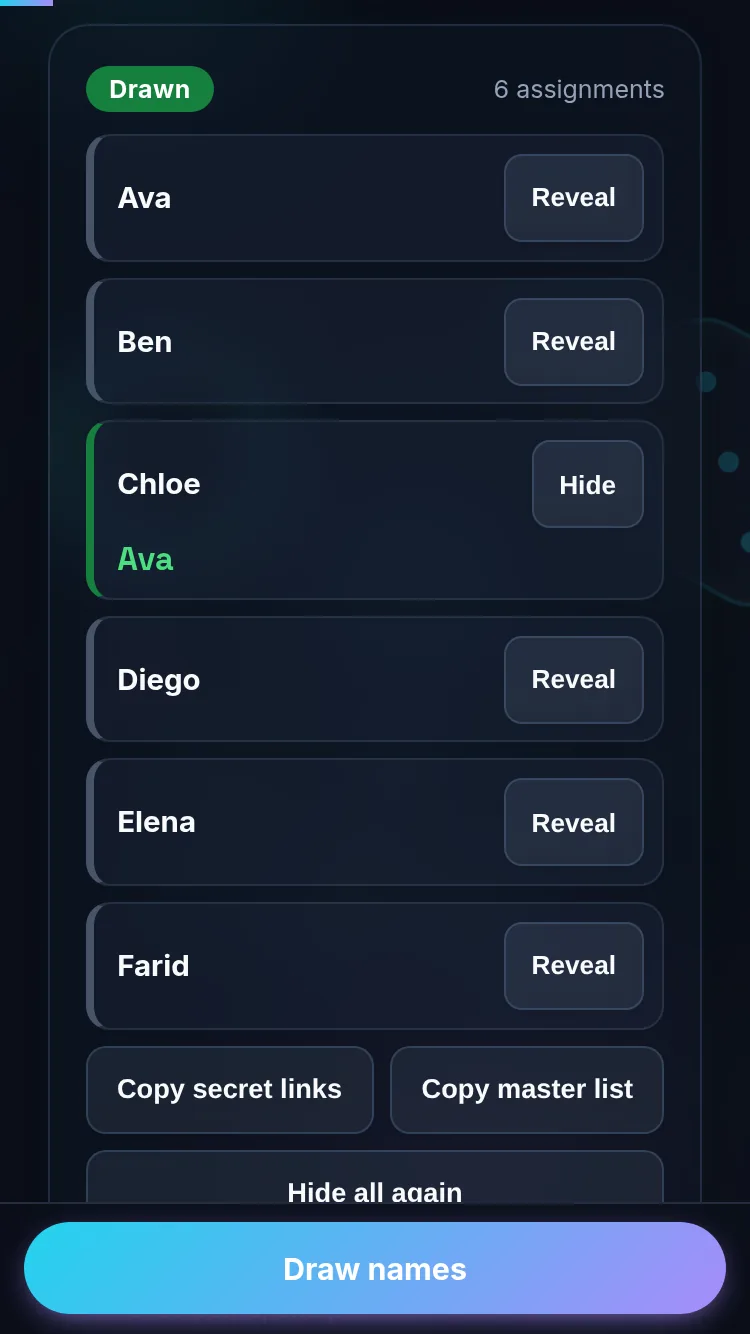
Drawing Secret Santa on a phone, no emails or app.
Mobile (stacked)

Fair, private pairings — and what 'valid' means

A correct Secret Santa draw is a 'derangement': everyone gives a gift, everyone receives one, and no one is assigned themselves. This tool guarantees that, and also honours your exclusion rules (such as couples or recent pairs not matching), using a secure random generator so the result is genuinely random. If your exclusions are too restrictive to allow any valid draw, the tool tells you clearly rather than producing a broken result, so you can relax a rule. Crucially, the whole draw happens on your device — no emails are collected and nothing is sent to a server — so privacy is built in. Reveal one person at a time by passing the device, or give each participant a secret link that shows only their assignment. For a simple single pick, use the Random Name Picker.

Frequently Asked Questions

Does it email participants their assignments?

No — and that's the point. The whole draw happens in your browser with no emails collected and nothing uploaded. You reveal assignments privately: pass the device and show each person their giftee one at a time, or share a per-person secret link that reveals only that individual's assignment. No accounts, no inboxes.

Will anyone be assigned themselves?

No. The tool produces a valid 'derangement', meaning everyone gives and receives a gift and no one is ever assigned themselves. It's a built-in guarantee of the draw, so you don't have to check by hand or risk the awkward self-assignment that naive shuffles can produce.

Can I stop certain people from drawing each other?

Yes. Set exclusion rules — for example, partners, siblings, or last year's pair shouldn't match — and the draw respects them. If your exclusions are so restrictive that no valid draw exists, the tool tells you clearly so you can relax a rule rather than getting a broken result.

Is the draw private and not stored anywhere?

Yes. Everything runs locally in your browser, so participant names and assignments are processed on your device and never uploaded or saved to a server. As the organiser, avoid viewing the per-person reveals if you're playing too, so your own giftee stays a surprise.

How do people see who they got without the organiser knowing?

Use the secret-link reveal: each participant gets a link that shows only their own assignment when they open it, so even the organiser needn't see the pairings. Alternatively, pass the device around and let each person privately view their giftee one at a time before handing it on.

How many people do I need?

At least three for a meaningful Secret Santa (two people would just swap). There's no real upper limit for a browser draw — it handles small families up to large workplaces. The more exclusions you add, the more constrained the draw, so keep rules reasonable to ensure a valid assignment exists.

Is it private — is anything uploaded?

No. Everything runs in your browser, so whatever you enter is processed on your own device and never uploaded. Nothing is stored once you close the tab unless you choose to save it. That keeps your lists, names, and data private.

Is it free, and do I need to sign up?

Yes, it's completely free with no account, no trial, and no limit on how many times you use it. Because it runs entirely in your browser, there are no server costs, no usage caps, and no watermark or branding added to your result.

Does it work on a phone?

Yes. It runs in your phone's browser with nothing to install, so you can use it on Android or iOS. The layout adapts to small screens, making it easy to use on the go, at a party, or in a classroom.

Does it work offline?

Once the page has loaded, it runs entirely on your device, so it keeps working without a connection — which is also why nothing is uploaded. You only need to be online to open the page the first time; after that the tool works locally.

Can I copy or share the result?

Yes. You can copy the result to your clipboard with one click, and many results can be downloaded or shared. Everything is generated locally, so copying and sharing are instant with no upload step.

Is the randomness fair?

Yes. The tool uses your browser's secure random number generator, so every outcome is genuinely unpredictable and each option has an equal chance. It isn't weighted or rigged — results are as fair as a well-shuffled deck or an even spin.

Still have questions?

If you can't find the answer you're looking for, feel free to contact our support team.

Contact Us