List Randomizer — Shuffle Any List

Paste a list and shuffle it into a random order, or pick random items, with an unbiased shuffle.

100% Browser-Based Local Processing
0 items

Press Space to shuffle again.Tap Shuffle again for a new result.

Paste a list and press Shuffle — every ordering is equally likely, and nothing leaves your browser.

Privacy Focused

🔒 Local Processing. Your names and lists never leave your device.

Instant Results

🌐 Fully Client-Side. Runs instantly in your browser.

No Signup

⚡ No accounts. No API keys. Just open and use.

Browser Based

🚀 No installs, no sign-ups, no server round-trip.

What is a List Randomizer — Shuffle Any List?

List Randomizer takes any list you paste and returns it in a random order, or picks a chosen number of random items from it. It uses an unbiased Fisher–Yates shuffle with a secure random generator, so every arrangement is equally likely, and it all runs in your browser.

Whether you're ordering contestants, randomizing a playlist, assigning turns, or drawing names, putting a list into a fair random order is a common need. Paste your list, one item per line, and get a shuffled version instantly.

It runs entirely in your browser, so your list stays private. The shuffle is mathematically unbiased — every possible order has an equal chance — and you can also pick a set number of random items instead of shuffling the whole thing.
How to randomize a list

Step 1: Paste or type your list, one item per line

Paste or type your list, one item per line.

Step 2: Choose Shuffle to reorder the whole list, or Pick N to draw a set number of random items; optionally de-duplicate and trim blanks

Choose Shuffle to reorder the whole list, or Pick N to draw a set number of random items; optionally de-duplicate and trim blanks.

Step 3: Copy or download the result, or re-shuffle for a new order

Copy or download the result, or re-shuffle for a new order.

List Randomizer — Shuffle Any List in action

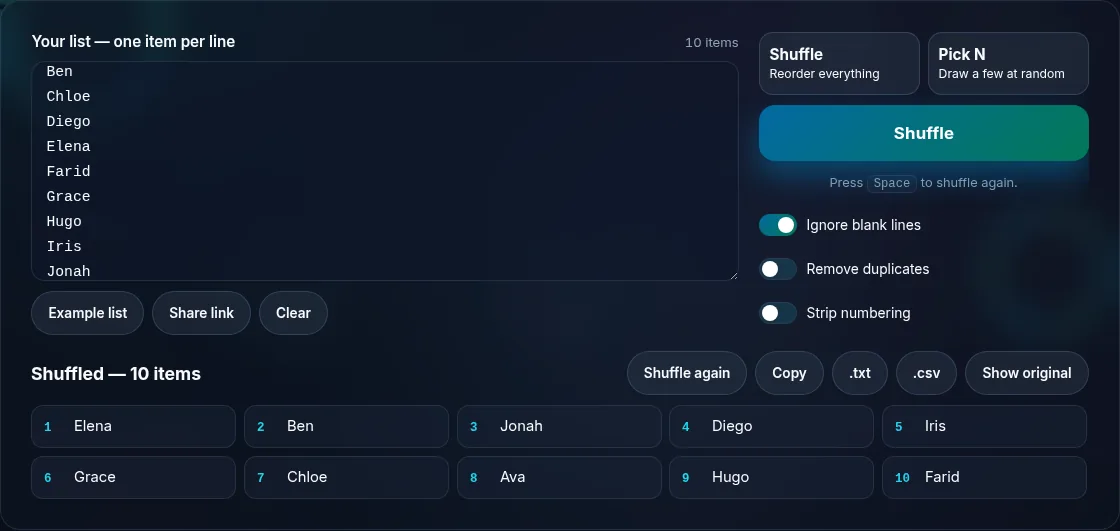
A list shuffled into a random order.
List + shuffled output
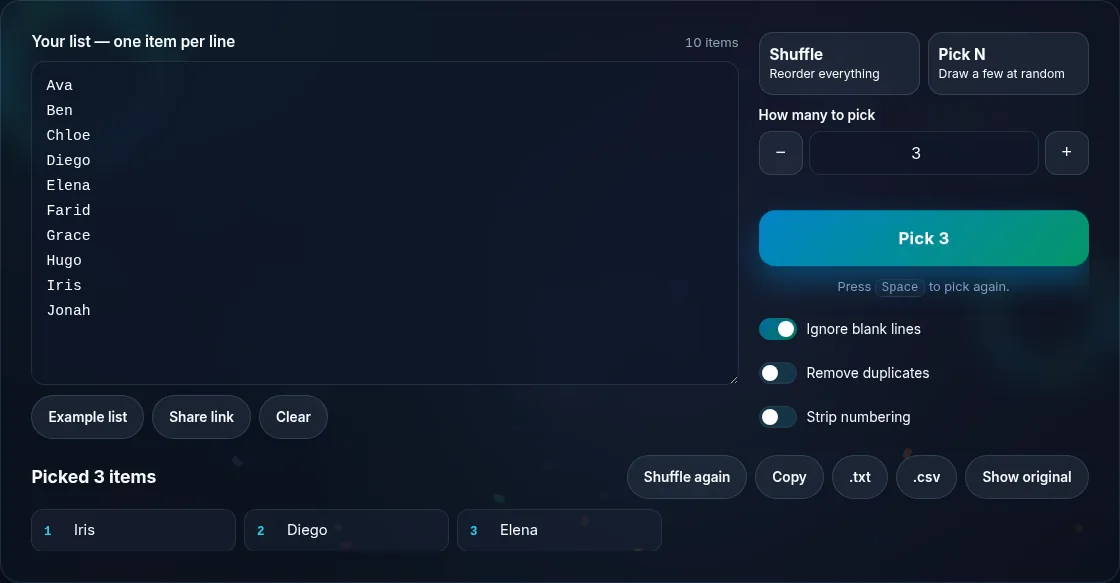
Picking a set number of random items from a list.
Pick N items
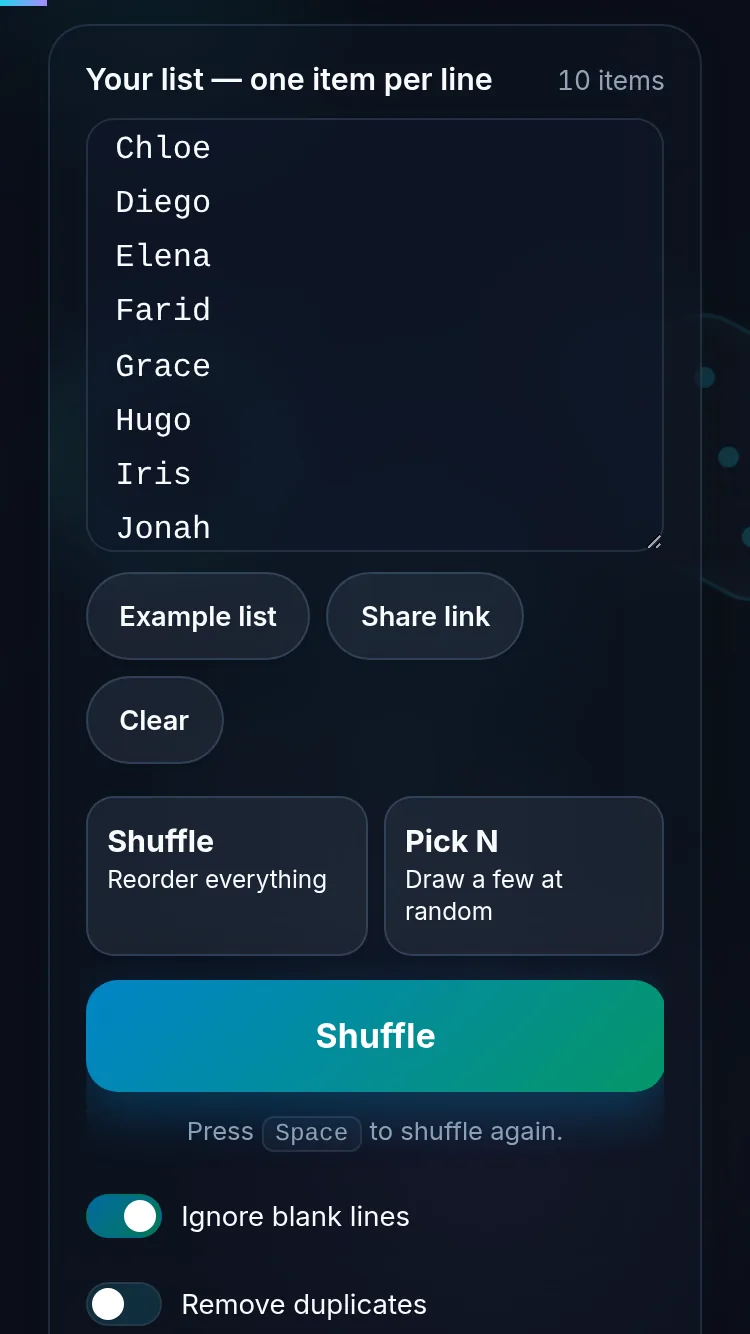
Randomizing a list on a phone, no app installed.
Mobile (stacked)

An unbiased shuffle — why the method matters

It's surprisingly easy to shuffle a list unfairly. The common 'sort the list by a random value' trick produces biased, uneven orders, especially in some browsers. This tool uses the Fisher–Yates algorithm with your browser's secure random generator, which is the standard, provably unbiased way to shuffle — every one of the possible orderings is equally likely. That fairness matters when the order decides who goes first, who's drawn, or who wins. You can also pick N unique items for a quick random sample. Your list is processed locally and never uploaded. For a single visual pick, use the Wheel of Names; to split a list into groups, use the Random Team Generator.

Frequently Asked Questions

How do I shuffle a list?

Paste your list with one item per line and choose Shuffle — the tool returns the same items in a new random order. You can re-shuffle for a different arrangement, and copy or download the result. It works for names, tasks, playlists, questions, or any text list.

Is the shuffle truly random and unbiased?

Yes. It uses the Fisher–Yates algorithm driven by your browser's secure random generator, which is the standard, provably unbiased shuffle — every possible ordering is equally likely. It deliberately avoids the common 'sort by random value' method, which produces uneven, biased results.

Can I pick a few random items instead of shuffling everything?

Yes. Choose Pick N and set how many items you want, and the tool draws that many unique items at random from your list. It's ideal for selecting a random sample, a shortlist, or a handful of winners without reordering the entire list.

Can it remove duplicates or blank lines?

Yes. Optional settings let you trim blank lines and de-duplicate entries before shuffling, so a messy pasted list comes out clean. Turn them off if duplicates are meaningful (for example, multiple raffle tickets for one person).

Is my list uploaded anywhere?

No. The shuffle runs entirely in your browser, so your list is processed locally and never uploaded. Nothing is stored after you close the tab, so you can safely randomize lists of names, emails, or other private information.

How is this different from the Wheel of Names?

The List Randomizer reorders an entire list (or draws several items), which is what you want for ordering, sampling, or assigning turns. The Wheel of Names picks one entry with a visual spin. Use the randomizer for whole-list order or multiple picks, and the wheel for a single, suspenseful pick.

Is it private — is anything uploaded?

No. Everything runs in your browser, so whatever you enter is processed on your own device and never uploaded. Nothing is stored once you close the tab unless you choose to save it. That keeps your lists, names, and data private.

Is it free, and do I need to sign up?

Yes, it's completely free with no account, no trial, and no limit on how many times you use it. Because it runs entirely in your browser, there are no server costs, no usage caps, and no watermark or branding added to your result.

Does it work on a phone?

Yes. It runs in your phone's browser with nothing to install, so you can use it on Android or iOS. The layout adapts to small screens, making it easy to use on the go, at a party, or in a classroom.

Does it work offline?

Once the page has loaded, it runs entirely on your device, so it keeps working without a connection — which is also why nothing is uploaded. You only need to be online to open the page the first time; after that the tool works locally.

Can I copy or share the result?

Yes. You can copy the result to your clipboard with one click, and many results can be downloaded or shared. Everything is generated locally, so copying and sharing are instant with no upload step.

Is the randomness fair?

Yes. The tool uses your browser's secure random number generator, so every outcome is genuinely unpredictable and each option has an equal chance. It isn't weighted or rigged — results are as fair as a well-shuffled deck or an even spin.

Still have questions?

If you can't find the answer you're looking for, feel free to contact our support team.

Contact Us