
Subtract Days from Date

Find the exact past date from calendar days, business days, weeks, months, or years with copy-ready results.

100% Browser-BasedLocal Processing

Calculation SetupCustom controls

Pick the date you want to count backward from.

Use whole numbers. Zero returns the start date.

Subtract as
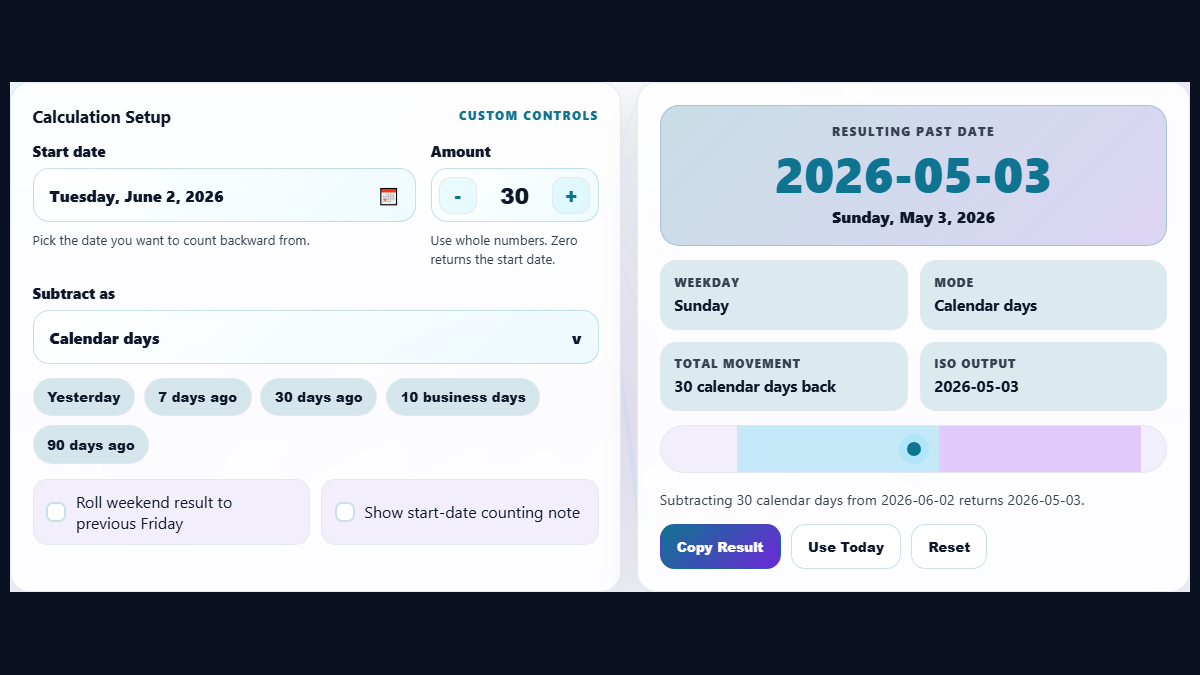
Subtract days from date calculator workspace with custom calendar and result panel
Use the custom calendar, amount stepper, and unit selector to calculate a past date without leaving the first screen.
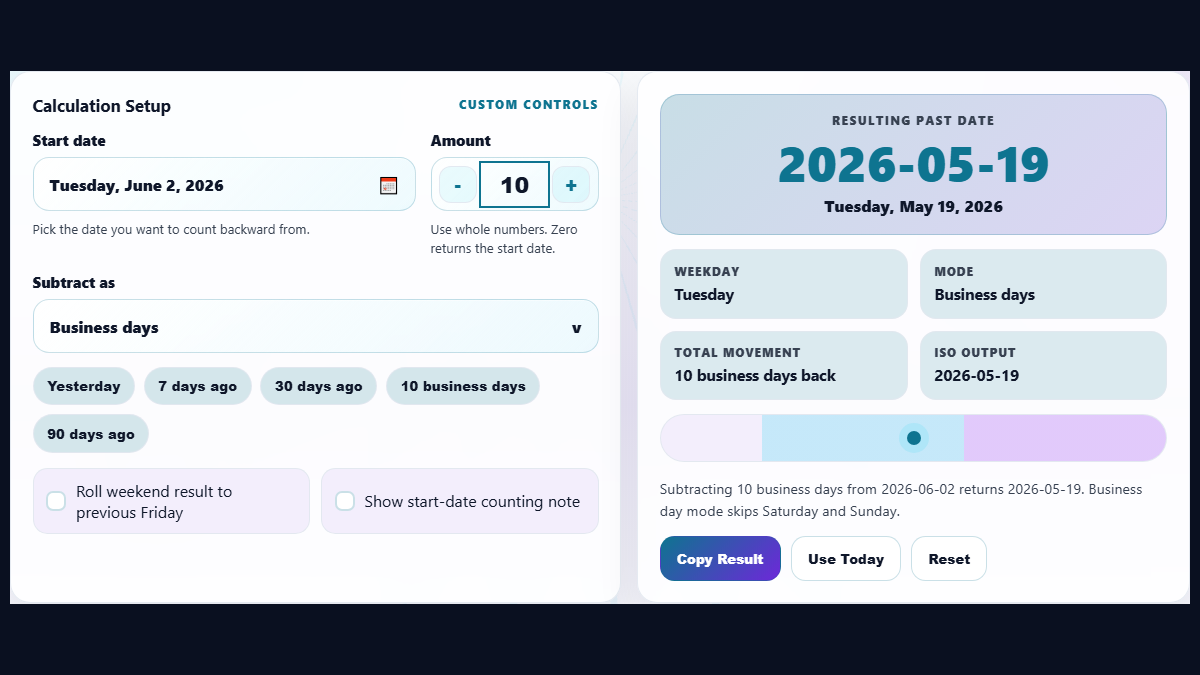
Business days date subtraction example that skips weekends and shows the final date
Business-day mode is useful for deadline backdating, response windows, payroll checks, and project lead times.
Subtract days from date calculator shown on a planning desk for deadline and project scheduling
The edited use-case image shows how the calculator supports real deadline planning without inventing fake UI.

Privacy Focused

🔒 Local Processing. Your data never leaves your device.

Instant Results

🌐 Fully Client-Side. Runs instantly in your browser.

No Signup

⚡ No accounts. No hassle. Just open and use.

Browser Based

🚀 Works right in your browser. No installs, no downloads.

Calculate a Past Date Without Guesswork

Subtract Days from Date is a browser-based calculator that finds the exact date before a selected start date. It accepts calendar days, business days, weeks, months, and years, then returns the past date, weekday, ISO date, and copy-ready result.

Backdating a deadline sounds easy until weekends, leap years, uneven months, or business-day rules get involved. A simple mental calculation can be wrong when the date crosses February, a weekend, a month boundary, or a year boundary. This tool keeps the start date, amount, unit, and final result together so you can check the answer before using it in a schedule, document, invoice, contract, or reminder.

The most common use is a date minus days calculation, such as finding what date was 30 days ago from today. You can also use business-day mode when the count should skip Saturdays and Sundays. For the opposite workflow, use the Add Days to Date tool, and for comparing two known dates use the Date Difference Calculator.

Projects

Backdate a task start, review window, or milestone from a delivery date.

Business

Find response deadlines, payroll cutoffs, renewal reminders, and document windows.

Personal

Check anniversaries, appointments, reminders, and dates before an event.

How to Use the Date Subtraction Calculator

Choose the date you are counting back from

Open the custom calendar picker and choose the start date. This might be today, a deadline, an invoice date, a contract date, or the date shown in another system. The calculator treats this as the reference point and moves backward from it.

Enter the amount and select the unit

Type the number you want to subtract and choose calendar days, business days, weeks, months, or years from the custom selector. Use quick chips for common searches like yesterday, 7 days ago, 30 days ago, or 10 business days ago.

Read the result and copy the format you need

The result card shows the final date, weekday, ISO output, and a short calculation note. If the result is for a business workflow, turn on the weekend roll option to move a weekend result to the previous Friday. Copy the result when you need to paste it into an email, spreadsheet, support note, or project plan.

Frequently Asked Questions

How do I subtract days from a date?

Choose a start date, enter the number of days, and keep the unit set to calendar days. The calculator moves backward by that many full calendar days and shows the resulting date, weekday, and ISO format.

Can I subtract business days instead of calendar days?

Yes. Choose Business Days in the unit selector. The calculator counts backward only on weekdays and skips Saturday and Sunday by default. For larger scheduling tasks, you may also want the Business Days Calculator.

Does subtracting days include the start date?

No. Subtracting 1 day returns the day before the selected start date. Subtracting 0 days returns the same date. This matches the common meaning of "30 days before this date" in planning and reminder workflows.

Does the calculator handle leap years and month lengths?

Yes. The calculation uses real calendar dates, so leap years, February length, 30-day months, and 31-day months are handled automatically. This avoids the common mistake of treating every month as exactly 30 days.

Can I subtract weeks, months, or years?

Yes. Use the custom unit selector to switch from days to weeks, months, or years. Month and year subtraction preserves the closest valid calendar day when the original day does not exist in the target month.

Can I use this for deadlines and due dates?

Yes. The tool is useful for backdating reminders, filing deadlines, project lead times, billing windows, document expiry checks, and business-day planning. The result card keeps the weekday visible so you can spot weekend conflicts quickly.

Is my date uploaded to a server?

No. The date subtraction runs locally in your browser. The selected date and amount are not uploaded to Randomly.online, which keeps private deadlines, payroll dates, and personal dates on your device.

Why does a business-day result differ from a calendar-day result?

Calendar days count every day. Business days skip weekends, so subtracting 10 business days usually lands farther back than subtracting 10 calendar days. This matters for office response windows, contracts, and project schedules.

Still have questions?

If you can't find the answer you're looking for, feel free to contact our support team.

Contact Us