Data Storage Converter

Convert data — bits, bytes, KB, MB, GB, TB, and KiB/MiB/GiB.

100% Browser-Based Local Processing

How this conversion works

The relation

Worked example

    4

    Common data storage conversions

    GigabytesMegabytes

    Privacy Focused

    🔒 Local Processing. The values you enter never leave your device.

    Instant Results

    🌐 Fully Client-Side. Runs instantly in your browser.

    No Signup

    ⚡ No accounts. No API keys. Just open and use.

    Browser Based

    🚀 No installs, no sign-ups, no conversion limits.

    What is a Data Storage Converter?

    > Data Storage Converter converts digital data across bits, bytes, KB, MB, GB, TB, and the binary units KiB, MiB, and GiB. It shows both interpretations — 1 GB = 1000 MB (decimal) or 1024 MiB (binary) — with the exact factor. One byte is 8 bits. It works offline in your browser. ---

    ### H2: Convert data storage — and finally see decimal vs binary clearly

    Digital storage units cause more quiet confusion than almost anything else, because two different systems share similar names. Drive makers count in decimal (a "1 TB" drive holds 1,000,000,000,000 bytes), while your operating system usually counts in binary (chunks of 1024) but still writes "GB" — which is why that same drive shows up as about 931 GB. Neither is lying; they're just using different definitions.

    This converter makes the difference explicit. It covers the decimal (SI) units — bit, byte, kilobyte, megabyte, gigabyte, terabyte, petabyte, in powers of 1000 — and the binary (IEC) units — kibibyte (KiB), mebibyte (MiB), gibibyte (GiB), tebibyte (TiB), in powers of 1024. Type a value, choose *from* and *to*, and the result appears instantly, with a swap button and an all-units table that lays out every unit at once.

    Crucially, it shows the exact factor and lets you see both readings, so "1 GB" appears as 1000 MB in decimal and its binary equivalent side by side. That's how you understand why a 500 GB drive shows as ~465 GiB, or why a "16 GB" phone has less usable space than you expected.

    It also settles the bit-versus-byte question, which trips up internet speeds. One byte is 8 bits, so a 100 Mbps (megabits per second) connection downloads at about 12.5 MB/s (megabytes per second) — divide the advertised speed by 8. That single fact explains why downloads feel slower than the number on your plan.

    Everything runs on your own device using fixed, exact factors. There's nothing to upload, no account, and no connection needed once the page has loaded — the math is just powers of 1000 and 1024.
    ---

    How to use the Data Storage Converter

    Step 1: Enter your value. Type the amount of data into the input box

    Decimals are fine.

    Step 2: Choose decimal or binary (if relevant). Decide whether your units are decimal (KB, MB, GB — powers of 1000) or binary (KiB, MiB, GiB — powers of 1024)

    The tool can show both.

    Step 3: Pick the "from" unit. Choose your starting unit — for example, gigabytes (GB)

    Pick the "from" unit. Choose your starting unit — for example, gigabytes (GB).

    Step 4: Pick the "to" unit. Choose the unit you want the answer in — for example, mebibytes (MiB)

    The result updates instantly.

    Step 5: Read, copy, swap, or expand. The converted value appears with the exact factor used (for example, 1 GB = 1000 MB)

    Use Copy to grab it, swap to reverse, or the all-units table to see every unit at once, at your chosen precision.

    Data Storage Converter in action

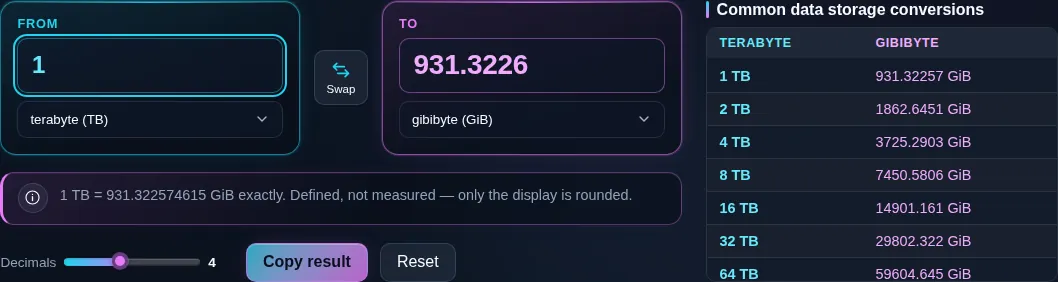
    Data storage converter turning 1 terabyte into 931.3226 gibibytes, with the note underneath reading that one terabyte is exactly 931.322574615 gibibytes.
    Why a 1 TB drive reads as 931 GB on the computer
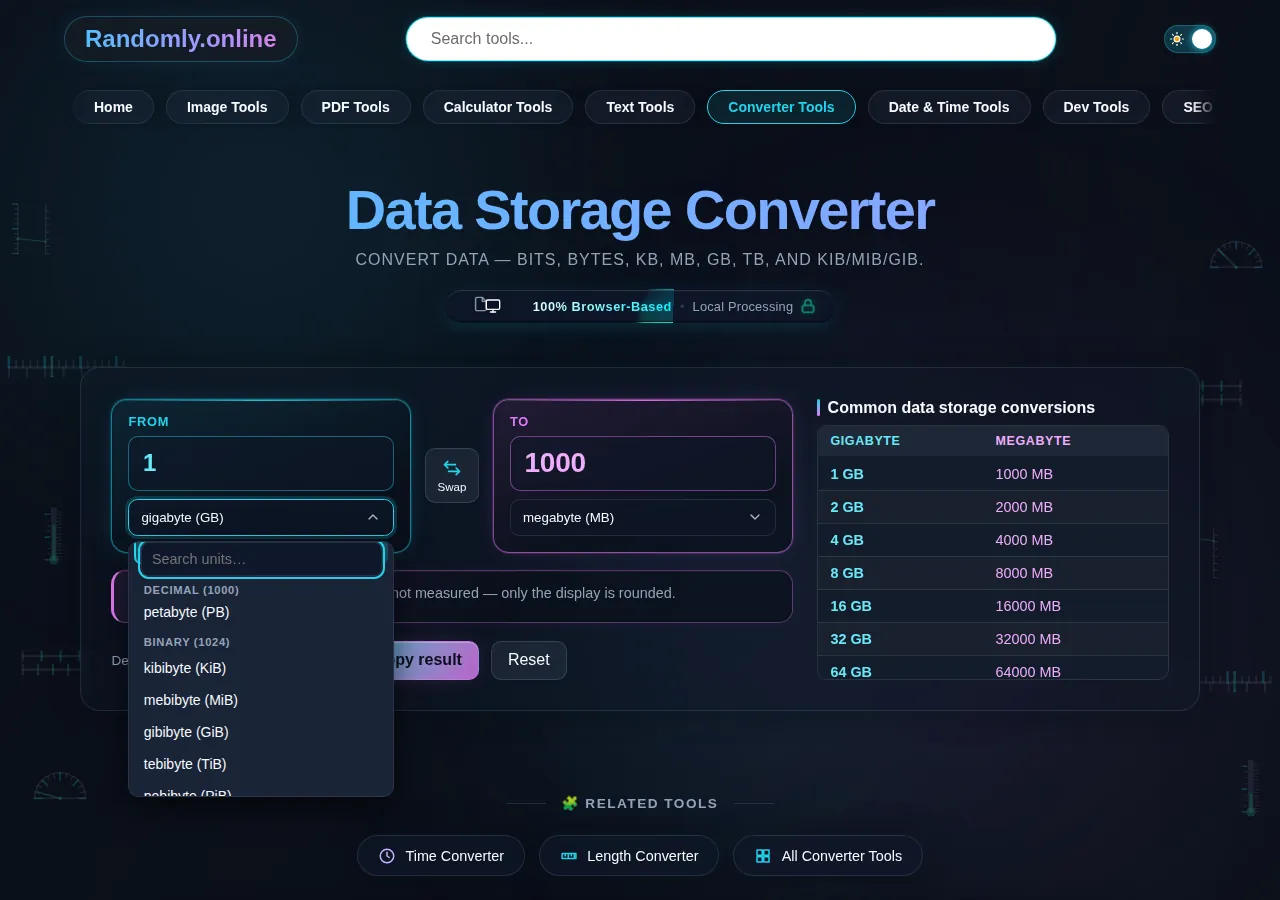
    The data storage converter unit list open where the decimal group counted in thousands ends and the binary group counted in 1024s begins, with kibibyte and mebibyte below the heading.
    The unit list, with decimal and binary kept apart
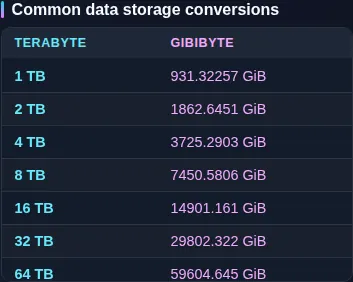
    The terabytes to gibibytes reference table listing common drive sizes side by side beneath the converter.
    The reference table for the pair on screen
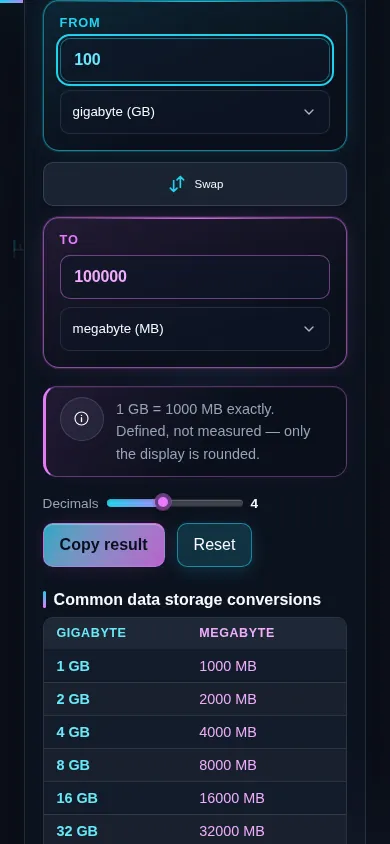
    The data storage converter on a phone screen, the two panes stacked with the swap control between them.
    The same tool on a phone

    Frequently Asked Questions

    How many MB are in a GB?

    It depends on the system. In decimal (SI), the standard for storage, 1 GB = 1000 MB. In binary, which operating systems often use, 1 GB is treated as 1024 MB (strictly 1 GiB = 1024 MiB). So the answer is 1000 or 1024 depending on context. The tool shows both, with the exact factor.

    ---

    Is a gigabyte 1000 or 1024 megabytes?

    Officially, a gigabyte (GB) is 1000 megabytes — the decimal SI definition used by drive makers. The 1024-based unit is properly called a gibibyte (GiB). In everyday computing, though, Windows and some software display binary sizes but still write "GB", which is why the two get muddled. This tool keeps GB (1000) and GiB (1024) separate and shows both.

    ---

    What's the difference between KB and KiB (and GB and GiB)?

    KB (kilobyte) is decimal: 1000 bytes. KiB (kibibyte) is binary: 1024 bytes. The same pattern applies up the scale — MB vs MiB, GB vs GiB, TB vs TiB. The "i" units (KiB, MiB, GiB) are the IEC standard for powers of 1024, created precisely to end the ambiguity. A gibibyte is about 7.4% larger than a gigabyte.

    ---

    Why does my 1 TB hard drive only show 931 GB?

    Because the drive maker counts in decimal and your OS counts in binary. A "1 TB" drive holds 1,000,000,000,000 bytes (decimal). Windows divides by 1024 three times but labels the result "GB", giving about 931 — really 931 GiB. No space is missing; it's the same bytes shown in a different base. The tool demonstrates this exact conversion.

    ---

    How many bits are in a byte?

    Exactly 8. One byte is 8 bits, and this is fixed. It's why file sizes (in bytes) and network speeds (in bits) don't match directly: to convert a speed in megabits to megabytes, you divide by 8. Bits are usually written with a lowercase "b" (Mb, Mbps) and bytes with an uppercase "B" (MB, MB/s).

    ---

    Is Mbps the same as MB/s?

    No — and the difference is a factor of 8. Mbps means megabits per second (network speed); MB/s means megabytes per second (file transfer). Since a byte is 8 bits, you divide Mbps by 8 to get MB/s. So a 100 Mbps connection transfers at about 12.5 MB/s, not 100. Watch the capital B versus lowercase b.

    ---

    How many MB/s is a 100 Mbps connection?

    About 12.5 MB/s. Divide the megabits-per-second figure by 8, because one byte is 8 bits: 100 ÷ 8 = 12.5 MB/s. That's why a "100 Mbps" plan downloads a 1 GB file in roughly 80 seconds, not 10. Advertised internet speeds are almost always in megabits, while your download manager shows megabytes.

    ---

    How do I convert a byte count into a readable size?

    Divide by the base repeatedly. In decimal, divide bytes by 1000 for KB, again for MB, again for GB. In binary, divide by 1024 each step for KiB, MiB, GiB. For example, 5,000,000 bytes is 5 MB (decimal) or about 4.77 MiB (binary). Just enter the byte count and the tool gives every unit at once in both systems.

    ---

    Which mode should I use — decimal or binary?

    Use decimal (KB, MB, GB) for storage capacity, file sizes as advertised, and anything following the SI standard. Use binary (KiB, MiB, GiB) when you need to match what an operating system reports, or for memory (RAM is sized in binary). When in doubt, the tool shows both so you can compare and pick the one that fits your context.

    ---

    What's the formula to convert data units?

    Convert everything through bytes. For decimal units, multiply by powers of 1000 (KB → ×1000, MB → ×1,000,000, GB → ×10⁹); for binary units, multiply by powers of 1024 (KiB → ×1024, MiB → ×1,048,576, GiB → ×2³⁰). Bits are bytes ÷ 8. Then divide by the target unit's factor. The tool applies this automatically for any pair.

    ---

    Is this converter exact, or does it round the answer?

    The math is exact — it uses defined factors (1 byte = 8 bits, 1 KB = 1000 B, 1 KiB = 1024 B). Only the *displayed* value is rounded for readability, and you can add decimal places for more precision. Because the factor and system (decimal or binary) are shown with each result, you can always verify the figure yourself.

    ---

    Does the tool work offline, and does it upload my data?

    It works fully offline once the page has loaded, and it never uploads anything. All conversions are pure arithmetic using fixed factors — powers of 1000 and 1024 — so the calculation happens on your own device with no server, no account, and no tracking. It's dependable with no signal and private by design, since there's nothing to send.

    Still have questions?

    If you can't find the answer you're looking for, feel free to contact our support team.

    Contact Us