Capital Gains Tax Calculator

Estimate your capital gain and the tax on it using your own rate — works in any country, for stocks, crypto, or property.

100% Browser-Based Local Processing
What you bought
What you sold it for
%
months
months

Held 18 months — long-term under a 12-month rule. Long-term gains are often taxed at a lower rate, so check which rate applies before entering it.

You supply the rate, because capital gains law differs by country, by asset and by year — a tool that hardcoded one would be wrong almost everywhere and would quietly go stale. It also does not apply annual exemptions, indexation, loss carry-forward, wash-sale rules or asset-type reliefs, all of which can change the answer a great deal. An estimate, not tax advice.

Capital gains tax

374.80

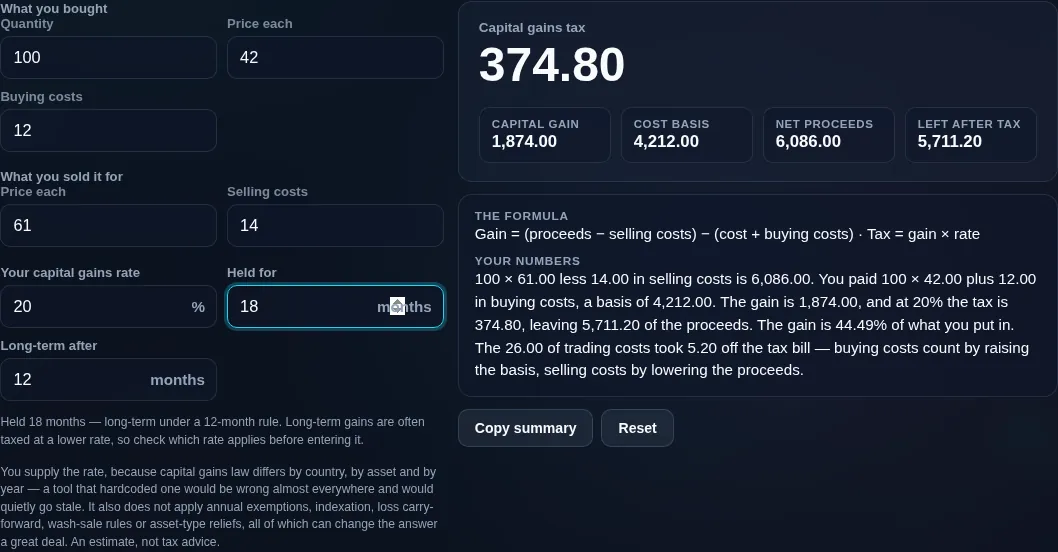
Capital gain 1,874.00
Cost basis 4,212.00
Net proceeds 6,086.00
Left after tax 5,711.20
Formula and working

The formula

Gain = (proceeds − selling costs) − (cost + buying costs) · Tax = gain × rate

Your numbers

Waiting for your numbers.

An estimate, not financial advice. Figures are indicative, and the assumptions behind them are stated on the tool itself. Tax rules, rates and fees vary by country and change over time — check against your provider or a qualified adviser before acting on a number.

Privacy Focused

🔒 Local Processing. Your salary and balances never leave your device.

Instant Results

🌐 Fully Client-Side. Runs instantly in your browser.

No Signup

⚡ No accounts. No API keys. Just open and use.

Browser Based

🚀 No installs, no sign-ups, no bank account linking.

What is a Capital Gains Tax Calculator?

A Capital Gains Tax Calculator works out your profit on a sold asset and the tax on it: Gain = sale proceeds − cost basis, and tax = gain × your tax rate. Because capital gains rules differ by country and year, this tool is input-driven — you enter your own rate. It's an estimate, not tax advice.

When you sell an asset for more than you paid, the profit is a capital gain, and most countries tax it. This calculator estimates two things: your capital gain (or loss), and the tax you'd owe on it. The maths is transparent: Gain = sale proceeds − cost basis, and capital gains tax = the taxable gain × your tax rate. Enter what you paid, what you sold for, and your rate, and it shows the gain, the tax, and your net proceeds after tax.

The design choice that makes it different: it's input-driven and works anywhere. Capital gains rules — rates, the short-term versus long-term distinction, tax-free allowances, exemptions, indexation, and loss rules — vary enormously by country and change from year to year. Rather than hard-code one nation's law (which would only help people there and would go stale), the tool asks you to enter the rate that applies to you, from your tax authority or accountant. That keeps it accurate to your situation, usable worldwide, and honest.

How to estimate capital gains tax

Step 1: Enter your cost basis. What you paid for the asset (include buying costs/fees if you want them counted)

Enter your cost basis. What you paid for the asset (include buying costs/fees if you want them counted).

Step 2: Enter your sale proceeds. What you sold for (the tool can subtract selling costs)

Enter your sale proceeds. What you sold for (the tool can subtract selling costs).

Step 3: Add quantity and holding period (optional). For shares/units, and to flag short vs long term

Add quantity and holding period (optional). For shares/units, and to flag short vs long term.

Step 4: Enter your tax rate. The capital gains rate that applies to you — from your tax authority or accountant

The tool doesn't assume any country's rate.

Step 5: Read the results. See the gain or loss, the estimated tax, and your net proceeds after tax

Copy if needed.

Capital Gains Tax Calculator in action

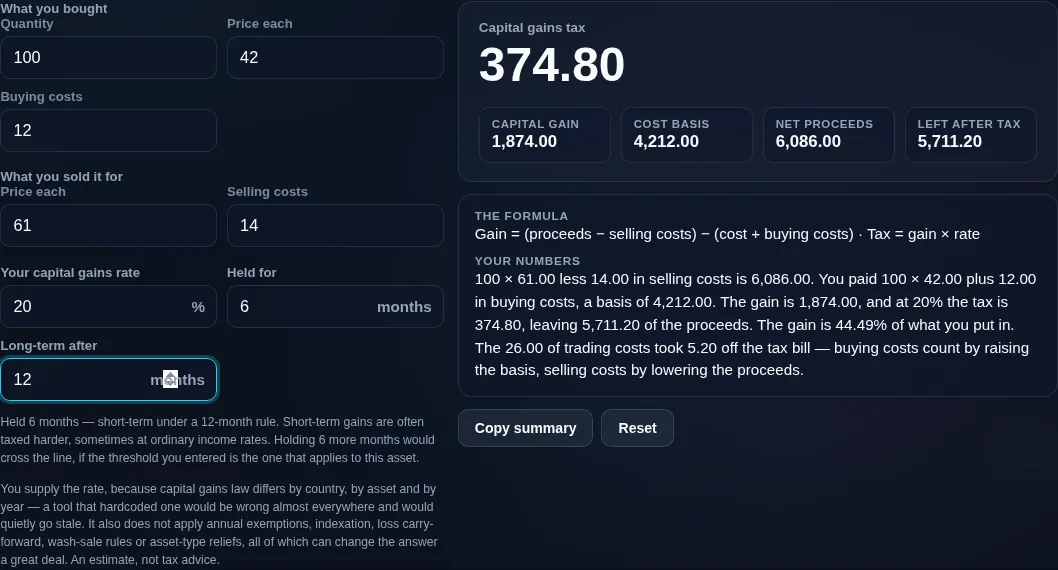
Capital gains tax calculator showing a 1,874 gain on a 4,212 basis, 374.80 of tax at a 20% rate, and 5,711.20 of proceeds left
Gain + tax + net result
Capital gains tax calculator reading a six-month hold as short-term against a twelve-month rule, and naming how much longer would cross the line
Short-term vs long-term prompt
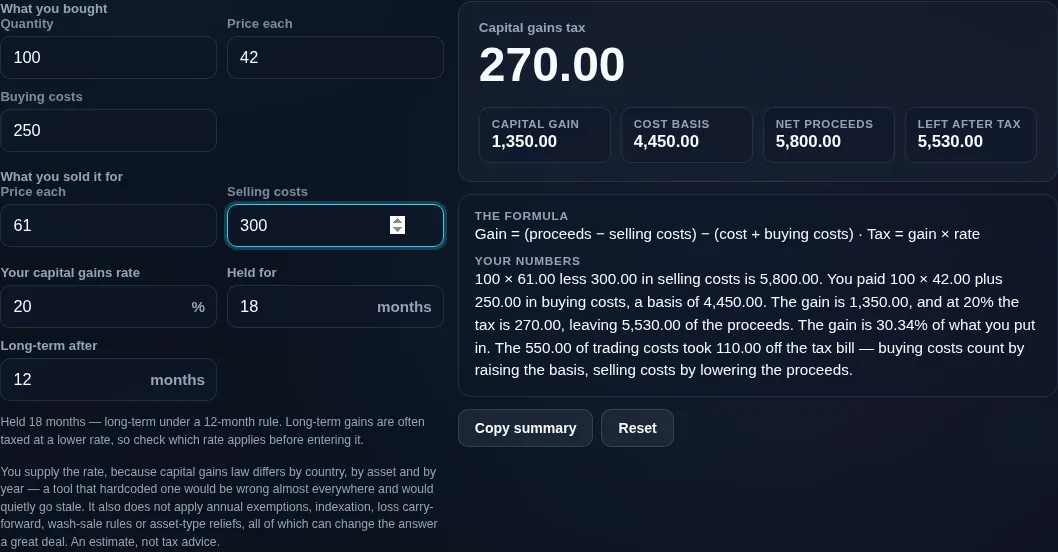
Capital gains tax calculator with buying fees raising the cost basis and selling fees lowering the proceeds, and the working pricing what the fees took off the bill
Buying and selling fees adjusting the basis and the proceeds from opposite sides
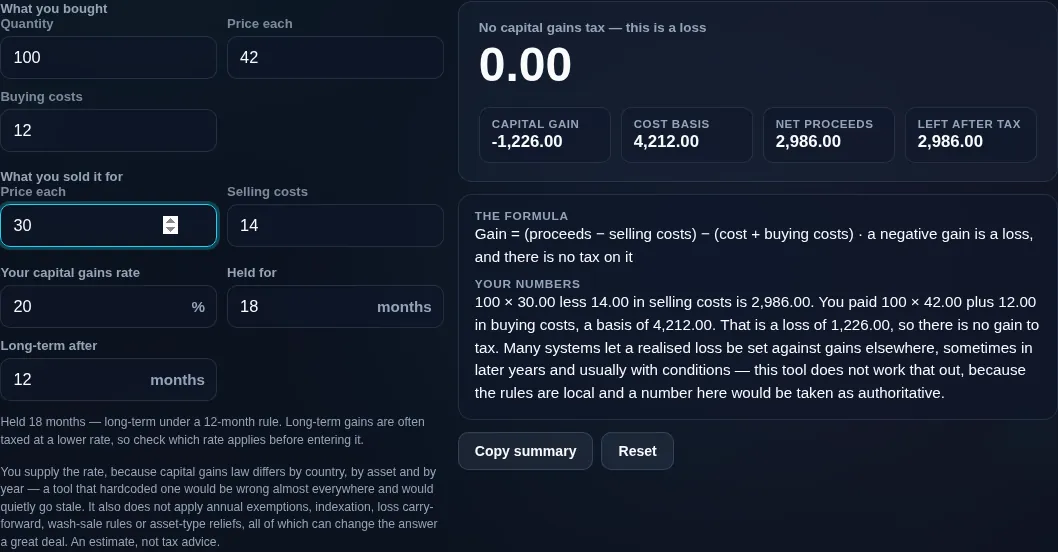
Capital gains tax calculator reporting no tax on a sale at a loss, and declining to work out whether the loss can be set against other gains
A sale at a loss, where the tax is zero rather than negative
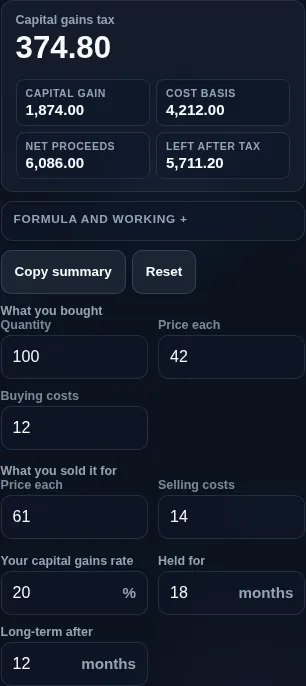
Capital gains tax calculator running in a phone browser with the price and cost fields paired
Mobile browser

When a capital gains tax calculator helps

Because of that, be clear on scope: this is an estimate, not tax advice, and not filing-grade. It computes the core gain-and-tax mechanics, but it deliberately doesn't model allowances, exemptions, loss carry-forwards, wash-sale rules, or asset-specific treatments — all of which can significantly change your actual bill. For exact figures, use your tax authority's official calculator or a professional.

It does handle the useful basics: you can add buying and selling costs (fees and commissions) so they adjust your basis and proceeds, enter a quantity for shares or units, and mark the holding period — many systems tax short-held gains at a higher rate, and the tool prompts you to apply the right one. If you sold at a loss, it shows there's no gain to tax (and a loss may be usable to offset other gains — check your rules).

Gains figures are sensitive, so everything runs in your browser and is never uploaded.

  • Selling shares or funds. Estimate the gain and tax before or after a sale.
  • Crypto disposals. Work out the gain on selling or swapping crypto (with your rate).
  • Property sales. Get a rough gain-and-tax figure (allowances/exemptions apply — check locally).
  • Planning a sale. Compare selling now vs later, or short vs long term.
  • Record-keeping. Compute the gain per lot, privately.

Realistic example. You bought shares for $10,000 and sold them for $16,000, with $100 of combined fees. Gain = $16,000 − $10,000 − $100 = $5,900. At a 15% long-term rate you'd owe about $885, leaving roughly $15,015 after tax. Change the rate to your short-term rate and the tax rises accordingly.

Advanced tip. In many systems, holding an asset longer qualifies for a lower long-term rate — so the holding period can materially change the tax. Enter the rate that matches your period.

Common mistake to avoid. Don't forget allowances and exemptions your country may offer — this tool doesn't apply them, so your real tax could be lower.

Related. For income tax on your salary, see the Income Tax Estimator; for crypto trade P&L, the Crypto Profit Calculator.

What this estimate is — and isn't

  • Not tax advice, and not filing-grade. It's an educational estimate, not a substitute for an official calculator or a professional.
  • Input-driven by design. It doesn't know or apply any country's capital gains rules — you enter your own rate, which is why it works anywhere.
  • Allowances and exemptions aren't modelled. Tax-free allowances, exemptions, indexation, loss offsets, and wash-sale rules can change your actual bill — check your local rules.
  • Short vs long term matters. Many systems tax short-held gains higher; enter the rate for your holding period.
  • Your data stays private. All maths runs on your device; nothing is uploaded.
Frequently Asked Questions

How is capital gains tax calculated?

First find the gain: Gain = sale proceeds − cost basis (what you sold for, minus what you paid, including relevant costs). Then apply your rate: capital gains tax = the taxable gain × your capital gains tax rate. For example, a $5,000 gain taxed at 15% is $750. This calculator runs that using the rate you enter, and shows each step.

---

What is cost basis?

Cost basis is what an asset cost you for tax purposes — usually the purchase price plus buying costs like commissions or fees. When you sell, your gain is the sale proceeds minus this basis, so a higher basis means a smaller taxable gain. Keeping accurate records of your basis (including reinvested dividends or improvements, where applicable) is essential for calculating capital gains correctly.

---

Does this apply my country's capital gains rules?

No — and that's deliberate. Capital gains rates, short/long-term thresholds, allowances, and exemptions differ by country, region, and year, and change often, so instead of hard-coding one nation's law, this tool asks you to enter your own capital gains rate. That keeps it accurate to your situation, usable anywhere, and honest. For exact statutory figures, use your tax authority's official calculator.

---

What tax rate should I enter?

Enter the capital gains rate that applies to your situation — which depends on your country, your income, and how long you held the asset. You can find it from your tax authority, your accountant, or your country's tax guidance. Many systems have different rates for short-term versus long-term gains, so use the one matching your holding period. If unsure, check before relying on the estimate.

---

What's the difference between short-term and long-term gains?

In many tax systems, how long you held an asset before selling changes the tax. Short-term gains (assets held a short time, often under a year) are frequently taxed at a higher rate — sometimes as ordinary income. Long-term gains (held longer) often get a lower rate. The exact thresholds and rates vary by country, so the tool flags the holding period and asks you to enter the correct rate.

---

What if I made a loss instead of a gain?

If your proceeds are less than your cost basis, you have a capital loss, and there's no gain to tax. The calculator shows the loss rather than a tax. In many systems, capital losses can be used to offset capital gains (and sometimes a limited amount of other income), which can reduce your overall tax — but the rules vary, so check how loss offsets work where you are.

---

Do fees and commissions reduce my gain?

Yes, usually. Buying costs (like purchase commissions) add to your cost basis, and selling costs reduce your proceeds — both shrink the taxable gain. So a $6,000 gross gain with $200 of combined fees is a $5,800 taxable gain. The tool lets you include these costs so the estimate is more accurate. Keep records of them for your actual filing.

---

Can I use this for stocks, crypto, property, or funds?

Yes — the core maths (proceeds minus basis, times your rate) applies to any capital asset. That said, different asset types can have different rules, rates, allowances, or exemptions in your country (property and crypto often have special treatment), which this general tool doesn't encode. Use it for a quick estimate, and check the specific rules for your asset type and jurisdiction.

---

Does it account for allowances, exemptions, or loss offsets?

No. Many countries offer a tax-free capital gains allowance, exemptions (for example, on a primary residence), indexation relief, or the ability to offset losses against gains — all of which can lower your actual tax. This calculator computes the basic gain and tax only, so your real bill may be lower. Factor these in separately using your local rules or a professional.

---

Is this accurate enough to file my taxes?

No — treat it as an estimate for planning, not a filing figure. Real capital gains tax depends on allowances, exemptions, holding periods, loss offsets, asset-specific rules, and your total income, which this general, input-driven tool doesn't fully model. For your actual return, use your tax authority's official calculator, tax software, or an accountant with your complete records.

---

Is this tax advice?

No. This calculator is an educational estimate to help you understand how capital gains tax is worked out. It isn't tax, legal, or financial advice, and it doesn't apply any specific country's law. For decisions that matter — filings, reliefs, or disputes — consult your tax authority or a qualified professional.

---

Is my data uploaded, and does it work offline?

No upload, and yes it works offline. Every calculation runs entirely in your browser, so your purchase, sale, and gain figures — which are sensitive — are never sent to a server, there's no account, and no tracking. Once the page has loaded it keeps working with no connection, which is exactly what you want for private financial figures.

Still have questions?

If you can't find the answer you're looking for, feel free to contact our support team.

Contact Us