Scientific Calculator

A free online scientific calculator with trigonometry, logarithms, powers, roots, constants, memory and history.

100% Browser-Based Local Processing

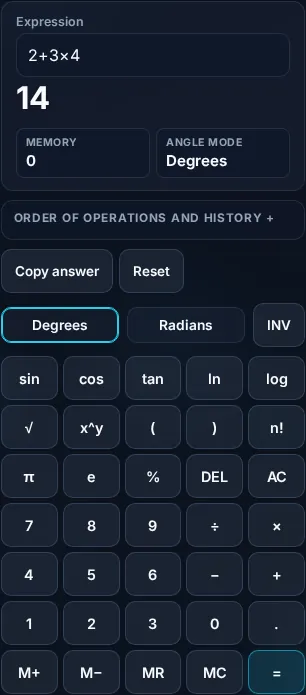
14

Memory 0
Angle mode Degrees
Order of operations and history

How it is evaluated

Parentheses, then powers, then × ÷, then + − (left to right)

History

  1. Nothing calculated yet.

Privacy Focused

🔒 Local Processing. Your numbers never leave your device.

Instant Results

🌐 Fully Client-Side. Runs instantly in your browser.

No Signup

⚡ No accounts. No API keys. Just open and use.

Browser Based

🚀 No installs, no sign-ups, no server round-trip.

What is a Scientific Calculator?

A Scientific Calculator handles advanced math beyond basic arithmetic — trigonometry (sin, cos, tan and inverses), logarithms (ln, log), powers and roots, factorials, and constants like π and e. It follows the standard order of operations, supports parentheses, memory, and history, and works with your keyboard. It runs entirely in your browser, even offline.

When basic arithmetic isn't enough — trig for geometry, logs for science, powers and roots for algebra — you need a scientific calculator. Having one in the browser means no app and no hunting for your physical calculator.

This one covers the full function set, respects order of operations, and supports keyboard entry, memory, and a calculation history. It runs entirely in your browser and keeps working offline.
How to use the scientific calculator

Step 1: Enter an expression with the buttons or your keyboard, using parentheses as needed

Enter an expression with the buttons or your keyboard, using parentheses as needed.

Step 2: Set degrees or radians before using trigonometric functions

Set degrees or radians before using trigonometric functions.

Step 3: Press equals; the result respects order of operations, and your history is kept

Press equals; the result respects order of operations, and your history is kept.

Scientific Calculator in action

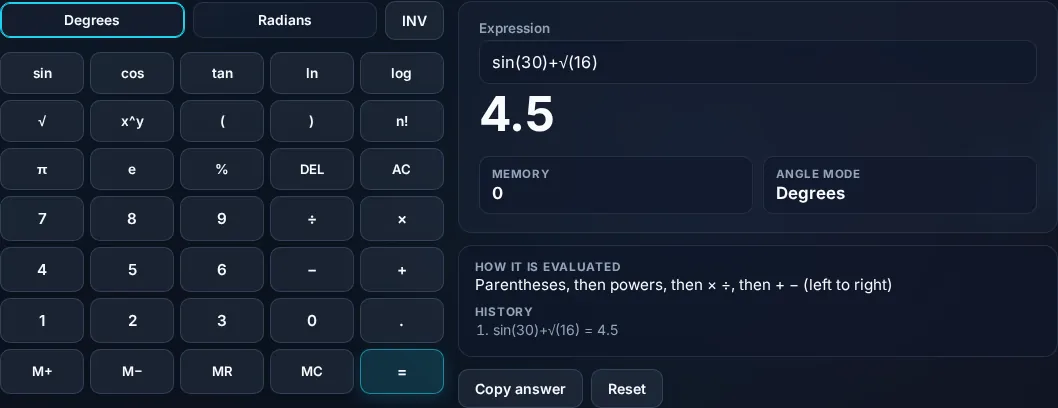
Scientific Calculator with trig and log functions in the browser.
Calculator keypad
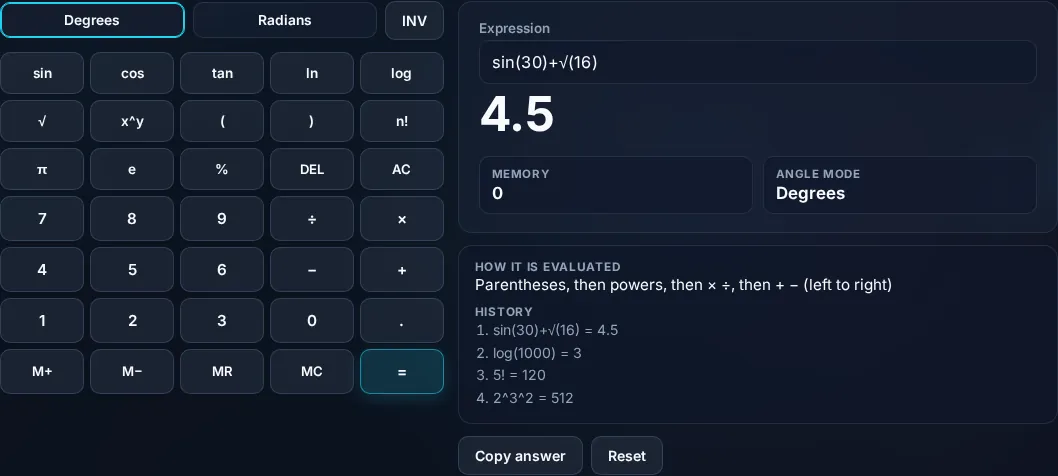
Scientific calculator showing a result and history.
History
Using a scientific calculator on a phone, no app installed.
Mobile (stacked)

Functions, order of operations, and degrees vs radians

The calculator covers the standard scientific function set: the four basic operations plus exponentiation (^), square and nth roots, percentages, trigonometric functions (sin, cos, tan) and their inverses, natural and base-10 logarithms (ln, log), the exponential function, factorials, and the constants π and e — with parentheses for grouping, memory keys, and a running history you can reuse. Crucially, it evaluates expressions using the correct order of operations (PEMDAS/BODMAS): parentheses first, then exponents and roots, then multiplication and division, then addition and subtraction — so 2 + 3 × 4 is 14, not 20. Two things commonly trip people up, and the calculator makes them explicit. First, the degree/radian mode for trigonometry: sin(90) is 1 in degrees but about 0.894 in radians, so set the mode to match your problem before evaluating. Second, domain limits: the logarithm of zero or a negative number, or dividing by zero, is undefined, and the calculator reports an error rather than a misleading value. Results use standard floating-point arithmetic, so at very high precision you may occasionally see a tiny rounding artifact, which is normal for digital calculators. Everything runs locally in your browser and works offline once loaded. For specific tasks, the percentage, fraction, and average calculators are more focused.

Frequently Asked Questions

What functions does the scientific calculator have?

The basics (+ − × ÷) plus exponents and roots, percentages, trigonometry (sin, cos, tan and inverses), logarithms (ln and log), the exponential function, factorials, parentheses, and constants π and e. It also has memory keys and a history of your calculations, covering most school and professional needs.

Does it follow the order of operations?

Yes. It evaluates expressions using standard order of operations (PEMDAS/BODMAS): parentheses, then exponents/roots, then multiplication/division, then addition/subtraction. So 2 + 3 × 4 correctly gives 14, not 20. Use parentheses to group parts of an expression and control the order explicitly when needed.

What's the difference between degrees and radians?

They're two ways to measure angles: 360 degrees = 2π radians. Trigonometric functions give different results depending on the mode — sin(90°) = 1, but sin(90 radians) ≈ 0.894. Set the calculator to the mode your problem uses before computing trig functions, or you'll get the wrong answer.

Can I use my keyboard?

Yes. You can type expressions directly with your keyboard — numbers, operators, parentheses, and function names — as well as click the on-screen buttons. Keyboard entry is faster for longer expressions, and the calculator parses what you type using the correct order of operations.

Why did I get an error or 'undefined'?

Some operations have no real result — the logarithm of zero or a negative number, dividing by zero, or the inverse sine of a value outside −1 to 1, for example. Rather than show a misleading number, the calculator reports an error so you know the input is outside the function's valid domain.

Does it work offline?

Yes. Once the page has loaded, the calculator runs entirely in your browser with no server, so it keeps working without an internet connection. That also means nothing you calculate is uploaded — your work stays on your device, and you can use it anywhere.

Is it free, and do I need to sign up?

Yes, it's completely free with no account, no trial, and no limit on how many times you use it. It runs entirely in your browser, so there's no sign-in wall — just open the page and calculate.

Is my data private?

Yes. Everything is calculated in your browser — the numbers you enter are never sent to a server, and nothing is stored once you close the tab. That keeps any personal figures (salary, loan, health) on your own device.

Does it work on mobile?

Yes. It runs in your phone's browser with nothing to install, so you can calculate on Android or iOS. The layout adapts to small screens, so entering numbers and reading the result is easy on the go.

Does it work offline?

Once the page has loaded, the calculation runs entirely on your device, so it keeps working without a connection. You only need to be online to open the page the first time — which is also why nothing you enter is uploaded.

Can I copy or share the result?

Yes. You can copy the result to your clipboard with one click, and many results can be shared. Because everything is calculated locally, copying is instant with no upload step.

How accurate is it, and is this professional advice?

The math is accurate for the inputs you give, and the formula is shown so you can verify it. But results are estimates for general use, not professional advice — finance calculators use simplified assumptions and ignore fees and rate changes, and health calculators are general estimates, not medical advice. For important decisions, consult a qualified professional.

Still have questions?

If you can't find the answer you're looking for, feel free to contact our support team.

Contact Us