mph to km/h Converter

Convert mph to km/h instantly (and back).

100% Browser-Based Local Processing

mile per hour (mph)

kilometre per hour (km/h)

How this conversion works

The relation

Worked example

    4

    mph to km/h conversion table

    mphkm/h

    Privacy Focused

    🔒 Local Processing. The values you enter never leave your device.

    Instant Results

    🌐 Fully Client-Side. Runs instantly in your browser.

    No Signup

    ⚡ No accounts. No API keys. Just open and use.

    Browser Based

    🚀 No installs, no sign-ups, no conversion limits.

    What is a mph to km/h Converter?

    > To convert mph to km/h, multiply the miles per hour by 1.609344, because 1 mile = 1.609344 km. So 70 mph × 1.609344 = 112.65 km/h, and 1 km/h = 0.621371 mph. To go back, divide km/h by 1.609344. This tool does both instantly and works offline. ---

    ### H2: Convert miles per hour to km/h — exact, both ways

    Converting between miles per hour and kilometres per hour is mostly a driving problem. The US and UK post speed limits in mph, while most of the rest of the world uses km/h — so hire a car abroad and the speedometer, the signs, and your instincts can all be in different units. It's an exact conversion: one mile per hour is 1.609344 km/h, because a mile is exactly 1609.344 metres.

    This page is a focused mph-to-km/h tool. Enter a value in mph and it shows km/h instantly; enter km/h and it shows mph — the fields mirror each other, so it works both ways. Every result comes with the factor it used (1 mph = 1.609344 km/h), so you can verify it.

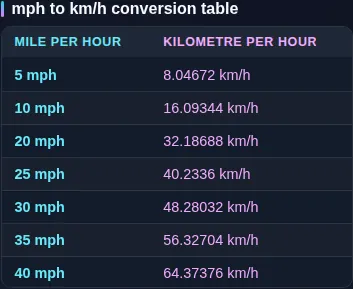
    Because the usual reason is driving, there's a speed-limit reference table below: the common road limits in both units, so you can see at a glance that a 70 mph motorway limit is about 113 km/h, a 30 mph town limit is about 48 km/h, and a 100 km/h limit abroad is about 62 mph.

    One quick note: people often use "1.6" as a shortcut, but the exact factor is 1.609344, so 1.6 runs slightly low — fine for a rough estimate, not for precise figures. And "mph" here means statute miles per hour, the road unit — not knots, which are nautical and used at sea and in the air. For m/s, knots, or feet per second, use the full Speed Converter. Everything here runs on your own device, offline, with nothing uploaded.
    ---

    How to use the mph to km/h Converter

    Step 1: Enter the mph. Type your speed into the mph field

    Decimals are fine.

    Step 2: Read the km/h. The result appears instantly, with the factor used shown beside it

    Read the km/h. The result appears instantly, with the factor used shown beside it.

    Step 3: Or go the other way. Type into the km/h field instead to convert km/h back to mph

    Or go the other way. Type into the km/h field instead to convert km/h back to mph.

    Step 4: Check the factor. The exact relationship (1 mph = 1.609344 km/h) is displayed so you can verify the number

    Check the factor. The exact relationship (1 mph = 1.609344 km/h) is displayed so you can verify the number.

    Step 5: Copy or refine. Use Copy to grab the result, or adjust the decimal places for more precision

    Copy or refine. Use Copy to grab the result, or adjust the decimal places for more precision.

    mph to km/h Converter in action

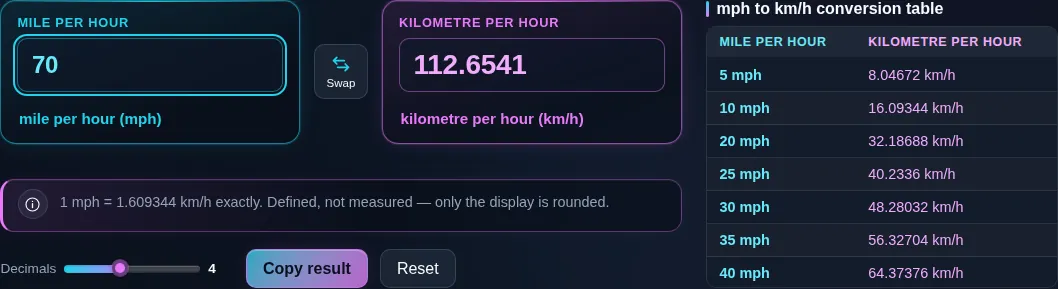
    Mph to km/h converter turning 70 miles per hour into 112.6541 kilometres per hour, with the note underneath reading that one mile per hour is exactly 1.609344 kilometres per hour.
    Converting, with the exact factor underneath
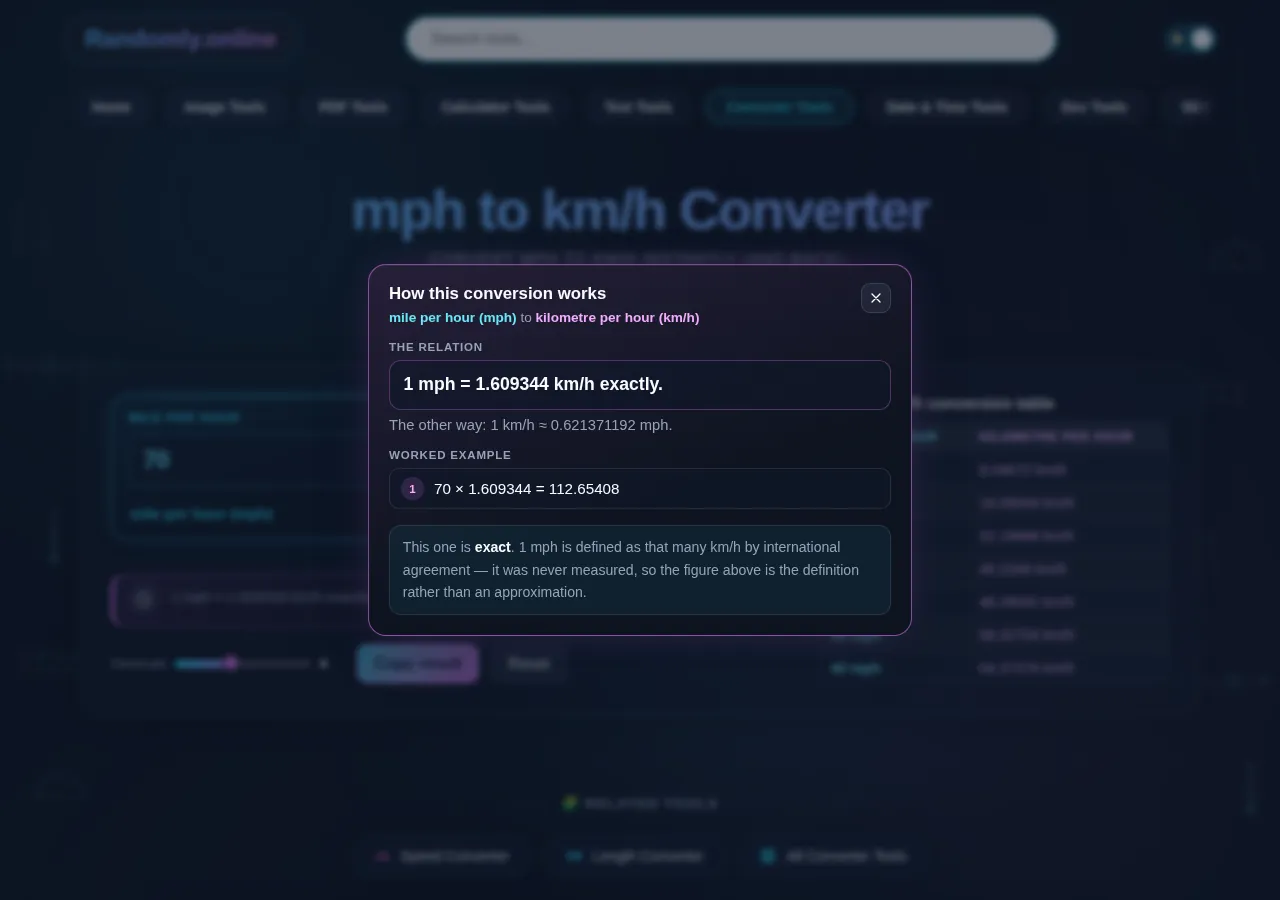
    The worked example dialog showing 70 multiplied by 1.609344 giving 112.65408, above a note saying the figure is a definition rather than a measurement.
    The arithmetic behind the answer, step by step
    The mph to km/h reference table listing speed limits from 5 to 80 miles per hour side by side beneath the converter.
    Road speed limits in both units, ready to read without typing
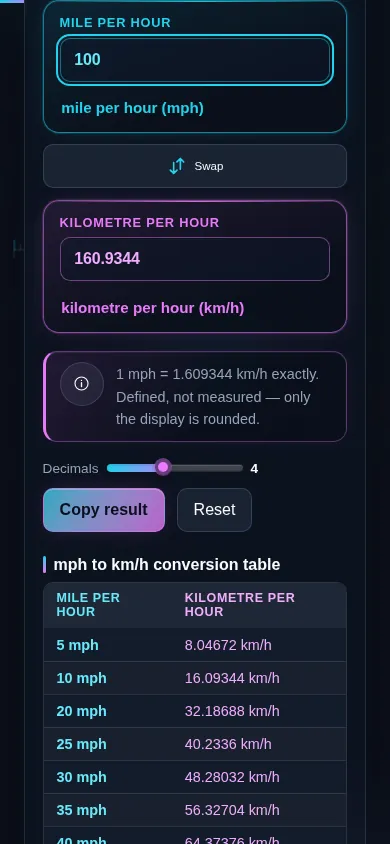
    The mph to km/h converter on a phone screen, the two panes stacked with the swap control between them.
    The same tool on a phone

    Frequently Asked Questions

    How many km/h is 70 mph?

    70 mph is 112.65 km/h. Multiply mph by 1.609344 to get km/h: 70 × 1.609344 = 112.65. A few other common ones: 30 mph = 48.28 km/h, 60 mph = 96.56 km/h, and 100 mph = 160.93 km/h. Enter any value and the tool shows the result plus the exact factor.

    ---

    How do I convert mph to km/h?

    Multiply the miles per hour by 1.609344. Because one mile is 1.609344 kilometres, and the hour is the same in both units, mph × 1.609344 gives km/h. For example, 50 mph × 1.609344 = 80.47 km/h. The tool applies this exact factor automatically and shows it with the result.

    ---

    How do I convert km/h back to mph?

    Divide the km/h by 1.609344, or multiply by 0.621371. Since one kilometre is about 0.621371 miles, 120 km/h × 0.621371 = 74.56 mph. The tool is bidirectional: type into the km/h field and it converts to mph automatically, so you don't have to remember which way the factor goes.

    ---

    Is 1 mph the same as 1.6 km/h?

    Almost, but not exactly. One mph is 1.609344 km/h, so "1.6" is a rounded shortcut that runs slightly low. For a quick mental estimate it's fine, but over larger speeds the difference grows — at 100 mph, using 1.6 gives 160 km/h instead of the correct 160.93. The tool uses the full, exact factor.

    ---

    What is 100 km/h in mph?

    100 km/h is 62.14 mph. Multiply km/h by 0.621371: 100 × 0.621371 = 62.14. That's why a 100 km/h expressway limit feels like a typical highway speed to someone used to mph. Common ones: 120 km/h = 74.56 mph and 130 km/h = 80.78 mph. The speed-limit table on this page lists more.

    ---

    What are common speed limits in mph and km/h?

    Typical road limits: a 30 mph town limit is about 48 km/h; a 70 mph motorway limit is about 113 km/h. Going the other way, a 50 km/h urban limit is about 31 mph, and a 120 km/h motorway limit (common in Europe) is about 75 mph. The full speed-limit table on this page covers the usual values both ways.

    ---

    Why is the factor 1.609344 and not just 1.6?

    Because a mile is defined as exactly 1609.344 metres, so one mph is exactly 1.609344 km/h. The "1.6" everyone quotes is just a convenient rounding. For casual estimates 1.6 is close enough, but for anything precise — reporting a speed, checking a record, or converting a large value — the extra decimals matter, so the tool uses the full factor.

    ---

    Is mph the same as knots?

    No. "mph" is statute miles per hour, used on roads. A knot is one nautical mile per hour, used at sea and in aviation, and equals 1.852 km/h — because a nautical mile (1852 m) is longer than a statute mile (1609 m). So 20 knots is faster than 20 mph. This page handles statute mph; for knots, use the full Speed Converter.

    ---

    What's the formula to convert mph to km/h?

    km/h = mph × 1.609344. Multiply the miles-per-hour value by 1.609344 to get kilometres per hour. To reverse it, divide by 1.609344 (or multiply by 0.621371). It's a single exact factor, derived from the mile being 1609.344 metres, and the tool shows it with every result.

    ---

    Is this converter exact, or does it round the answer?

    The math is exact — it uses the defined factor 1 mph = 1.609344 km/h, which rests on the exact statute mile of 1609.344 metres. Only the *displayed* value is rounded for readability, and you can add decimal places for more precision. The factor shown with each result lets you verify the figure yourself.

    ---

    Where can I convert m/s, knots, or ft/s?

    Use the full Speed Converter. This page focuses on the mph-to-km/h pair, but the Speed Converter handles five units — km/h, mph, metres per second, knots, and feet per second — with the same exact-factor approach and an all-units table, plus an honest note on Mach.

    ---

    Does the tool work offline, and does it upload my data?

    It works fully offline once the page has loaded, and it never uploads anything. The conversion is a single multiplication by 1.609344, done on your own device — no server, no account, no tracking. That makes it dependable on the road with no signal, and private by design, since there's nothing to send anywhere.

    Still have questions?

    If you can't find the answer you're looking for, feel free to contact our support team.

    Contact Us