Random Quote Generator

Get a random inspirational quote on demand, filterable by category, with author attribution and one-click copy.

100% Browser-Based Local Processing
Any theme
Press the button for a quote
Quote theme

Many famous lines are misattributed online. Verify the source before publishing one formally.

Press Space for another quote.Tap New quote for another.

Privacy Focused

🔒 Local Processing. Your names and lists never leave your device.

Instant Results

🌐 Fully Client-Side. Runs instantly in your browser.

No Signup

⚡ No accounts. No API keys. Just open and use.

Browser Based

🚀 No installs, no sign-ups, no server round-trip.

What is a Random Quote Generator?

Random Quote Generator shows a random quote each time you click, filterable by category like motivation, success, or humor, with the author's name. Copy or share the ones you like and save favourites. It runs entirely in your browser from a curated quote collection, so it works offline once loaded.

A good quote can spark motivation, open a talk, caption a post, or just brighten a moment. This generator surfaces a fresh quote on demand, with categories so you can find the right tone, and attribution so you know who said it.

It runs entirely in your browser from a curated collection, so it's instant, works offline, and needs no account. Pick a category, generate, and copy or save the quotes you love.
How to get a random quote

Step 1: Optionally choose a category — motivation, love, success, humor, wisdom, and more

Optionally choose a category — motivation, love, success, humor, wisdom, and more.

Step 2: Click New Quote to show a random quote with its author

Click New Quote to show a random quote with its author.

Step 3: Copy it, save it to favourites, or share it; click again for another

Copy it, save it to favourites, or share it; click again for another.

Random Quote Generator in action

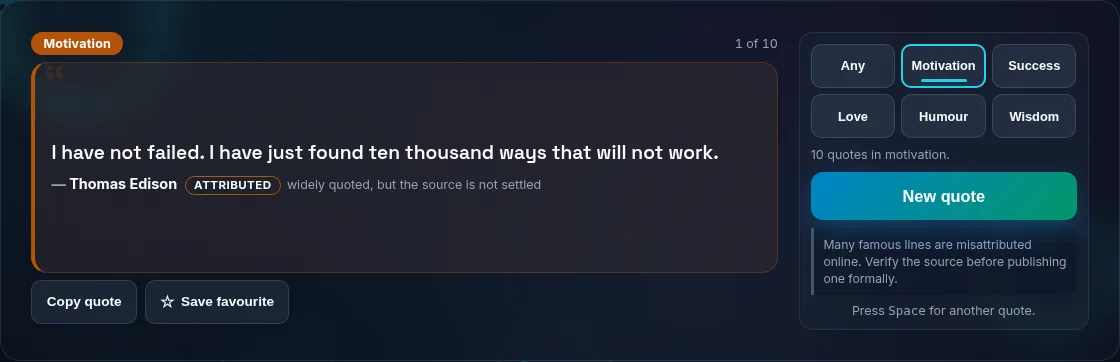
A random quote shown with its author.
Quote + author
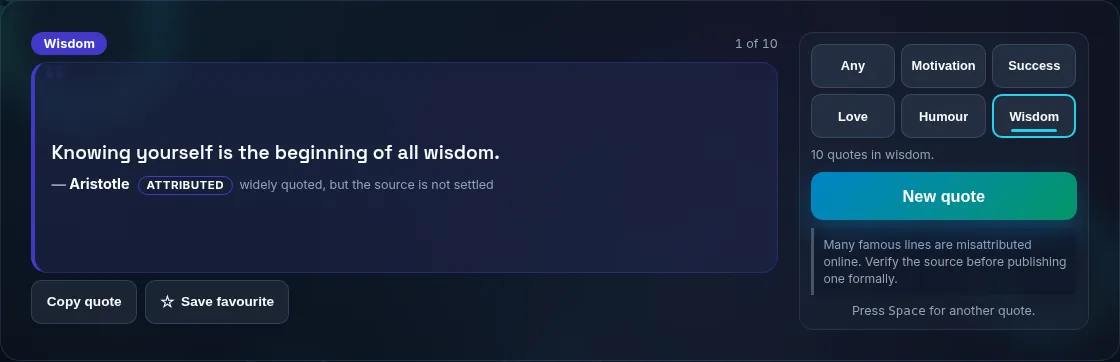
Filtering random quotes by category.
Category filter
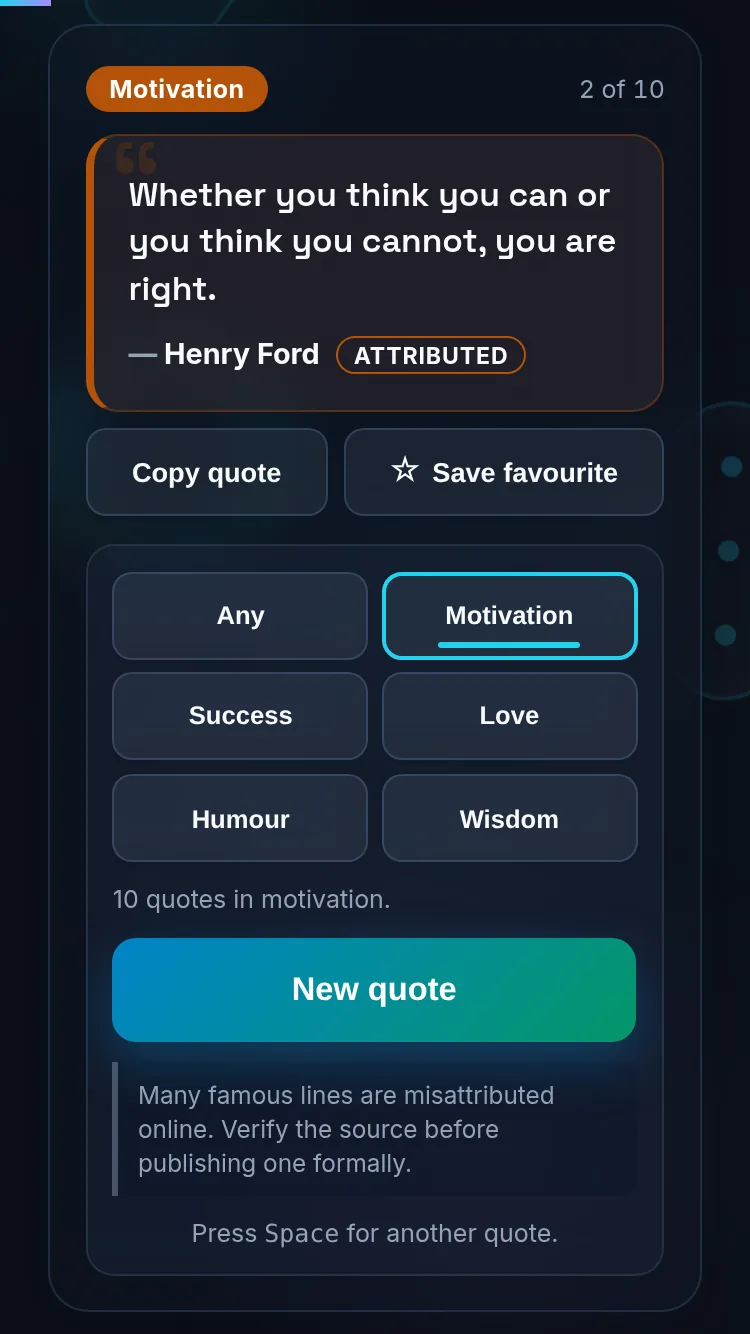
Getting a random quote on a phone, no app installed.
Mobile (stacked)

Categories, attribution, and using quotes

Categories help you match the moment — an inspirational line for a presentation, a witty one for a caption, a reflective one for a journal. The generator draws from a curated collection and shows each quote's author. One honest note about quotes online: many famous lines are widely misattributed (often to Einstein, Twain, or Gandhi), so where authorship is uncertain a quote is marked as 'attributed' rather than stated as fact — and if you're publishing a quote formally, it's worth verifying the source. Everything runs locally, so quotes load instantly and nothing about your usage is tracked. Pair this with the Would You Rather generator for icebreakers, or the Wheel of Names to randomly pick from your own list.

Frequently Asked Questions

How do I get a new random quote?

Click New Quote and a random quote appears with its author; click again for another. Optionally set a category first to narrow the tone. The tool avoids repeating the same quote immediately, so each click feels fresh.

Can I filter quotes by category or topic?

Yes. You can filter by themes such as motivation, success, love, humor, and wisdom, so the quote fits your purpose — a pep talk, a caption, a card, or a journal prompt. Switch categories any time for a different mood.

Are the quote attributions accurate?

They come from a curated collection with the author shown, but it's worth knowing that many popular quotes are widely misattributed online. Where authorship is uncertain, the quote is presented as 'attributed' rather than stated as definite. For formal or published use, verify the original source.

Can I copy or share a quote?

Yes. Copy any quote to your clipboard with one click for pasting into a post, slide, or document, and save favourites to find them again. Sharing options let you pass a quote along. Everything is generated locally, so it's instant.

Does it work offline?

Yes. The quotes are bundled with the tool, so once the page has loaded it works without a connection and nothing is sent to a server. That makes it a quick, private source of quotes you can rely on anywhere.

Can I use these quotes commercially?

The quotes themselves are typically short excerpts attributed to their authors; short quotations are generally fine to share, but for commercial or published use you should confirm the source and any rights, especially for living authors or song lyrics. Treat the tool as a discovery aid and verify before formal use.

Is it private — is anything uploaded?

No. Everything runs in your browser, so whatever you enter is processed on your own device and never uploaded. Nothing is stored once you close the tab unless you choose to save it. That keeps your lists, names, and data private.

Is it free, and do I need to sign up?

Yes, it's completely free with no account, no trial, and no limit on how many times you use it. Because it runs entirely in your browser, there are no server costs, no usage caps, and no watermark or branding added to your result.

Does it work on a phone?

Yes. It runs in your phone's browser with nothing to install, so you can use it on Android or iOS. The layout adapts to small screens, making it easy to use on the go, at a party, or in a classroom.

Does it work offline?

Once the page has loaded, it runs entirely on your device, so it keeps working without a connection — which is also why nothing is uploaded. You only need to be online to open the page the first time; after that the tool works locally.

Can I copy or share the result?

Yes. You can copy the result to your clipboard with one click, and many results can be downloaded or shared. Everything is generated locally, so copying and sharing are instant with no upload step.

Is the randomness fair?

Yes. The tool uses your browser's secure random number generator, so every outcome is genuinely unpredictable and each option has an equal chance. It isn't weighted or rigged — results are as fair as a well-shuffled deck or an even spin.

Still have questions?

If you can't find the answer you're looking for, feel free to contact our support team.

Contact Us